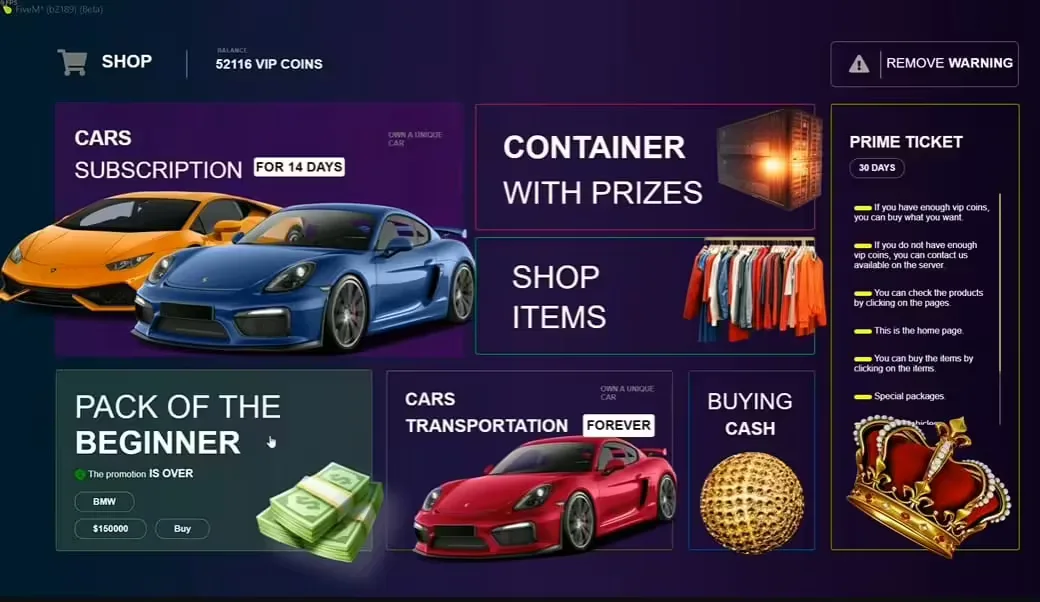
Running a high-quality FiveM server costs money. Between VPS hosting, dedicated DDoS protection, and buying premium FiveM scripts, the month-to-month expenses quickly add up.
Share
How to Create Discord Donation Tiers for Your FiveM Server
Running a high-quality FiveM server costs money. Between VPS hosting, dedicated DDoS protection, and buying premium , the month-to-month expenses quickly add up.
Creating a structured, automated donation tier system via Discord is the most effective way to monetize your community while remaining compliant with Rockstar's Terms of Service. In this comprehensive guide, we will walk you through setting up automated donation tiers that instantly reward players with Discord roles and in-game perks.
Why Use Discord for Server Donations?
Using Discord as the primary hub for your donation tiers offers massive advantages over manual tracking:
Automation: When a player buys a package on your Tebex store, a bot automatically assigns them a VIP Discord role.
Status and Recognition: Players love showing off their supporter status. A colored role high up on the online list provides immediate gratification.
In-Game Reading: Your FiveM server can read the user's Discord roles to automatically grant in-game benefits like queue priority or custom commands.
Step 1: Planning Your Donation Tiers
Before configuring any software, decide what your tiers will look like. Rockstar's ToS heavily restricts what you can sell. You cannot sell in-game currency (cash) or real-world branded vehicles.
Here is a compliant, highly successful tier structure:
Tier 1: Supporter ($5/month)
Supporter Discord Role.
Level 1 Tier Queue Bypass (skip ahead of non-donors).
Framework-Recherche in einen startklaren Script-Stack verwandeln
Nutze diesen Guide, um die Framework-Entscheidung einzugrenzen, und wechsle dann in die zentralen Angebotsseiten für verifizierte Scripts, kuratierte Bundles und einen schnelleren Server-Launch.
QBCore starter
Use a complete QBCore base when the guide points to a new server launch and you want jobs, economy, UI, and admin tooling already connected.
View QBCore template
ESX starter
Compare a full ESX server pack when you need a faster path from setup research to a working roleplay stack.
View ESX server pack
Complete server path
If the article is part of a launch plan, start with full server packs that reduce setup time and connect multiple systems faster.
Open full server packs
Premium-Scripts, die dir gefallen könnten
Kostenlose Scripts die dich interessieren könnten
Ähnliche Artikel
Erstelle einen FiveM-Server in 15 Minuten mit txAdmin, in 2–4 Stunden mit einem Server-Template oder in 2–6 Monaten mit manuellem Aufbau. Drei ehrliche Wege im Vergleich — mit Framework, Kosten und Time-to-Launch.
Monetarisiere deinen FiveM Server mit automatisierten Discord Spendenstufen. Lerne, wie du Tebex mit Discord verbindest, Rollen automatisch vergibst und diese mit In-Game-Perks wie Queue-Bypass verknüpfst.
Ja, du kannst in 15 Minuten einen FiveM-Server kostenlos mit txAdmin erstellen. Ehrlicher Guide zum kostenlosen Weg: was funktioniert, was nicht, wann du upgraden solltest und die ehrliche Free-vs-Paid-Rechnung.
Create three new roles: `Supporter`, `Premium`, and `Elite`.
Give them distinct, appealing colors (like Gold, Diamond, and Platinum).
Select "Display role members separately from online members" to give them visibility.
Put the server's Bot role higher in the hierarchy than these new VIP roles. The bot cannot assign roles that are higher than its own.
Step 3: Setting Up Tebex Automation
Tebex is the official, strictly-mandated monetization platform for FiveM. You must use Tebex.
Create a store at Tebex.io and link it to your Cfx.re account.
In your Tebex dashboard, go to Integrations > Discord and link your server's Discord via their official bot.
Navigate to Packages > Create a Package.
Name the package "Premium Tier (Month)".
Under the Deliverables tab, select Discord Action.
Tell the interface to assign the `Premium` role upon purchase, and most of all, remove the role upon expiry/chargeback.
Now, whenever someone buys that package, Tebex handles the payment and automatically issues the Discord role.
Step 4: Connecting Discord Roles to FiveM Perks
Now that the player has the Discord role, how does your FiveM server know they are a VIP? You need a Discord API script.
Using Badger's Discord API or Illenium-Appearance
Most modern servers use a script like `Badger_Discord_API` or built-in Discord logging in QBCore / ESX frameworks.
With Badger's API installed:
Open its `config.lua`.
Map your Discord Role IDs to in-game string names.
``\lua
Config.RoleList = {
    ['123456789012345678'] = "Supporter", -- Replace with your Discord Role ID
    ['234567890123456789'] = "Premium",
    ['345678901234567890'] = "Elite"
}
``\
Step 5: Automating Queue Bypass (ConnectQueue)
The most sought-after perk is skipping the queue. If you use a resource like `Badger-Priorities` alongside `ConnectQueue`, you can assign queue priority values based on those Discord roles.
``\lua
Config.PriorityList = {
    ['Elite'] = 1,      -- Highest priority skips the line
    ['Premium'] = 2,
    ['Supporter'] = 3
}
``
Now, when an Elite member joins a 50-person queue, they immediately jump to the front.
Step 6: In-Game Commands and Items
You can restrict certain scripts to these roles. For instance, if you want only VIPs to use a custom chat command (like `/vipmenu`):
``\lua
RegisterCommand('vipmenu', function(source)
    if exports.Badger_Discord_API:CheckEqual(source, "Premium") then
        -- Open VIP Menu
    else
        TriggerClientEvent('chatMessage', source, "^1ERROR: You do not have the Premium role.")
    end
end)
``\
What Perks Actually Convert in 2026
Designing donation tiers is part economics, part psychology. Most new server owners copy another server's tier structure without understanding why certain perks sell and others don't. After analyzing donation revenue across dozens of FiveM communities, three patterns consistently outperform everything else.
Queue bypass is the highest-converting single perk. Players experience queue waits as direct, tangible pain. Solving that pain with a $5 or $15 purchase is an easy decision, especially for players who already love your server. Every tier should include queue priority as a core benefit — not buried behind other perks, but listed first and described in specific terms ("skip ahead of all non-donors on a full 64-slot server").
Exclusive access beats cosmetics at lower price points. A VIP lounge in your Discord, access to a special in-game area, or a members-only roleplay event drives more conversions than custom chat colors alone. Exclusivity creates social proof — other players see the VIP channel exists, which makes the tier desirable even before they need the perks.
Perks that remove friction convert better than perks that add features. Donators who never have to wait, never fill out applications for whitelisted jobs, and get priority support responses are happier than players who received a cosmetic vehicle pack. Identify the three biggest pain points in your server experience — waiting, bureaucracy, and getting help — and design your tiers around removing those frictions.
One tier structure that works across server types: Supporter ($5, queue bypass + VIP channel), Premium ($15, everything above + priority support + 1 extra character slot), Elite ($30, everything above + direct admin line + exclusive monthly event access). Keep it to three tiers maximum — more than three creates decision paralysis and depresses conversion across all tiers.
Maintaining Your Tier System Over Time
The work doesn't end after you set up the automation. A healthy donation system requires monthly attention or it degrades quickly.
Audit expired subscribers monthly. Tebex will automatically remove roles on expiry if configured correctly, but edge cases slip through — especially when a player's payment method changes, a chargeback is disputed, or the subscription skips a cycle. Check your Discord for Supporter/Premium/Elite members who appear in the role list but whose Tebex records show as lapsed. Remove roles manually where automation missed.
Review perk relevance quarterly. A perk that drove signups six months ago may feel stale today. If a particular tier stops converting, interview two or three existing subscribers about which perks they actually use. Often, one perk carries the entire tier and the others are invisible. Rebalance the offering rather than lowering the price.
Communicate changes to existing subscribers before implementing. If you need to remove a perk from an existing tier, give current subscribers at least two weeks notice and grandfather them for one additional billing cycle. Subscribers who feel blindsided chargeback, leave the server, and post negative reviews. Subscribers who feel respected often upgrade to higher tiers after a well-communicated change.
ToS Compliance and Avoiding Bans
We cannot stress this enough: Read the Cfx.re Terms of Service regarding monetization.
Do not sell branded clothing (Nike, Gucci) as VIP perks.
Do not sell real-world cars (BMW, Audi) via your donation store.
Do not sell in-game money, weapons, or "pay-to-win" advantages like faster running speeds.
Technically, you could manually assign roles to people who send you money via PayPal or CashApp. However, bypassing Tebex violates the FiveM Terms of Service and will get your server blacklisted and permanently shut down.
Why didn't the Discord role sync to the player?
Ensure the player's Discord application is open and linked to their FiveM client. If a player declines Discord authorization when booting FiveM, the API cannot read their roles.
Conclusion
Automating your donation tiers is a massive weight off the shoulders of server management. By letting Tebex handle the payments, the Discord bot handle the roles, and your FiveM scripts read those roles for perks, you create a clean, hands-free monetization engine that keeps your server financially healthy.