Zum Hauptinhalt springen
  • Sofortiger digitaler Versand
  • Lebenslange Updates für ausgewählte Produkte
  • Vertraut von Server-Betreibern
FiveMX
Marktplatz
Komplette ServerBundlesNeuerscheinungen
  1. Startseite
  2. Blog
  3. Scripts & Ressourcen
Table of Contents
Introduction to TL;DR : This guide gives you production‑readyWhy inventory tuning mattersModels: Slots vs. Weight vs. HybridDefault Presets (copy & adapt)Player Inventory (on‑person)

Inventory & Weight Tuning: From items.lua to Metadata

Veröffentlicht am 18. August 2025·von Lars Miller(Founder & Lead Editor)·Profil·2 Min. Lesezeit·Aktualisiert am 18. Mai 2026
Scripts & Ressourceninventory weight tuning from items.lua to

A stable RP economy depends on scarcity, friction, and meaningful choices. Inventory rules (slots, weight, stack limits, metadata like durability/serials) are the levers that make…

Share
Inventory & Weight Tuning: From items.lua to Metadata

Introduction to TL;DR : This guide gives you production‑ready

ReShade and NaturalVision Graphics Enhancement for FiveM

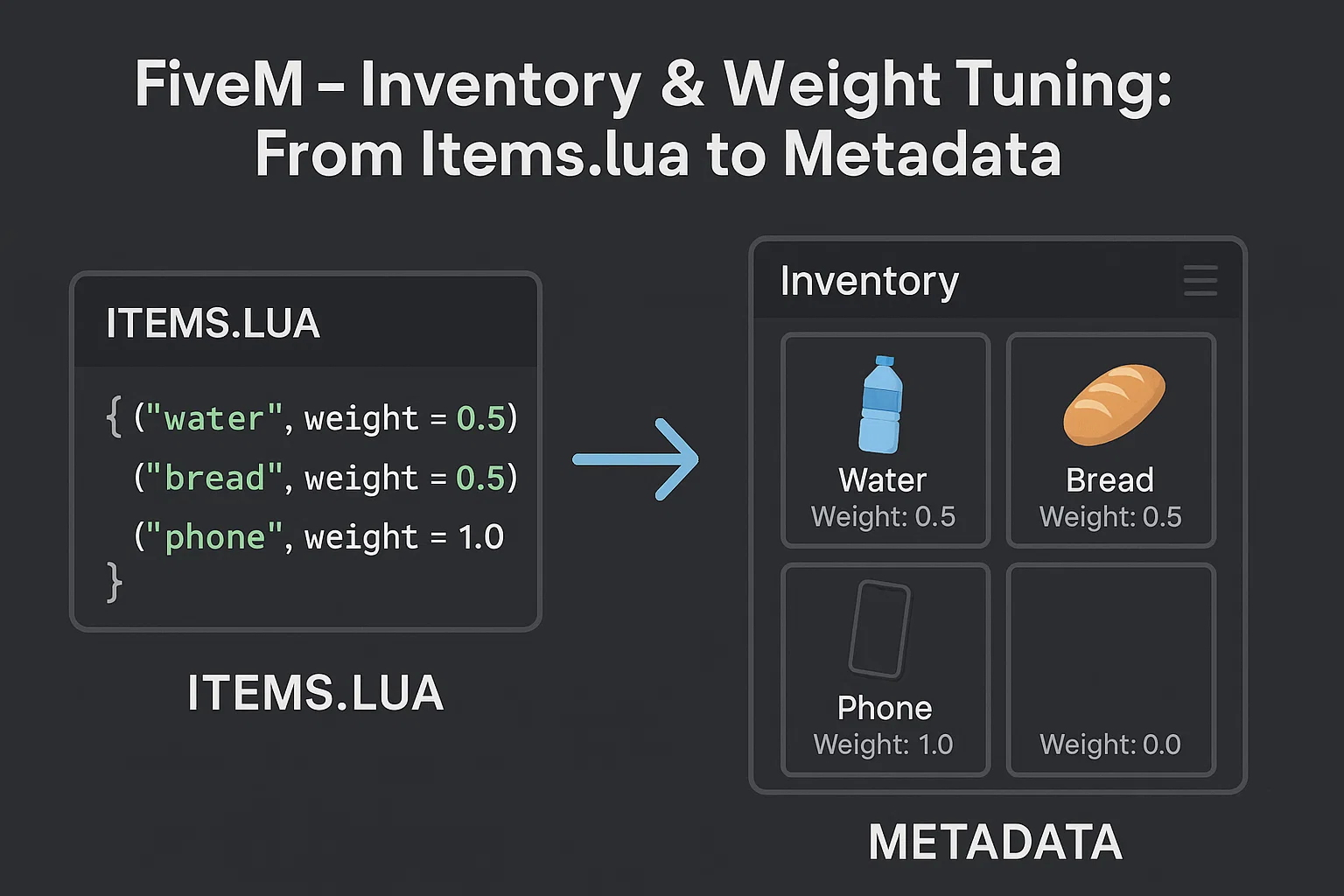
TL;DR: This guide gives you production‑ready weight/slot presets, item budget tables, copy‑pasteable items.lua definitions (ESX/QBCore/ox_inventory), and safe migration playbooks between popular inventories. Use it to eliminate over‑encumbrance drama, stop item bloat, and keep your economy coherent.

This guide is part of our comprehensive FiveM scripts resource, where you'll find all our script recommendations, framework comparisons, and buying guides.


Why inventory tuning matters

A stable RP economy depends on scarcity, friction, and meaningful choices. Inventory rules (slots, weight, stack limits, metadata like durability/serials) are the levers that make those choices real. If everyone can carry everything, prices collapse and loops break. Tune inventory first, then iterate your prices, payouts, and sinks. For broader economics, see our pillar: Designing a Balanced GTA RP Economy: Prices, Sinks, Progression.


Models: Slots vs. Weight vs. Hybrid

Slots-only

  • Simple cognitive model; each item = 1 slot or defined by size classes.
  • Weak at differentiating heavy vs. light stacks; exploits via many tiny high-value items.

Weight-only

  • Each item has a weight (usually grams). Players have maxWeight per container. Strong realism; needs thoughtful defaults.

Hybrid (recommended)

  • Global weight cap and slot cap. Prevents both micro‑item and mega‑item exploits. Works best for RP.

Tip: Keep numbers human‑readable. If you model in grams, use whole numbers (e.g., water = 500g) and round player caps (e.g., maxWeight = 120,000).


Default Presets (copy & adapt)

Below are battle‑tested starting points. Adjust ±10–20% after a week of in‑city telemetry.

Player Inventory (on‑person)

| Server Scale | Model | Max Weight (g) | Slots | |

Häufig gestellte Fragen

You recommend a hybrid weight and slot system. What are the drawbacks of using only weight or only slots for inventory management?

A slots-only system, where each item occupies a slot or a defined size class, struggles to differentiate between heavy and light items. This can lead to exploits where players carry numerous small, high-value items. A weight-only system, where each item has a weight and players have a maximum weight capacity, is more realistic but requires careful configuration of default weights. A hybrid system, combining global weight and slot caps, prevents both micro-item exploits (many small items) and mega-item exploits (a few very heavy items), making it a more balanced choice for roleplay servers.

How should I adjust the provided default weight and slot presets for my FiveM server?

The default presets provided are battle-tested starting points. After implementing them, monitor in-city telemetry for about a week. Observe player behavior, resource availability, and economic indicators. Based on this data, adjust the values by ±10–20% to fine-tune the balance to your specific server's needs. Consider factors like the availability of items, the rewards for different activities, and the desired level of scarcity.

If I'm using ESX, QBCore, or ox_inventory, how do I use the `items.lua` definitions provided?

The guide provides copy-pasteable `items.lua` definitions specifically designed for ESX, QBCore, and ox_inventory frameworks. Locate your existing `items.lua` file within your inventory script's directory. Carefully integrate the provided definitions, paying close attention to syntax and ensuring you don't overwrite or duplicate existing item definitions unintentionally. Remember to restart your server or inventory script after making changes for them to take effect. Always back up your original `items.lua` file before making modifications.

What makes inventory tuning important for a balanced roleplay economy in FiveM?

Inventory tuning, including managing slots, weight, stack limits, and item metadata, is crucial for creating a stable RP economy. These rules enforce scarcity, introduce friction, and force players to make meaningful choices about what they carry. If players can carry unlimited quantities of everything, it leads to price collapses and breaks economic loops. Tuning the inventory system is a foundational step before adjusting prices, payouts, and economic sinks.

Table of Contents

Introduction to TL;DR : This guide gives you production‑readyWhy inventory tuning mattersModels: Slots vs. Weight vs. HybridDefault Presets (copy & adapt)Player Inventory (on‑person)

Diesen Guide in einen produktionsreifen Roleplay-Stack verwandeln

Starke Job- und Roleplay-Setups hängen nie nur an einem Script. Über die folgenden Hubs vergleichst du installierbare Produkte, Bundles und den passenden Framework-Fit vor dem Kauf.

Category hub

Browse install-ready job scripts

Compare police, mechanic, drug, civilian, and economy systems in the main jobs hub before you commit to a single resource.

Open job scripts

Framework hub

Browse QBCore-ready scripts

Move into the QBCore landing page to compare verified scripts, framework fit, and install-ready products built for modern FiveM servers.

Open QBCore hub

Premium catalog

Browse premium FiveM scripts

Move from research into the main shop to compare real products, framework labels, screenshots, and production-ready quality signals.

Open premium shop

Launch faster

Compare curated bundles

Bundles shorten the path from planning to launch by grouping the highest-leverage scripts into a cleaner commercial starting point.

View bundles

Hinweis: Einige Links unten sind Affiliate-Links zu FiveMX-Produkten. Wir verdienen möglicherweise eine Provision ohne zusätzliche Kosten für dich.

Premium-Scripts, die dir gefallen könnten

LS Inventory V2

LS Inventory V2

34,89 €

Kostenlose Scripts die dich interessieren könnten

Gameconfig for Legacy & Enhanced

Gameconfig for Legacy & Enhanced

8,243,364 Downloads
PC Trainer V

PC Trainer V

1,272,946 Downloads
LemonUI: Open Source UI Library

LemonUI: Open Source UI Library

1,138,096 Downloads
NFS gauge - RPM Gear Speedometer & Timer

NFS gauge - RPM Gear Speedometer & Timer

1,058,515 Downloads

Ähnliche Artikel

Inventar & Gewicht optimieren: Von items.lua bis Metadaten

Inventar & Gewicht optimieren: Von items.lua bis Metadaten

Schritt-für-Schritt-Tutorial zur Inventar- und Gewichtsoptimierung in FiveM. Enthält idempotente Skripte, fertige Presets und Migrationsleitfäden. Vollständiger Guide für 2026.

August 18, 2025
FiveM AI Script-Generierung mit Claude Code

FiveM AI Script-Generierung mit Claude Code

So nutzt du Claude Code, um FiveM-Scripts schneller zu entwerfen, zu prüfen und sicher zu testen, ohne fragile AI-Lua direkt live zu stellen.

June 18, 2026
FiveM-Server kostenlos erstellen 2026 — Ehrlicher Guide

FiveM-Server kostenlos erstellen 2026 — Ehrlicher Guide

Ja, du kannst in 15 Minuten einen FiveM-Server kostenlos mit txAdmin erstellen. Ehrlicher Guide zum kostenlosen Weg: was funktioniert, was nicht, wann du upgraden solltest und die ehrliche Free-vs-Paid-Rechnung.

June 6, 2026
FiveMX

Starte heute mit deinem Server.

Kuratierte FiveM-Ressourcen, sofortige Lieferung, kostenlose Starter-Mods und praktische Guides in einem ruhigen Marktplatz.

Shop durchsuchensupport@fivemx.com

Marktplatz

  • Marktplatz
  • FiveM Mods
  • Alle Produkte
  • Gratis-Mods
  • Beste Scripts und Mods
  • FiveM Scripts

Frameworks

  • QBCore Scripts
  • ESX Scripts
  • QBox
  • Standalone

Community

  • Blog
  • Hilfe
  • Creator
  • Partnerprogramm

Rechtliches

  • Datenschutz
  • AGB
  • Rückerstattung
  • Digitale Lieferung
  • Cookie-Richtlinie
  • DSGVO
  • DMCA
  • Impressum
  • Redaktionsrichtlinie

Server-Templates

  • QBCore-Server-Template
  • ESX-Server-Template
  • NoPixel-Server-Template
  • Server-Packs
  • Kostenlose Templates
  • Tebex-Alternative
© 2026 FiveMX. Alle Rechte vorbehalten.·FiveMX ist nicht mit Rockstar Games, Take-Two Interactive oder CFX.re verbunden. Alle Marken sind Eigentum ihrer jeweiligen Inhaber.
DiscordDocs

Keine Zeit, alles selbst zu konfigurieren?

Starte mit einem vorgefertigten, getesteten FiveM Server-Pack. Framework-optimiert, alle Scripts vorinstalliert.

Super ESX Server
esxstandalone

Super ESX Server

The Super ESX Server is one of the best FiveM server templates - over 1.000 purchases! Want to know why we call it our Super Server? Check out our video to find out some of the basics details of the world. Update 10 is included, make sure to install v7 first and then use content of v10 yo

$228.32
ESX Server Base (by RibSosay)
esxstandalone

ESX Server Base (by RibSosay)

Prebuilt FiveM server with ESX framework GUARANTEE : We offer a guarantee ensuring compatibility with your setup.

$53.99
Alle Server-Packs ansehen