Zum Hauptinhalt springen
FiveMX

Starte heute mit deinem Server.

Kuratierte FiveM-Ressourcen, sofortige Lieferung, kostenlose Starter-Mods und praktische Guides in einem ruhigen Marktplatz.

Shop durchsuchensupport@fivemx.com

Marktplatz

  • Marktplatz
  • FiveM Mods
  • Alle Produkte
  • Gratis-Mods
  • Beste Scripts und Mods
  • FiveM Scripts

Frameworks

  • QBCore Scripts
  • ESX Scripts
  • QBox
  • Standalone

Community

  • Blog
  • Hilfe
  • Creator
  • Partnerprogramm

Rechtliches

  • Datenschutz
  • AGB
  • Rückerstattung
  • Digitale Lieferung
  • Cookie-Richtlinie
  • DSGVO
  • DMCA
  • Impressum
  • Redaktionsrichtlinie

Server-Templates

  • QBCore-Server-Template
  • ESX-Server-Template
  • NoPixel-Server-Template
  • Server-Packs
  • Kostenlose Templates
  • Tebex-Alternative
© 2026 FiveMX. Alle Rechte vorbehalten.·FiveMX ist nicht mit Rockstar Games, Take-Two Interactive oder CFX.re verbunden. Alle Marken sind Eigentum ihrer jeweiligen Inhaber.
DiscordDocs
  • Sofortiger digitaler Versand
  • Lebenslange Updates für ausgewählte Produkte
  • Vertraut von Server-Betreibern
FiveMX
Marktplatz
Komplette ServerBundlesNeuerscheinungen

StevoScripts Feedback Form

StevoScripts Feedback Form
Free
QBCore
ESX
Ox

StevoScripts Feedback Form

by FiveMX WordPress archive

Trust & Source

Community listed
Download redirects
Source
CFX source (forum.cfx.re)
Destination
forum.cfx.re
Safety
Pending safety review
Last tested
Jun 14, 2026
Compatibility
QBCore, ESX, Ox
Dependencies
None listed
Restored from published WordPress free-mod content during the 2026-06-12 WP migration parity recovery. Source/download link inherited from WP content or historical FiveMX link exports.

Download

Free download (ad supported)

Free downloads are supported by a brief ad page (Linkvertise) to keep this service running.

Produktionsserver?

Entdecke bezahlte Scripts mit Sofortlieferung, Support-Signalen und ohne Werbeschritt.

Premium-ScriptsSpar-Bundles

About This Mod

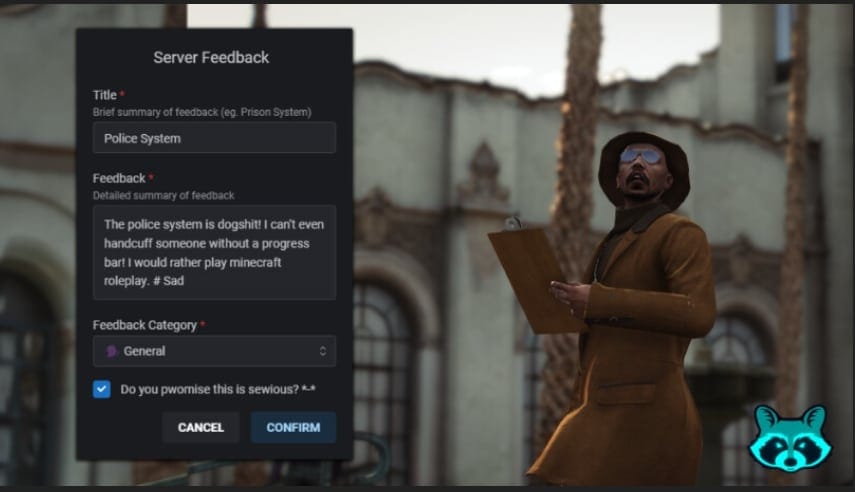
Are you looking to enhance communication on your server? The feedback form mod is a fantastic addition, allowing players to easily provide feedback to server owners. Here’s a straightforward guide to help you get started with installing this essential tool.

What is the Feedback Form Mod?

The feedback form mod allows players on your server to communicate their thoughts and suggestions directly to you, the server owner. It’s a user-friendly tool that lets you customize commands and set up webhooks for streamlined information sharing. This mod is compatible with popular frameworks such as ESX, QBCore, and Qbox and supports multiple languages, including English, Español, and Dutch.
Click here to download

Product screenshot

Features

  • Ease of Communication: Players can send their feedback and suggestions easily.
  • Framework Compatibility: Works with ESX, QBCore, and Qbox.
  • Multilingual Support: Available in English, Español, and Dutch.

How to Install the Feedback Form Mod

Follow these steps to successfully install the feedback form mod on your server:

  1. Download the Mod

    • Begin by downloading the mod file. Click the link provided to download the file.
  2. Extract the Files

    • Once downloaded, locate the compressed file and extract it to a temporary folder on your computer.
  3. Copy the Files to Your Server

    • Identify your server's directory. Typically, mod files go into a specific "resources" folder.
    • Copy the extracted files into the correct directory on your server, ensuring they are organized as per the framework you are using.
  4. Set Up the Command

    • Customize the command for the feedback form as per your server's operational needs. This is usually done by modifying a configuration file included in the downloaded package.
  5. Configure Webhooks

    • Follow the instructions in the mod package to set up webhooks. This involves entering the URL where you want to receive feedback, ensuring your staff can view the submissions without hassle.
  6. Dependencies

    • Before finalizing your installation, ensure you have the necessary dependencies. This mod requires:
      • stevo_lib (version 1.6.9)
      • ox_lib (version 3.24.0)
    • Make sure you have these libraries installed on your server.
  7. Start Your Server
    • Restart your server to apply the changes. Verify that the feedback command is functioning as expected.

Conclusion

Once you complete these steps, your feedback form mod will be ready to use. With players able to communicate their thoughts effortlessly, you'll gain valuable insights to improve your server experience. It’s a simple yet powerful tool that fosters better interaction within your gaming community. Enjoy connecting with your players more effectively!

Gallery

Premium Alternative

Suchst du eine produktionsreife Version?

Hol dir Premium-Scripts mit dediziertem Support, lebenslangen Updates und Ein-Klick-Installation.

Premium Scripts durchsuchenBundles ansehen

Kompatibilität

Frameworks
QBCore, ESX, Ox
Spielmodus
FiveM

Download-Info

Gesamte Downloads
0
Zuletzt aktualisiert
14.06.2026

Sicherheit & Quelle

Original-Autor
FiveMX WordPress archive
Inhaltsstatus
Tested by FiveMX
Zuletzt getestet von FiveMX
Juni 2026

Community

Gesamte Downloads
0

Häufig gefragt zu diesem Mod

Schnelle Antworten basierend auf den veröffentlichten Informationen zu StevoScripts Feedback Form.

Mit welchen Frameworks ist StevoScripts Feedback Form kompatibel?
StevoScripts Feedback Form ist kompatibel mit QBCore, ESX, Ox. Es wurde für FiveM Server verifiziert.
Wie installiere ich StevoScripts Feedback Form auf meinem FiveM Server?
Lade die Ressource herunter, entpacke sie in den Resources-Ordner deines FiveM Servers, füge den Ressourcennamen zu deiner server.cfg hinzu und starte deinen Server neu. Installationsanweisungen sind im Download enthalten.
Ist StevoScripts Feedback Form kostenlos zum Download?
Ja, StevoScripts Feedback Form ist komplett kostenlos auf FiveMX herunterladbar. Kein Konto erforderlich für kostenlose Mod-Downloads.
Ist StevoScripts Feedback Form sicher zu verwenden?
Ja, alle kostenlosen Mods auf FiveMX werden vor der Veröffentlichung überprüft und geprüft. StevoScripts Feedback Form wurde über 0 Mal von der FiveM Community heruntergeladen.

Noch eine Frage? Prüfe die Mod-Beschreibung oben für weitere Details.

Passende Tutorials & Guides

Erfahre mehr über die Einrichtung, Konfiguration und Nutzung dieses Produkttyps.

Weiter entdecken

Entdecke weitere Ressourcen für deinen FiveM oder GTA 5 Server.

Brauchst du eine produktionsreife Version?

Kostenlose Mods sind ein guter Start. Wenn dein Server mehr Support, sauberere Installation und staerkere Premium-Systeme braucht, wechsle in die Hubs unten.

Framework hub

Move from free QBCore resources into verified paid systems with support, updates, and cleaner install paths.

Open QBCore hub

Premium catalog

See paid scripts, framework labels, bundles, and install-ready products once the free version no longer covers your server needs.

Open premium shop

Money page

Add police, mechanic, gang, and economy systems around this mod with stronger commercial scripts.

See job scripts
Gelistet von
FiveMX WordPress archive

Launch faster

Start from curated bundles

Bundles shorten setup time by grouping the highest-leverage systems into one commercial starting point.

View bundles
Zurück zu Kostenlose Mods
Startseite
Kostenlose Mods
ESX vs QBCore vs QBOX: Technischer Framework-Vergleich 2026

ESX vs QBCore vs QBOX: Technischer Framework-Vergleich 2026

Die Wahl eines Frameworks ist die folgenreichste Entscheidung beim Aufbau eines FiveM-Servers. Sie bestimmt, welche Scripts du nutzen kannst, wie deine Entwickler Code schreiben,…

FiveM Frameworks erklärt: Kompletter Guide zu ESX, QBCore & QBOX

FiveM Frameworks erklärt: Kompletter Guide zu ESX, QBCore & QBOX

FiveM Frameworks bilden das Rückgrat von Roleplay-Servern. Sie sind nicht nur Code-Bibliotheken — sie sind komplette Systeme, die Spieleridentität, Jobs, Inventar, Berechtigungen,…

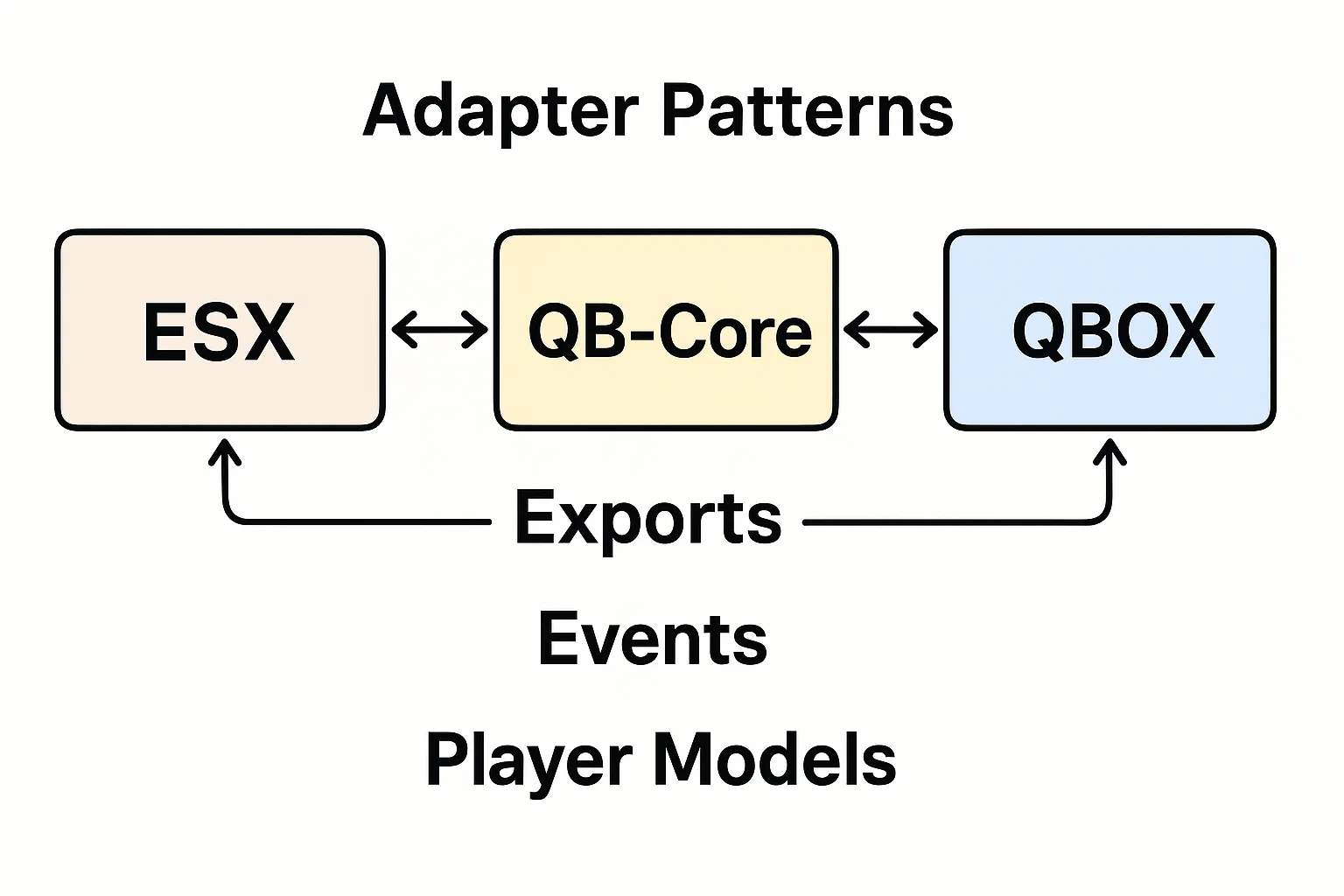
Adapter-Patterns: ESX, QBCore & QBOX (Exports, Events & APIs)

Adapter-Patterns: ESX, QBCore & QBOX (Exports, Events & APIs)

Dies ist ein FiveM Framework Adapter – für Scripter. Liefere eine einzige Ressource, die auf ESX, QBCore und QBOX läuft, indem du framework-spezifische Aufrufe hinter einem…

Kostenlose FiveM Mods
Premium FiveM Scripts
Kompletter FiveM Hub
FiveM Bundles
QBCore Scripts
ESX Scripts
Browse QBCore premium scripts
Compare premium FiveM systems
Build your jobs stack

FiveMX install guide

Geschrieben vom FiveMX Redaktionsteam basierend auf dem aktuellen CitizenFX-Artefakt und jedem unterstützten Framework — nicht kopiert vom ursprünglichen Post.

QBCore

Install StevoScripts Feedback Form on QBCore

  1. 1Lade das Archiv über den Download-Button oben von FiveMX herunter.
  2. 2Entpacke das Archiv nach resources/[qb]/stevoscripts-feedback-form auf deinem Server. Behalte den Ordnernamen bei — die meisten Manifests referenzieren ihn direkt.
  3. 3Falls das Archiv eine SQL-Datei enthält (achte auf *.sql), importiere sie in deine FiveM-Datenbank — FiveMX-Testserver nutzen oxmysql mit MariaDB 10.6.
  4. 4Füge ensure stevoscripts-feedback-form in deine server.cfg ein, nach der qb-core ensure-Zeile.
  5. 5Falls der Mod eine config.lua mitliefert, öffne sie vor dem ersten Start und gleiche Job-Namen, Inventar-Items und Locale mit deinem eigenen qb-core Setup ab — sonst greifen die Ziele nicht.
  6. 6Starte den Server neu und führe ensure stevoscripts-feedback-form in der Live-Konsole aus, um zu bestätigen dass der Mod ohne rote Fehler lädt. Bei einem Abhängigkeitsfehler braucht der Mod wahrscheinlich oder — installiere diese zuerst und versuche es erneut.
ESX Legacy

Install StevoScripts Feedback Form on ESX Legacy

  1. 1Lade das Archiv über den Download-Button oben von FiveMX herunter.
  2. 2Entpacke das Archiv nach resources/[esx]/stevoscripts-feedback-form auf deinem Server. Behalte den Ordnernamen bei — die meisten Manifests referenzieren ihn direkt.
  3. 3Falls das Archiv eine SQL-Datei enthält (achte auf *.sql), importiere sie in deine FiveM-Datenbank — FiveMX-Testserver nutzen oxmysql mit MariaDB 10.6.
  4. 4Füge ensure stevoscripts-feedback-form in deine server.cfg ein, nach es_extended.
  5. 5Falls der Mod für ESX Legacy ist, prüfe ob er noch den veralteten TriggerEvent("esx:getSharedObject") Aufruf verwendet — ältere Versionen brauchen einen Einzeiler-Patch auf ESX = exports["es_extended"]:getSharedObject().
  6. 6Starte den Server neu und führe ensure stevoscripts-feedback-form in der Live-Konsole aus, um zu bestätigen dass der Mod ohne rote Fehler lädt. Bei einem Abhängigkeitsfehler braucht der Mod wahrscheinlich oder — installiere diese zuerst und versuche es erneut.

Ähnliche kostenlose Mods

Weitere beliebte kostenlose Mods, die für deinen Server nützlich sein könnten.

Quasar Smartphone (Free)

Quasar Smartphone (Free)

2.243 downloads

LA Revo 2.0 (FiveM)

LA Revo 2.0 (FiveM)

2.150 downloads

Lively World Expansion v2.3

Lively World Expansion v2.3

1.406 downloads

How To Install NVE (Naturalvision Evolved)

How To Install NVE (Naturalvision Evolved)

1.103 downloads

FiveM Postal Map (HD Satellite Postals)

FiveM Postal Map (HD Satellite Postals)

1.092 downloads

Free FiveM AntiCheat: SecureServe AC

Free FiveM AntiCheat: SecureServe AC

816 downloads

ox_lib
ox_inventory
ox_lib
ox_inventory

Premium-Upgrades passend zu diesem Gratis-Mod

Der Download bleibt kostenlos. Vergleiche trotzdem produktionsreife Scripts und Server-Packs, bevor diese Ressource Teil eines Live-Roleplay-Stacks wird.

Instant deliveryVerified compatibilitySupport-ready setupBrowse all premium mods
Produkt ansehen: Premium Vehicle HUD
Premium Vehicle HUD FiveM product preview
HUDs429 sales

Premium Vehicle HUD

Premium FiveM vehicle HUD with speed, gear, mileage tracking, and steering wheel controls for ESX and QBCore servers.

429 current salesesx + qbcore

6,99 $

Produkt ansehen
Produkt ansehen: FiveM European Streets
FiveM European Streets FiveM product preview
FiveM MLOs340 sales

FiveM European Streets

This mod will make the streets european (German Roads)! Hand-crafted mod, for your server. With the Roads mod, you'll experience an authentic European feel with every step you take. Hand-crafted with precision and attention to detail, this mod is designed to give your server a unique touch

336 legacy sales340 current salesesx + qbcore

4,49 $

Produkt ansehen
Produkt ansehen: FiveM AntiCheat 2025 (updated)
FiveM AntiCheat 2025 (updated) FiveM product preview
Admin Tools314 sales5.0

FiveM AntiCheat 2025 (updated)

FiveM Anticheat script/mod | OPTIMIZED and perfect for ESX detects modders and ban them instantly. Many server owners struggle because of cheaters, modders and hackers. There are a couple of hacks and mod menus for FiveM and money hacks for ESX framework. ? Hackers are quite annoying but the

314 legacy sales314 current salesesx + qbcore

21,99 $

Produkt ansehen
Produkt ansehen: FiveM Jobs Creator | ESX v4.0
FiveM Jobs Creator | ESX v4.0 FiveM product preview
Job Scripts320 sales

FiveM Jobs Creator | ESX v4.0

The #1 FiveM Jobs Creator Script - that allows server administrators to easily create generic jobs with many customizable interaction points.

320 legacy sales320 current salesesx + qbcore

22,99 $

Produkt ansehen