How To Add Patreon Key to FiveM Server
Welcome to FiveMX's tutorial on how to add your custom license key (Patreon benefits included) to your FiveM server. Follow these step-by-step...

Welcome to FiveMX's tutorial on how to add your custom license key (Patreon benefits included) to your FiveM server. Follow these step-by-step instructions to make full use of your Patreon benefits, such as Onesync, colored server names, and more!
Why You Need a Patreon
A custom license key is essential if:
- You want to utilize your FiveM Patreon benefits (like or a colored server name).
- You need to change the listed server owner.
- The automatically generated key from your server provider is invalid.
Preparation
Before you start, ensure you have a Cfx.re Forum account.
If you don't, create one. Then, log in to the Cfx.re Keymaster website.
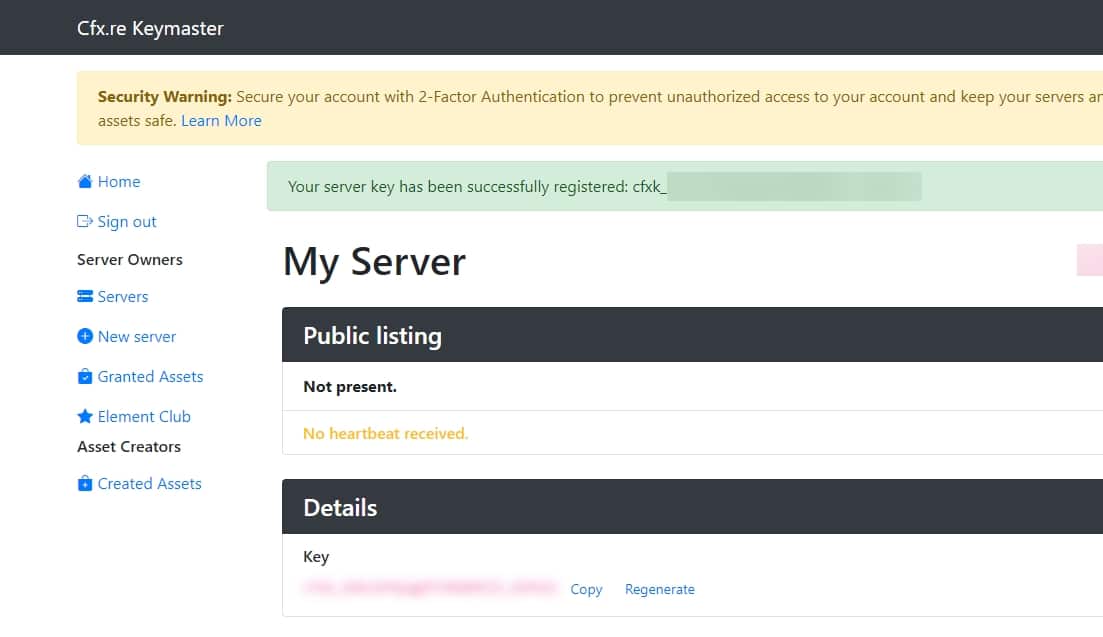
1. Login to Cfx.re Keymaster
Navigate to the Cfx.re Keymaster website and log in using your Cfx.re Forum account credentials. If you don't have an account, create one first. This is necessary.
2. Create a New Key
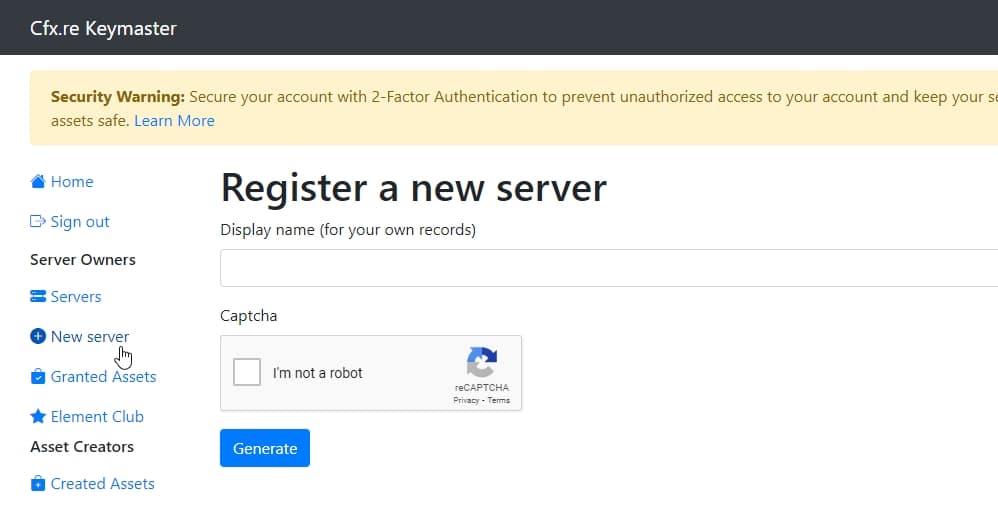
After logging in, click on the New Server button in the left navigation bar. This will take you to the key creation page.
3. Specify your Server Data
Fill out the requested information as follows:
- Label: A descriptive label for your key, e.g., 'My FiveM Server.
- Server IP Address: The IP address of your server without the port.
- Server Type: Select 'Server Provider (rented server).'
![Mercedes G63 Philippe Plein [Mansory] [ADD-ON/REPLACE]](https://cdn.fivemx.com/wp-content/uploads/2022/09/chrome_udQ6d0RFiQ.jpg)