Aller au contenu principal
FiveMX
Boutique
Scripts
MLOs
Serveurs complets
Mods gratuits
Outils
Guides
Tous les produits
FiveMX

Commencez à construire votre serveur aujourd'hui.

Ressources FiveM sélectionnées, livraison instantanée, mods gratuits de départ et guides pratiques dans une marketplace apaisée.

Parcourir la boutiquesupport@fivemx.com

Boutique

  • Boutique
  • Tous les produits
  • Mods gratuits
  • Meilleurs scripts & mods
  • Scripts FiveM

Frameworks

  • Scripts QBCore
  • Scripts ESX
  • QBox
  • Standalone

Communauté

  • Blog
  • Assistance
  • Créateurs
  • Affiliation

Mentions légales

  • Politique de confidentialité
  • Conditions d'utilisation
  • Politique de remboursement
  • Livraison numérique
  • Politique des cookies
  • Conformité RGPD
  • DMCA
  • Mentions légales
  • Charte éditoriale
© 2026 FiveMX. Tous droits réservés.·FiveMX n'est pas affilié à Rockstar Games, Take-Two Interactive ou CFX.re. Toutes les marques sont la propriété de leurs détenteurs respectifs.
GitHubDiscordDocs
Compatibilité:

SNZ HUD (ESX/QB)

SNZ HUD - modern customizable HUD interface for ESX servers. Compatible with ESX framework. Fully customizable and optimized.

Accès instantané
Politique de remboursement sous 14 jours
Paiement sécurisé
9,03 €
Accès immédiat aux fichiers après le paiement
Assistance et politique de remboursement visibles avant le paiement
Fonctionne avec esx
  • Accès instantané
  • Chiffré SSL
  • Carte, Klarna, wallets
Frameworks

esx

Prérequis

Publié sur cette page

Aperçu

Disponible

Carte, Klarna et wallets pris en charge via Stripe. D'autres moyens de paiement locaux peuvent apparaître selon votre région.

Contacter le support avant achatLire la politique de remboursement

Attente de support

Le support couvre l'accès au téléchargement, les fichiers livrés manquants et les questions basées sur les notes d'installation publiées.

L'installation personnalisée, la conversion de framework, la mise en place sur serveur en production et les développements sur mesure ne sont pas inclus sauf mention contraire sur la page produit.

Contactez-nous avant l'achat si votre serveur utilise des ressources de framework, d'inventaire ou de base de données fortement modifiées.

Vous construisez un serveur plus complet ?Comparez les packs sélectionnés avant le paiement si vous avez besoin de plusieurs scripts compatibles.Voir les packs FiveM

Compatibilité, installation et preuves en un coup d'œil

Utilisez les informations publiées sur cette page pour confirmer si SNZ HUD (ESX/QB) correspond à votre serveur avant l'achat.

Compatibilité

Frameworks
ESX
Catégorie
HUDs

Installation & prérequis

Processus d'installation
Télécharger → dossier resources → ensure dans server.cfg
Prérequis
Publié sur cette page
Taille du fichier
4.91 MB

Preuves & questions acheteurs

Avis
Aucun avis pour le moment
Questions répondues
Posez une question avant d'acheter

Seuls les faits publiés sur cette page doivent être considérés comme confirmés. Si vous avez besoin de plus de détails, consultez la description, les prérequis, le journal des modifications, les avis et les questions produit avant l'achat.

Acheter si cela fait gagner du temps de configuration

Utilisez cette checklist pour vérifier rapidement si la ressource correspond à votre serveur, votre framework et vos attentes de support.

Gain pour l'administrateur serveur

SNZ HUD (ESX/QB) vise à réduire HUDs au lieu de vous obliger à reconstruire le même système.

Compatibilité

Fonctionne avec esx. Vérifiez le bloc des prérequis avant de l'ajouter à un serveur en production.

Confiance avant achat

Téléchargement instantané, paiement Stripe, accès au support et contexte de remboursement sont affichés avant le paiement.

Éléments de décision

Prérequis, détails d'installation, Vidéo d'aperçu, Questions produit

Description

SNZ HUD - Modern Interface for ESX and QBCore

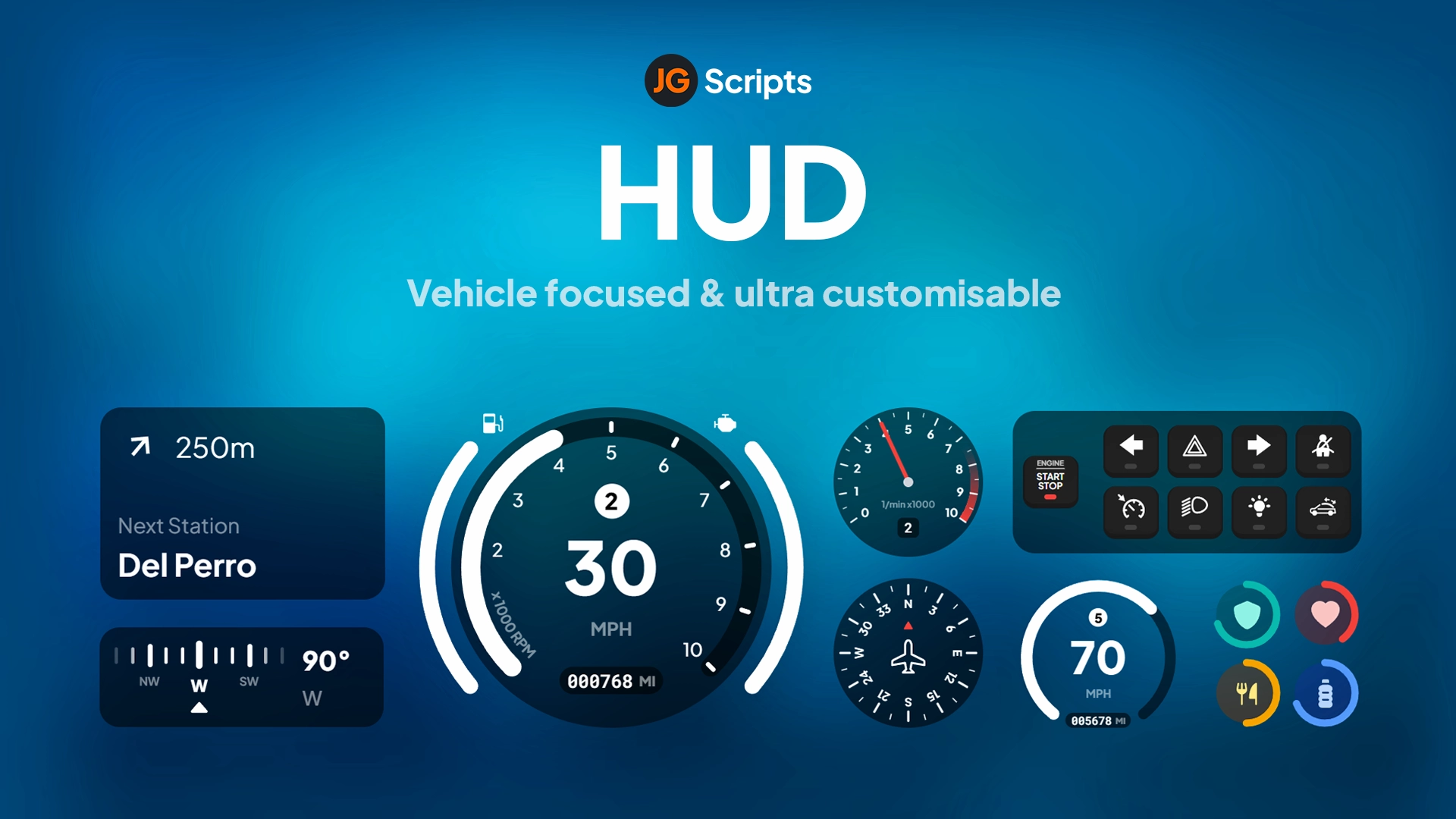
Modernize your server's user interface with this sleek, customizable HUD system compatible with both ESX and QBCore frameworks. SNZ HUD replaces the default FiveM interface with a clean, contemporary design featuring health, armor, hunger, thirst, stamina indicators, vehicle information, and status displays. Perfect for servers wanting professional UI that enhances immersion without cluttering the screen.

What's Included

This comprehensive HUD package delivers a complete interface overhaul with health and armor bars, hunger and thirst meters, stamina indicator, vehicle speedometer and fuel gauge, minimap enhancements, notification system, status effect displays, and extensive customization options. The design emphasizes clarity and aesthetics while maintaining crucial information accessibility during intense gameplay situations.

Key Features

  • Dual Framework Support - Works with both ESX and QBCore seamlessly
  • Health & Armor Bars - Clean visual indicators for player vitals
  • Hunger & Thirst Meters - Survival status displays
  • Stamina Indicator - Shows sprint and activity energy
  • Vehicle Speedometer - Modern digital speed display
  • Fuel Gauge - Integrates with fuel systems
  • Minimap Enhancements - Improved map visibility and styling
  • Status Effects - Visual indicators for buffs, debuffs, conditions
  • Notification System - Styled alerts and messages
  • Customizable Colors - Adjust theme to match server branding
  • Cinematic Mode - Auto-hide for screenshots and videos
  • Optimized Performance - Minimal FPS impact

Perfect For

  • Servers wanting modern, professional UI aesthetics
  • Communities upgrading from default FiveM HUD
  • Roleplay servers emphasizing immersion and polish
  • Servers with survival mechanics (hunger, thirst)
  • Communities wanting customizable branding through UI
  • Servers needing clean interfaces for streaming and content creation

Technical Details

  • Framework: ESX and QBCore compatible
  • Performance: Optimized with minimal resource usage
  • Customization: Extensive color and layout options
  • Dependencies: Framework-specific (esx_status/qb-hud replacement)
  • Updates: UI refresh rates optimized for smooth display

Installation

  1. Download and extract SNZ HUD to your resources folder
  2. Disable or remove existing HUD scripts (default framework HUD)
  3. Configure framework type (ESX or QBCore) in config
  4. Customize colors, positioning, and displayed elements
  5. Integrate with your server's fuel, hunger, and thirst systems
  6. Add resource to server.cfg
  7. Restart server and verify all HUD elements display correctly
  8. Adjust sizing and positioning to player preferences

Framework Compatibility

  • ✅ ESX - Full integration with ESX status and vehicle systems
  • ✅ QBCore - Native QBCore compatibility with all features
  • ✅ QBOX - Compatible (QBOX is QBCore fork)
  • ❌ Standalone - Requires ESX or QBCore framework

Customization Options

SNZ HUD offers extensive visual customization matching your server's branding and aesthetic preferences. Modify primary and accent colors to align with server themes. Adjust transparency levels for subtlety or visibility. Reposition HUD elements to suit different screen sizes and player preferences. Configure which status indicators display based on your server's mechanics - hide hunger/thirst if not using survival systems, or emphasize vehicle information for racing servers. The cinematic mode automatically hides interface elements during specific scenarios, perfect for screenshots, videos, and immersive moments.

What Makes It Stand Out

Default FiveM HUDs look dated and amateurish compared to modern game interfaces. SNZ HUD delivers professional aesthetics that immediately elevate your server's perceived quality. The clean design provides essential information without overwhelming players with visual clutter. The dual framework support makes it accessible to the vast majority of FiveM servers without requiring separate versions. For servers serious about presentation and player experience, a quality HUD is fundamental - it's the interface players see constantly, and SNZ HUD ensures that interface reflects professionalism and attention to detail.

Video preview

https://www.youtube.com/watch?v=p6A_q6U5FuM

Related FiveM HUD

  • M-HUD
  • PVP HUD
  • iNotificationV3
  • Uniq HUD

Notes d'installation

Requires a FiveM server, esx, access to server resources, and permission to restart the resource after configuration.
DescriptionPrérequisVidéo d'aperçu
Accueil
Boutique
HUDs
HUDs
ESX
Processus de vérification

Caractéristiques Principales

  • Dual Framework Support

    Works seamlessly with both ESX and QBCore frameworks, including QBOX compatibility

  • Health & Armor Bars

    Clean visual indicators for player vitals displayed on the HUD

  • Survival Status Displays

    Hunger and thirst meters that integrate with server survival mechanics

  • Vehicle Information Display

    Modern digital speedometer and fuel gauge that integrates with fuel systems

  • Status Effects Indicators

    Visual indicators for buffs, debuffs, and player conditions

Questions Fréquemment Posées

Questions & réponses de la communauté

0 questions

Aucune question

Soyez le premier à poser une question !

0/500 caractères (minimum 10)

Votre question sera examinée avant d'être publiée.

Produits associés

3,87 €
16,35 €
3,87 €
19,80 €

Related Tutorials & Guides

Learn more about setting up, configuring, and using this type of resource.

ESX Admin Commands — Complete 2026 Reference

ESX Admin Commands — Complete 2026 Reference

Complete reference of ESX admin commands for FiveM RP servers — player management, vehicle spawning, money & jobs, world manipulation, plus a self-hosting setup guide for setting your first admin.

FiveM HUD Scripts Troubleshooting FAQ: 12 Common Issues Fixed

FiveM HUD Scripts Troubleshooting FAQ: 12 Common Issues Fixed

When a HUD script breaks on your FiveM server, every player sees it within seconds. This guide walks through the 12 most common HUD failures — invisible HUDs, broken speedometers, framework mismatches, FPS drops — with diagnostic steps and copy-paste fixes for ESX, QBCore, and QBox.

ESX vs QBCore vs QBOX: Technical Framework Comparison 2026

ESX vs QBCore vs QBOX: Technical Framework Comparison 2026

Choosing a framework is the single most consequential decision when building a FiveM server. It determines which scripts you can use, how your developers write code, the…

Continuez à construire votre serveur FiveM

Utilisez ce produit dans une configuration plus large. Explorez les catégories associées, les frameworks alternatifs, les packs premium et les téléchargements gratuits complémentaires.

Explorer Phone ScriptsExplorer Inventory ScriptsParcourir tous les scriptsScripts HUDsScripts esxEssayer QBCore à la placeEssayer QBox à la placeMods FiveM gratuitsComparer les packs
HUD Coords

HUD Coords

JG HUD

JG HUD

Simple ESX HUD

Simple ESX HUD

Vehicle Shop (Dealership) HUD 2.0

Vehicle Shop (Dealership) HUD 2.0