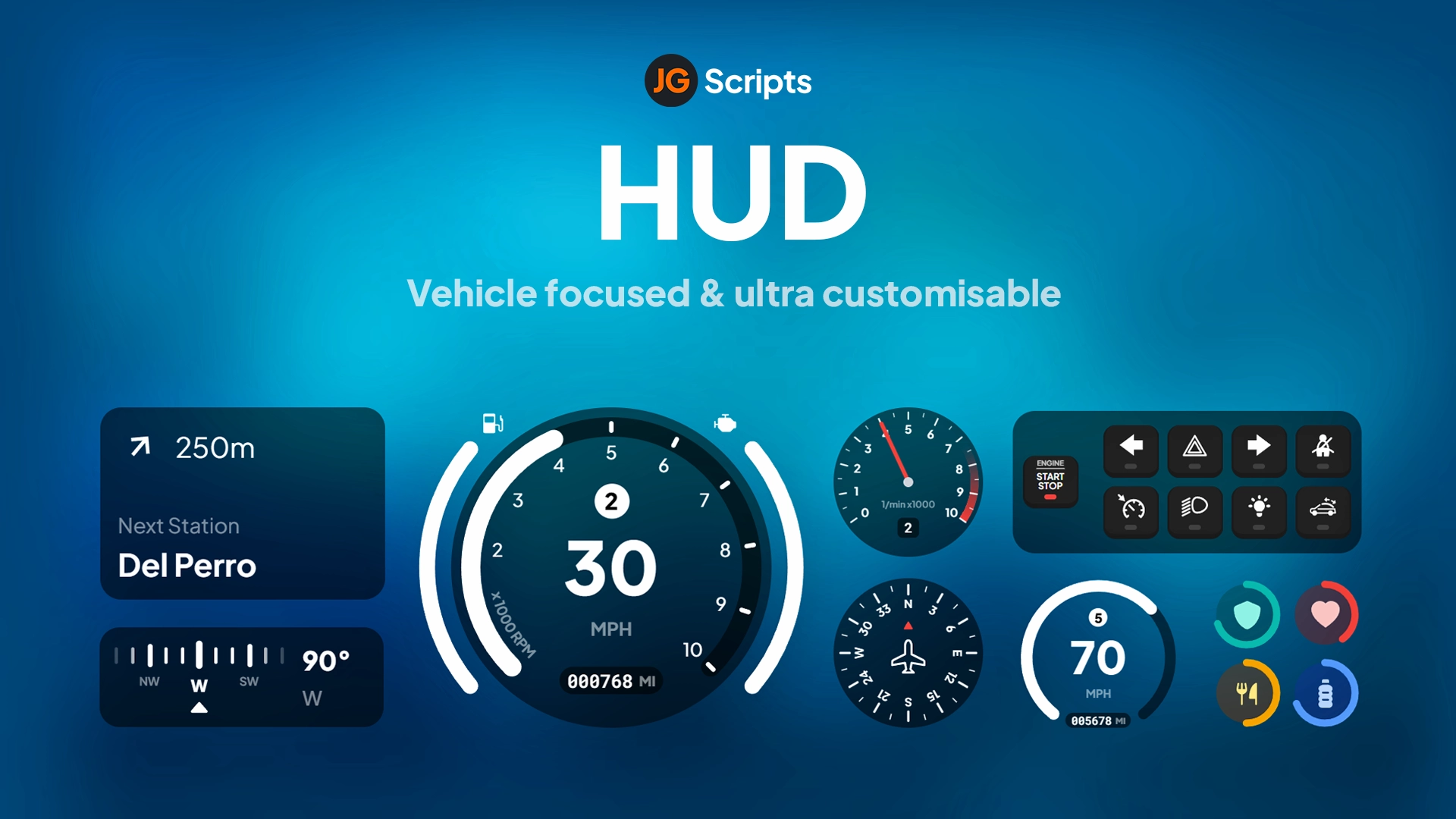
Uniq HUD - Advanced Interface System for ESX Servers
Transform your ESX server with Uniq HUD, a comprehensive heads-up display featuring enhanced navigation, advanced vehicle systems, and intelligent zone detection. This feature-rich HUD goes beyond basic status displays to provide cruise control, car lock functionality, green zone indicators, and flexible speed unit options. Perfect for roleplay servers wanting a professional, multi-functional interface that enhances both gameplay and immersion.
What's Included
Uniq HUD delivers a complete interface solution combining player status indicators, an advanced vehicle speedometer, money displays, zone awareness, and quality-of-life features like cruise control and quick vehicle locking. The system uses a modern, clean design with intuitive controls and responsive elements that adapt to player state (on foot, in vehicle, in safe zones, etc.). Every feature is configurable through a simple config file.
Key Features
- Enhanced Navigation - Quick access to server features using customizable control keys for faster gameplay
- KM/H or MPH Toggle - Easily switch between metric and imperial speed units to match player preferences
- Simple Control Customization - Straightforward config file for adjusting key bindings and functions
- Dual Fuel System - Supports both electric and gas vehicles with color-coded indicators (blue for electric, green for gas)
- Green Zone Detection - Automatic zone indicators when players enter configured safe areas
- Comprehensive Information Display - Shows cash, bank balance, voice status, date/time, server website, logo, player ID, and online count
- Advanced Speedometer - Current speed, fuel level, and vehicle damage percentage in one clean interface
- Integrated Car Lock System - Mini lock system accessible directly from the HUD
- Full Cruise Control - Set and maintain vehicle speed hands-free for long drives
- Optimized Performance - Efficient code ensures minimal resource impact
Perfect For
- ESX roleplay servers wanting professional, multi-functional HUDs
- Servers with green zones, safe areas, or no-PVP regions
- Communities serving international players (KM/H and MPH support)
- Servers with electric vehicle mods requiring fuel type differentiation
- Long-distance trucking or delivery servers (cruise control essential)
- Streamers who need clean, informative interfaces for content creation
Vehicle Systems
The vehicle HUD in Uniq provides everything drivers need at a glance. The speedometer shows current speed in your chosen unit with smooth updates. Fuel level displays with the appropriate color for vehicle type - electric cars show a blue indicator while gas vehicles use green, making it easy to identify power source. The vehicle damage system shows percentage-based health, warning you when damage reaches critical levels. The integrated lock system lets you secure your vehicle with a hotkey without opening menus.
Installation
- Download and extract Uniq HUD to your server resources folder
- Configure framework settings and customize controls in config.lua
- Set green zone locations and define electric vehicles in the config
- Add ensure uniq-hud to your server.cfg file
- Restart your server and test on foot and in vehicles
Cruise Control System
The built-in cruise control allows players to set their current speed and maintain it automatically, perfect for long highway drives or convoy situations. Simply reach your desired speed and activate cruise control - the vehicle will maintain that speed without throttle input. The system intelligently disengages when you brake or take damage, ensuring safety. Visual indicators show when cruise is active and at what speed it's set.
Framework Compatibility
- ✅ ESX Legacy - Designed specifically for ESX framework with full integration
- ✅ ESX 1.9.x - Complete compatibility with older ESX versions
- ✅ Voice Systems - Works with pma-voice, saltychat, and other voice resources
- ✅ Fuel Scripts - Compatible with LegacyFuel, ox_fuel, and other fuel systems
Green Zone System
Configure unlimited green zones throughout your map where specific rules apply (safe zones, no-PVP areas, etc.). When players enter a configured green zone, the HUD displays a clear GREEN ZONE indicator, informing them of the special area rules. This visual feedback helps prevent rule breaks and creates clear boundaries for roleplay scenarios. Zones are defined by coordinates and radius in the config file.
Electric Vehicle Configuration
The dual fuel system recognizes electric vehicles and displays their battery level with a blue color scheme instead of the standard green for gas. Define which vehicles are electric in the config file using their spawn names. This feature is perfect for servers with Tesla mods, electric sports cars, or futuristic vehicles. Players can instantly identify their power source by the fuel indicator color.
What Makes It Stand Out
Uniq HUD combines essential HUD features with quality-of-life systems that most HUDs lack. The cruise control alone is a game-changer for delivery jobs and long-distance driving. The electric vehicle differentiation shows attention to modern vehicle mods. The green zone system provides automated rule enforcement feedback. The car lock integration eliminates the need for separate scripts. All of this comes in one optimized package with a cohesive, professional design.
Information Display
The HUD shows comprehensive player and server information at all times. Your cash and bank balance update in real-time as transactions occur. The talking indicator shows when you're transmitting on voice chat. Real-life date and time keep you oriented during long sessions. The server website link and logo reinforce branding. Your player ID is always visible for support tickets or admin assistance. The online player count shows server population at a glance.
Control Customization
Every keybind in Uniq HUD can be customized through the config file. Change the cruise control activation key, adjust the car lock binding, or set up quick-access keys for server features. The config uses simple key names (E, F, L, etc.) making customization straightforward even for non-developers. You can also disable specific features entirely if your server doesn't need them.
Configuration Examples
- Trucking Server - Enable cruise control, use MPH, configure highway rest stops as green zones
- Electric City RP - Define all electric vehicles, set charging stations as green zones, use KM/H
- International Server - Let players toggle KM/H/MPH individually via command
- Safe Zone RP - Configure hospitals, police stations, and city center as green zones with no combat
Performance Optimization
Uniq HUD is coded with efficiency in mind, using optimized update intervals and event-driven architecture. Vehicle information only updates when you're in a vehicle. Green zone checks use proximity detection to minimize calculations. The HUD renders at 60 FPS without frame drops on all systems. Resource usage typically stays at 0.00-0.01ms, making it one of the lightest comprehensive HUDs available.
Requirements
- FiveM server running ESX framework (Legacy or 1.9.x)
- Fuel script (LegacyFuel, ox_fuel, or compatible)
- Voice system (pma-voice, saltychat, or similar)
- Bank system (esx_banking or compatible)
https://www.youtube.com/watch?v=lpooaFIcdBQ
Advanced Features
- Server Branding - Display your server logo and website prominently in the HUD
- Player Statistics - Show player ID for easy admin communication and support
- Population Display - Real-time online player count keeps players informed of server activity
- Voice Integration - Shows talking status with range indicators for proximity and radio
- Time Synchronization - Real-life date and time display for long RP sessions
Support & Updates
Complete documentation is included with installation instructions, configuration guides, and example setups for different server types. The script receives regular updates for ESX compatibility and new features. Support is provided for installation issues and customization questions. Example electric vehicle lists and green zone configurations help you get started quickly with common use cases.
Related FiveM HUD