Featured QBCore Server Templates
Top-rated QBCore-native full server packs from our catalog.
Skip 2–4 weeks of setup. Pre-configured QBCore server templates with 150+ resources, jobs, economy, MLOs, and a working server.cfg. Install once, launch your roleplay server today.
AI search answer
A QBCore server template is a pre-configured FiveM server pack built on the QBCore framework, bundling 100–200 QBCore-native scripts, MLO interiors, vehicles, jobs, economy systems, and a working server.cfg into one download. FiveMX hosts several QBCore-ready templates including QBus / QBCore Full Server v4.1 (150+ resources, QBCore v3.6), qbCore Boss Server V22 (Q7 framework, NoPixel-inspired), Pumpkin V2, QBCore Framework Server (QB v4), RSV RP QBCore Server Pack, Striez VIP Package V4, and NoPixel 4.0-inspired QBCore builds. Each template launches in 2–4 hours instead of 2–4 weeks of manual setup.
Top-rated QBCore-native full server packs from our catalog.
Start with free QBCore community resources, then upgrade your stack.
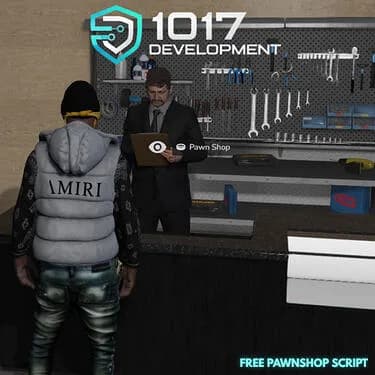
Pawnshop script and free MLO for FiveM servers using QBox or QBCore economy and item workflows.

Basic HUD for QBCore as a free FiveM resource. Verify dependencies and install notes on the original release before adding it to a live server.
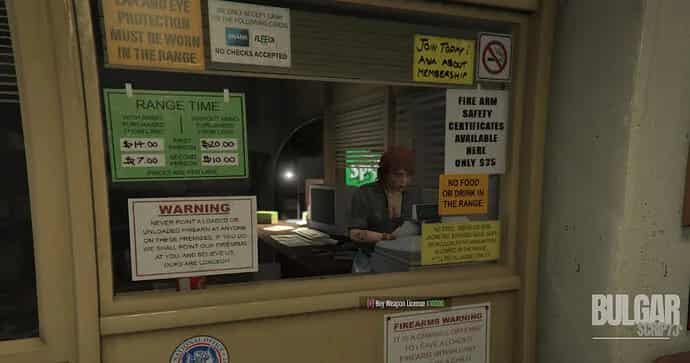
A simple and configurable weapon shop for ESX and QBCore. Buy weapons, attachments, and ammo. Includes license support and Discord logs.

A complete vehicle key system for FiveM with scanning, cloning, and advanced interactions. Supports QBCore, ESX & Qbox.
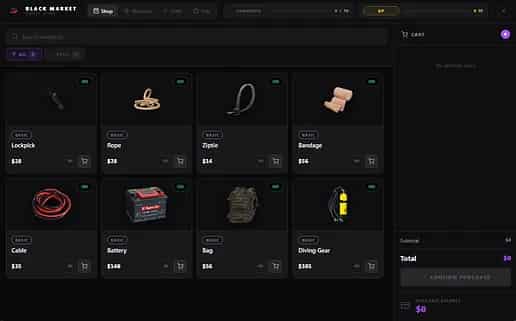
Adds a reputation-based black market with dynamic NPCs, missions, and a bargaining system to your FiveM server. Compatible with QBCore and ESX.

Immersive hunting system for FiveM with dynamic zones, unique animals, custom crossbow, butchering minigame, and more. Compatible with QBCore, ESX, and QBOX.
A QBCore server template is a complete, pre-configured FiveM server pack built on the QBCore framework. Instead of starting from a blank txAdmin install and spending weeks wiring jobs, economy, inventory, garages, police, EMS, and admin tooling together, you download a single bundle that already includes 100 to 200 QBCore-compatible resources, a tuned server.cfg, SQL files, and documentation. A typical QBCore template ships with qb-core, qb-inventory or ox_inventory, qb-target, qb-phone, qb-banking, qb-policejob, qb-ambulancejob, qb-mechanicjob, garages, multicharacter, housing, and at least one MLO pack so the world feels populated on first boot. Templates save 2 to 4 weeks of integration work and let small teams launch a playable roleplay server in hours.
Look for a QBCore base (qb-core), a working inventory (qb-inventory or ox_inventory with the right config), qb-target for interaction prompts, qb-phone or a premium phone like lb-phone, qb-banking for the economy, civilian jobs (mechanic, taxi, delivery, hunting), emergency services (police, EMS, fire), at least one MLO pack covering police station, hospital, and a major city interior, vehicles with handling files, EUP clothing, and admin tools. The strongest QBCore templates also ship documentation showing where to change job names, item prices, vehicle prices, society accounts, and permissions. Avoid templates that bundle 500+ random resources without organization — folder count is not value.
QBCore is the most widely-supported FiveM framework in 2026. QBox is a community fork that started from QBCore code and migrated to ox_lib and ox_inventory by default. A QBCore template usually works on a QBox server with config tweaks because both frameworks share most data shapes, but ox-based templates run better on QBox. If you want maximum script compatibility today, pick QBCore. If you want cleaner architecture and are comfortable with ox_lib patterns, QBox or a QBox-compatible QBCore template is the cleaner long-term choice.
After downloading, extract the template into your FXServer artifacts folder (or use txAdmin's recipe installer if the template ships a recipe). Import the included SQL files into a fresh MariaDB or MySQL database. Update server.cfg with your database connection string, license key, steam_webApiKey, and admin Steam identifier. Start the server, walk through the launch checklist in the template's README, and adjust config.lua values for jobs, prices, and permissions. Restart, connect from the FiveM client with connect localhost:30120, and validate the core gameplay loop before opening to players. Most quality QBCore templates ship a 1–2 hour install path.
Free QBCore templates on GitHub (e.g. NPwd-style demos, basic qbcore frameworks) are useful for learning the resource layout and practicing config edits. They are not launch-ready for a paid public community — dependencies are usually outdated, anti-abuse defaults are missing, MLO and clothing coverage is thin, and no support channel exists. Premium QBCore templates make sense when the seller has already done the integration work: tested resource order, working SQL imports, packaged dependencies, organized documentation, and a Discord support channel for upgrade paths. Pay for time saved and integration quality, not folder count.
Once installed, customize via the template's config files first. Change jobs in qb-core/shared/jobs.lua, items in qb-core/shared/items.lua, vehicles in qb-core/shared/vehicles.lua, prices in each script's config.lua, and society accounts via qb-bossmenu config. Avoid editing vendor folders directly — keep changes in your own resource files or in template-provided override directories so future updates do not overwrite your work. For deeper changes (new jobs, custom MLOs, custom phone apps), add new resources rather than rewriting included ones. This keeps the upgrade path open when the template publisher ships v2.
Premium QBCore templates on FiveMX include lifetime updates and seller support during the official support window. Before buying, check the template's last-updated date, the QBCore version it targets, the framework version your server already runs, and whether the seller provides a Discord channel or ticket system. Templates that ship outdated QBCore (pre-v3.0) or unmaintained dependencies become expensive over time. The strongest QBCore templates on FiveMX target QBCore v3.6+ and bundle current ox_lib and oxmysql versions.
Common questions about QBCore full server templates.
A QBCore server template is a pre-configured FiveM server pack built on the QBCore framework that includes 100–200 QBCore scripts, MLO interiors, vehicles, jobs, economy systems, and a tuned server.cfg in one bundle. You install the template instead of building from a blank txAdmin install, cutting launch time from 2–4 weeks to 2–4 hours.
Most quality QBCore templates install in 1–2 hours: extract files, import SQL, update server.cfg with database credentials and license keys, start the server, and validate the core gameplay loop. Plan another 4–8 hours to customize jobs, prices, brand assets, and Discord integration before opening to players.
QBCore templates generally work on QBox servers with small config tweaks because both frameworks share data shapes. They do not work on ESX without significant rewrites — ESX uses a different shared object, inventory pattern, and job system. If you want ESX, use an ESX-native template instead.
Yes. GitHub hosts several open-source QBCore demos (e.g. base QBCore recipes from txAdmin, community starter packs). They are useful for learning and private testing but usually need dependency updates, anti-abuse hardening, and asset additions before a public launch. FiveMX maintains a hub of free FiveM resources for prototyping at /free-mods/fivem.
Yes. The point of a template is to give you a working base that you customize. Change jobs, items, vehicles, prices, MLOs, clothing, and phone apps via the included config files. Avoid editing vendor folders directly — keep your changes in your own resources or override directories so future template updates do not overwrite them.
Premium QBCore templates on FiveMX include lifetime product updates and seller-provided support during the official support window. Check the product page for the specific Discord channel, ticket system, or support hours before buying. FiveMX additionally provides editorial review, refund policy, and secure checkout for every premium product.
Yes — a QBCore template is the fastest way for a beginner to get a real roleplay server online. You skip the framework wiring, SQL setup, and resource compatibility research. You still need basic comfort with the command line, txAdmin, and a database tool, plus willingness to read the README. If you have never opened a FiveM server before, start with /blog/how-to-set-up-a-fivem-server, then come back to install a template.
Buy a template if you want to launch in days, run a small-to-medium roleplay community, or test a server concept before investing more. Build from scratch if you have unique gameplay requirements no template covers, an experienced dev team, and 2–6 months of build time. Most successful FiveM servers start from a template and gradually replace components as the community grows.
Pick a QBCore template, install in 1–2 hours, and start playing today.