Free Tool
FiveM Jobs Creator
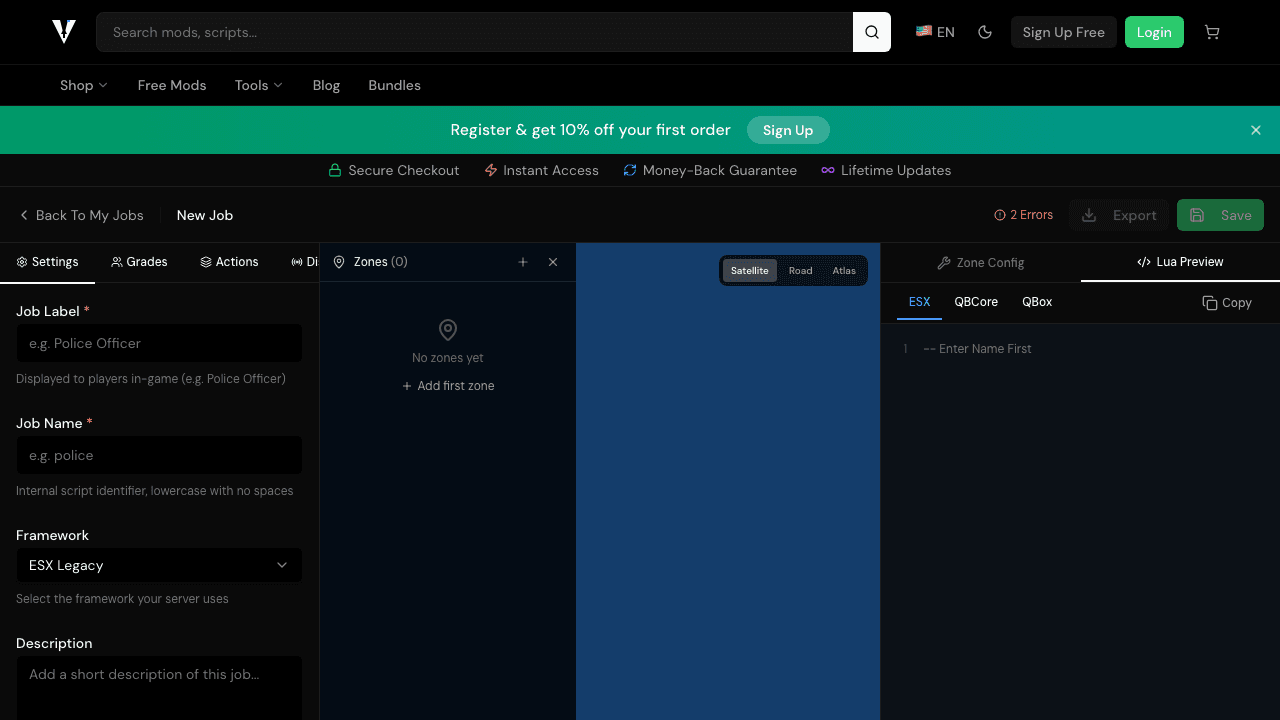
Design and export custom job configurations for your FiveM server. Visual builder, multiple framework support, instant download.
ESX, QBCore, QBox
•Instant Export
•Free to Use
Everything You Need to Build Jobs
A complete job creator with no price tag.
Visual Builder
Design jobs with an intuitive drag-and-drop interface.
Interactive Map
Place job zones directly on the GTA V map visually.
Multi-Framework Export
Export configs for ESX, QBCore, QBox, and standalone.
Instant Download
Download ready-to-install Lua files with one click.
Related Tools
More free tools for FiveM server development.
Frequently Asked Questions about the FiveM Jobs Creator
Common questions about using our free browser-based job builder for FiveM servers.
What is the FiveM Jobs Creator?
The FiveM Jobs Creator is a free online tool that lets you visually build custom job configurations for your FiveM server. Export ready-to-use Lua files compatible with ESX, QBCore, and QBox frameworks.
Is the Jobs Creator free to use?
Yes, the core Jobs Creator is completely free. You can create unlimited job configurations and export ESX, QBCore, and QBox-compatible Lua files at no cost. Premium unlocks map-based zone placement and cloud sync.
Which FiveM frameworks are supported?
The Jobs Creator supports ESX (Legacy), QBCore, and QBox. You can export the same job configuration in any of these formats instantly.
Do I need coding knowledge to use it?
No coding knowledge required. The visual editor lets you configure job grades, salaries, zones, and actions through a simple UI. The tool generates the Lua code automatically.
How is this different from in-game job creator scripts?
In-game job creators like jaksam's Jobs Creator are Lua scripts you install on your FiveM server and configure through an in-game menu. The FiveMX FiveM Jobs Creator is a free browser-based tool — no installation needed. You design your job visually in the browser, export the Lua config files, and drop them into your server's resources folder. Both approaches create working jobs, but our tool is free, requires no server access to start, and works with ESX, QBCore, and QBox.
Can I use the exported Lua files on any FiveM server?
Yes. The exported Lua config files are standard FiveM job resources. Copy the exported folder to your server's resources directory, add 'ensure [job-name]' to your server.cfg, and restart. The files work with any server running the framework you selected during export (ESX, QBCore, or QBox).
How do I add zones and locations to my FiveM job?
The Jobs Creator includes an interactive GTA V map where you can place duty zones, interaction points, garages, and other job locations by clicking directly on the map. Each zone type has configurable properties like radius, markers, blips, and NPC peds. Pro users get full map-based zone placement; free users can enter coordinates manually.
Is there a tutorial for the FiveM Jobs Creator?
Getting started is simple: choose a starter template (Police, EMS, Mechanic, or Custom), configure job grades and salaries in the visual editor, place zones on the GTA V map, and click Export. The entire process takes minutes, not hours. No coding or server access required — just open the tool in your browser and start building.
Want more for your FiveM server?
Browse our premium FiveM script collection — police scripts, drug systems, heist missions, and more, all ready to drop into your server.