Home
Shop
Free Mods
Tools
Bundles
Full Servers
  1. Home
  2. Blog
  3. Server Management

FiveM Server Upvotes Now Live in Cfx.re Portal

Published on March 26, 2025·by Lars Miller(Founder & Lead Editor)·Credentials·8 min read·Updated on March 24, 2026
Server Managementfivem server upvotes

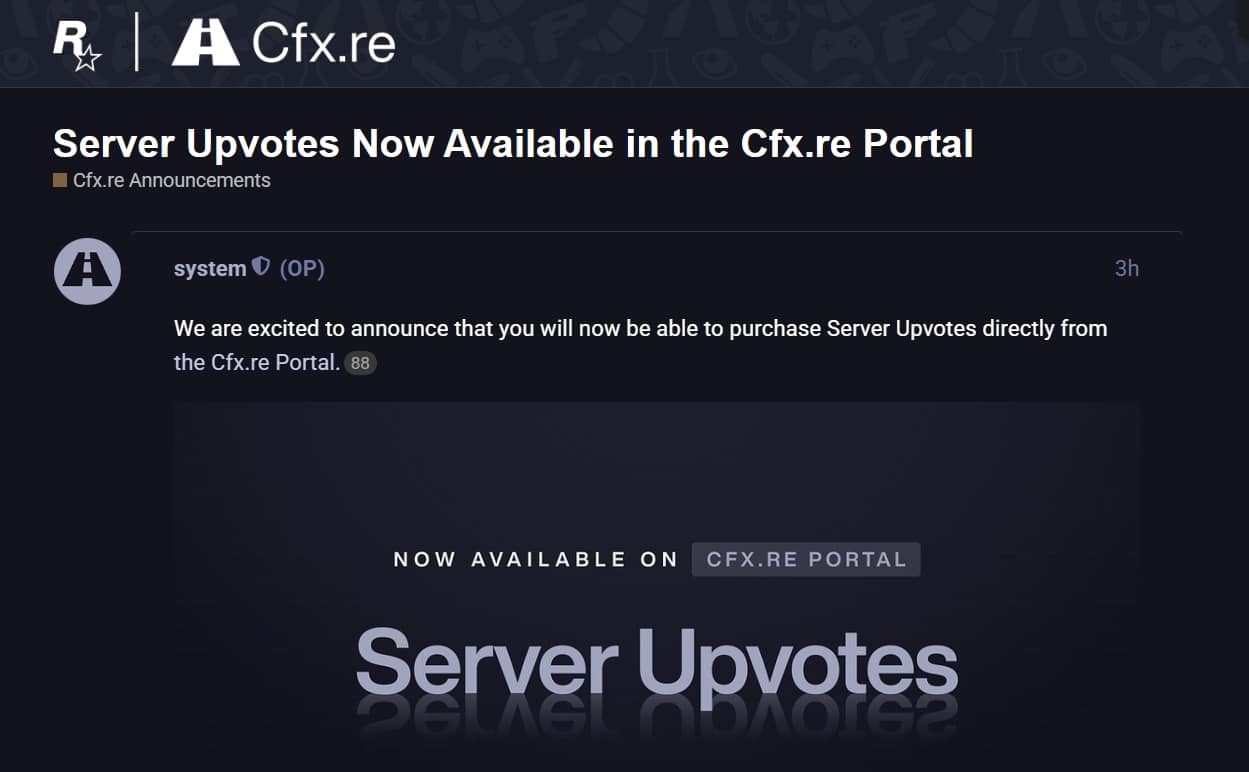
Cfx.re moved Server Upvotes from Zaphosting to their own portal, streamlining the process. This means:
FiveM Server Upvotes Now Live in Cfx.re Portal

What You Need to Know

FiveM CFX Server List Ranking Guide

Struggling to get your FiveM server noticed? Cfx.re just made it easier to boost your server’s visibility – no more third-party hassles. Let’s break down their new Server Upvotes system, now directly in the Cfx.re Portal.

Go to the post

Why This Matters

Cfx.re moved Server Upvotes from Zaphosting to their own portal, streamlining the process. This means:

  • ✅ Direct purchases without middlemen

  • ✅ Two boost types: Burst (24-hour power-ups) and Recurring (weekly/monthly subscriptions)

  • ✅ Full control over spending limits ($2k/day max)

How to Buy & Apply Upvotes

  • Purchase in Portal: Choose Burst or Recurring, pay via your preferred method.

  • Assign in-game: Click “Upvote” in the FiveM/RedM client server list.

Need a visual guide? Check their detailed tutorials here:

https://forum.cfx.re/t/server-upvotes-now-available-in-the-cfx-re-portal/5315329

FAQs at a Glance

Q: What’s the difference between Burst and Recurring? A: Burst = short-term spikes (max 24hrs). Recurring = steady visibility (auto-renewing weekly/monthly).

Q: Can I cancel a subscription? A: Yes! Manage or cancel auto-renewals anytime in the Portal.

Q: Will this guarantee more players? A: Upvotes boost visibility, but a great server experience keeps players. Pair this with high-quality FiveM mods for best results.

How to Activate Upvotes Step by Step

For anyone new to the Cfx.re Portal, here is the exact process from purchase to activation:

  1. Go to portal.cfx.re and sign in with your Cfx.re account.
  2. Navigate to Server Upvotes in the portal menu.
  3. Select your server from the list (your server must be registered and publicly visible in the server browser).
  4. Choose Burst (one-time 24-hour boost) or Recurring (auto-renewing weekly/monthly).
  5. Select your boost amount and complete payment.
  6. Launch FiveM or RedM and open the server list.
  7. Find your server and click the Upvote button. This applies the purchased boost immediately.
  8. Verify the boost is active by checking your server's position in the browser — it should move up within a few minutes.

Note: The purchase happens in the web portal, but the boost activation happens inside the game client. You cannot activate via the portal alone — the in-game click is required.

Pro Tip

While Upvotes push your server higher, retention is key. The servers that get the best long-term return from upvote spending are the ones that have already solved their first-30-minutes player experience — good spawn location, working tutorial, active staff, and a stable resource load without crashes.

Free Server Admin Tools

Simplify your server management with our free FiveM tools on FiveMX — including a server.cfg generator, server status checker, and more.

Related Content

  • Full setup guide: create a FiveM server.
  • Configure your server: server.cfg guide.
  • New to FiveM? Start with the beginner's guide.

Related Articles

  • Advertising Your FiveM Server on TikTok
  • 15 Best Free FiveM Scripts Every Server Needs (2026)
  • The Best Pre-configured FiveM Server Packs

Explore our premium FiveM mods and free mods collection for ready-to-use resources.


How the Cfx.re Server List Ranking Works

Understanding the ranking algorithm helps you spend upvote budget where it matters most. The FiveM server browser ranks servers based on a combination of signals:

  1. Active player count — servers with more concurrent players rank higher organically. This is the foundation.
  2. Upvote score — purchased upvotes apply a direct multiplier to your position within your player count bracket.
  3. Recency of upvotes — Burst upvotes decay within 24 hours. Recurring upvotes maintain a steady elevated baseline.
  4. Server tags and language — players filter by language and category, so correct tags make you visible to the right audience even at lower overall positions.

Upvotes do not override player count entirely. A server with 5 active players and maximum upvotes will not outrank a populated server in the 50+ bracket. The goal is to use upvotes to push yourself above other servers in your size tier — not to fake a larger presence.


Burst vs. Recurring: When to Use Each

Choosing the wrong upvote type wastes your budget. Here is the decision framework:

Use Burst Upvotes When:

  • You are launching a server event (opening night, wipe, season start) and need a spike of new players in the next 24 hours
  • You want to test visibility without committing to a monthly spend
  • Your server just crossed a player count threshold and you want to solidify the new ranking position quickly
  • You are running a limited-time promotion (double XP weekend, giveaway) and want maximum eyeballs during that window

Use Recurring Upvotes When:

  • You want consistent top-page visibility over weeks or months
  • Your server has stable retention and you want a steady inflow of new trial players
  • You have budget for ongoing promotion and want to remove the manual effort of re-purchasing regularly
  • You are building long-term brand recognition in a specific player community

Budget Tiers (Practical Reference)

TierMonthly SpendExpected Effect
Entry$20–50/monthNoticeable position lift within your player bracket
Mid$50–150/monthConsistent top-half visibility in your category
Competitive$150–400/monthTop-page presence in most filter combinations
Aggressive$400–$2,000/day capMaximum visibility; use Burst for launch events at this level

Remember: the $2,000/day spending cap is a ceiling, not a recommended amount. Most servers see meaningful returns in the $50–150/month range when combined with strong organic retention.


Measuring ROI on Upvote Spending

Upvotes are only worth spending if they bring players who stay. Track these metrics to evaluate whether your spend is working:

1. New Player Join Rate

Compare your daily new player count before and during an upvote campaign. Use your server's player management logs or a script like txAdmin's Player Manager to see first-time connections per day. A successful campaign should produce a measurable increase during the upvote window.

2. Session Length

If new players join but disconnect within 10 minutes, the visibility is working but your server is not retaining. Upvote spending without retention improvement is a leaking bucket — you pay to bring players in, but they leave before contributing to your community.

3. Discord Growth

Track your Discord member count alongside your upvote schedule. Players who join Discord after finding you in the server browser are your highest-retention cohort — they have self-selected into your community. Upvote-driven Discord growth is a strong positive signal.

4. Upvote-to-Return Rate

After a Burst campaign ends, monitor how many new players return the next day without the upvote boost. This is your true retention rate. If the number is high, the boost paid for itself by adding permanent community members. If it drops to zero, the quality of first experience needs work before the next campaign.


Complementary Growth Strategies

Upvotes boost discoverability. These tactics improve what happens after players find you:

Optimize Your Server Listing

Your server name, description, and banner art are the first things players see in the browser. A professional banner image and a description that clearly communicates your server's genre, framework, and unique features converts more viewers to trial connections. Generic descriptions like "best RP server" perform poorly; specific ones like "Heavy RP | ESX | Custom MLOs | Active Police & EMS | 100-slot OneSync" immediately qualify the right audience.

Run Timed Events Around Burst Upvotes

A Burst upvote without a reason to join is less effective than one timed to a server event. Schedule your Burst purchase to coincide with:

  • A new season or wipe
  • A custom event (car show, heist, gang war)
  • A major script update or new feature launch
  • A partnership with a content creator who is streaming on your server

Events give players a story to join mid-stream and a reason to return.

Cross-Promote on Social Media

Post your server listing link alongside your Cfx.re portal upvote activation. Short-form content on TikTok or YouTube Shorts showing your server's best features drives players who are researching before connecting — they arrive pre-qualified and convert to long-term players at a much higher rate than cold server browser traffic.

Retain with Quality Scripts

Long-term growth is a product decision. Players stay on servers with polished, stable, well-maintained scripts that create emergent gameplay. Browse FiveMX FiveM scripts for resources that add the kind of depth that keeps players logging in after their first session.


Free Server Admin Tools

Simplify your server management with our free FiveM tools on FiveMX — including a server.cfg generator, server status checker, and more.

Related Content

  • Full setup guide: create a FiveM server.
  • Configure your server: server.cfg guide.
  • New to FiveM? Start with the beginner's guide.

Related Articles

  • Advertising Your FiveM Server on TikTok
  • 15 Best Free FiveM Scripts Every Server Needs (2026)
  • The Best Pre-configured FiveM Server Packs

Explore our premium FiveM mods and free mods collection for ready-to-use resources.

Frequently Asked Questions

What's the difference between a 'Burst' and 'Recurring' upvote, and when would I use each?

A 'Burst' upvote is a short-term boost that lasts for a maximum of 24 hours, designed to provide a quick spike in visibility. This is useful for special events or when you need an immediate influx of players. A 'Recurring' upvote is a weekly or monthly subscription that provides a steady increase in visibility over time. This is better for sustained growth and maintaining a consistently higher server ranking. Choose Burst for temporary boosts and Recurring for ongoing promotion.

Where in the Cfx.re portal can I manage or cancel my recurring server upvote subscription?

You can manage or cancel your auto-renewing 'Recurring' upvote subscription directly within the Cfx.re Portal. The portal provides full control over your subscriptions, allowing you to cancel at any time. This ensures you're not locked into a long-term commitment and can adjust your upvote strategy as needed.

Besides upvotes, what else can I do to improve my FiveM server's player retention?

While server upvotes increase visibility, player retention relies on the quality of your server. Focus on creating a great server experience through high-quality FiveM mods that add unique features and engaging gameplay. Ensure your server is well-moderated, stable, and has an active community. Providing regular content updates and addressing player feedback will also significantly improve player retention. A high server ranking helps attract players, but a fun and engaging environment is what makes them stay.


Is there a limit to how much I can spend on server upvotes each day?

Yes, there is a spending limit for server upvotes. The maximum you can spend on upvotes per day is $2,000. This limit helps to prevent abuse and ensures fair use of the system. Keep this spending limit in mind when planning your upvote strategy and consider whether to focus on 'Burst' or 'Recurring' options to maximize your impact within the budget.

How do I actually activate the upvote boost in the FiveM or RedM client after purchasing it through the Cfx.re portal?

After purchasing either a 'Burst' or 'Recurring' upvote through the Cfx.re portal, you activate the boost in-game within the FiveM or RedM client. In the server list, simply click the “Upvote” button associated with your server. This action applies the boost you purchased, increasing your server's visibility within the server browser.

Is FiveM Server Upvotes Now Live in Cfx.re Portal free to use?

Check the mod listing for pricing details. Many FiveM mods are available for free, while premium mods offer additional features and dedicated support.

Previous Article

Best FiveM Server Hosting 2025: Performance Guide

Next Article

What It Really Costs to Run a FiveM Server

More on This Topic

FiveM on Steam and the alt:V Shutdown: What Server Owners Need to KnowFiveM Full Server Download: Complete Server Packs Explained (2026)How to Run a FiveM Server Using Docker: Complete Setup GuideFiveM Server Management: The Complete Guide from Setup to ScaleFiveM server.cfg: Complete Configuration Guide

Turn framework research into a launch-ready script stack

Use this guide to narrow the framework decision, then move into the core commercial hubs for verified scripts, curated bundles, and a faster server launch path.

Framework hub

Browse QBCore-ready scripts

Move into the QBCore landing page to compare verified scripts, framework fit, and install-ready products built for modern FiveM servers.

Open QBCore hub

Framework hub

Review the ESX script path

Use the ESX landing page to compare framework-specific resources, launch guidance, and premium products that fit ESX-first servers.

Open ESX hub

Premium catalog

Browse premium FiveM scripts

Move from research into the main shop to compare real products, framework labels, screenshots, and production-ready quality signals.

Open premium shop

Launch faster

Compare curated bundles

Bundles shorten the path from planning to launch by grouping the highest-leverage scripts into a cleaner commercial starting point.

View bundles

Disclosure: Some links below are affiliate links to FiveMX products. We may earn a commission at no extra cost to you.

Related Articles

Cfx Marketplace Explained: What Server Owners Need to Know in 2026

Cfx Marketplace Explained: What Server Owners Need to Know in 2026

The Cfx Marketplace launched in January 2026 as the official Rockstar-authorized store for FiveM and RedM mods. Learn how it works, how it compares to Tebex, and what it means for server owners and creators.

March 4, 2026
CFX Server List Ranking Guide: Settings & Listing Hygiene

CFX Server List Ranking Guide: Settings & Listing Hygiene

You want your server to show up, get clicked, and keep players. This guide gives you exact steps that move the needle today: cleaner naming, better descriptions, correct banners,…

September 23, 2025
FiveM Server IP Finder – Find Server Addresses

FiveM Server IP Finder – Find Server Addresses

How to use it CFX Finder This Server IP Finder tool (CFX Finder) is designed to help you quickly and easily locate the IP address of any FiveM server. It...

July 25, 2025
Secure CheckoutInstant AccessMoney-Back GuaranteeLifetime Updates
FiveMX

Premium FiveM scripts and mods for serious server owners.

Shop

  • Shop
  • QBCore Scripts
  • ESX Scripts
  • FiveM Scripts
  • Free Mods
  • Best Scripts & Mods

Help

  • About
  • FAQ
  • Support
  • Contact
  • Account
  • Affiliate Program

Legal

  • Privacy Policy
  • Terms of Service
  • Refund Policy
  • Cookie Policy
  • GDPR Compliance
  • DMCA
  • Imprint
  • Editorial Policy
© 2026 FiveMX. All rights reserved.·support@fivemx.com

FiveMX is not affiliated with Rockstar Games, Take-Two Interactive, or CFX.re. All trademarks are property of their respective owners.

Flash Sale — Up to 19% off!Flash Sale — 19% off!Shop Now