  • Instant digital delivery
  • Lifetime updates on selected products
  • Trusted by server owners
FiveMX
Shop
Full ServersBundlesNew releases
FiveMX

Start building your server today.

Curated FiveM resources, instant delivery, free starter mods, and practical guides in one calm marketplace.

Browse the shopsupport@fivemx.com

Shop

  • Shop
  • FiveM Mods
  • All Products
  • Free Mods
  • Best Scripts & Mods
  • FiveM Scripts

Frameworks

  • QBCore Scripts
  • ESX Scripts
  • QBox
  • Standalone

Community

  • Blog
  • Support
  • Creators
  • Affiliate

Legal

  • Privacy Policy
  • Terms of Service
  • Refund Policy
  • Digital Delivery
  • Cookie Policy
  • GDPR Compliance
  • DMCA
  • Imprint
  • Editorial Policy

Server Templates

  • QBCore Server Template
  • ESX Server Template
  • NoPixel Server Template
  • Server Packs
  • Free Server Templates
  • Tebex Alternative
© 2026 FiveMX. All rights reserved.·FiveMX is not affiliated with Rockstar Games, Take-Two Interactive, or CFX.re. All trademarks are property of their respective owners.
DiscordDocs

2 product images available.

Compatibility:

Cyberpunk Clothes Shop

Limited-time price

Save $8.10 (18% off)

$44.99 - $36.89
Flash Sale
Weekend Sale
$36.89$44.99

Secure Checkout

Cards, Apple Pay, Google Pay, iDEAL/Wero, Bancontact, EPS, Przelewy24, and optional Crypto where available via Stripe.

Instant file access after paymentSupport and refund policy shown before checkout
Ask support before buyingRead refund policy
Instant Access
SSL Encrypted
Cards, wallets, bank redirects
Frameworksesx, qbcore, qbox, standalone
Setup

Requires a FiveM server, ESX or QBCore, access to server resources, and permission to restart the resource after configuration.

RequirementsPublished on this page
PreviewAvailable

Description

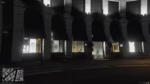
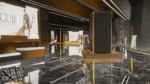
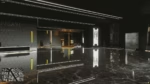
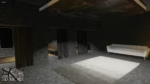
Cyberpunk Clothes Shop - Futuristic Clothing Store MLO for FiveM

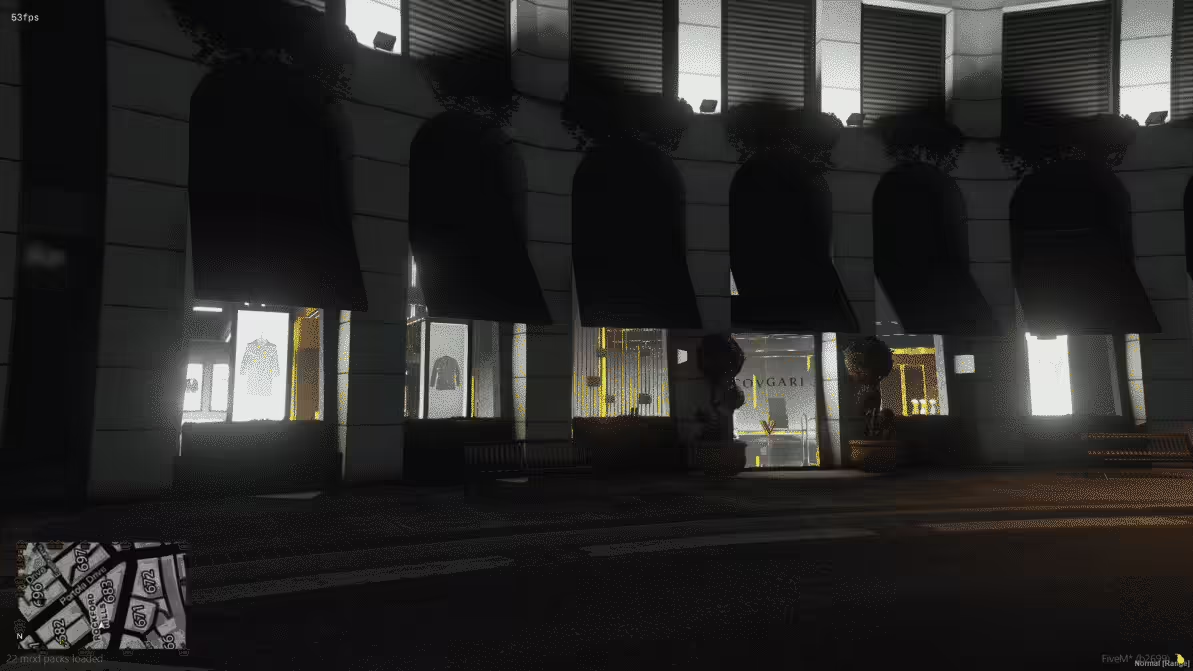
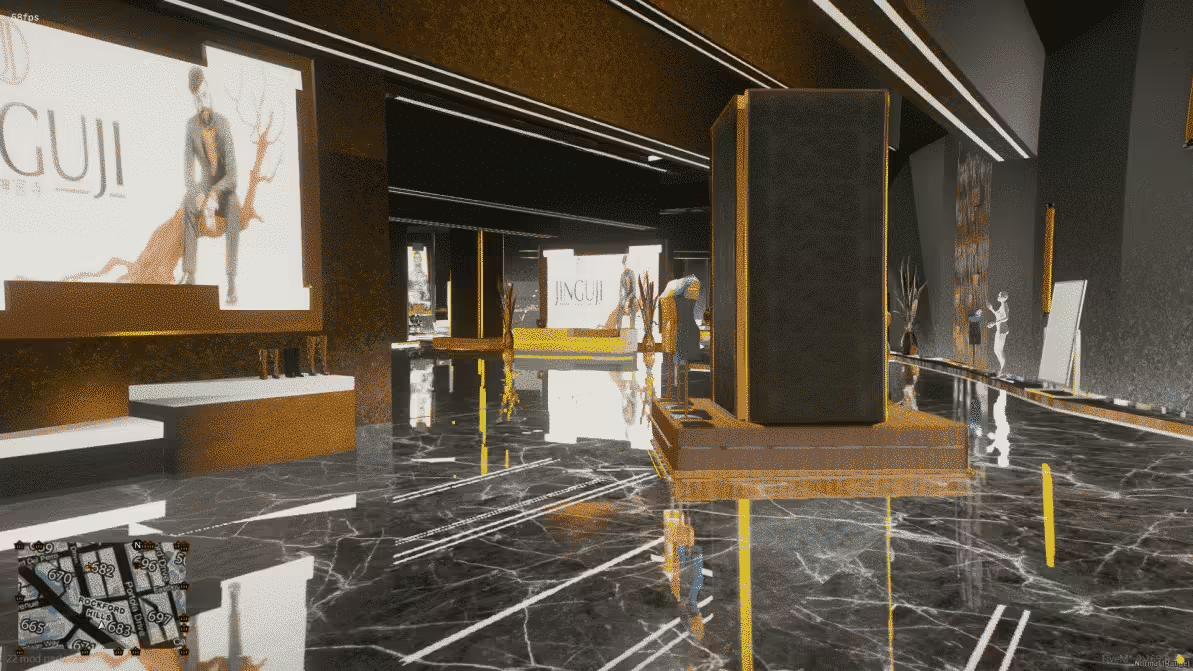
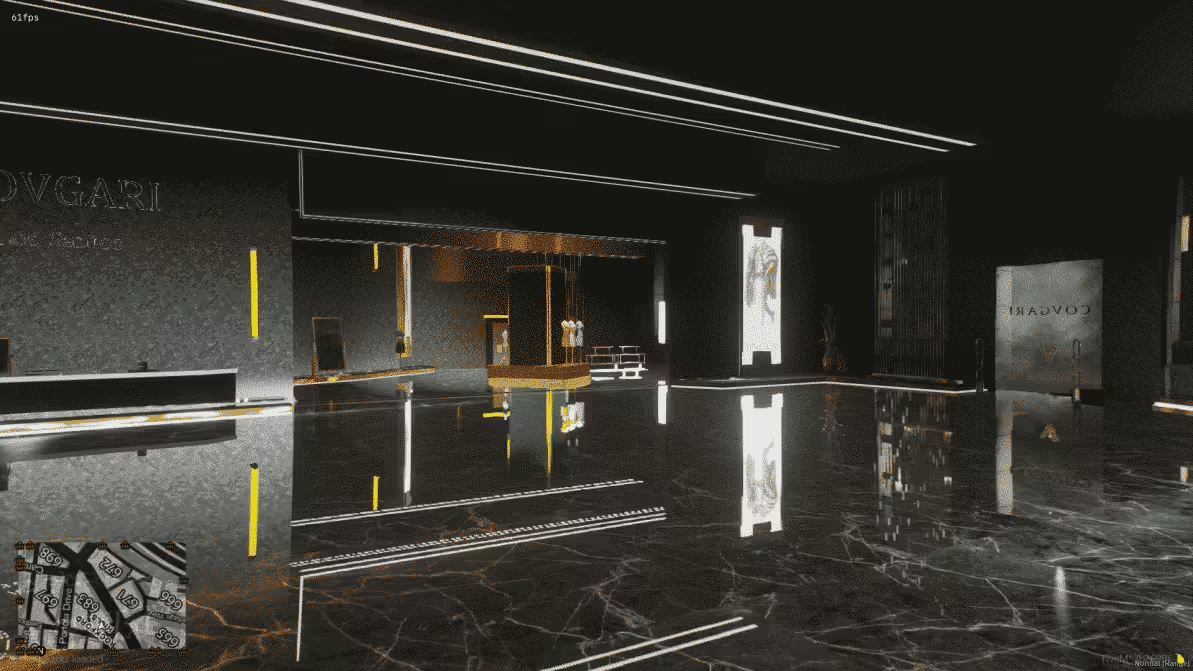
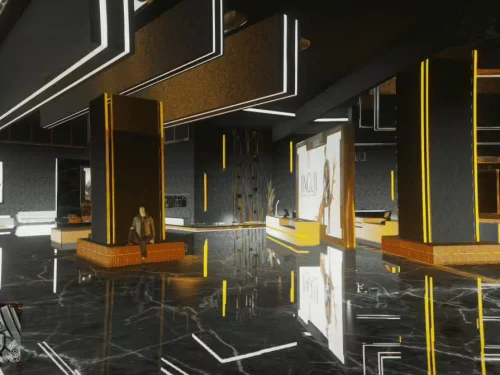
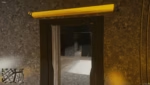
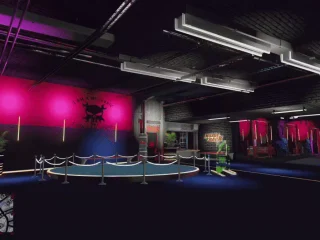
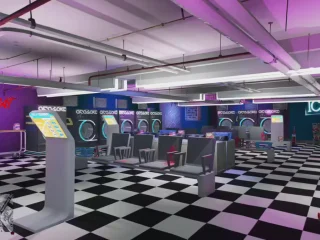
Step into the future with this stunning cyberpunk-themed clothing store interior that transforms the standard GTA clothing shop experience. Featuring neon-lit displays, holographic elements, modern minimalist design, and a sci-fi aesthetic inspired by Cyberpunk 2077, this MLO is perfect for servers wanting to offer players a unique, immersive shopping experience that breaks away from the dated vanilla GTA look.

What's Included

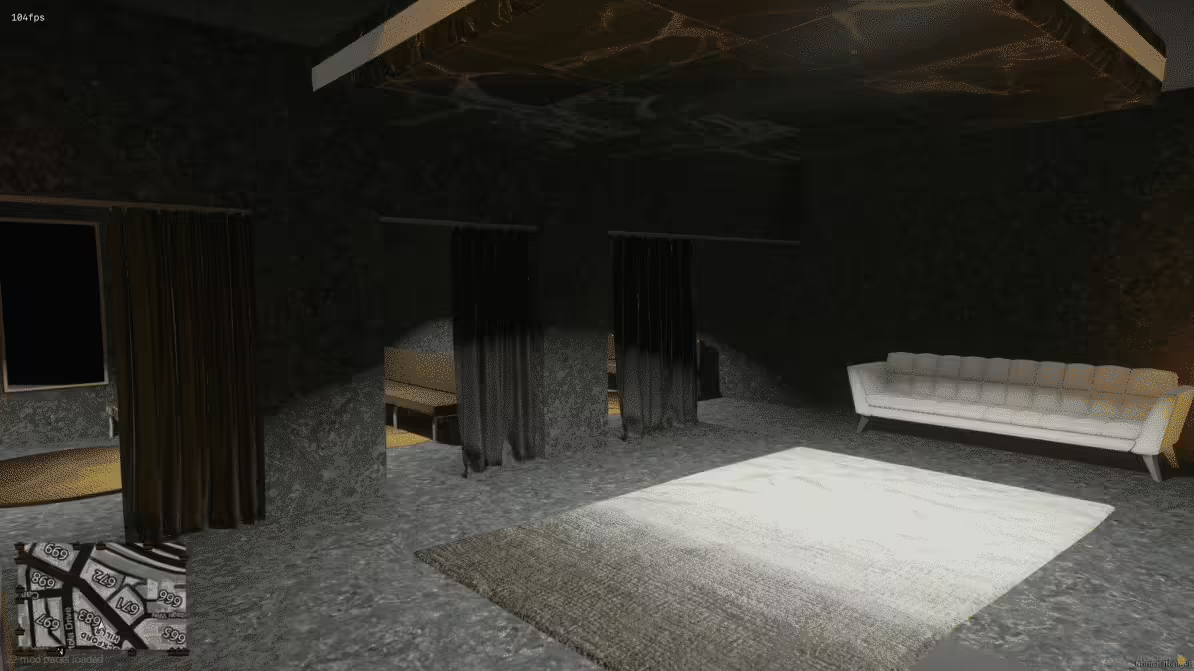
This complete clothing store MLO features a futuristic showroom with LED-lit clothing racks, holographic display panels, neon accent lighting throughout, modern fitting rooms with privacy doors, a sleek checkout counter area, digital signage and advertising screens, ambient lighting systems creating cyberpunk atmosphere, and optimized collision for smooth player navigation. Every element is designed to create an authentic futuristic retail experience.

Key Features

  • Cyberpunk Aesthetic Design - Neon blue, pink, and purple lighting schemes, metallic and glass materials throughout, holographic projection effects, digital display screens, minimalist modern furniture, industrial-tech hybrid architecture
  • Functional Layout - Multiple clothing display sections organized by type, spacious fitting room area with mirrors, checkout counter with register space, storage/inventory room in back, employee break area, entrance with automatic door feel
  • Atmospheric Lighting - Custom RGB neon strips along walls and displays, spotlights highlighting featured items, ambient underglow on fixtures, color-coordinated zones (streetwear, formal, accessories), cinematic mood lighting throughout
  • Modern Shopping Experience - Clean, uncluttered layout for easy navigation, eye-catching displays that draw attention, professional retail atmosphere, space optimized for browsing, Instagram-worthy photo spots
  • Performance Optimized - Efficient prop usage for visual impact, tested FPS performance (0.02-0.04ms impact), clean collision mapping, no texture bugs or loading issues, supports high player traffic

Perfect For

  • Futuristic or cyberpunk-themed roleplay servers
  • Modern/contemporary servers wanting updated store aesthetics
  • Fashion-focused communities with clothing customization culture
  • Servers set in alternative timelines or sci-fi settings
  • Communities tired of vanilla GTA store interiors
  • Servers with custom clothing packs wanting matching store aesthetics
  • High-end fashion district roleplay areas

Design Philosophy

Traditional GTA clothing stores feel dated and uninspired. This MLO reimagines retail spaces with a cyberpunk lens—think Tokyo's Harajuku district meets Los Angeles streetwear shops meets Blade Runner aesthetics. The result is a shopping environment that players actually want to spend time in, creating opportunities for social roleplay, fashion shows, and making the simple act of buying clothes feel like an experience rather than a chore.

Zones & Layout Breakdown

Main Showroom

The central area features organized clothing sections with neon-lit racks, mannequin displays showing featured outfits, holographic signs indicating categories (tops, bottoms, shoes, accessories), and wide aisles for comfortable player movement. The open layout encourages browsing and social interaction.

Fitting Rooms

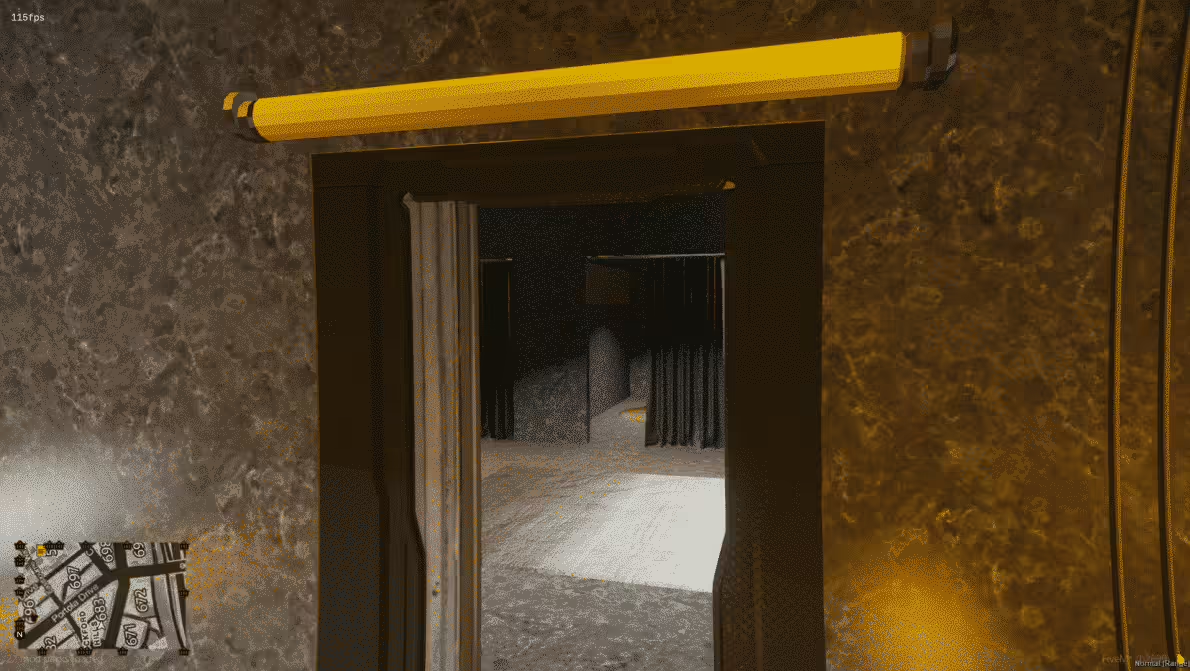
Private changing areas with modern sliding doors, full-length mirrors with LED backlighting, small seating areas outside for friends waiting, and futuristic design elements maintaining the cyberpunk theme. Perfect for trying on outfits before purchasing.

Checkout Area

Sleek counter with embedded screens, space for cashier roleplay positions, digital payment terminal props, bagging area for purchased items, and security monitors visible to staff. The professional setup supports business ownership roleplay.

Back Room

Employee-only area with inventory storage, clothing shipment boxes, staff break space, manager's desk, and security camera monitoring. Useful for business management roleplay and stock management scenarios.

Installation

  1. Extract the MLO resource to your server's resources folder
  2. Add the resource name to your server.cfg file
  3. Configure your clothing shop script to use the new interior location
  4. Set up teleport markers or door entry points as needed
  5. Adjust lighting settings if desired (customizable RGB values in some versions)
  6. Restart server and verify the interior loads correctly

Framework Compatibility

  • ✅ ESX - Compatible with esx_clotheshop, esx_skin, fivem-appearance, and other clothing systems
  • ✅ QBCore - Works with qb-clothing, illenium-appearance, raid_clothes, and QB clothing scripts
  • ✅ QBOX - Full QBOX framework support with appearance systems
  • ✅ Standalone - Can replace any vanilla clothing store interior regardless of framework
  • ✅ Custom Scripts - Universal MLO works with any clothing/appearance script

Technical Specifications

  • Performance Impact: 0.02-0.04ms (extremely light, suitable for high-pop servers)
  • Texture Quality: High-resolution textures with proper compression
  • Lighting System: Custom RGB neon with configurable colors
  • Collision: Full collision on all floors, walls, furniture, and display fixtures
  • Prop Count: Balanced for visual appeal without performance sacrifice
  • File Size: Optimized for fast download and minimal storage impact

What Makes It Stand Out

This isn't just a reskin of existing stores—it's a complete redesign that transforms how players perceive clothing shopping on your server. The cyberpunk theme creates a memorable, branded experience that sets your server apart visually. Players will screenshot their characters in this location because it looks genuinely cool, providing free social media marketing for your community. The modern aesthetic shows attention to detail and quality, signaling to players that your server invests in premium content rather than settling for vanilla or low-effort alternatives.

Customization & Branding

The clean, modern design makes this MLO easy to customize for your server's specific branding. You can adjust neon colors to match your server theme (purple for gang servers, blue for police RP, pink for fashion-focused, etc.), add custom logo textures to wall panels, integrate digital screens showing your server advertisements, and modify prop placement to emphasize specific clothing categories your players prefer.

Roleplay Enhancement Ideas

Use this location for fashion shows and clothing reveals, employee roleplay with cashier and manager positions, security guard jobs protecting high-end merchandise, delivery drivers bringing stock shipments, cleaning crew maintenance roleplay, and even criminal scenarios like robbery targets or money laundering front businesses. The professional atmosphere supports serious business ownership mechanics.

Player Experience Benefits

Players are tired of monotonous, dated interiors that break immersion. This cyberpunk store creates a wow moment when players first enter, making them actually want to browse and roleplay in the space. The atmospheric lighting and futuristic design work perfectly with custom clothing packs, character screenshots, and fashion-focused content creation. Your players won't experience FPS drops or texture bugs—just smooth, visually stunning retail therapy.

Replacement vs. Addition

This MLO can replace existing vanilla clothing stores (Binco, Suburban, Ponsonbys) or be added as a new premium location. Many servers use it as the flagship luxury clothing store while keeping vanilla stores for budget options, creating a tiered shopping economy that adds depth to roleplay.

Support & Updates

Instant download upon purchase with clear installation instructions included. The MLO is optimized, tested, and ready to use immediately. Lifetime access ensures you receive any updates or improvements made to the interior design or performance optimization.

Related FiveM MLOs

  • FiveM Halloween Horror School MLO
  • White House MLO
  • Hill Mansion
  • Deluxe Cityhall

Installation notes

Requires a FiveM server, ESX or QBCore, access to server resources, and permission to restart the resource after configuration.
Installation notes
Requires a FiveM server, ESX or QBCore, access to server resources, and permission to restart the resource after configuration.

Buy this when it saves setup time

Use this checklist to decide quickly whether the resource fits your current server build, framework, and support expectations.

Server-owner payoff

Cyberpunk Clothes Shop is positioned to reduce Restaurants & Shops instead of making you rebuild the same system from scratch.

Compatibility

Works with esx, qbcore, qbox, standalone. Check the requirements block before adding it to a live stack.

Purchase confidence

Instant download, Stripe checkout, support access, and refund policy context are shown before payment.

Decision assets

Requirements, Preview video, Product Q&A

Product fit, setup, and proof at a glance

Use the published facts on this page to confirm whether Cyberpunk Clothes Shop matches your server before checkout.

Compatibility

Frameworks
ESX, QBCore, QBOX, Standalone
Category
Restaurants & Shops

Setup & requirements

Install flow
Download → resources folder → ensure in server.cfg
Requirements
Published on this page
File size
26.31 MB

Proof & buyer questions

Reviews
No reviews yet
Answered Q&A
Ask before buying

Only the facts published on this page should be treated as confirmed. If you need more detail, review the description, requirements, changelog, reviews, and product Q&A before checkout.

DescriptionRequirementsPreview video
Restaurants & Shops
Compatibility:
ESX
QBCore
QBOX
Standalone

Cyberpunk Clothes Shop

Review process

Limited-time price

Save $8.10 (18% off)

$44.99 - $36.89
Flash Sale
Weekend Sale
$36.89$44.99

Secure Checkout

Cards, Apple Pay, Google Pay, iDEAL/Wero, Bancontact, EPS, Przelewy24, and optional Crypto where available via Stripe.

Instant file access after paymentSupport and refund policy shown before checkout
Ask support before buyingRead refund policy
Instant Access
SSL Encrypted
Cards, wallets, bank redirects
Frameworksesx, qbcore, qbox, standalone
Setup

Requires a FiveM server, ESX or QBCore, access to server resources, and permission to restart the resource after configuration.

RequirementsPublished on this page
PreviewAvailable
Home
Shop
Restaurants & Shops
Restaurants & Shops
ESX
QBCore
QBOX
Standalone
Review process

Key Features

  • Cyberpunk Aesthetic Design

    Features neon blue, pink, and purple lighting schemes, metallic and glass materials, holographic projection effects, digital display screens, minimalist modern furniture, and industrial-tech hybrid architecture inspired by Cyberpunk 2077.

  • Functional Layout

    Includes multiple clothing display sections organized by type, spacious fitting room area with mirrors, checkout counter with register space, storage/inventory room in back, employee break area, and entrance with automatic door feel.

  • Atmospheric Lighting System

    Custom RGB neon strips along walls and displays, spotlights highlighting featured items, ambient underglow on fixtures, color-coordinated zones (streetwear, formal, accessories), and cinematic mood lighting throughout.

  • LED-lit Displays and Holographic Elements

    Features LED-lit clothing racks, holographic display panels, holographic signs indicating categories, and digital signage and advertising screens throughout the showroom.

  • Performance Optimized

    Tested FPS performance impact of 0.02-0.04ms, efficient prop usage, clean collision mapping, no texture bugs or loading issues, and supports high player traffic.

Frequently Asked Questions

Related Products

$13.49
$14.49

Related Tutorials & Guides

Learn more about setting up, configuring, and using this type of resource.

ESX vs QBCore vs QBOX: Technical Framework Comparison 2026

ESX vs QBCore vs QBOX: Technical Framework Comparison 2026

Choosing a framework is the single most consequential decision when building a FiveM server. It determines which scripts you can use, how your developers write code, the…

FiveM Frameworks Explained: Complete Guide to ESX, QBCore & QBOX

FiveM Frameworks Explained: Complete Guide to ESX, QBCore & QBOX

FiveM frameworks form the backbone of roleplay servers. They're not just code libraries—they're complete systems that manage player identity, jobs, inventory, permissions,…

QBox vs QBCore Migration Guide: Compatibility, Scripts & Performance (2026)

QBox vs QBCore Migration Guide: Compatibility, Scripts & Performance (2026)

Compare QBox vs QBCore in 2026, check script compatibility, and follow a practical migration plan for ox_lib, ox_inventory, banking, jobs, and testing.

Continue Building Your FiveM Server

Use this product as part of a larger setup. Explore related categories, alternative frameworks, premium bundles, and free companion downloads.

Explore Job ScriptsExplore FiveM MLOsExplore Economy & BankingBrowse all scriptsRestaurants & Shops scriptsesx scriptsTry QBCore insteadTry QBox insteadFree FiveM modsCompare bundles
McDonalds Legion Square (MLO)

McDonalds Legion Square (MLO)

$8.49
SeaDome MLO

SeaDome MLO

$15.49
Legion Square NEW

Legion Square NEW

Redline Performance - Tuner Shop

Redline Performance - Tuner Shop