Zum Hauptinhalt springen
  • Sofortiger digitaler Versand
  • Lebenslange Updates für ausgewählte Produkte
  • Vertraut von Server-Betreibern
FiveMX
Marktplatz
Komplette ServerBundlesNeuerscheinungen
  1. Startseite
  2. Blog
  3. Tutorials & Anleitungen
Table of Contents
Why Updating FiveM MattersThe 3-Minute Standard Update RoutineTroubleshooting: Stuck on "Verifying Content"?1. Clear Your FiveM Cache2. Verify Base GTA V Files3. Re-run the InstallerStable vs. Canary: Which Update Channel Do You Need?The "Stable" (Release) ChannelThe "Canary" (Latest) ChannelHow to Switch Update ChannelsPro Tips to Dodge Update HeadachesFrequently Asked QuestionsDoes updating FiveM change my GTA Online installation?Should I manually check for updates?Why is my server requiring a new game build?

How to Update FiveM Fast (Stable vs Canary Guide)

Veröffentlicht am 15. Mai 2025·von Lars Miller(Founder & Lead Editor)·Profil·5 Min. Lesezeit·Aktualisiert am 14. Mai 2026
Tutorials & Anleitungenhow to update fivem fast (stable

You fire up FiveM ready to join your favorite roleplay server, and… boom. _'Client out of date.'_

Share
How to Update FiveM Fast (Stable vs Canary Guide)

You fire up FiveM ready to join your favorite roleplay server, and… boom. "Client out of date."

Your buddies are already in-game, and you’re stuck on the loading screen trying to figure out why your client won't connect. It's a frustrating but common issue, especially when servers push mandatory game build updates to support new FiveM scripts and DLC vehicles.

Here’s the exact, no-fluff playbook used by seasoned players to keep the FiveM client updated in under three minutes, troubleshoot common errors, and pick the optimal build channel.

Why Updating FiveM Matters
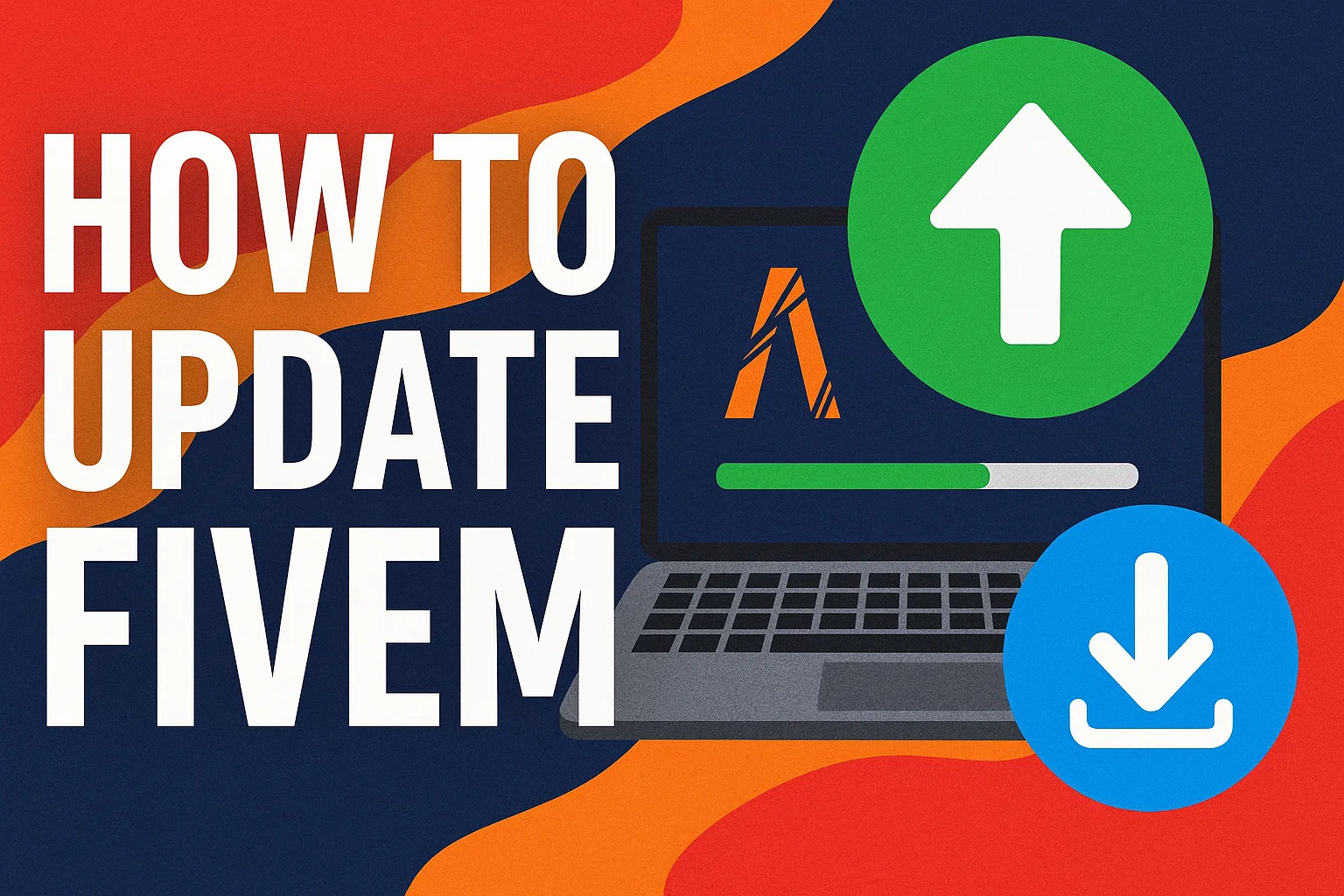
How to Update FiveM Client to Latest Version

Keeping your game client on the latest version is not optional if you want a smooth experience:

  • Server Access: Most modern servers strictly enforce the latest GTA V builds (e.g., Build 3095 or newer). If you don't update, you get kicked on connection.
  • Performance Patches: The Cfx.re team regularly releases performance improvements. Updating can slash load times, fix texture loss, and reduce random crashes.
  • Security: Old clients are vulnerable to exploits and modder attacks. Staying up to date is essential for client-side security.

The 3-Minute Standard Update Routine

In most cases, updating the game is fully automated. If your client is out of date, follow this standard procedure:

  1. Close FiveM completely. Ensure it’s completely gone from the Windows taskbar and verify FiveM.exe is not running in the Task Manager.
  2. Launch FiveM.exe again. The launcher automatically queries the official Cfx.re servers.
  3. Wait for the prompt. An update window will appear. It usually downloads an update patch that ranges from 20MB to 2GB depending on the underlying GTA V build changes.

Once the download bar completes, the client will restart itself, and you should immediately be able to connect to your target server.

Troubleshooting: Stuck on "Verifying Content"?

Sometimes the auto-updater gets confused, often hanging infinitely on "Verifying Content" or failing with a curl error. Here is the fast fix:

1. Clear Your FiveM Cache

Clearing accumulated cache data forces the updater to re-download the necessary files.

  • Press Win + R on your keyboard.
  • Type %localappdata%\FiveM\FiveM.app\data and hit Enter.
  • Delete the cache folder. (For more details, see our full guide on how to clear the FiveM cache).
  • Restart FiveM.

2. Verify Base GTA V Files

If FiveM cannot update, it may be because your base Grand Theft Auto V installation is corrupted or outdated.

  • Steam: Right-click GTA V > Properties > Installed Files > Verify integrity of game files.
  • Epic Games: Click the three dots next to GTA V > Manage > Verify.

3. Re-run the Installer

If all else fails, go to the official website and download a fresh FiveM.exe. Drop it into your existing FiveM directory and run it. It safely repairs the client without deleting your saved server history or custom FiveM settings.

Stable vs. Canary: Which Update Channel Do You Need?

FiveM offers different "update channels" representing different versions of the client software. Many advanced servers require you to switch your channel.

The "Stable" (Release) Channel

  • What it is: The default. Fully tested, strong, and heavily vetted by the community.
  • Update Frequency: Fewer updates; only major, stable milestones are pushed here.
  • Who it's for: 95% of standard players. If you simply want to log in and play RP with the lowest possible crash rate, stay on Stable.

The "Canary" (Latest) Channel

  • What it is: The beta testing branch (labeled "Latest" in the settings men, and often called "Canary" or "Unstable" on forums).
  • Update Frequency: Daily updates containing experimental code.
  • Who it's for: Server developers, bug hunters, and players on cutting-edge servers that utilize brand-new game build natives before they hit Stable.

How to Switch Update Channels

  1. Open your FiveM client to the main menu.
  2. Click the gear icon (Settings) in the top right.
  3. Locate the Update Channel drop-down.
  4. Select Release (for Stable) or Latest (for Canary).
  5. The client will immediately prompt for a restart, download the corresponding patch files, and reboot in the new channel.

Note: If the user interface is completely bugged, you can force the channel manually. Press Win + R, navigate to %localappdata%\FiveM\FiveM.app, open CitizenFX.ini in Notepad, and add UpdateChannel=canary or UpdateChannel=production.

Pro Tips to Dodge Update Headaches

  • Pin the installer: Keep the original FiveM.exe shortcut on your desktop. It functions as both the launcher and the updater.
  • Avoid third-party boosters: Utilities claiming to "Boost FiveM FPS" or update the game faster often corrupt game state files. Let the official launcher do its job.
  • Whitelist in Antivirus: After major client updates, FiveM modifies its core .dll files. Overzealous Windows Defender or third-party AV software might flag these as false positives. Consider adding a folder whitelist for the FiveM application directory to prevent unexpected crashes.

Frequently Asked Questions

Does updating FiveM change my GTA Online installation?

No. FiveM operates in strict isolation from your root GTA V directory. It uses your game files as a base but stores all modified and updated files in %localappdata%\FiveM. Your vanilla install—and your ability to play GTA Online—remains totally untouched and perfectly safe.

Should I manually check for updates?

You don't need to manually check. The client pings the server network securely on startup. If you are on the Canary build, expect this to happen almost every day.

Why is my server requiring a new game build?

Sometimes, server owners upgrade the server-side architecture to use DLC content (like The Chop Shop or Bottom Dollar Bounties update). To connect, your client must be running a compatible game build, which requires a prompt channel update.
Table of Contents

Why Updating FiveM MattersThe 3-Minute Standard Update RoutineTroubleshooting: Stuck on "Verifying Content"?1. Clear Your FiveM Cache2. Verify Base GTA V Files3. Re-run the InstallerStable vs. Canary: Which Update Channel Do You Need?The "Stable" (Release) ChannelThe "Canary" (Latest) ChannelHow to Switch Update ChannelsPro Tips to Dodge Update HeadachesFrequently Asked QuestionsDoes updating FiveM change my GTA Online installation?Should I manually check for updates?Why is my server requiring a new game build?

Mehr zu diesem Thema

Wie erstelle ich einen FiveM-Server 2026 — Kostenlos, Template & Manueller WegFiveM AI Script-Generierung mit Claude CodeFiveM Server Backup-Strategien: Automatisierte MySQL und RessourcenBeste vorkonfigurierte FiveM Server PacksDiscord Whitelist für FiveM einrichten

Framework-Recherche in einen startklaren Script-Stack verwandeln

Nutze diesen Guide, um die Framework-Entscheidung einzugrenzen, und wechsle dann in die zentralen Angebotsseiten für verifizierte Scripts, kuratierte Bundles und einen schnelleren Server-Launch.

Framework hub

Browse QBCore-ready scripts

Move into the QBCore landing page to compare verified scripts, framework fit, and install-ready products built for modern FiveM servers.

Open QBCore hub

Framework hub

Review the ESX script path

Use the ESX landing page to compare framework-specific resources, launch guidance, and premium products that fit ESX-first servers.

Open ESX hub

Premium catalog

Browse premium FiveM scripts

Move from research into the main shop to compare real products, framework labels, screenshots, and production-ready quality signals.

Open premium shop

Launch faster

Compare curated bundles

Bundles shorten the path from planning to launch by grouping the highest-leverage scripts into a cleaner commercial starting point.

View bundles

Hinweis: Einige Links unten sind Affiliate-Links zu FiveMX-Produkten. Wir verdienen möglicherweise eine Provision ohne zusätzliche Kosten für dich.

Premium-Scripts, die dir gefallen könnten

CodeM Radio

CodeM Radio

3,92 €
Car Music System V3 [Standalone]

Car Music System V3 [Standalone]

7,41 €
NoPixel MDT / Police Computer

NoPixel MDT / Police Computer

18,32 €
Pillbox Hospital VIP

Pillbox Hospital VIP

28,78 €

Kostenlose Scripts die dich interessieren könnten

Gameconfig for Legacy & Enhanced

Gameconfig for Legacy & Enhanced

8,243,364 Downloads
PC Trainer V

PC Trainer V

1,272,946 Downloads
LemonUI: Open Source UI Library

LemonUI: Open Source UI Library

1,138,096 Downloads
NFS gauge - RPM Gear Speedometer & Timer

NFS gauge - RPM Gear Speedometer & Timer

1,058,515 Downloads

Ähnliche Artikel

FiveM HUD Scripts Fehlerbehebung FAQ: 12 häufige Probleme behoben

FiveM HUD Scripts Fehlerbehebung FAQ: 12 häufige Probleme behoben

Wenn ein HUD-Skript auf deinem FiveM-Server ausfällt, sehen es alle Spieler innerhalb von Sekunden. Dieser Leitfaden beschreibt die 12 häufigsten HUD-Fehler – unsichtbare HUDs, defekte Tachometer, Framework-Konflikte, FPS-Einbrüche – mit Diagnoseschritten und Copy-Paste-Lösungen für ESX, QBCore und QBox.

March 30, 2026
FiveM-Server kostenlos erstellen 2026 — Ehrlicher Guide

FiveM-Server kostenlos erstellen 2026 — Ehrlicher Guide

Ja, du kannst in 15 Minuten einen FiveM-Server kostenlos mit txAdmin erstellen. Ehrlicher Guide zum kostenlosen Weg: was funktioniert, was nicht, wann du upgraden solltest und die ehrliche Free-vs-Paid-Rechnung.

June 6, 2026
FiveM-Server-Template installieren (2026) — Schritt-für-Schritt-Anleitung

FiveM-Server-Template installieren (2026) — Schritt-für-Schritt-Anleitung

Installiere ein FiveM-Server-Template in 1–2 Stunden: Archiv entpacken, SQL importieren, server.cfg konfigurieren, txAdmin starten, Gameplay-Loop validieren. Vollständige 7-Schritt-Anleitung mit Troubleshooting und Customization-Checkliste.

June 6, 2026
FiveMX

Starte heute mit deinem Server.

Kuratierte FiveM-Ressourcen, sofortige Lieferung, kostenlose Starter-Mods und praktische Guides in einem ruhigen Marktplatz.

Shop durchsuchensupport@fivemx.com

Marktplatz

  • Marktplatz
  • FiveM Mods
  • Alle Produkte
  • Gratis-Mods
  • Beste Scripts und Mods
  • FiveM Scripts

Frameworks

  • QBCore Scripts
  • ESX Scripts
  • QBox
  • Standalone

Community

  • Blog
  • Hilfe
  • Creator
  • Partnerprogramm

Rechtliches

  • Datenschutz
  • AGB
  • Rückerstattung
  • Digitale Lieferung
  • Cookie-Richtlinie
  • DSGVO
  • DMCA
  • Impressum
  • Redaktionsrichtlinie

Server-Templates

  • QBCore-Server-Template
  • ESX-Server-Template
  • NoPixel-Server-Template
  • Server-Packs
  • Kostenlose Templates
  • Tebex-Alternative
© 2026 FiveMX. Alle Rechte vorbehalten.·FiveMX ist nicht mit Rockstar Games, Take-Two Interactive oder CFX.re verbunden. Alle Marken sind Eigentum ihrer jeweiligen Inhaber.
DiscordDocs

Keine Zeit, alles selbst zu konfigurieren?

Starte mit einem vorgefertigten, getesteten FiveM Server-Pack. Framework-optimiert, alle Scripts vorinstalliert.

Super ESX Server
esxstandalone

Super ESX Server

The Super ESX Server is one of the best FiveM server templates - over 1.000 purchases! Want to know why we call it our Super Server? Check out our video to find out some of the basics details of the world. Update 10 is included, make sure to install v7 first and then use content of v10 yo

$228.32
ESX Server Base (by RibSosay)
esxstandalone

ESX Server Base (by RibSosay)

Prebuilt FiveM server with ESX framework GUARANTEE : We offer a guarantee ensuring compatibility with your setup.

$53.99
Alle Server-Packs ansehen