







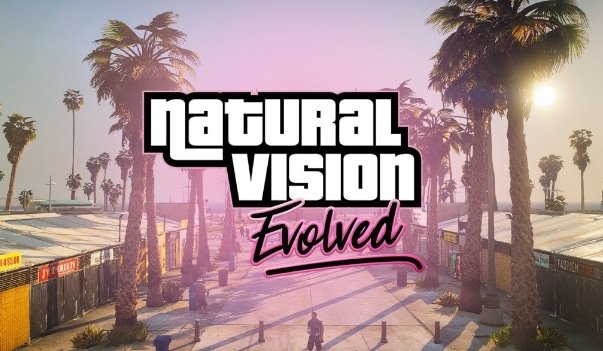
Risposta rapida: installa NaturalVision Evolved solo dalla fonte ufficiale, esegui il backup dei tuoi file GTA V\/FiveM prima, e testalo su un client prima di usarlo per registrazioni o media del server. NVE è un flusso di lavoro di mod grafici, non una normale risorsa del server che ogni giocatore riceve automaticamente.
Ultimo aggiornamento: 25 giugno 2026
Inizia con il NaturalVision Evolved overview to confirm the correct edition, current official source and server-policy limits. For the files themselves, follow the official Razed Mods FiveM readme; do not use an old mirror or mix releases.
Prima dell'installazione
- Esegui il backup della tua installazione di GTA V o tieni una copia pulita disponibile.
- Conferma se il server su cui giochi permette mod grafici.
- Disabilita altri mod grafici prima di testare NVE.
- Registra i tuoi FPS attuali in modo da poter confrontare dopo l'installazione.
Flusso di lavoro di installazione sicuro
- Scarica NVE dal creatore\/fonte ufficiale.
- Leggi le istruzioni di installazione incluse per la tua versione corrente.
- Installa su un client, non direttamente su una configurazione di registrazione di produzione.
- Avvia GTA V\/FiveM e unisciti a un server di test tranquillo.
- Controlla FPS, texture, illuminazione e crash prima di aggiungere altri mod.
Conflitti comuni
| Sintomo | Probabile causa |
|---|---|
| Crash all'avvio | Versione del gioco\/mod errata o file grafici in conflitto. |
| FPS scadenti | Preset troppo pesante per la GPU o impostazioni texture alte. |
| Texture mancanti | Installazione incompleta o pacchetti grafici misti. |
| Il server blocca la connessione | Integrità dei file del server o regole della modalità pura. |
Note del proprietario del server
Non dire ai giocatori che devono installare NVE a meno che tu non possa supportare il carico aggiuntivo di configurazione. Per i server pubblici, screenshot e trailer possono utilizzare una configurazione grafica, ma le istruzioni di gioco dovrebbero funzionare ancora per i giocatori con impostazioni grafiche predefinite.
Controlli delle prestazioni
Dopo l'installazione, confronta gli FPS nella stessa posizione prima e dopo. Usa il Guida FPS FiveM e testare aree cittadine pesanti, interni MLO e illuminazione notturna.
Guide grafiche correlate
- Mod grafiche FiveM
- Migliori impostazioni ReShade per FiveM
- Migliori impostazioni di FiveM per aumentare gli FPS
- Modalità pura in FiveM
Piano di rollback
Prima di installare mod grafiche, sappi come tornare a uno stato pulito. Conserva una copia dei file modificati o usa un'installazione separata di GTA V per le grafiche modificate. Se FiveM inizia a crashare, rimuovi prima le modifiche grafiche prima di incolpare il server.
Flusso di lavoro per registrazione e trailer
Per i trailer del server, testa la configurazione grafica su un client di registrazione dedicato. Non richiedere a ogni giocatore di usare lo stesso preset. Una pila grafica cinematografica può migliorare l'aspetto del materiale di marketing, ma le istruzioni pubbliche del server dovrebbero comunque funzionare con le impostazioni normali del client.
Aspettative di prestazioni
NVE e configurazioni visive simili possono essere pesanti. Testa la luce del giorno, la pioggia, la notte, gli interni, le luci dei veicoli e le aree cittadine dense. Se gli FPS calano troppo, abbassa il preset, rimuovi altre mod grafiche o tieni NVE solo per screenshot e video.
Usa NVE in modo diverso per gioco e media
Una configurazione grafica cinematografica non è sempre la migliore per l'uso quotidiano. Per trailer e screenshot, usa un client di registrazione dedicato e prendi nota del preset, dell'ora del giorno, del meteo e della posizione del server. Per il gioco normale, preferisci impostazioni stabili che non causino crash o grandi cali di FPS durante scene affollate.
Lista di controllo per il rollback
- Mantieni un'installazione pulita di GTA V o un backup prima di testare i file grafici.
- Testa senza ReShade o ENB se i crash iniziano dopo l'installazione.
- Controlla notte, pioggia, interni, luci dei veicoli e aree cittadine dense.
- Non richiedere a ogni giocatore del tuo server di usare lo stesso preset grafico.
Politica del proprietario del server
Scrivi una regola semplice per le mod grafiche invece di basarti su supposizioni. Alcune comunità permettono preset visivi, alcune limitano gli overlay e alcune vietano qualsiasi cosa che cambi la visibilità. Se il tuo server utilizza scenari di roleplay seri o competitivi, chiarisci la politica prima che i giocatori inviino report registrati con visual pesantemente modificati.
Divisione comune del supporto
Se solo un giocatore crasha, inizia con il client di quel giocatore, i file grafici e gli overlay. Se molti giocatori crashano nella stessa posizione, ispeziona l'area del server, MLOs, props e asset in streaming. NVE è lato client, quindi non dovrebbe essere la prima spiegazione per un problema di posizione a livello di server.
Per la creazione di contenuti, mantieni un preset stabile e riutilizzalo. Cambiare lo stack grafico per ogni registrazione rende difficili i confronti quando una scena inizia a balbettare o appare diversa rispetto a filmati precedenti.
Se il tuo server vende o mostra contenuti visivi, registra clip di confronto con le stesse impostazioni di meteo e ora in modo che gli acquirenti possano giudicare la differenza reale.
Conserva quelle clip con le note del preset in modo che gli aggiornamenti futuri possano essere confrontati equamente.
Impostazioni media stabili risparmiano tempo quando aggiorni i trailer successivamente.
Facilitano anche il confronto degli screenshot di supporto.
Yael
ciao dove posso scaricarlo?