

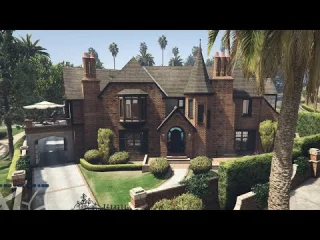
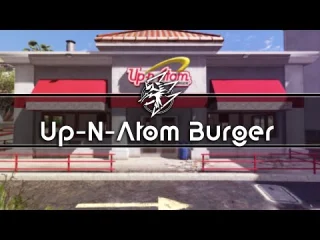
McDonalds 2.0 – Premium Fast Food Restaurant MLO with Drive-Thru for FiveM
Bring the world’s most recognizable fast food brand to your FiveM server with the McDonalds 2.0 MLO. This meticulously crafted interior mapping features a complete restaurant experience including a fully functional drive-thru, spacious dining area, detailed kitchen workspace, and authentic McDonald’s branding throughout. Located near Pacific Bank for high-traffic visibility, this MLO is perfect for servers looking to add realistic restaurant jobs, food delivery systems, or casual hangout locations for players.
What’s Included
The McDonalds 2.0 MLO provides everything you need for a complete fast food restaurant operation. You’ll get a full-service front counter with register stations and menu boards, a detailed kitchen area with cooking equipment and food preparation stations, comfortable dining space with tables and booths, a working drive-thru window with exterior lane, clean restrooms for customers, and storage areas for inventory management. The location near Pacific Bank ensures steady foot and vehicle traffic, making it an ideal spot for restaurant roleplay and food service jobs.
Key Features
- Working Drive-Thru Lane – Complete exterior drive-thru system with ordering speaker, payment window, and pickup window for authentic fast food service
- Detailed Kitchen Area – Fully equipped cooking stations with grills, fryers, prep tables, and storage that support realistic food preparation roleplay
- Spacious Dining Room – Comfortable seating for 20+ customers with booths, tables, and play area creating a family-friendly atmosphere
- Multi-Register Front Counter – Three register stations with menu boards, promotional displays, and workspace for handling rush hour traffic
- Prime Location – Situated near Pacific Bank in a high-traffic area ensuring constant customer flow and business opportunities
- Authentic Branding – Licensed-style McDonald’s design elements including golden arches, signature red and yellow colors, and familiar menu boards
- Employee Areas – Break room, manager office, and storage spaces for complete restaurant management roleplay
Perfect For
- Roleplay servers with job systems needing fast food restaurant positions
- Economy servers building food delivery and service industries
- Servers with cooking scripts wanting branded restaurant locations
- Criminal roleplay using restaurants as meeting spots or front businesses
- Social servers needing casual hangout locations for player interaction
- Servers with hunger/thirst systems requiring food vendors
Installation
- Download and extract the McDonalds 2.0 resource to your server resources folder
- Add “ensure mcdonalds-2-0” to your server.cfg file
- Configure your job system to include McDonald’s employee positions and tasks
- Integrate with cooking scripts or food vending systems for menu items
- Set up economy pricing for food items and employee wages
- Restart server and visit the location near Pacific Bank to verify installation
Framework Compatibility
- ✅ ESX – Works perfectly with esx_jobs, esx_society, cooking scripts, and popular ESX restaurant systems
- ✅ QBCore – Compatible with qb-burgershot, qb-restaurant, and other QB food service scripts
- ✅ Standalone – Use as a static MLO for hangout purposes or integrate with custom job systems
- ✅ QBOX – Full support for QBOX job and restaurant implementations
What Makes It Stand Out
The McDonalds 2.0 MLO goes beyond basic restaurant interiors by including a fully functional drive-thru system, which is rare in FiveM MLOs. This drive-thru feature opens unique roleplay opportunities – players can work as drive-thru attendants, food runners can deliver to waiting cars, and customers can grab quick meals without leaving their vehicles. The kitchen is detailed enough to support complex cooking scripts with multiple preparation stations, storage areas, and realistic equipment placement. The prime location near Pacific Bank means this McDonald’s naturally becomes a community hub where players meet, plan activities, or simply grab food between jobs.
Technical Specifications
- File Size: Approximately 120 MB
- Location: Near Pacific Bank, Los Santos (high-traffic commercial district)
- Performance: Optimized for minimal FPS impact with efficient prop placement
- Seating Capacity: 20+ dining positions across booths and tables
- Kitchen Stations: 8+ cooking and prep areas for employee workflow
- Collision Mapping: Full collision for realistic interior navigation
Restaurant Job Opportunities
The McDonald’s MLO supports diverse job roles that create engaging employment roleplay. Assign players as cashiers handling front counter orders and payments, drive-thru attendants managing the exterior window and communications, cooks preparing burgers, fries, and other menu items using cooking scripts, food runners delivering orders to tables or drive-thru customers, shift managers overseeing operations and employee scheduling, and delivery drivers for integration with food delivery systems. Each role has dedicated workspace within the MLO, making job assignments feel natural and immersive.
Business Integration Ideas
Maximize this MLO’s potential by creating a full restaurant economy. Implement supply chain systems where ingredients must be ordered and restocked regularly, establish franchise ownership allowing players to purchase and operate the location, create promotional events like limited-time menu items or Happy Meal giveaways, integrate with phone apps for mobile ordering and delivery services, or set up employee training programs with advancement from crew member to management positions. The drive-thru can generate separate revenue streams with faster service times and higher customer turnover.
Location Details
The strategic placement near Pacific Bank puts this McDonald’s in one of Los Santos’ busiest commercial areas. Bank customers, business workers, and passing traffic create natural customer flow throughout the day. The location is easily accessible from major roads, has parking for both dine-in customers and drive-thru lanes, and sits in a safe zone that encourages casual player interaction without constant criminal activity disruptions.
Related Products You Might Like
- Cooking Script – Add food preparation mechanics with 157+ servers using it
- Gas Station Simulator – Another business job MLO with 118 sales
- Legion Square NEW – Popular hangout location MLO near your restaurant
- FiveM Jobs Creator – Create custom restaurant job with 321+ servers
https://www.youtube.com/watch?v=qHw63IeCcJs[/embed
Cleta (verified owner) –
Amazing thanks
Gianni (verified owner) –
Support responded quickly and helped me resolve my setup issue. Very professional service.
SmartLuca (verified owner) –
Got some issues, but it works for me.
Wilburn (verified owner) –
Updates are frequent, and the developer clearly continues improving the product.
MaraQuest126 (verified owner) –
Great resource for GTA RP servers.
Alexandria (verified owner) –
Works perfectly. Highly recommended.
Lynn (verified owner) –
I received a personalized and attentive treatment. Thanks to this deal, I was able to find a solution to my problem in a short time. :)