








Excellent Design and User-Friendly Interface
Fulfilling Your Players’ Desires with this Copnet
We’re absolutely thrilled to introduce the dynamic GFX MDT system to all of you! The GFX Team has poured their heart and soul into crafting a top-notch MDT system that’s here to serve you remarkably well. Get ready, because we’re gearing up to reveal all the exciting details about this in this discussion. And guess what? Our excitement knows no bounds as we’re already hard at work, brewing up some fresh updates for the MDT system!
You can explore the majority of GFX MDT’s features on the dedicated website we have meticulously designed for your convenience. Through this platform, you can engage with the live tablet interface and gain insights into its functionalities before making a purchase decision.
LIVE MDT WEBSITE
https://mdt.gfxdevs.com/
Cechy
- Homepage
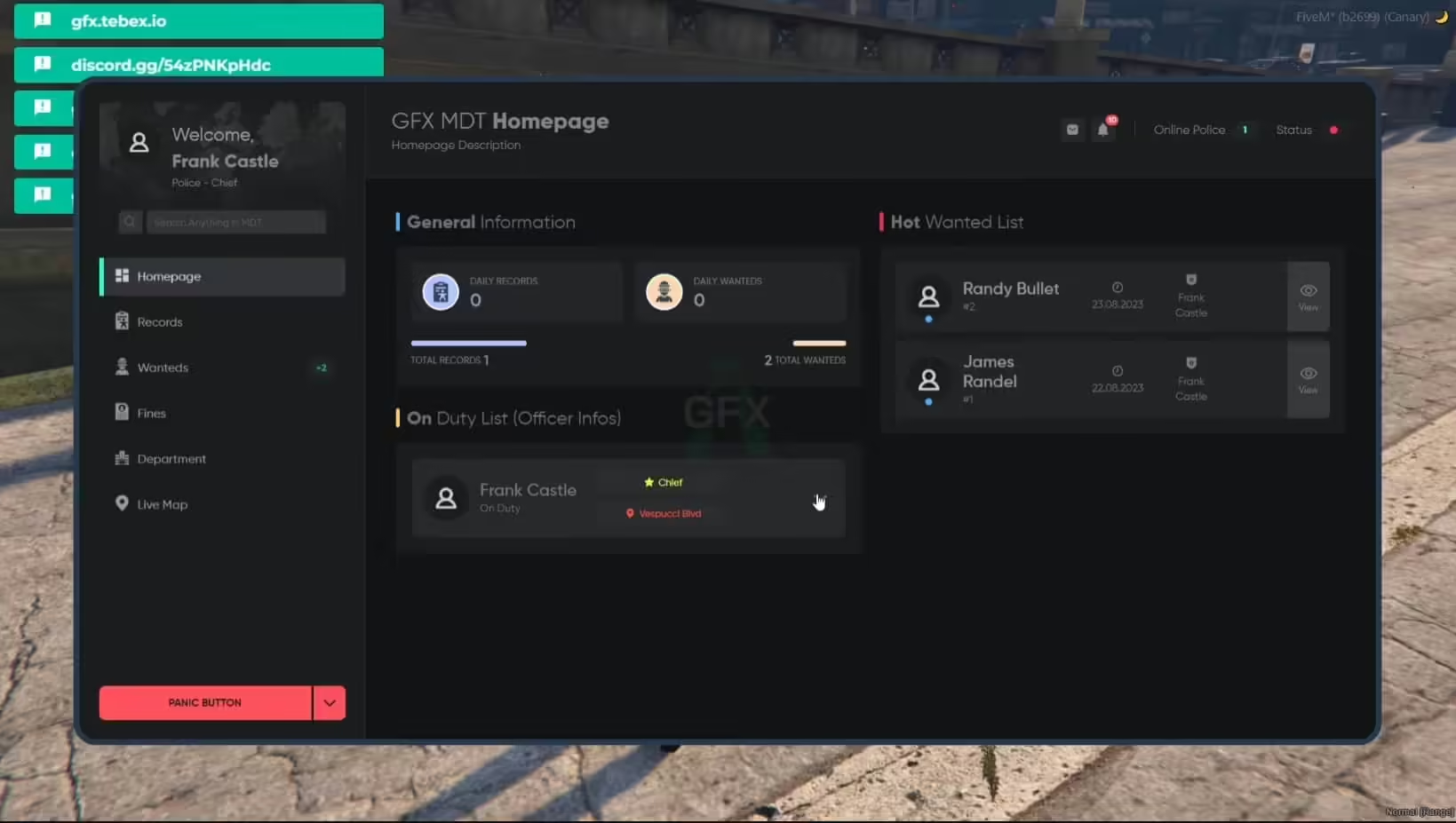
“General Information”: This section presents comprehensive crime rate statistics. You can access daily and cumulative records for created incidents and wanted individuals.
“Hot Wanted List”: Within this section, you will find the list citizens whose call records have been created in the last three days.
“On Duty List”: This segment offers detailed profiles of officers currently on duty, along with their real-time locations displayed on the live map. - Search Bar
The search bar facilitates a variety of queries. Users can conduct searches for individuals, vehicles, and records within the tablet interface. - User:
Upon searching for a specific user and accessing their profile, you can view the licenses they hold and update any pertinent evidence related to that individual. - Records
Under the “Record List” section, officers have the ability to generate incident records. These records include information about the responsible officer and allow for the addition of suspects, involved officers, and associated evidence. - Wanteds
In the “Wanted List” area, officers can register wanted suspects, input relevant evidence, draft detailed reports, and assign designations such as “Robber” or “Murderer” to the suspects. - Fines
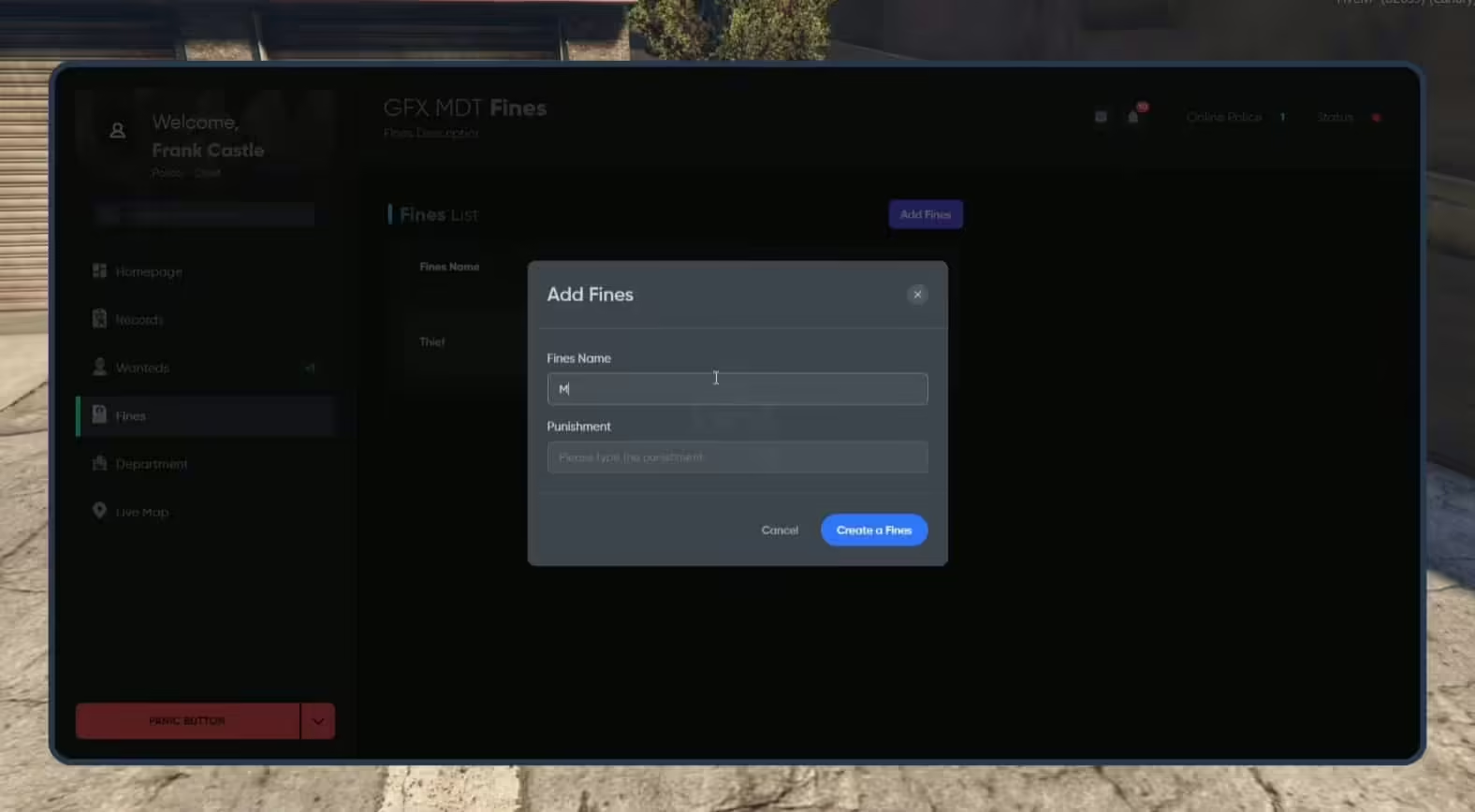
Within the “Fines List” section, officers can input potential offenses, specifying the offense title and corresponding penalty. Subsequent updates to these offenses can also be made. Note that only officers above a certain rank possess the authority to make such updates and additions. - Departament
The “Department” section encompasses active departments, with their respective details on display. Individuals barred from entering specific departments can be registered within this section. - Mapa na żywo
The “Live Map” section provides an instantaneous visual representation of officers currently on duty, their locations depicted in real-time on the map.
Wymagania
•ESX or QB


Cheyenne (zweryfikowany) –
Clean, optimized, and reliable.
Enola (zweryfikowany) –
Very beginner-friendly setup. The instructions made the installation process simple.
Niko (zweryfikowany) –
This is the coolest thing I’ve found on here! Will keep using your products in the future!
Scotty (zweryfikowany) –
Clean and optimized script. It works smoothly even with many players online.
Wade (zweryfikowany) –
This is the best support for a product I had so far, they reply quickly and solve themselves the problems most of the time. Kudos guyz
SarahFast484 (zweryfikowany) –
I want to say thanks to the support team for helping with my continuously silly questions, you’re the best!
AceMilan889 (zweryfikowany) –
Updates are frequent, and the developer clearly continues improving the product.
Jakayla (zweryfikowany) –
Excellent work. The resource runs smoothly and integrates well with our existing setup.
Liam (zweryfikowany) –
The script feels professional and production-ready rather than unfinished or experimental.
Letha (zweryfikowany) –
We have used this resource during multiple busy sessions, and it has remained stable.