$ USD
EZELS – Zasoby skryptu FiveM | FiveMX
Testujesz darmowy skrypt?
Darmowe skrypty są wystarczające do szybkich kontroli. W przypadku serwerów produkcyjnych porównaj pełne pakiety serwerowe lub płatne skrypty, korzystając z frameworka i przypadku użycia.
Looking for the best Emergency Lighting System (ELS) for FiveM?
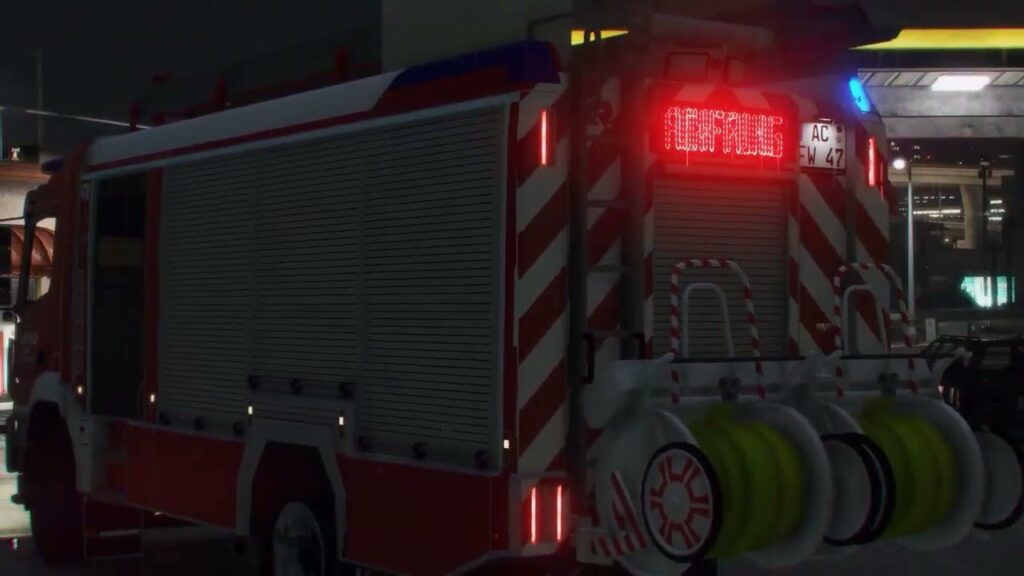
This brand-new, custom-built ELS for FiveM is finally here – written from scratch to deliver maximum performance, smooth synchronization, and a modern user experience.
Unlike older or outdated ELS mods, this system is fully optimized for OneSync and supports advanced configuration options to give your server the most realistic and flexible emergency lighting possible.
✅ Key Features
- Multiple flash patterns for realistic emergency lighting
- Individually switchable lighting groups (Primary, Secondary, Warning, Takedowns, Scenelights, etc.)
- Immersive environmental lighting
- Customizable UI panels (create your own or use included ones)
- Advanced XML/VCF configuration
- Define panels per vehicle
- Adjustable brightness per extra
- Assign extras for takedowns and scenelights
- Server-side siren streaming for better sync
- Directional lighting wsparcie
⚡ Why Choose This ELS?
This isn’t just a reworked script – it’s a completely new FiveM ELS resource, designed to be lightweight, stable, and easy to configure. Whether you’re running a roleplay server or a community project, this ELS system ensures your police, fire, and EMS vehicles have the most realistic lighting setup available.
📥 Download & Installation
This ELS for FiveM is available as a darmowy mod
- Compatible with OneSync servers
- Uses the official FiveM Escrow System for protection
- Easy to install and configure
Podsumowanie zasobu
EZELS – FiveM Script Resource | FiveMX is listed as a free FiveM resource. Treat it as a candidate resource: review the source, test it on a staging server, and confirm framework compatibility before using it on a live roleplay server.
Zgodność
Sprawdź oryginalną stronę źródłową i pliki wewnątrz zasobu pod kątem ESX, QBCore, QBOX, standalone, zależności i notatek wersji. Jeśli zasób dotyczy prac, pojazdów, ekwipunku, map, ubrań, HUD lub zdarzeń serwerowych, przetestuj go z istniejącymi skryptami przed udostępnieniem graczom.
Instrukcje instalacji
- Pobierz zasób z zweryfikowanego źródła lub zaufanej listy.
- Przeskanuj archiwum i przejrzyj pliki konfiguracyjne przed przesłaniem.
- Umieść folder w katalogu zasobów serwera i dodaj poprawną
zapewnićlinię doserver.cfg. - Uruchom ponownie na stagingu i sprawdź błędy konsoli, brakujące zależności oraz wydajność klienta.
Źródło / pobieranie