$ USD
EZELS – Recurso de secuencia de comandos FiveM | FiveMX
¿Estás probando un script gratuito?
Los scripts gratuitos son útiles para comprobaciones rápidas. Para servidores de producción, compare los paquetes completos para servidores o los scripts de pago con mantenimiento, teniendo en cuenta el framework y el caso de uso.
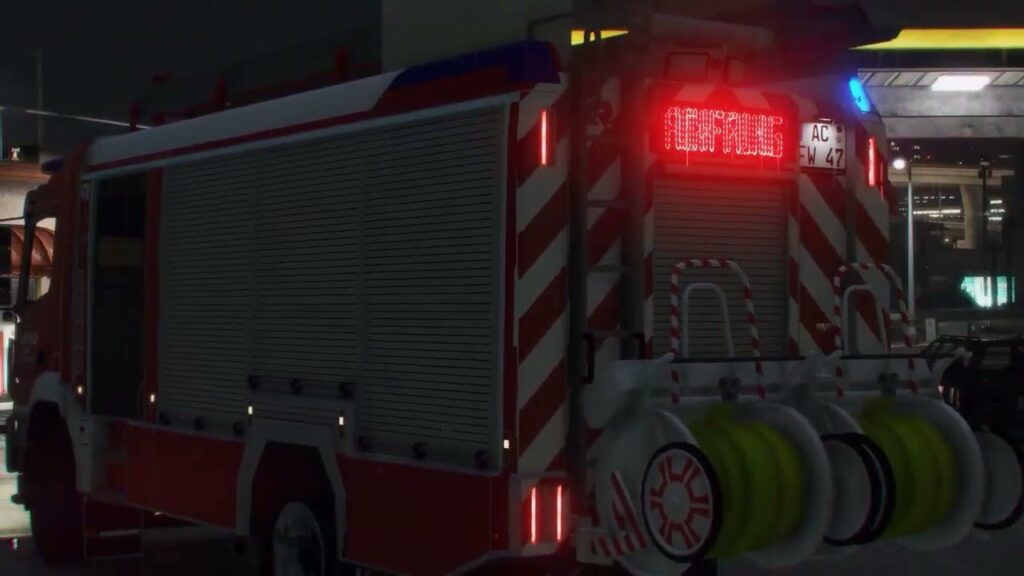
Looking for the best Emergency Lighting System (ELS) for FiveM?
This brand-new, custom-built ELS for FiveM is finally here – written from scratch to deliver maximum performance, smooth synchronization, and a modern user experience.
Unlike older or outdated ELS mods, this system is fully optimized for OneSync and supports advanced configuration options to give your server the most realistic and flexible emergency lighting possible.
✅ Key Features
- Múltiple flash patterns for realistic emergency lighting
- Individually switchable lighting groups (Primary, Secondary, Warning, Takedowns, Scenelights, etc.)
- Inmersivo environmental lighting
- Personalizable UI panels (create your own or use included ones)
- Avanzado XML/VCF configuration
- Define panels per vehicle
- Adjustable brightness per extra
- Assign extras for takedowns and scenelights
- Server-side siren streaming for better sync
- Directional lighting apoyo
⚡ Why Choose This ELS?
This isn’t just a reworked script – it’s a completely new FiveM ELS resource, designed to be lightweight, stable, and easy to configure. Whether you’re running a roleplay server or a community project, this ELS system ensures your police, fire, and EMS vehicles have the most realistic lighting setup available.
📥 Download & Installation
Este ELS for FiveM is available as a free mod
- Compatible con OneSync servidores
- Uses the official FiveM Escrow System for protection
- Fácil de instalar y configurar.
Resumen de recursos
EZELS – FiveM Script Resource | FiveMX is listed as a free FiveM resource. Treat it as a candidate resource: review the source, test it on a staging server, and confirm framework compatibility before using it on a live roleplay server.
Compatibilidad
Consulta la página de origen y los archivos dentro del recurso para ver las notas sobre ESX, QBCore, QBOX, dependencias y versiones. Si el recurso afecta a trabajos, vehículos, inventario, mapas, ropa, HUD o eventos del servidor, pruébalo con tus scripts existentes antes de publicarlo para los jugadores.
Notas de instalación
- Descarga el recurso desde la fuente verificada o la lista de confianza.
- Analice el archivo y revise los archivos de configuración antes de subirlos.
- Coloca la carpeta en el directorio de recursos de tu servidor y agrega el correcto
asegurarlínea aservidor.cfg. - Reinicie primero en el entorno de pruebas y compruebe los errores de la consola, las dependencias faltantes y el rendimiento del cliente.
Fuente / descarga