






![White Widow Job Script (Script + MLO) [QBCore] FiveM resource preview](https://cdn.fivemx.com/wp-content/uploads/2022/09/chrome_FhYmrdvmoR-png-500x375.avif)
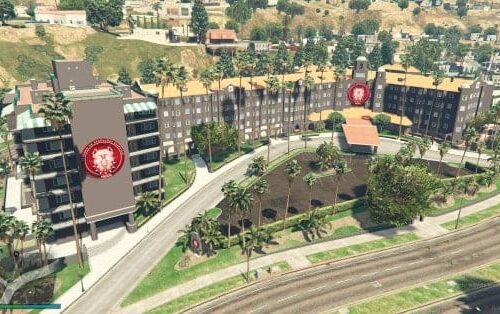
Blips Creator – Dynamic Map Marker Management System for FiveM
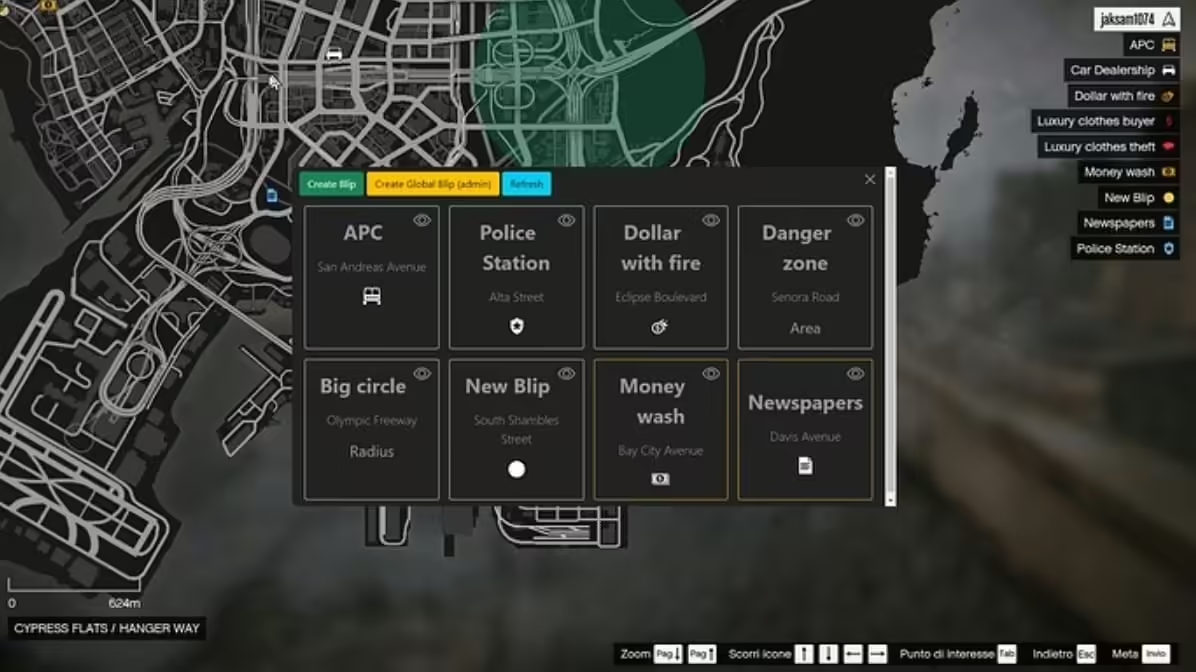
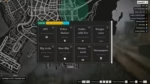
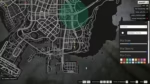
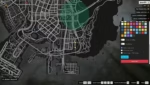
Take complete control of your FiveM server’s map with the Blips Creator, an intuitive and powerful tool for creating, managing, and customizing map markers (blips) without touching code. Whether you’re marking job locations, businesses, gang territories, event spots, or points of interest, this script gives admins and authorized players the ability to place custom blips anywhere on the map with real-time updates. Perfect for servers that need flexible map customization without constant resource restarts.
What’s Included
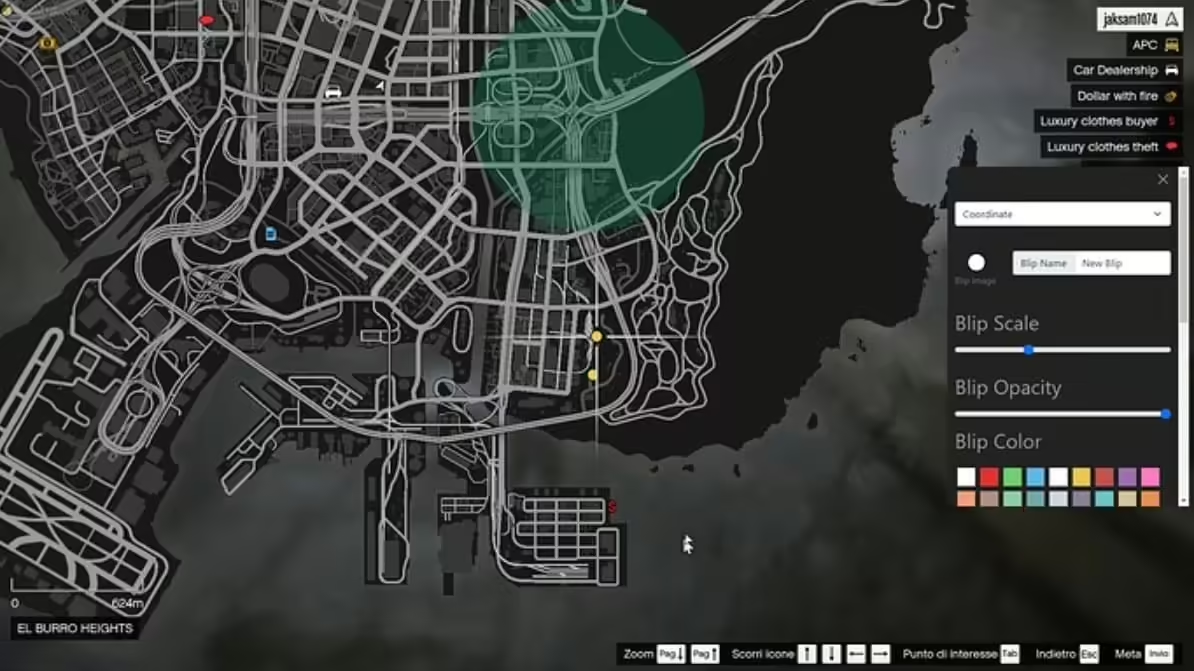
The Blips Creator system provides an in-game interface for creating and editing map blips, extensive customization options including sprite selection, color choices, size adjustments, and naming, permission-based access control for who can create or modify blips, real-time blip updates without server restarts, database storage for persistent blips across server sessions, and export/import functionality for backing up and transferring blip configurations between servers.
Key Features
- In-Game Blip Creation – Place blips directly from within the game using simple commands or UI interface—no config file editing required
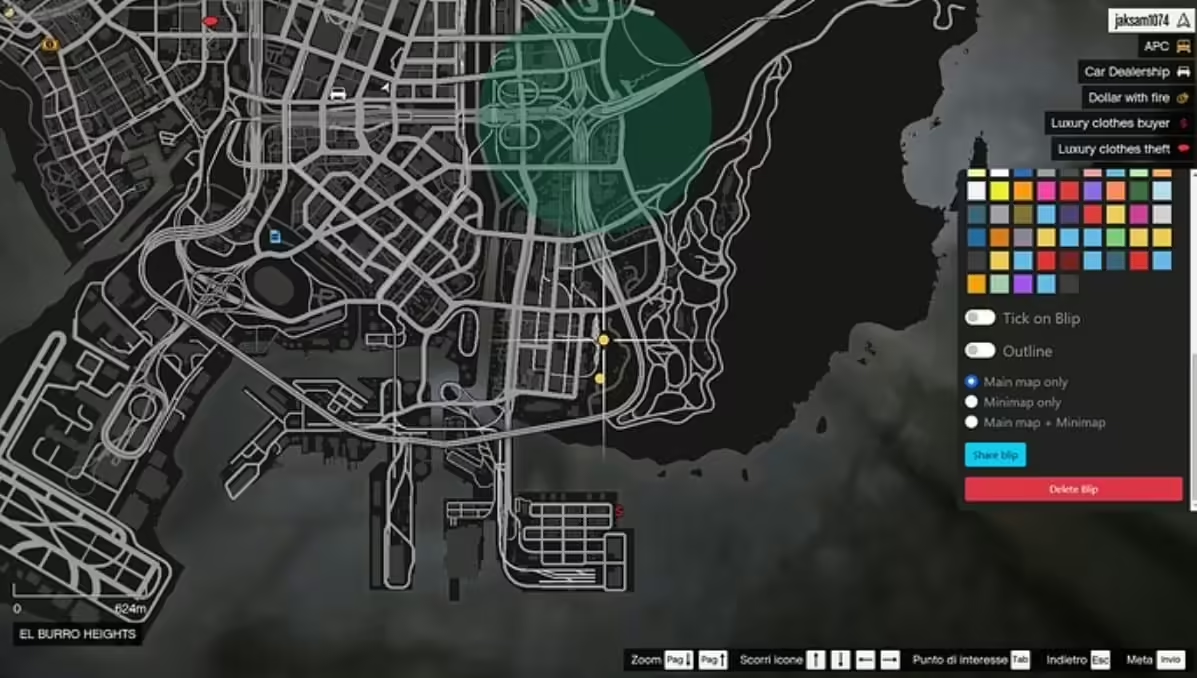
- Full Customization – Choose from 600+ blip sprites, 85+ colors, adjustable sizes, custom labels, and display toggle options
- Real-Time Updates – Create, modify, or delete blips instantly without restarting your server or resource
- Permission System – Restrict blip creation to admins, specific jobs, or whitelisted players to prevent abuse
- Database Integration – All blips save to database automatically, persisting through server restarts and updates
- Category Organization – Group blips by category (jobs, businesses, gangs, events) for easier management
- Import/Export – Backup your blip configurations and transfer them between development and production servers
- Visibility Controls – Set blips as public (visible to all), job-specific (only certain jobs see them), or range-based (appear when nearby)
Perfect For
- Server admins who frequently add new businesses, jobs, or locations and need quick map updates
- Roleplay servers with dynamic gang territories that change based on in-game events
- Event coordinators needing temporary markers for races, gatherings, or special occasions
- Community servers where players can create businesses and need custom map markers
- Development servers testing new locations before moving them to production
- Large servers with multiple map MLOs requiring organized marker management
Technical Details
- Blip Sprites: Access to 600+ native GTA V blip icons (shops, jobs, weapons, vehicles, etc.)
- Color Options: 85+ preset colors plus custom RGB color support
- Storage: MySQL database integration for persistent blip data
- Performance: Optimized streaming ensures minimal impact even with 100+ blips
- Interface: Optional UI menu or command-based creation system
- Compatibility: Works with all major map scripts and MLO resources
Installation & Setup
- Download Blips Creator and extract to your server resources folder
- Import the included SQL file to create the blips database table
- Configure database connection settings in the config file
- Set permission levels for who can create/edit blips (admin, job, whitelist)
- Add the resource to your server.cfg and restart server
- Use the creation command or open the UI menu to start placing blips
- Optionally import pre-made blip packs for common locations
Framework Compatibility
- ✅ ESX – Full integration with ESX job system for job-specific blip visibility
- ✅ QBCore – Compatible with QBCore jobs, gangs, and permission systems
- ✅ Standalone – Works independently without framework requirements
What Makes It Stand Out
Unlike static blip configurations that require server restarts and config file editing, the Blips Creator provides true dynamic map management. Admins can respond to player requests in real-time—add a new business location while the player waits, mark event coordinates during active gameplay, or update gang territories immediately after turf wars. The permission system is sophisticated enough to allow trusted players or job managers to create their own blips without giving full admin access. The database storage means your carefully crafted map layout persists through updates and migrations, while the export feature provides easy backup and disaster recovery.
Common Use Cases
- Business Management – Players who purchase businesses get custom blips showing their shop locations
- Gang Territories – Mark controlled areas with color-coded gang blips that update after territory captures
- Job Locations – Create job-specific blips only visible to employees (police stations for cops, drug labs for dealers)
- Event Markers – Temporary blips for races, meet-ups, treasure hunts, or server events
- Information Points – Mark ATMs, gas stations, parking lots, and other points of interest for new players
- MLO Indicators – Show entrances to custom interiors and MLO locations
Blip Management Features
The administrative interface allows bulk operations like hiding/showing entire categories, deleting old event markers in batches, cloning blip configurations for symmetrical map layouts, and searching/filtering blips by name, location, or creator. You can preview blips before publishing them to all players, set expiration dates for temporary markers, and assign ownership so specific players can edit their own blips without affecting others.
Advanced Customization Options
- Range-Based Display – Blips appear only when players are within specified distance (reduces map clutter)
- Flashing/Pulsing Effects – Make important blips flash to draw attention
- Short Range vs. Long Range – Control whether blips show on minimap, full map, or both
- Height Indicators – Add Z-coordinate awareness for multi-level buildings and underground locations
- Custom Sprites – Import your own custom blip icons for unique server branding
- Route Integration – Allow players to set GPS routes to custom blips
Requirements
- FiveM server with MySQL database
- Admin or permission system for access control (optional but recommended)
- Basic understanding of blip sprite IDs and color codes (reference sheet included)
Related Products You Might Like
- FiveM AntiCheat 2025 – Essential server protection with 314+ sales
- ESX Plugin For EasyAdmin – Comprehensive admin tools for ESX servers
- Super ESX Server – Complete server package with 306+ servers trusting it
- FiveM European Streets – Premium map MLO to customize with your blips
Kylie (verified owner) –
The quality is noticeably better than many alternatives I have tried.
Jaida (verified owner) –
Updates are frequent, and the developer clearly continues improving the product.
Thad (verified owner) –
Clean and optimized script. It works smoothly even with many players online.
Vincenza (verified owner) –
We have used this resource during multiple busy sessions, and it has remained stable.
Jared (verified owner) –
Easy to install and easy to customize.
Rene (verified owner) –
gta rp best
Rosina (verified owner) –
Good response from the support.