











ESX Garages – Professional Vehicle Storage System for FiveM
ESX Garages by DevJames is widely regarded as one of the best public garage systems available for FiveM servers. This comprehensive vehicle storage solution provides players with a seamless way to park, store, and retrieve their vehicles across multiple locations throughout Los Santos. Whether you’re running a casual roleplay server or a serious hardcore economy-based community, this garage system delivers the reliability and features your players expect.
What’s Included
This garage script transforms how players interact with their vehicles on your server. Instead of cars disappearing when players disconnect or vehicles cluttering the streets, ESX Garages provides an organized, realistic storage system that mirrors real-world parking facilities. Players can store their personal vehicles in designated garage locations, then retrieve them from any connected garage point you configure. The system tracks vehicle ownership, maintains vehicle condition, and prevents unauthorized access to stored cars.
Key Features
- Multiple Garage Locations – Configure unlimited garage points across the map to give players convenient access throughout Los Santos
- Vehicle Ownership Tracking – Only the vehicle owner can access and retrieve their stored cars, preventing theft and griefing
- Persistent Storage – Vehicles remain safely stored even when players log off, maintaining their condition and modifications
- Impound System Support – Integrates with law enforcement systems to impound illegally parked or abandoned vehicles
- Clean User Interface – Simple, intuitive menu system that players can learn in seconds without extensive tutorials
- Performance Optimized – Lightweight script with minimal impact on server resources, even with hundreds of stored vehicles
- Highly Configurable – Customize garage locations, storage limits, fees, and restrictions through the config.lua file
- ESX Framework Integration – Built specifically for ESX, ensuring compatibility with your existing economy and job systems
Perfect For
- Roleplay servers wanting realistic vehicle storage mechanics
- Economy servers that need to prevent vehicle duplication and manage car ownership
- Servers looking to reduce street clutter and improve performance by removing abandoned vehicles
- Communities that want players to value their vehicles and park them properly
- Law enforcement roleplay servers needing impound lot functionality
How It Works
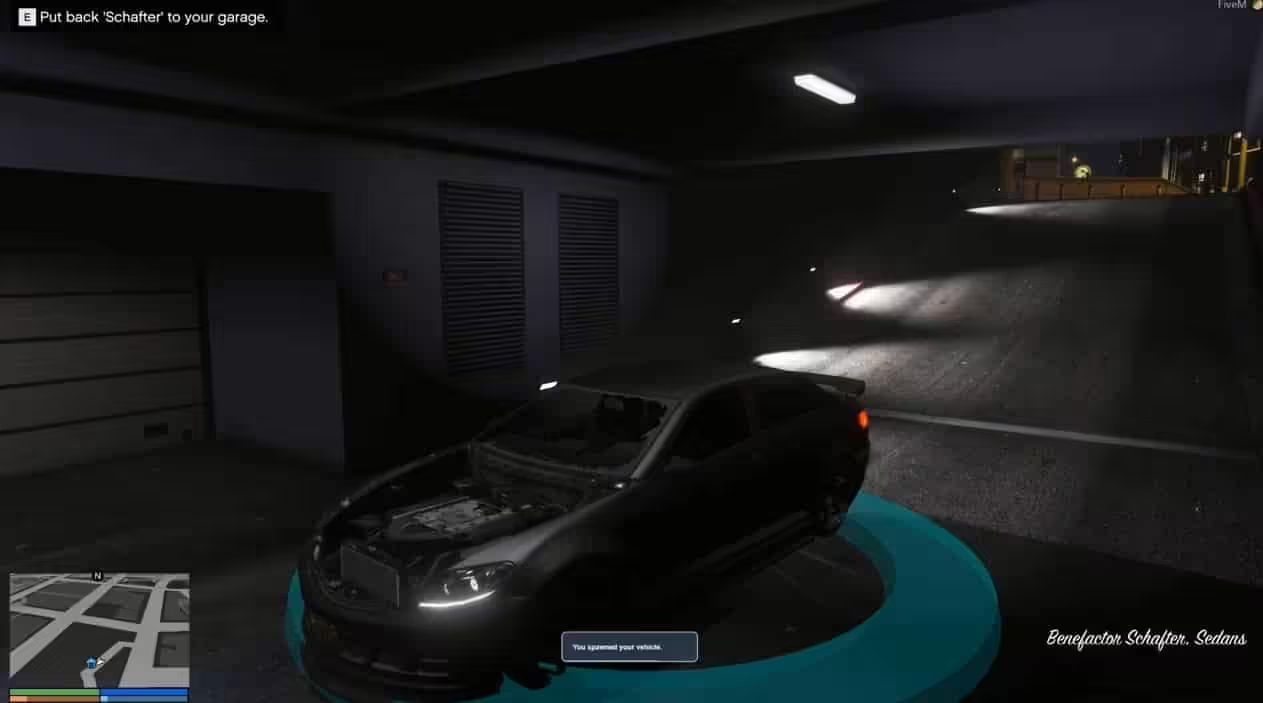
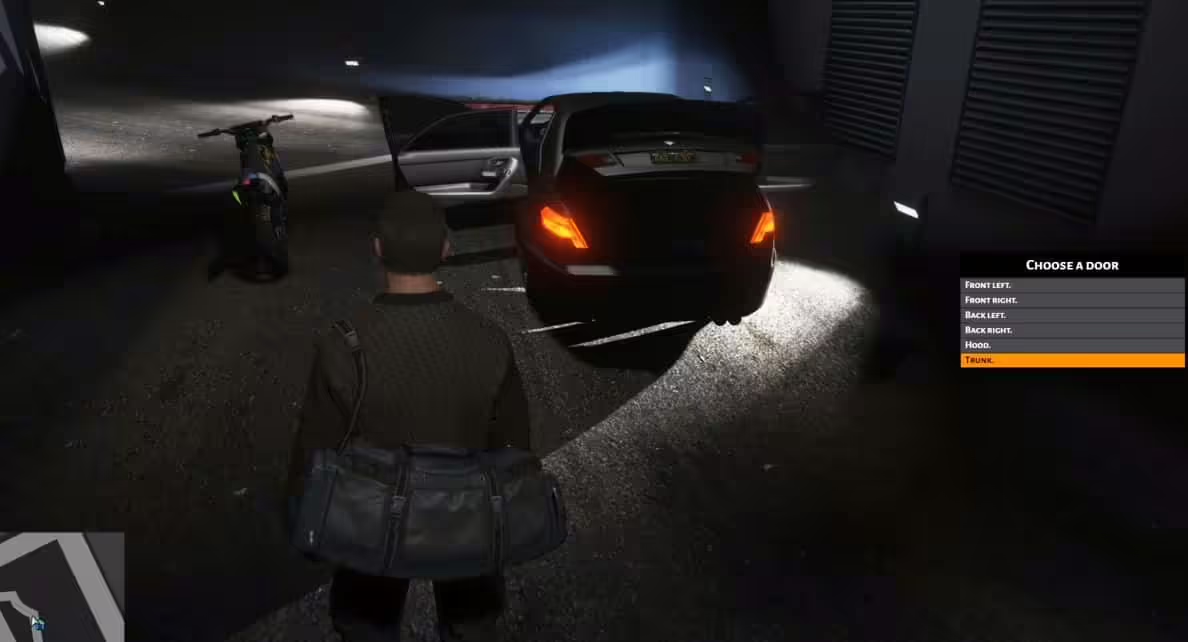
Players approach any configured garage marker on your map and interact with it to open the garage menu. From there, they can see all their owned vehicles and choose to store the car they’re currently driving or retrieve a previously stored vehicle. The system spawns the requested vehicle in pristine condition with all modifications intact, right at the garage location. When storing a vehicle, it disappears from the world immediately, freeing up server resources and keeping streets clean.
Technical Details
- Framework: ESX (es_extended) required
- Database: Uses MySQL to track vehicle ownership and storage status
- Performance: Optimized for servers with 100+ players and 1,000+ vehicles
- Configuration: Single config.lua file for all settings
- Dependencies: ESX Framework, MySQL-Async or oxmysql
Installation
- Import the included SQL file into your database to create the necessary tables
- Add the resource folder to your server resources directory
- Configure garage locations and settings in config.lua
- Add “start garage” to your server.cfg file
- Restart your server and test at configured garage locations
Why Players Love ESX Garages
What sets this garage system apart is its perfect balance of simplicity and functionality. Players don’t need to read documentation or watch tutorials – they drive up to a garage, press a button, and their car is safely stored. The retrieval process is equally intuitive. Behind the scenes, the script handles all the complex database operations, ownership verification, and vehicle spawning seamlessly. Server owners appreciate the extensive configuration options that let them tailor garage locations, storage fees, and access restrictions to match their server’s economy and roleplay style.
Integration with Other Systems
ESX Garages works beautifully alongside vehicle shops, mechanic scripts, and law enforcement systems. When players purchase a car from a dealer, it automatically becomes available in their garage list. Police impound scripts can remove vehicles from garages and place them in impound lots, creating realistic consequences for illegal parking. Mechanic shops can work on vehicles pulled from garages, then return them to storage when repairs are complete.
Preview
## Config files
* config.lua
## Installation
1. Add the sql to the database
2. Add the resource
3. Put start garage in server.cfg
Related Products You Might Like
- Vehicle Control UI – Advanced vehicle controls with 227+ sales, ideal for garage systems
- MyCarDealer – Professional car dealer with 129+ sales to complement your garage
- Premium Vehicle HUD – Professional speedometer trusted by 429+ servers
- Super ESX Server – Complete ESX server base with 306+ sales including vehicle systems
Garage system by DevJames. Possible best public garage system.
ESX Garage Script
Requirements
ESX Framework
## Config files
* config.lua
## Installation
1. Add the sql to the database
2. Add the resource
3. Put start garage in server.cfg




Kayli (verified owner) –
I’m caught :) Find my love and will never buy in any other shop.
Janae (verified owner) –
Thank you guys for this amazing creation! Absolutely mind-blowing!
Jocelyn (verified owner) –
Excellent value for the price. The resource includes more features than I expected and has been reliable so far.
Donavon (verified owner) –
Works as advertised and looks even better in game.
GrimGavin (verified owner) –
It’s far better than those similar products, while the price is still acceptable.
Aliza (verified owner) –
Been using it for a while, I usually don’t write a review but this time I am truly convinced to write.