ESX Admin Commands — Complete 2026 Reference
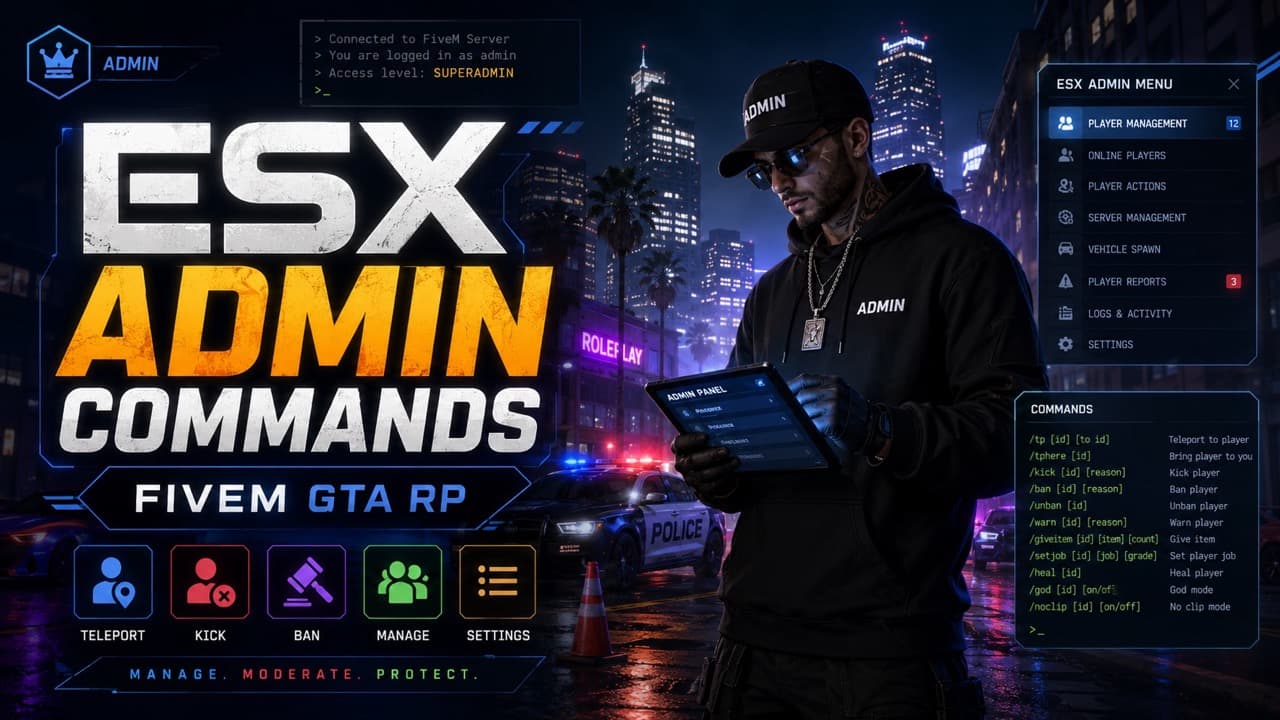
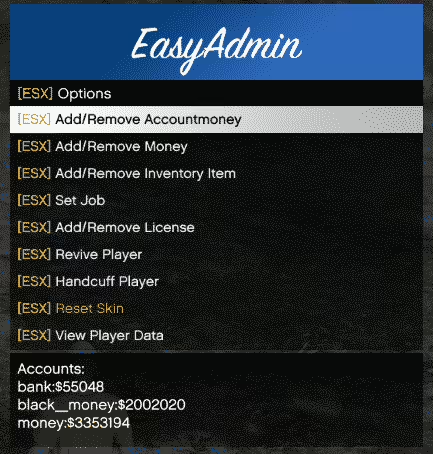
Complete reference of ESX admin commands for FiveM RP servers — player management, vehicle spawning, money & jobs, world manipulation, plus a self-hosting setup guide for setting your first admin.
ESX is still one of the most-deployed FiveM frameworks in 2026, and every server admin needs a working knowledge of its built-in commands. This is the practical reference: every command that ships with esx-legacy, what it does, the syntax that actually works, and the gotchas that waste hours when they bite you. We'll also walk through the one piece nobody tells you up front — how to set yourself as the first admin on a fresh ESX install — and explain how to extend ESX with custom commands when the built-ins aren't enough.
How ESX permissions work
ESX uses a group field on every user row in the users table. The group string maps to a permission tier:
user— every regular player. Cannot run any admin command.mod— moderation tier. Player utilities (kick, freeze, teleport).admin— full day-to-day administration. Money, jobs, vehicles, ban.superadmin— unrestricted. Includes commands that can wipe player data.
When a player joins, their group is read from the database into ESX's player object. The framework checks that group before allowing any /command to run. If you change a player's group while they're online, they need to rejoin for it to take effect.
You will not see ESX admin commands work in the txAdmin web console — txAdmin runs its own command layer. ESX commands are typed in the F8 client console (the FiveM in-game console) or the chat box with a leading /.
Becoming an admin on your own server (the SQL trick)
This is the single most-asked ESX question and the one official docs are vague on. After installing esx-legacy on a fresh server, every player including you defaults to group = 'user'. To become an admin:
- Join your server once so a row is created in the
userstable. - Find your license in the row — it looks like
license:abc123def456...(steam_hex on older versions). - Run this SQL against your server database:
UPDATE users SET `group` = 'admin' WHERE identifier = 'license:YOUR_LICENSE_HERE';
- Rejoin the server. Your group is now
admin.
If you have access to your server's MySQL container or HeidiSQL/phpMyAdmin, this takes 30 seconds. If you only have FTP, you can SSH into your VPS and run the same query via mysql -u user -p database. txAdmin can also expose a query runner if you've enabled the database integration.
Verify with /showmyperms in chat or the F8 console — it should print your group and ESX permission flags.
Player management commands
These are the commands you'll use 95% of the time. All assume you're at least admin group.
| Command | Syntax | What it does |
|---|---|---|
/setgroup | /setgroup <id> <group> | Promote/demote a player. <group> is user, mod, admin, or superadmin. |
/setjob | /setjob <id> <job> <grade> | Set a player's job and grade. Useful for activating police, EMS, mechanic jobs. |
/setaccountmoney | /setaccountmoney <id> <account> <amount> | Set bank/cash/black money to an exact value. Accounts: bank, money, black_money. |
/giveaccountmoney | /giveaccountmoney <id> <account> <amount> | Add money instead of overwriting. |
/kick | /kick <id> <reason> | Kick a player with a reason shown to them. |
/ban | /ban <id> <duration> <reason> | Ban using esx_kashacters or your ban resource. Durations: 1d, 7d, perm. |
/unban | /unban <license> | Unban by license string. Requires admin tier. |
/freeze | /freeze <id> | Toggle a player frozen. Useful for grief response. |
/teleport | /tp <id> | Teleport yourself to a player by ID. |
/bring | /bring <id> | Pull a player to you. Mod tier and above. |
/heal | /heal <id> | Restore HP and armor. |
/revive | /revive <id> | Bring a downed/dead player back to life. |
/showmyperms | /showmyperms | Show your own group + ESX permission flags. Use this first when commands aren't working. |
A common mistake: <id> is the server ID (the small number shown next to a player's name in the player list), not their steam license. ID 1 is usually the server console; real players start at 2 or higher.
Vehicle commands
| Command | Syntax | What it does |
|---|---|---|
/car | /car <model> | Spawn a vehicle by model name. Replaces your current vehicle. |
/dv | /dv | Delete the vehicle you're aiming at or sitting in. |
/cardel | /cardel | Same as /dv on some forks. |
/repair | /repair | Fully repair the vehicle you're in. |
/freezecar | /freezecar <id> | Freeze a player's vehicle in place. |
/maxmods | /maxmods | Apply max performance + cosmetic mods to your current vehicle. Custom resource needed. |
Model names match GTA V's spawn names — see our Vehicle Spawn Names tool for the full searchable list of 400+ vehicles. /car police spawns a stock police cruiser; /car adder spawns the Bugatti.
World and immersion commands
| Command | Syntax | What it does |
|---|---|---|
/setweather | /setweather <type> | Force weather. Types: clear, extrasunny, clouds, rain, thunder, foggy, xmas, halloween. |
/freezetime / /freezeweather | toggle | Lock current time or weather until unfrozen. |
/settime | /settime <hour> <minute> | Set in-game time directly. |
/noclip | /noclip | Toggle noclip mode for yourself. Free-fly camera. |
/spawnobject | /spawnobject <model> | Spawn a prop where you're aiming. Custom resource. |
/announce | /announce <text> | Broadcast a message to all players. |
/tpm | /tpm | Teleport to your map waypoint. Useful for quick travel. |
/coords | /coords | Print your current X/Y/Z coordinates to chat. Great for marking interior teleports. |
/noclip is the single most-used admin tool for investigating player reports and exploring map issues. Bind it to a key — most servers use F1 — for instant access.
Money and economy commands
ESX uses three money accounts: money (cash on hand), bank (bank balance), black_money (illegal cash). Every money command takes an account name.
| Command | Effect |
|---|---|
/setaccountmoney <id> bank 100000 | Sets player's bank balance to $100,000. |
/setaccountmoney <id> money 500 | Sets cash on hand to $500. |
/setaccountmoney <id> black_money 0 | Wipes their black money — useful after grief reports. |
/giveaccountmoney <id> money 250 | Adds $250 cash to current balance. |
Negative amounts work for giveaccountmoney (i.e., -500 removes $500). Always double-check the account name — typos silently fail with no error.
Jobs and grades
/setjob <id> <job> <grade> covers most needs. Common jobs on a vanilla esx-legacy install:
unemployed(default)police— grades 0 (cadet) to 4+ (chief)ambulance— EMS / paramedicmechanic— Bennys / LSCtaxirealestateagent— varies by job pack
Custom job packs (like esx_jobpack or community RP scripts) add many more. Check your server's jobs SQL table for the full list:
SELECT name, label FROM jobs;
Each job has grades in the job_grades table. /setjob 5 police 4 makes player ID 5 a chief-level police officer; /setjob 5 unemployed 0 removes them from any job.
Custom commands with ESX.RegisterCommand
When the built-ins aren't enough, register your own server-side. Inside any server resource:
ESX.RegisterCommand('giveweapon', 'admin', function(xPlayer, args, showError)
local target = ESX.GetPlayerFromId(args.target)
if not target then
showError('Invalid player ID.')
return
end
target.addWeapon(args.weapon, args.ammo or 100)
end, false, {
help = 'Give a weapon to a player',
arguments = {
{ name = 'target', help = 'Player ID', type = 'number' },
{ name = 'weapon', help = 'Weapon hash (e.g. WEAPON_PISTOL)', type = 'string' },
{ name = 'ammo', help = 'Ammo count (default 100)', type = 'number' }
}
})
Two things to know:
- The second argument (
'admin') is the permission tier. Anyone belowadmingroup can't invoke the command — ESX returns a permission error automatically. - The
argumentsarray drives FiveM's command suggestions. Your players see argument names and types as they type.
This is how every modern ESX resource adds its own admin tools — /refunds, /blackjack, /strip-shop-debug, etc. Following the pattern keeps everything consistent.
Common command failures and how to debug them
"You don't have permission to execute this command" — your group is wrong. Run /showmyperms and check the SQL value. Rejoining the server reloads the group.
Command runs silently with no effect — usually a bad target ID. Use /players (txAdmin) or check the player list for the actual server ID, not the player's character ID.
/setjob works but the player doesn't see the change — ESX emits a setJob event on the player. If your custom UI doesn't listen for it, the visible job won't update until the player rejoins. Check the client-side esx:setJob listener in your job UI script.
/car spawns but the vehicle is invisible / broken model — the model isn't streamed for you. Either the addon isn't in your resources.cfg, or the addon vehicle hasn't loaded for you specifically. Reconnect to force an asset reload.
/ban does nothing — esx-legacy doesn't ship with a ban command. You need a ban resource (vMenu, bans-mysql-async, or community equivalents). Check your resources.cfg for the loaded ban handler.
Migrating from ESX commands to QBCore or QBOX
If you're considering moving frameworks, none of the commands above carry over. QBCore uses qb-admin with commands like /admin (opens a menu), /setpermissions, and config-file-based permissions. QBOX inherits the QBCore command surface but adds modern ox_lib integration.
For a complete framework comparison covering when migration makes sense, see our QBCore vs ESX vs QBOX guide. For tools to help you build a new server, browse our Free FiveM Tools collection.
What's next
ESX admin commands are a strong starting point but you'll outgrow them on any serious server. Three upgrades worth investing in:
- A proper ban system —
bans-mysql-asyncor a custom resource that logs reasons, evidence, and appeal status, not just a string. - A staff dashboard — anything that lets non-technical mods do their job without learning every command.
- An audit log — track which admin ran which command on which player. The day someone abuses access, this is the only reason you'll know.
Bookmark this page and keep /showmyperms in your muscle memory. That's 90% of effective ESX administration.
Frequently Asked Questions
How do I become an ESX admin on my own server?
Run the SQL `UPDATE users SET `group` = 'admin' WHERE identifier = 'YOUR_LICENSE'` on your server database, then rejoin. Your steam license appears in your `txAdmin` player list. After that, every ESX admin command works for you.
Why aren't my ESX admin commands working?
Three common causes: (1) your ESX user `group` is still 'user' in the database, (2) the `es_extended` resource is older than 1.10 and your command syntax is from a newer guide, (3) you're typing the command in chat without the leading `/`. Verify your group with `/showmyperms` and ensure you're on esx-legacy.
Are ESX admin commands the same on QBCore?
No. QBCore uses its own command system based on `qb-admin` and the `permissions.cfg` file. ESX commands like `/setgroup` won't work on QBCore. If you migrated, install qb-admin and follow the QBCore admin guide.
Can I add custom admin commands to ESX?
Yes. Use `ESX.RegisterCommand` server-side with a permission level (e.g. `admin`, `superadmin`). Pass arguments, suggestions, and a callback. Custom commands inherit ESX's group-based permission gating automatically.
What's the difference between superadmin and admin in ESX?
`superadmin` has access to every command including ones that can wipe player data; `admin` is restricted to day-to-day moderation. Lower groups (`mod`, `helper`) only get player utility commands. Configure tiers in your `es_extended` config or via `/group` command.


![OP Gangs 3.0 — Most Advanced Gang Script [ESX/QB/QBOX]](https://forum-cfx-re.akamaized.net/optimized/5X/b/f/f/7/bff7df504e52cfbdc1341549ae4b21df7f4ed3ae_2_690x388.jpeg)
![[FREE][QBOX][QBCORE] Pawnshop Script + FREE MLO](https://forum-cfx-re.akamaized.net/optimized/5X/e/4/b/6/e4b60c31956879d738ca109ac1d6bfdad2ae9c5b_2_375x375.jpeg)