0R-LOADINGSCREEN V2
Secure Checkout
Cards, Apple Pay, Google Pay, iDEAL/Wero, Bancontact, EPS, Przelewy24, and optional Crypto where available via Stripe.
Requires a FiveM server, ESX or QBCore, access to server resources, and permission to restart the resource after configuration.
Description
0R-LOADINGSCREEN V2 - Premium Customizable FiveM Loading Screen
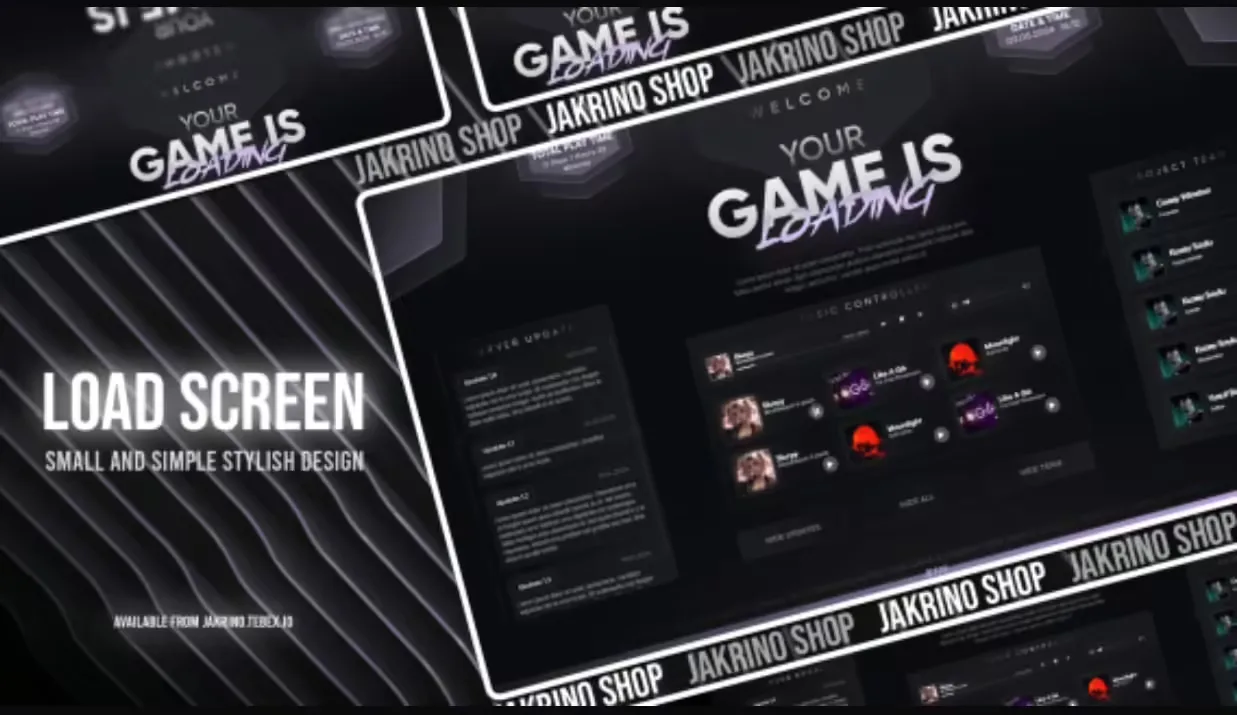
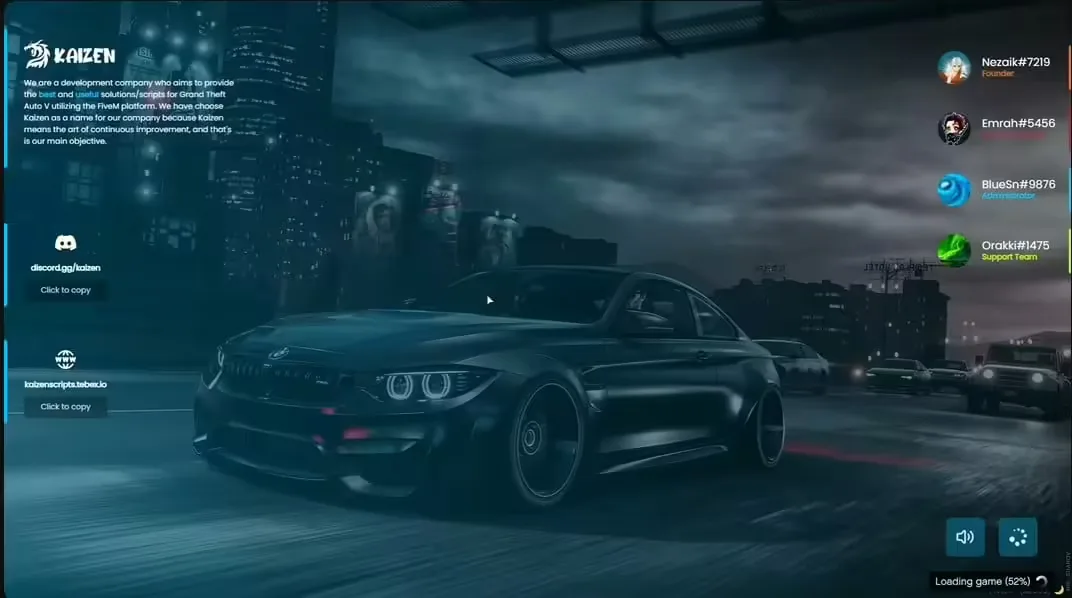
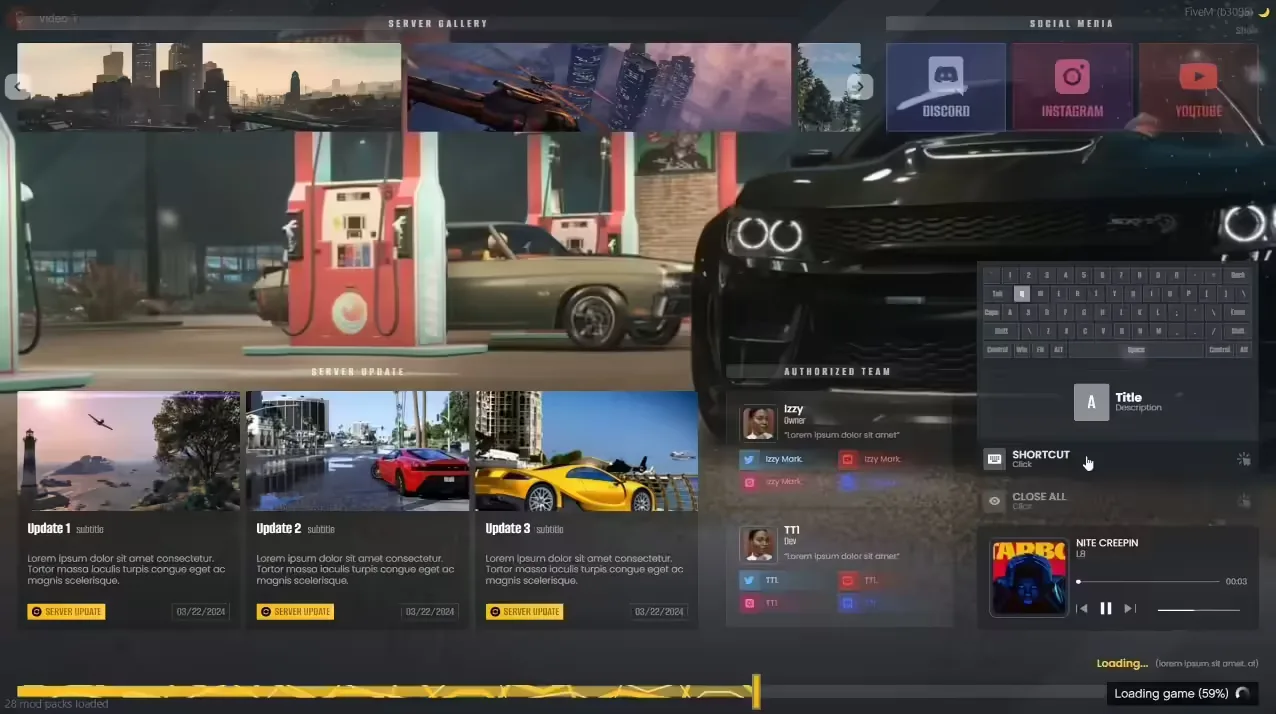
Transform your players' first impression with the 0R-LOADINGSCREEN V2, a feature-rich, fully customizable loading screen system that sets the tone for your FiveM server before players even spawn in. This isn't a basic template with static images - it's a dynamic, interactive loading experience with music integration, progress tracking, server rules display, social media links, and smooth animations that make the loading process engaging rather than boring.
Your loading screen is the first thing every player sees when joining your server. A professional, polished loading screen communicates quality and attention to detail, while a generic or poorly designed one suggests an amateur operation. The 0R-LOADINGSCREEN V2 gives you complete control over colors, layouts, background media, text content, and interactive elements to perfectly match your server's brand and theme.
What's Included
This comprehensive loading screen package includes a modern HTML/CSS/JavaScript framework with multiple pre-built layouts, background video/image support, music player integration, dynamic server information display, rules and information pages, social media integration, progress bar tracking, and custom logo/branding areas. Everything is designed to be easily customized through simple configuration files - no advanced coding knowledge required.
The V2 version introduces significant improvements over the original, including smoother animations, optimized loading performance, mobile-responsive design, better background video compression, expanded customization options, and modern UI components that look professional on any resolution. The loading screen adapts beautifully whether players are joining from 1080p gaming rigs or 4K ultrawide monitors.
Key Features
- Multiple Layout Options - Choose from several modern designs or create your own custom layout
- Background Video/Image Support - Use custom videos, GIFs, or static images for dynamic backgrounds
- Music Player Integration - Add background music with play/pause controls and volume adjustment
- Server Rules Display - Show important rules and information during loading
- Social Media Links - Direct players to Discord, TikTok, Instagram, Twitter, and your website
- Progress Bar Tracking - Visual feedback shows loading progress with customizable text
- Custom Branding - Add your server logo, name, and tagline with flexible positioning
- Color Customization - Easy color picker system to match your server's brand colors
- Dynamic Server Info - Display player count, server name, and status automatically
- Smooth Animations - Modern CSS animations for professional transitions and effects
- Mobile Responsive - Looks great on any screen size or aspect ratio
- Optimized Performance - Fast loading with compressed assets and efficient code
- Multi-Language Support - Easy translation system for international servers
- Staff Team Showcase - Optional staff roster display with roles and avatars
Perfect For
- New servers wanting to make a strong first impression on players
- Established servers looking to upgrade from basic loading screens
- Roleplay servers needing to display detailed rules during loading
- Community-focused servers wanting to promote their Discord and social media
- Themed servers (racing, gang RP, cops/EMS) needing branded visuals
- Professional server networks wanting consistent branding across multiple servers
- Content creators wanting cinematic loading screens for videos and streams
Customization Options
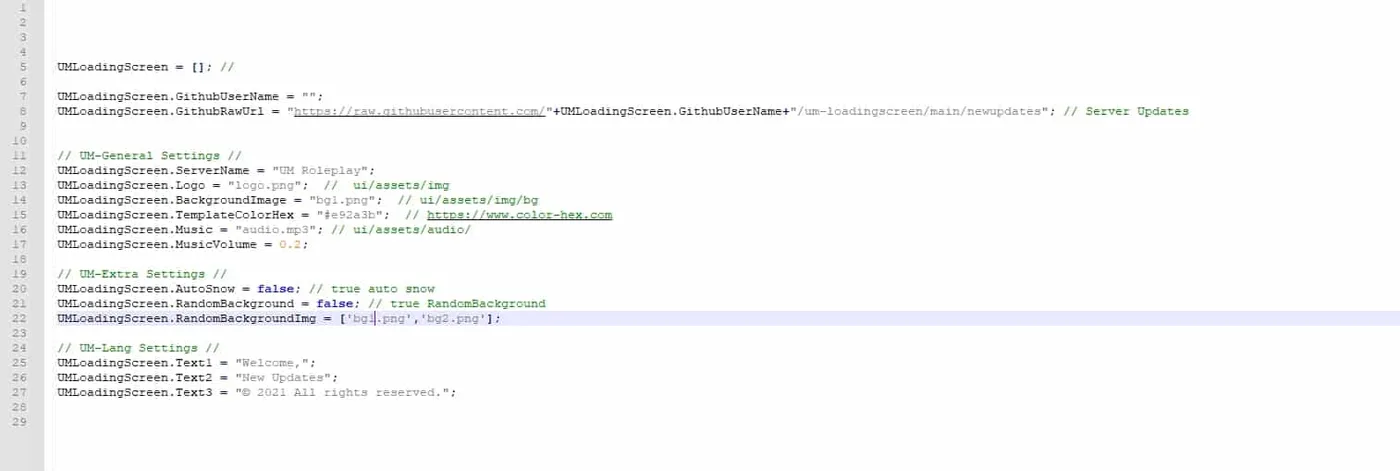
The configuration system uses a simple JSON or Lua config file where you can customize every visual aspect without touching the source code. Change background images/videos by simply replacing files in the backgrounds folder. Update colors using hex codes or RGB values. Modify text content including server name, tagline, rules, and social links. Add or remove UI elements like the music player, staff roster, or information panels.
For servers with specific branding requirements, the HTML/CSS structure is clean and well-commented, making it easy for developers to create completely custom layouts. The modular design means you can add new sections, rearrange elements, or integrate custom features without breaking existing functionality.
Background Media Guide
The loading screen supports multiple background types: static images (JPG, PNG), animated GIFs, and video files (MP4, WebM). For best results, use 1920x1080 resolution backgrounds, and keep video files under 10MB by using compressed formats. The system includes a fallback mechanism - if the video fails to load, it automatically displays your backup static image.
You can create cinematic loading experiences using server showcase videos, gameplay highlights, or custom motion graphics. The video loops seamlessly, and optional dark overlay ensures text remains readable regardless of background content. For seasonal events, simply swap out the background file to match holidays or special occasions.
Technical Details
- File Size: Approximately 2-15MB depending on background media chosen
- Performance: Optimized assets load in under 3 seconds on standard connections
- Compatibility: Works on all FiveM server versions with no dependencies
- Customization: Config-based customization requires no coding knowledge
- Mobile Support: Responsive design adapts to all screen sizes
- Browser Compatibility: Works in all modern browsers (Chrome, Firefox, Edge)
Installation
- Extract the 0R-LOADINGSCREEN V2 files to your server's resources folder
- Open the config file and customize your server name, colors, and text content
- Replace the background image/video files with your custom media
- Add your social media links and Discord invite to the config
- Update the server rules section with your community guidelines
- Add the resource to your server.cfg file
- Test the loading screen by joining your server and verifying all elements display correctly
Framework Compatibility
- ✅ Standalone - No framework required, works on any FiveM server
- ✅ ESX Legacy - Fully compatible with ESX servers
- ✅ QBCore - Works perfectly with QBCore framework
- ✅ QBOX - Compatible with QBOX and all other frameworks
- ✅ Custom Frameworks - Universal compatibility with any server setup
What Makes It Stand Out
Unlike basic HTML loading screens that show a static image and progress bar, the 0R-LOADINGSCREEN V2 provides an interactive, engaging experience that players actually enjoy. The music player lets players control their audio experience, the rules display helps onboard new players before they spawn in, and the social media integration drives community engagement by making it easy to find your Discord and other platforms.
The attention to detail in animations and transitions creates a premium feel that reflects well on your entire server. Every element fades in smoothly, the progress bar updates with satisfying animations, and the overall polish suggests a well-maintained, professional operation. This psychological first impression can significantly impact player retention.
For server owners, the ease of customization means you can update your loading screen for events, seasons, or rebrands in minutes rather than hours. No need to hire a developer every time you want to change colors or update your Discord link - the config-based system puts you in control.
Design Best Practices
For maximum impact, choose background videos that showcase your server's best features - custom MLOs, vehicle fleets, event highlights, or cinematic roleplay moments. Keep text concise and readable; players will see this screen for 30-120 seconds, so prioritize the most important information. Use your brand colors consistently across the loading screen, Discord, and in-game UI for cohesive branding.
Balance information with aesthetics - don't overcrowd the screen with text. The goal is to excite players about your server while they load, not overwhelm them with walls of rules. Save detailed rules for an in-game menu or Discord channel, and use the loading screen for highlights and essential information.
Music Integration Guide
The built-in music player supports MP3 and OGG audio files. Choose background music that matches your server's theme - upbeat electronic music for racing servers, atmospheric hip-hop for gang RP, or cinematic orchestral music for serious roleplay. Keep audio files under 5MB for quick loading, and ensure music isn't too loud or distracting.
The player includes volume controls so users can adjust or mute music, respecting player preferences. Consider creating a playlist with multiple tracks that shuffle randomly, keeping the loading experience fresh for regular players. Ensure you have proper licensing for any music used, or source royalty-free music from legitimate providers.
Social Media Integration
The loading screen includes dedicated spaces for Discord, TikTok, Instagram, Twitter, YouTube, and custom website links. Each social icon is styled to match platform branding and includes hover effects for interactivity. This strategic placement converts loading time into community building - players can join your Discord or follow your social media while waiting to spawn.
For maximum effectiveness, ensure all linked social accounts are active and regularly updated. A dead Twitter account or inactive Discord doesn't build community - it suggests neglect. Use tracking parameters in your URLs to measure how many players are clicking through from the loading screen, helping you understand which platforms drive the most engagement.
Server Rules Display
The rules section supports multiple pages or scrollable content, letting you display comprehensive community guidelines without cluttering the interface. Use clear, numbered rules that are easy to scan. Highlight the most critical rules (no cheating, respect staff, age requirements) with bold text or different colors.
Consider organizing rules by category: General Rules, Roleplay Rules, Criminal Rules, Police Rules, etc. This structure helps new players find relevant information quickly. Include consequences for rule violations to set clear expectations, and link to your full rulebook in Discord for detailed policies.