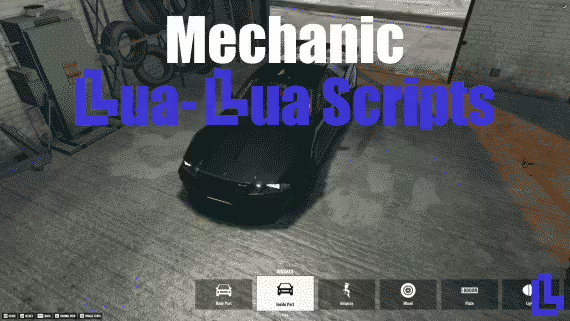
10 product images available.
CodeM mMechanic Job — Advanced Mechanic Job System
Review processSecure Checkout
Cards, Apple Pay, Google Pay, iDEAL/Wero, Bancontact, EPS, Przelewy24, and optional Crypto where available via Stripe.
Requires a FiveM server, esx or qbcore, access to server resources, and permission to restart the resource after configuration.
Description
CodeM mMechanic Job — Advanced Mechanic Job System
Take your FiveM server's mechanic roleplay to the next level with CodeM mMechanic, a feature-rich and fully configurable mechanic job script developed by CodeM — one of the most trusted and Rockstar-verified FiveM developers on CFX.re. With approximately 3,500–4,000 lines of code, this script is built for depth, performance, and immersion.
Features
- Multi-Shop Support — Admins can create and manage multiple mechanic shops in-game at runtime, no server restart required
- Vehicle Repair & Diagnostics — Detailed per-component vehicle repair system including engine, body, tyres, windows, and more
- Realistic Degradation System — Vehicle wear tied to mileage and collision history for authentic roleplay
- Invoice System — Send itemised invoices to customers before or after service; copy of invoice can be shared with players
- Action Menu — Interactive mechanic action menu for hands-on vehicle work and customer interactions
- NPC Mechanic Calls — Players can request NPC assistance for immersive, non-player job scenarios
- Boss Menu — Full society/boss management panel including employee roster, salary, and finances
- Job Stash — Mechanic-specific stash/inventory for tools and parts
- Society Money — A percentage of earnings flows to the society account, remainder to the worker
- Multiple Job Grades — Configure mechanic grades and permissions per shop
- ESX & QBCore Support — Full compatibility with both major FiveM frameworks
- Highly Configurable — All prices, labels, job names, shops, and zones configurable via config files
- Optimised Performance — Resmon-friendly with clean, efficient code
What's Included
- Full server-side and client-side Lua source (encrypted, ~3,500–4,000 LOC)
- SQL file for database setup
- Config file with all customisable options
- CodeM documentation access via Gitbook
Compatibility
| Property | Details | |---|---| | Frameworks | ESX, QBCore | | Minimum Game Build | 2372 | | Requirements | esx_addonaccount (ESX) or qb-management (QBCore) | | Code Accessible | No (encrypted) | | Subscription-based | No — one-time purchase | | Support | Yes — official CodeM support |
Installation
1. Download and extract the resource to your server's resources folder 2. Import the included SQL file into your database 3. Add ensure codem-mechanic to your server.cfg 4. Configure job names, shops, and prices in config.lua 5. Restart your server
Installation notes
Buy this when it saves setup time
Use this checklist to decide quickly whether the resource fits your current server build, framework, and support expectations.
Server-owner payoff
CodeM mMechanic Job — Advanced Mechanic Job System is positioned to reduce Mechanic Scripts instead of making you rebuild the same system from scratch.
Compatibility
Works with esx, qbcore. Check the requirements block before adding it to a live stack.
Purchase confidence
Instant download, Stripe checkout, support access, and refund policy context are shown before payment.
Decision assets
Requirements, Preview video, Product Q&A
Product fit, setup, and proof at a glance
Use the published facts on this page to confirm whether CodeM mMechanic Job — Advanced Mechanic Job System matches your server before checkout.
Compatibility
- Frameworks
- ESX, QBCore
- Category
- Mechanic Scripts
- Version
- v1.0.0
Setup & requirements
- Install flow
- Download → resources folder → ensure in server.cfg
- Requirements
- Published on this page
- File size
- 33.12 MB
Updates & maintenance
- Last updated
- June 15, 2026
- Preview
- Available