• Instant digital delivery
  • Lifetime updates on selected products
  • Trusted by server owners
FiveMX
Shop
Full ServersBundlesNew releases
FiveMX

Start building your server today.

Curated FiveM resources, instant delivery, free starter mods, and practical guides in one calm marketplace.

Browse the shopsupport@fivemx.com

Shop

  • Shop
  • FiveM Mods
  • All Products
  • Free Mods
  • Best Scripts & Mods
  • FiveM Scripts

Frameworks

  • QBCore Scripts
  • ESX Scripts
  • QBox
  • Standalone

Community

  • Blog
  • Support
  • Creators
  • Affiliate

Legal

  • Privacy Policy
  • Terms of Service
  • Refund Policy
  • Digital Delivery
  • Cookie Policy
  • GDPR Compliance
  • DMCA
  • Imprint
  • Editorial Policy

Server Templates

  • QBCore Server Template
  • ESX Server Template
  • NoPixel Server Template
  • Server Packs
  • Free Server Templates
  • Tebex Alternative
Β© 2026 FiveMX. All rights reserved.Β·FiveMX is not affiliated with Rockstar Games, Take-Two Interactive, or CFX.re. All trademarks are property of their respective owners.
DiscordDocs
Compatibility:

FiveM LEO Interaction Menu

$13.00

Secure Checkout

Cards, Apple Pay, Google Pay, iDEAL/Wero, Bancontact, EPS, Przelewy24, and optional Crypto where available via Stripe.

Instant file access after paymentSupport and refund policy shown before checkout
Ask support before buyingRead refund policy
Instant Access
SSL Encrypted
Cards, wallets, bank redirects
Frameworksstandalone
Setup

Requires a FiveM server, ESX or QBCore, access to server resources, and permission to restart the resource after configuration.

RequirementsPublished on this page
PreviewAvailable

Description

FiveM LEO Interaction Menu - Professional Law Enforcement Control System

The FiveM LEO Interaction Menu transforms law enforcement roleplay by giving officers instant access to essential police functions through an intuitive, context-aware interaction system. Designed specifically for police departments on ESX, QBCore, and QBOX servers, this menu streamlines officer workflow while maintaining realistic roleplay standards. With over 30 interaction options accessible through a single keybind, officers spend less time navigating menus and more time engaging with citizens.

What's Included

This comprehensive law enforcement tool provides a complete interaction system that covers every aspect of police work. From traffic stops to criminal processing, the menu integrates seamlessly with your server's existing systems while adding powerful new capabilities. The modern UI adapts to your theme, and the optimized performance ensures zero lag even during high-intensity situations with multiple officers on scene.

Core Features

  • Citizen Interaction System - ID checks, warrant searches, fine issuance, and civilian questioning all from one menu. Officers can pull up driver licenses, check for outstanding warrants, and issue citations without breaking roleplay immersion.
  • Vehicle Control Functions - Lock/unlock police vehicles, open trunks, toggle sirens, and control emergency lights. Includes integration with vehicle spawners and impound systems for complete fleet management.
  • Criminal Processing Tools - Arrest suspects, search inventories, confiscate contraband, and escort detained individuals. Fully compatible with existing jail and court systems for seamless prisoner handoff.
  • Traffic Stop Management - Request backup, run license plates, check vehicle registration, and coordinate with dispatch. Speed radar integration shows vehicle speeds for traffic enforcement.
  • Customizable Keybinds - Configure your preferred activation key and menu navigation controls. Supports both keyboard and controller inputs for maximum accessibility.
  • Framework Integration - Deep integration with ESX jobs, QBCore permissions, and QBOX systems ensures proper authorization checks. Only certified officers can access LEO functions.

Perfect For

  • Serious roleplay servers requiring realistic police procedures
  • Large departments needing efficient officer workflow tools
  • Community servers balancing realism with accessibility
  • Training environments teaching proper law enforcement protocols
  • Multi-jurisdictional servers with state police, sheriff, and local PD

Technical Details

  • Performance: 0.01ms resmon (virtually zero performance impact)
  • Dependencies: ESX/QBCore/QBOX framework, esx_policejob or qb-policejob
  • Database: No additional tables required - uses existing framework structure
  • Network Events: Optimized with minimal server-client communication

Installation

  1. Extract the resource to your server's resources folder
  2. Configure framework type and department settings in config.lua
  3. Add 'ensure leo-interaction-menu' to your server.cfg
  4. Restart server and test with a police job character
  5. Customize keybinds and permissions as needed for your department structure

Framework Compatibility

  • βœ… ESX Legacy - Full support for esx_policejob, society integration, and rank-based permissions
  • βœ… QBCore - Native qb-policejob integration with duty system and stash access
  • βœ… QBOX - Compatible with QBOX police framework and permission structure

What Makes It Stand Out

Unlike basic interaction menus that simply list functions, this LEO menu uses intelligent context detection to show only relevant options based on the officer's situation. During a traffic stop, you'll see vehicle-related functions. When near a suspect, criminal processing tools appear. This context-aware design reduces menu clutter and speeds up officer response times. The system also includes detailed logs for every action, creating an automatic paper trail for internal affairs and administrative review.


Video preview

Related Standalone Scripts

  • Vipex Illenium Appearance
  • 0r Chat V2
  • Kaves Mechanic
  • Rewards System

Installation notes

Requires a FiveM server, ESX or QBCore, access to server resources, and permission to restart the resource after configuration.
Installation notes
Requires a FiveM server, ESX or QBCore, access to server resources, and permission to restart the resource after configuration.

Buy this when it saves setup time

Use this checklist to decide quickly whether the resource fits your current server build, framework, and support expectations.

Server-owner payoff

FiveM LEO Interaction Menu is positioned to reduce Police Scripts instead of making you rebuild the same system from scratch.

Compatibility

Works with standalone. Check the requirements block before adding it to a live stack.

Purchase confidence

Instant download, Stripe checkout, support access, and refund policy context are shown before payment.

Decision assets

Requirements, Preview video, Product Q&A

Product fit, setup, and proof at a glance

Use the published facts on this page to confirm whether FiveM LEO Interaction Menu matches your server before checkout.

Compatibility

Frameworks
Standalone
Category
Police Scripts

Setup & requirements

Install flow
Download β†’ resources folder β†’ ensure in server.cfg
Requirements
Published on this page
File size
269.81 KB

Proof & buyer questions

Reviews
No reviews yet
Answered Q&A
Ask before buying

Only the facts published on this page should be treated as confirmed. If you need more detail, review the description, requirements, changelog, reviews, and product Q&A before checkout.

DescriptionRequirementsPreview video
Police Scripts
Compatibility:
Standalone

FiveM LEO Interaction Menu

Review process
$13.00

Secure Checkout

Cards, Apple Pay, Google Pay, iDEAL/Wero, Bancontact, EPS, Przelewy24, and optional Crypto where available via Stripe.

Instant file access after paymentSupport and refund policy shown before checkout
Ask support before buyingRead refund policy
Instant Access
SSL Encrypted
Cards, wallets, bank redirects
Frameworksstandalone
Setup

Requires a FiveM server, ESX or QBCore, access to server resources, and permission to restart the resource after configuration.

RequirementsPublished on this page
PreviewAvailable
Home
Shop
Police Scripts
Police Scripts
Standalone
Review process

Key Features

  • Citizen Interaction System

    ID checks, warrant searches, fine issuance, and civilian questioning from one menu. Officers can pull up driver licenses, check for outstanding warrants, and issue citations without breaking roleplay immersion.

  • Vehicle Control Functions

    Lock/unlock police vehicles, open trunks, toggle sirens, and control emergency lights. Includes integration with vehicle spawners and impound systems for complete fleet management.

  • Criminal Processing Tools

    Arrest suspects, search inventories, confiscate contraband, and escort detained individuals. Fully compatible with existing jail and court systems for seamless prisoner handoff.

  • Traffic Stop Management

    Request backup, run license plates, check vehicle registration, and coordinate with dispatch. Speed radar integration shows vehicle speeds for traffic enforcement.

  • Context-Aware Design

    Intelligent context detection shows only relevant options based on the officer's situation. During traffic stops, vehicle-related functions appear; when near a suspect, criminal processing tools appear, reducing menu clutter.

Frequently Asked Questions

Related Products

$21.00
$8.00
$7.00
$7.00

Related Tutorials & Guides

Learn more about setting up, configuring, and using this type of resource.

FiveM Admin Scripts Troubleshooting FAQ: 12 Common Issues Fixed

FiveM Admin Scripts Troubleshooting FAQ: 12 Common Issues Fixed

Admin scripts give server owners control over their FiveM server β€” when they break, moderation stops and griefing goes unchecked. This guide covers the 12 most common admin script failures with diagnostic steps, working code, and ACE permission patterns.

Best FiveM Police Scripts 2026: Complete LEO Resource Guide

Best FiveM Police Scripts 2026: Complete LEO Resource Guide

The best FiveM police scripts for ESX, QBCore, and QBox in 2026 β€” police jobs, MDT, dispatch, handcuffs, ANPR, and more. With prices, features, and setup recommendations.

FiveM Police Script Troubleshooting β€” 12 Common Issues & Fixes

FiveM Police Script Troubleshooting β€” 12 Common Issues & Fixes

Police scripts are among the most complex resources on any FiveM server. They interact with dispatch, inventory, vehicles, database, and NUI systems simultaneously.

Continue Building Your FiveM Server

Use this product as part of a larger setup. Explore related categories, alternative frameworks, premium bundles, and free companion downloads.

Explore EMS ScriptsExplore Admin ToolsBrowse all scriptsPolice Scripts scriptsstandalone scriptsFree FiveM modsCompare bundles
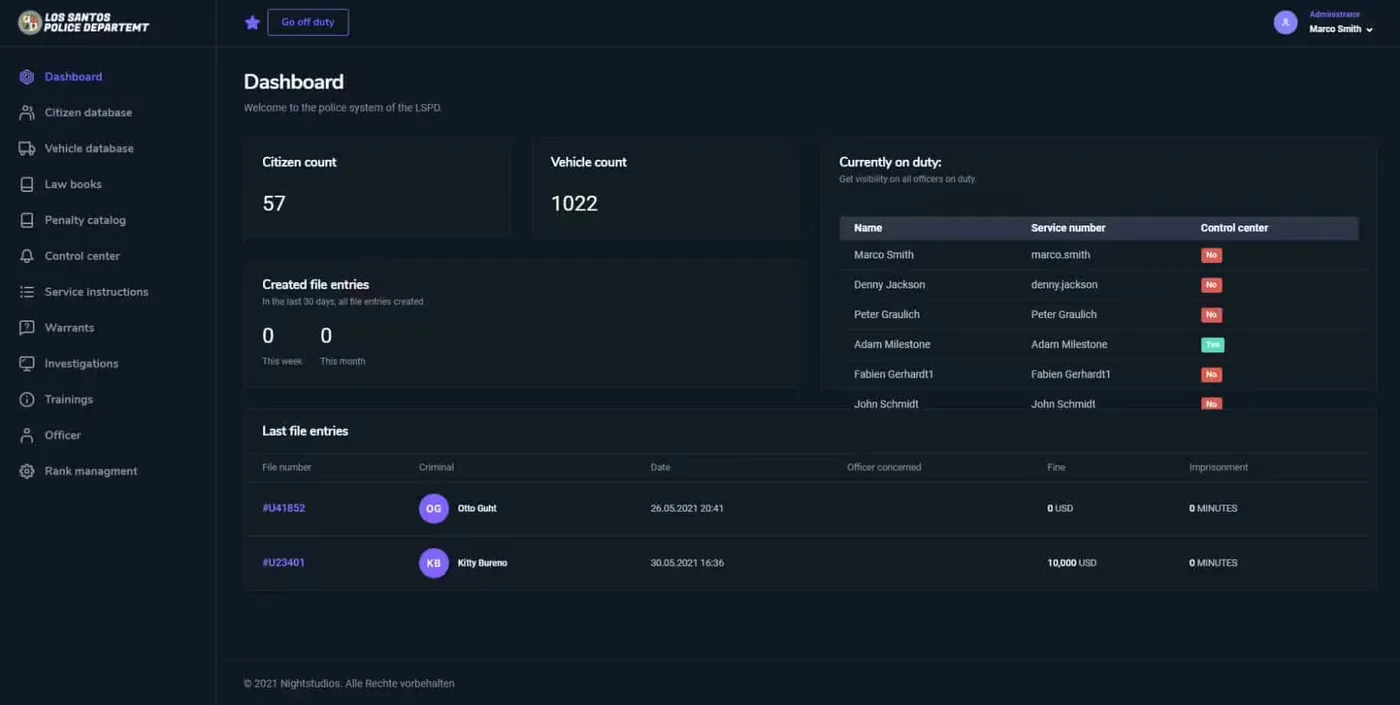
Police System CAD/MDT

Police System CAD/MDT

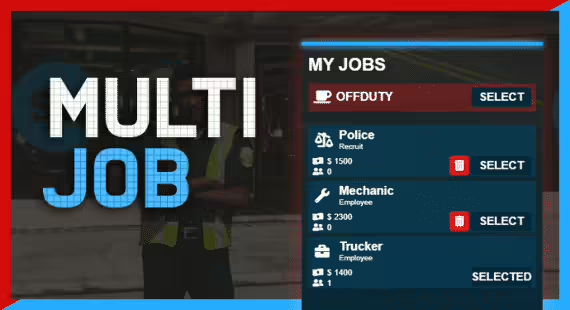
Core Multiple Jobs

Core Multiple Jobs

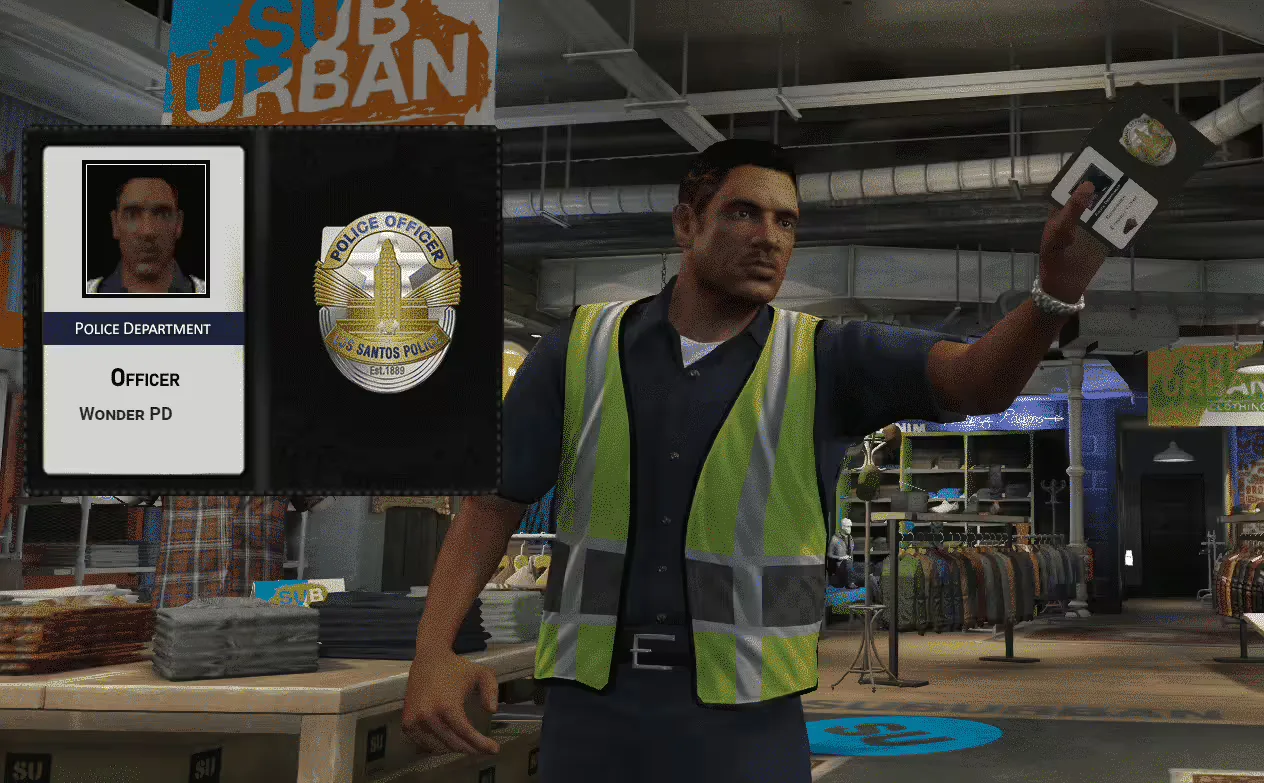
Police Badge Show

Police Badge Show

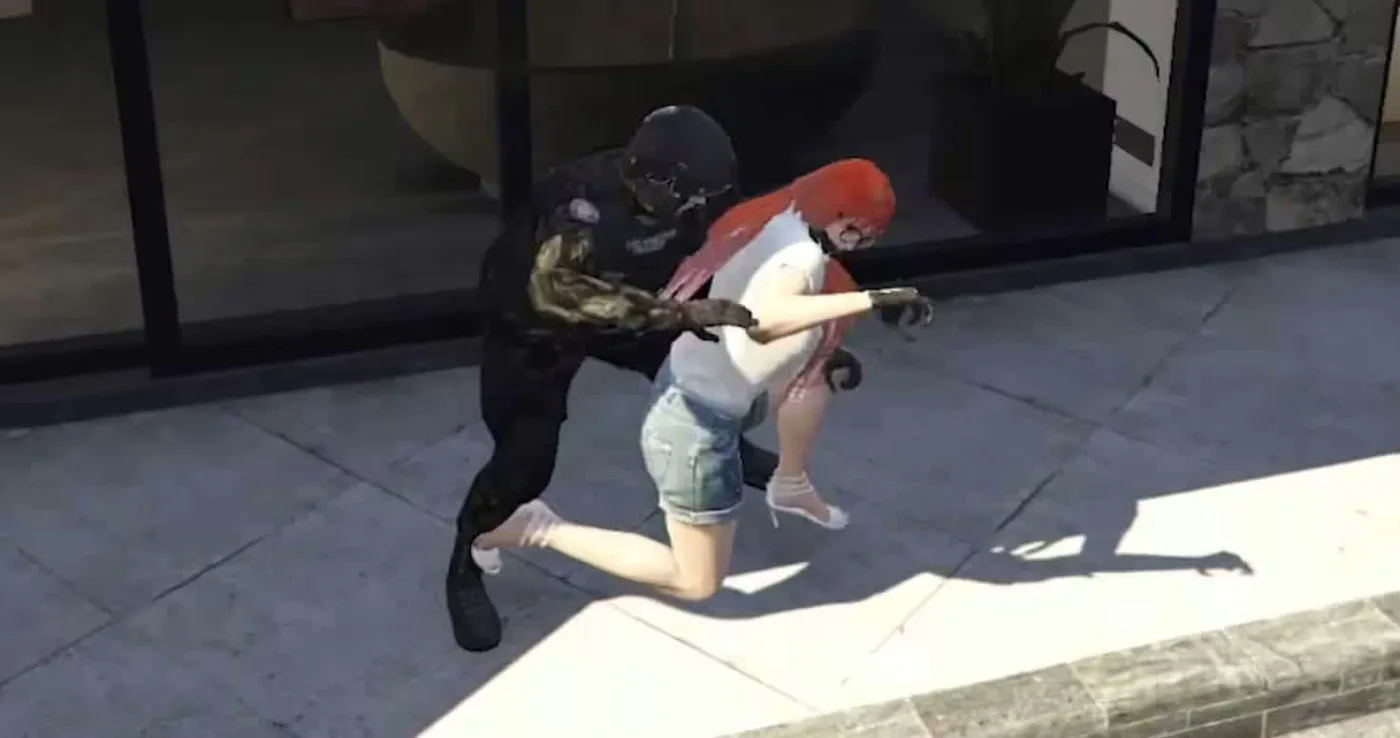
Policejob Animations

Policejob Animations