• Instant digital delivery
  • Lifetime updates on selected products
  • Trusted by server owners
FiveMX
Shop
Full ServersBundlesNew releases
FiveMX

Start building your server today.

Curated FiveM resources, instant delivery, free starter mods, and practical guides in one calm marketplace.

Browse the shopsupport@fivemx.com

Shop

  • Shop
  • FiveM Mods
  • All Products
  • Free Mods
  • Best Scripts & Mods
  • FiveM Scripts

Frameworks

  • QBCore Scripts
  • ESX Scripts
  • QBox
  • Standalone

Community

  • Blog
  • Support
  • Creators
  • Affiliate

Legal

  • Privacy Policy
  • Terms of Service
  • Refund Policy
  • Digital Delivery
  • Cookie Policy
  • GDPR Compliance
  • DMCA
  • Imprint
  • Editorial Policy

Server Templates

  • QBCore Server Template
  • ESX Server Template
  • NoPixel Server Template
  • Server Packs
  • Free Server Templates
  • Tebex Alternative
© 2026 FiveMX. All rights reserved.·FiveMX is not affiliated with Rockstar Games, Take-Two Interactive, or CFX.re. All trademarks are property of their respective owners.
DiscordDocs
v1.0.0
Compatibility:

NoPixel Death Screen — FiveM ESX

$10.99

Secure Checkout

Cards, Apple Pay, Google Pay, iDEAL/Wero, Bancontact, EPS, Przelewy24, and optional Crypto where available via Stripe.

Instant file access after paymentSupport and refund policy shown before checkout
Ask support before buyingRead refund policy
Instant Access
SSL Encrypted
Cards, wallets, bank redirects
Frameworksesx
Setup

Requires a FiveM server, ESX, access to server resources, and permission to restart the resource after configuration.

RequirementsPublished on this page
PreviewNot available

Description

NoPixel Death Screen — FiveM ESX

Bring the iconic NoPixel roleplay experience to your FiveM server with this polished death and revive screen script. Inspired by the legendary NoPixel server (now rebranded as NoPixel), this resource replaces the default GTA death mechanic with a fully custom UI featuring blood-soaked overlays, dramatic visual effects, and a smooth revive system — all tightly integrated with the ESX framework.

With 178+ sales on fivemx.com and a place among the Top 15 bestsellers, this script has been tested and trusted by server owners worldwide. Whether you're running a serious RP server or want to elevate the player experience, this death screen sets the tone from the moment a player goes down.

Features

  • NoPixel-style death UI — Cinematic blood overlay and darkened screen effect when a player dies
  • Revive countdown timer — Displays remaining bleed-out time before the player respawns
  • ESX integration — Hooks directly into ESX death and revive events; compatible with esx_ambulancejob
  • NUI-based interface — Smooth HTML/CSS/JS frontend rendered via FiveM's NUI system
  • Configurable bleed-out time — Set how long players stay in the downed state via config.lua
  • Revive by medics — EMS/medic players can revive downed players; triggers UI dismissal
  • Self-revive option — Configurable option to allow players to respawn themselves after timer expires
  • Ambulance job support — Works alongside standard esx_ambulancejob for EMS revive workflows
  • Lightweight & optimized — Minimal server-side tick usage; 0.00ms when idle
  • Easy installation — Drop in, ensure, and configure in minutes

What's Included

  • fxmanifest.lua — Resource manifest
  • config.lua — All configurable settings (bleed-out time, self-revive, etc.)
  • client/main.lua — Client-side death/revive logic
  • server/main.lua — Server-side event handlers
  • html/ — NUI death screen (index.html, style.css, app.js)

Requirements

  • ESX Framework (legacy or latest)
  • esx_ambulancejob (optional, for medic revive integration)

Installation

  1. Extract the resource folder into your resources/ directory
  2. Add ensure nopixel_deathscreen to your server.cfg
  3. Configure bleed-out time and self-revive settings in config.lua
  4. Restart your server

Installation notes

Requires a FiveM server, ESX, access to server resources, and permission to restart the resource after configuration.
Installation notes
Requires a FiveM server, ESX, access to server resources, and permission to restart the resource after configuration.

Buy this when it saves setup time

Use this checklist to decide quickly whether the resource fits your current server build, framework, and support expectations.

Server-owner payoff

NoPixel Death Screen — FiveM ESX is positioned to reduce EMS Scripts instead of making you rebuild the same system from scratch.

Compatibility

Works with esx. Check the requirements block before adding it to a live stack.

Purchase confidence

Instant download, Stripe checkout, support access, and refund policy context are shown before payment.

Decision assets

Requirements, Product Q&A

Product fit, setup, and proof at a glance

Use the published facts on this page to confirm whether NoPixel Death Screen — FiveM ESX matches your server before checkout.

Compatibility

Frameworks
ESX
Category
EMS Scripts
Version
v1.0.0

Setup & requirements

Install flow
Download → resources folder → ensure in server.cfg
Requirements
Published on this page
File size
6.21 KB

Proof & buyer questions

Reviews
No reviews yet
Answered Q&A
Ask before buying

Only the facts published on this page should be treated as confirmed. If you need more detail, review the description, requirements, changelog, reviews, and product Q&A before checkout.

DescriptionRequirements
EMS Scripts
v1.0.0
Compatibility:
ESX

NoPixel Death Screen — FiveM ESX

Review process
$10.99

Secure Checkout

Cards, Apple Pay, Google Pay, iDEAL/Wero, Bancontact, EPS, Przelewy24, and optional Crypto where available via Stripe.

Instant file access after paymentSupport and refund policy shown before checkout
Ask support before buyingRead refund policy
Instant Access
SSL Encrypted
Cards, wallets, bank redirects
Frameworksesx
Setup

Requires a FiveM server, ESX, access to server resources, and permission to restart the resource after configuration.

RequirementsPublished on this page
PreviewNot available
Home
Shop
EMS Scripts
EMS Scripts
ESX
Review process

Key Features

  • NoPixel-style death UI

    Cinematic blood overlay and darkened screen effect displayed when a player dies

  • Revive countdown timer

    Displays remaining bleed-out time before the player respawns

  • ESX framework integration

    Hooks directly into ESX death and revive events and is compatible with esx_ambulancejob

  • Configurable bleed-out time

    Server administrators can set how long players stay in the downed state via config.lua

  • Medic revive functionality

    EMS/medic players can revive downed players, which triggers UI dismissal

Frequently Asked Questions

Related Products

$27.99
$17.99
$18.99
$20.99

Related Tutorials & Guides

Learn more about setting up, configuring, and using this type of resource.

Best FiveM Loading Screen Scripts 2026 — Custom Screens That Impress

Best FiveM Loading Screen Scripts 2026 — Custom Screens That Impress

Your loading screen is the first thing players see when they connect. Before they explore your city, interact with NPCs, or start their roleplay story, they're staring at your…

FiveM Frameworks Explained: Complete Guide to ESX, QBCore & QBOX

FiveM Frameworks Explained: Complete Guide to ESX, QBCore & QBOX

FiveM frameworks form the backbone of roleplay servers. They're not just code libraries—they're complete systems that manage player identity, jobs, inventory, permissions,…

Top 10 FiveM Medic and EMS Scripts for 2026

Top 10 FiveM Medic and EMS Scripts for 2026

Emergency Medical Services are the backbone of any serious FiveM roleplay server. When someone gets shot in a firefight or wraps their car around a telephone pole, what happens…

Continue Building Your FiveM Server

Use this product as part of a larger setup. Explore related categories, alternative frameworks, premium bundles, and free companion downloads.

Explore Job ScriptsExplore Police ScriptsExplore Hospitals & MedicalBrowse all scriptsEMS Scripts scriptsesx scriptsTry QBCore insteadTry QBox insteadFree FiveM modsCompare bundles
Medical System - Skelly System

Medical System - Skelly System

Advanced Roleplay Environment | Medical System v2

Advanced Roleplay Environment | Medical System v2

Mühlacker Fire Department

Mühlacker Fire Department

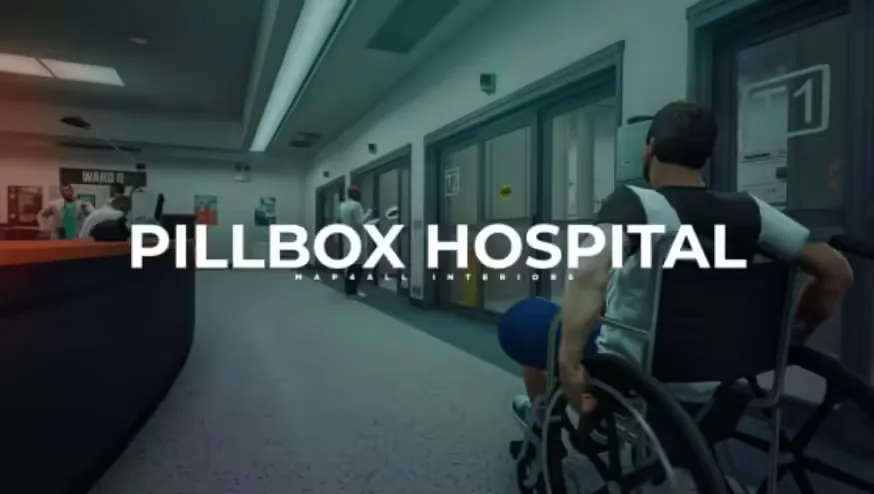
Map4All Pillbox Hospital

Map4All Pillbox Hospital