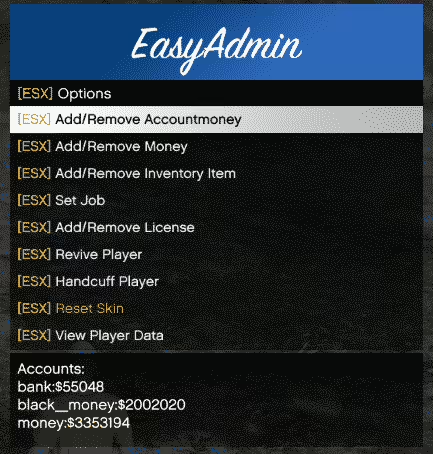
4 product images available.
Limited-time price
Save $3.06 (18% off)
Secure Checkout
Cards, Apple Pay, Google Pay, iDEAL/Wero, Bancontact, EPS, Przelewy24, and optional Crypto where available via Stripe.
Requires a FiveM server, esx or qbcore or qbox or standalone, access to server resources, and permission to restart the resource after configuration.
Description
RealisticLife v3 Launcher - Professional Custom FiveM Server Launcher
Give your FiveM server a professional edge with the RealisticLife v3 Launcher, a fully-featured custom desktop application that replaces the standard FiveM connection experience with branded, polished software that builds your server's identity before players even join. This Visual Basic launcher creates a complete server connection interface featuring custom branding, server status displays, news feeds, social media integration, direct connect functionality, and professional aesthetics that make your server look established and trustworthy. Instead of players manually typing connect commands or searching through server lists, they launch your branded application that becomes the gateway to your FiveM community.
The RealisticLife v3 Launcher isn't just a simple connection tool—it's a marketing and community platform disguised as launcher software. Display server rules, showcase updates, promote Discord servers, track player counts in real-time, and create a cohesive brand experience from the moment players interact with your server. The launcher serves as constant desktop presence reminding players of your server, building brand recognition and loyalty. For server owners serious about growth and professionalism, custom launcher software separates amateur operations from established communities that invest in quality player experiences.
What's Included
This comprehensive RealisticLife v3 Launcher package includes the complete Visual Basic source code, pre-compiled executable ready for distribution, customizable GUI templates with multiple layout options, server status integration code, news feed system for displaying updates, social media link configuration, Discord webhook integration, auto-updater functionality, and detailed customization documentation. You'll receive all graphics assets in editable PSD/AI formats for branding customization, configuration files for server connection settings, and installation guides for both server owners and end users. The launcher is ready to rebrand and distribute—simply replace graphics, adjust colors, update server IP, and compile your custom version.
The package includes example configurations showing how to set up server status displays, integrate Discord presence, configure news feeds for update announcements, add social media buttons, customize color schemes, and modify layouts. All UI elements are designed to be easily replaceable, allowing complete visual customization without deep programming knowledge. The source code is well-commented and organized, making modifications straightforward even for those with basic Visual Basic familiarity.
Key Features
- Complete Visual Basic Source Code - Full access to editable source code allows unlimited customization and feature additions for your specific needs
- Professional Branded Interface - Replace generic FiveM connection with custom-branded launcher featuring your server's logo, colors, and identity
- Server Status Display - Real-time server information showing online status, current player count, and maximum capacity
- News Feed System - Display server updates, announcements, event notifications, and important information directly in the launcher
- One-Click Server Connection - Players connect to your server with a single button click, eliminating manual IP entry or server browser searching
- Discord Integration - Direct Discord server links, rich presence integration, and webhook support for community connectivity
- Social Media Links - Built-in buttons for Twitter, Instagram, YouTube, TikTok, and other social platforms to grow your community presence
- Auto-Update Functionality - Launcher can check for and download updates automatically, ensuring players always have the latest version
- Custom Graphics Support - Easy replacement of backgrounds, logos, buttons, and UI elements with your own branded assets
- Rules and Information Display - Show server rules, starter guides, or important information within the launcher interface
- Multiple Layout Options - Choose from several pre-designed layouts or create custom arrangements of UI elements
- Color Scheme Customization - Adjust all colors to match your server's branding and visual identity
- Statistics Tracking - Optional analytics to track launcher usage, connection attempts, and user engagement
- Download Manager Integration - Direct links to required mods, resource packs, or client-side files players need
Perfect For
- Serious Roleplay Servers - Established communities that want professional branding and streamlined player onboarding
- Whitelisted Servers - Private servers can distribute custom launchers to approved members for exclusive access
- Large Communities - Servers with active player bases benefit from centralized news distribution and community integration
- Brand Building - Servers focused on creating recognizable brands and professional public images
- Marketing Campaigns - Launch promotions, events, or server updates through dedicated launcher software
- Multi-Server Networks - Networks running multiple servers can provide unified launcher with server selection interface
- Premium Servers - Paid or donation-based servers can justify investment through professional presentation
- Competition Differentiation - Stand out from thousands of generic FiveM servers with unique connection experience
Technical Details
- Programming Language: Visual Basic .NET (VB.NET) - requires Visual Studio to edit and compile
- Requirements: .NET Framework 4.7.2+ on client computers (standard on Windows 10/11)
- File Size: Compiled launcher typically 2-5 MB depending on embedded graphics
- Compatibility: Windows 7, 8, 10, 11 (32-bit and 64-bit)
- Server Communication: HTTP/HTTPS requests for status checks and update verification
- Customization Difficulty: Easy - most changes require only replacing images and editing config values
- Advanced Customization: Moderate programming knowledge needed for feature additions beyond included templates
Installation and Setup Guide
- Install Visual Basic Prerequisites - Download and install Visual Studio Community Edition (free) or Visual Basic Runtime for editing source code
- Extract the Package - Unzip the RealisticLife v3 Launcher package to access source code, assets, and documentation
- Customize Graphics - Replace logo, background images, button graphics, and icons with your server's branded assets
- Edit Configuration - Update config files with your server IP, port, Discord link, social media URLs, and news feed source
- Adjust Color Scheme - Modify color values in the code to match your server's branding palette
- Customize News Feed - Set up news feed source (text file, database, or API endpoint) for displaying server updates
- Test Functionality - Run the launcher in debug mode to verify server connections, status displays, and all links work correctly
- Compile Executable - Build the final .exe file from Visual Basic for distribution to your players
- Create Installer (Optional) - Use free tools like Inno Setup to create professional installation packages
- Distribute to Players - Share the compiled launcher via Discord, website downloads, or direct distribution
- Set Up Auto-Updates (Optional) - Configure update server to enable automatic launcher updates for future versions
Customization Possibilities
- Visual Branding - Complete control over logos, backgrounds, button styles, fonts, and color schemes
- Additional Servers - Add multiple server connection options for networks running several FiveM servers
- Streaming Integration - Display live Twitch/YouTube streams of your server directly in the launcher
- Player Profiles - Add login systems showing player stats, playtime, or achievement tracking
- Event Calendars - Display upcoming server events, scheduled restarts, or community activities
- Donation Integration - Direct links to donation pages or Patreon support with progress tracking
- Screenshot Gallery - Showcase server screenshots or player-submitted content within the launcher
- Music Player - Background music or sound effects for enhanced launcher experience
- Language Support - Multi-language interfaces for international server communities
- Theme System - Multiple color themes players can choose from (light/dark mode options)
Framework Compatibility
- ✅ ESX Servers - Launcher works with all ESX-based FiveM servers
- ✅ QBCore Servers - Full compatibility with QBCore framework servers
- ✅ QBOX Servers - Functions perfectly with QBOX framework
- ✅ Standalone/Custom Servers - Framework-agnostic - works with any FiveM server regardless of backend
- ✅ Multi-Server Networks - Can be configured to connect to multiple servers with selection menu
Distribution and Marketing
- Website Download - Host the launcher on your server website for easy player access
- Discord Distribution - Share download links in Discord channels or pins for community members
- Mandatory Launcher - For whitelisted servers, require launcher usage for connection approval
- Promotion Tool - Use launcher as marketing material showcasing server professionalism
- Brand Consistency - Launcher becomes part of your server's brand identity across all platforms
What Makes It Stand Out
The RealisticLife v3 Launcher stands out because it transforms the mundane task of connecting to a FiveM server into a branded, professional experience that reinforces your server's identity. While most servers rely on generic connection methods, custom launcher software creates instant credibility and professionalism. Players see a dedicated application with your branding and immediately perceive your server as more established and trustworthy than competitors. The launcher becomes a constant desktop presence—every time players see the icon, they're reminded of your server, increasing retention and engagement.
The real-time server status display and news feed functionality provide practical value beyond aesthetics. Players can check server status before launching the game, read about recent updates without visiting Discord or websites, and stay informed about events and changes. This centralized information hub improves communication between staff and players while reducing repeated questions in Discord about server status or recent updates. The one-click connection eliminates friction from the joining process, making it easier for casual players to hop on without navigating FiveM's server browser.
For server owners willing to invest time in customization, the full Visual Basic source code enables unlimited possibilities. Add authentication systems, integrate with server databases to display player stats, create donation tracking, implement update changelogs, or build entirely custom features that serve your community's specific needs. The launcher becomes more than connection software—it's a comprehensive platform for player engagement, community building, and server management. Whether you're running a small whitelisted community or a large public server, custom launcher software demonstrates professionalism and commitment to quality that sets you apart in the crowded FiveM server market.
Video preview
Important: Make sure to download Visual Basic before using this, as this FiveM launcher template is using Visual Basic!
Related FiveM Launchers
Installation notes
Buy this when it saves setup time
Use this checklist to decide quickly whether the resource fits your current server build, framework, and support expectations.
Server-owner payoff
RealisticLife v3 Launcher is positioned to reduce Admin Tools instead of making you rebuild the same system from scratch.
Compatibility
Works with esx, qbcore, qbox, standalone. Check the requirements block before adding it to a live stack.
Purchase confidence
Instant download, Stripe checkout, support access, and refund policy context are shown before payment.
Decision assets
Requirements, Preview video, Product Q&A
Product fit, setup, and proof at a glance
Use the published facts on this page to confirm whether RealisticLife v3 Launcher matches your server before checkout.
Compatibility
- Frameworks
- ESX, QBCore, QBOX, Standalone
- Category
- Admin Tools
Setup & requirements
- Install flow
- Download → resources folder → ensure in server.cfg
- Requirements
- Published on this page
- File size
- 113.26 MB
Proof & buyer questions
- Reviews
- No reviews yet
- Answered Q&A
- Ask before buying
Only the facts published on this page should be treated as confirmed. If you need more detail, review the description, requirements, changelog, reviews, and product Q&A before checkout.