
![Advanced Tablet V1.0 [Standalone] FiveM resource preview](https://cdn.fivemx.com/wp-content/uploads/2022/10/Screenshot_11-png.avif "Screenshot_11")
![Advanced Tablet V1.0 [Standalone] FiveM resource preview](https://i.ytimg.com/vi/LZkCKiVROHA/hqdefault.jpg "Screenshot_11")

Advanced Tablet V1.0 – Standalone Multi-Function Device for FiveM Roleplay
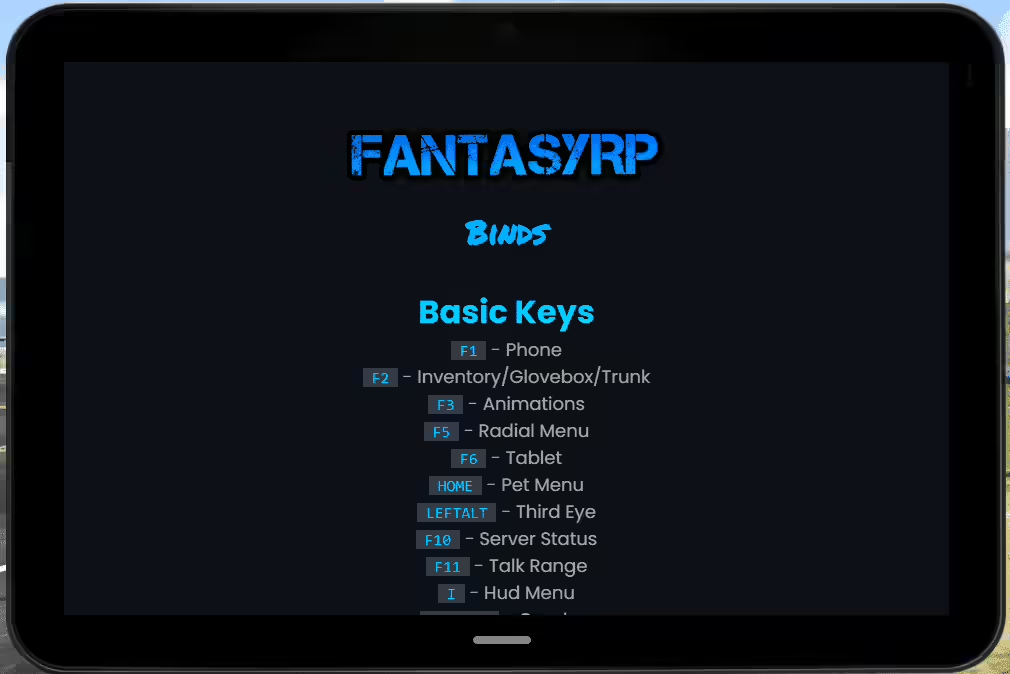
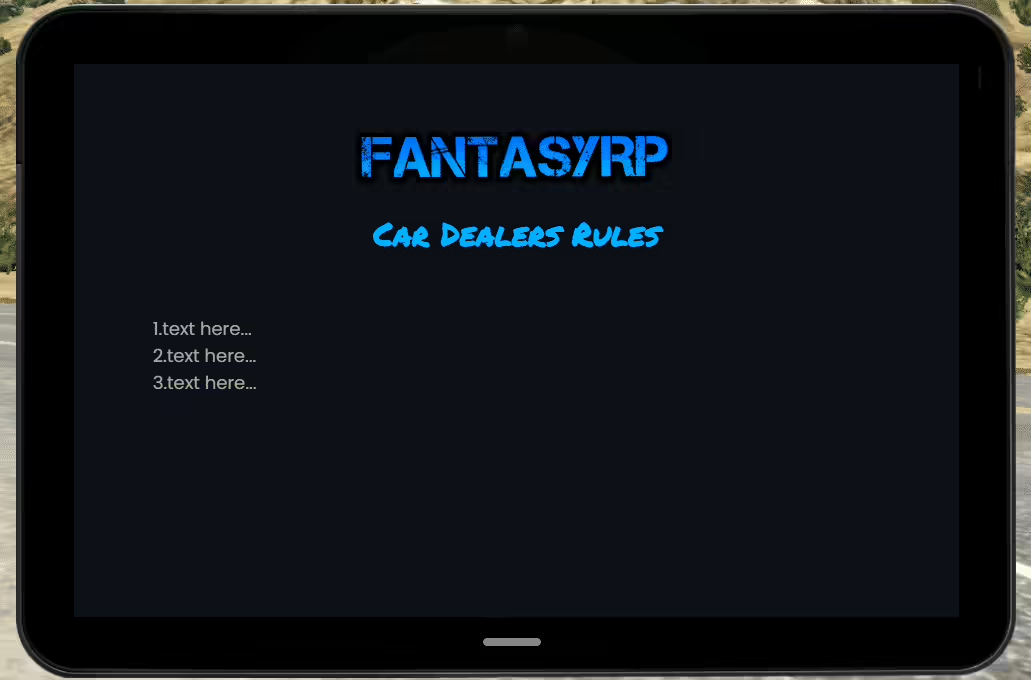
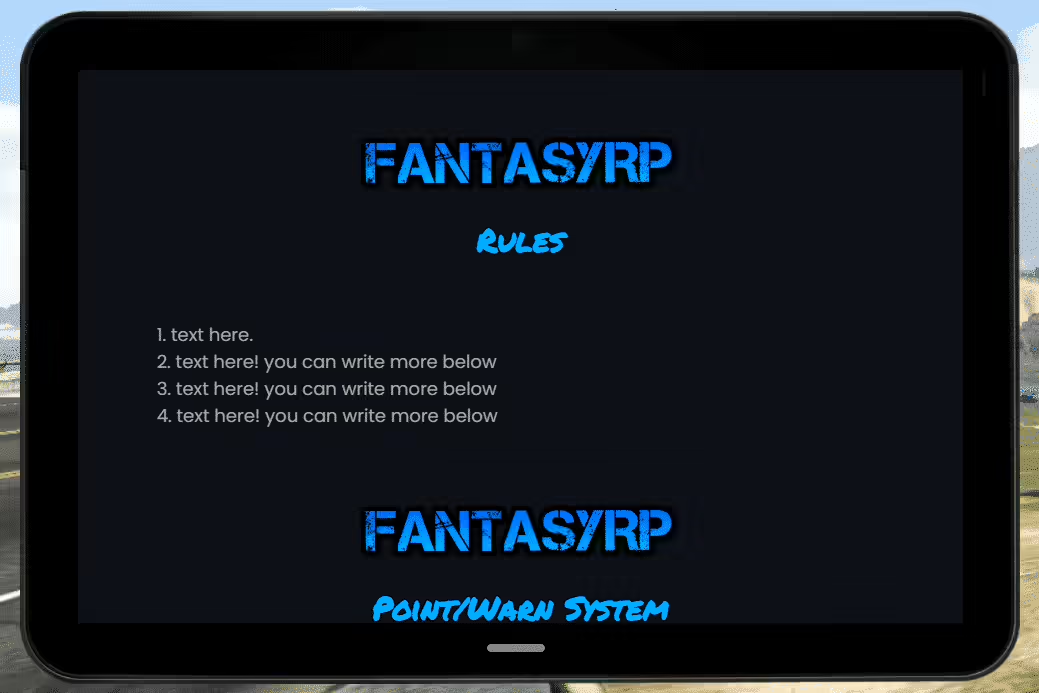
Transform how players access server systems with the Advanced Tablet V1.0, a comprehensive standalone device that consolidates essential functions into a single, intuitive interface. This isn’t just a prop – it’s a fully functional multi-tool that brings modern technology to your FiveM server. Players can manage their character information, access services, communicate, and interact with server features through a realistic tablet interface that feels natural in roleplay scenarios.
The beauty of this tablet system is its versatility. Unlike framework-locked solutions, this standalone design works with any server setup – ESX, QBCore, custom frameworks, or pure roleplay servers. It provides a clean, professional interface layer that can be customized to match your server’s specific needs, whether you’re running a strict police department, a business empire, or a criminal underworld. The tablet becomes the central hub for player interaction, replacing immersion-breaking menu systems with in-character technology.
What’s Included
The Advanced Tablet comes with a complete application suite covering essential server functions. You’ll get apps for player information (character details, bank balance, job info), communication (messaging, calls, group chats), business management (company roster, vehicle fleet, property listings), emergency services (dispatch, unit tracking, case management), and administrative tools (player reports, server information, announcements). Each app is designed with modern UI principles – clean, responsive, and intuitive to use.
The system includes customizable themes, notification systems, permission controls for app access, and integration hooks for connecting your existing server systems. All apps are modular – disable what you don’t need, add custom apps for server-specific features. The tablet supports both touch-based navigation (for mobile or tablet players) and mouse/keyboard controls, making it accessible regardless of how players connect.
Key Features
- Standalone Architecture – No framework dependencies, works with ESX, QBCore, or any custom setup
- Multi-App Interface – Comprehensive suite of apps covering common server functions (messages, player info, dispatch, business tools)
- Modern UI Design – Clean, professional interface with smooth animations and responsive layouts
- Customizable Themes – Change colors, layouts, and styling to match your server brand
- Permission System – Control which jobs/groups can access specific apps (police get dispatch, CEO gets business tools)
- Notification System – Real-time alerts for messages, dispatch calls, business updates without needing tablet open
- Player Information App – View character details, bank accounts, job status, licenses, and personal info
- Messaging System – Send/receive messages, group chats, contact lists, message history
- Dispatch App – Emergency services can see active calls, unit status, and GPS locations
- Business Management – Companies can manage employees, vehicles, properties, and finances
- Vehicle Tracking – GPS system shows owned vehicles, their locations, and status
- Property Management – View owned properties, access keys, pay utilities, manage rentals
- Integration Hooks – Exports and events for connecting tablet to your existing phone/MDT systems
- Offline Mode – Some apps cache data so they work even during server lag or connection issues
- Admin Panel – Server staff can send announcements, view player counts, access reports
Perfect For
- Police/EMS Servers – Dispatch tablet for units to manage calls, coordinate responses, access databases
- Business Roleplay – CEO tablets for managing companies, tracking employees, monitoring finances
- Government Servers – Officials can access citizen databases, issue permits, manage public services
- Criminal Organizations – Gang tablets for coordinating operations, managing territory, tracking members
- Mechanic/Tow Services – Service tablets showing job requests, vehicle locations, customer information
- Real Estate Companies – Property management interface for realtors showing listings, conducting sales
- Multi-Job Servers – Universal device that adapts based on player’s current job or role
Core Applications Breakdown
Player Info App: The central hub showing your character’s identity – name, date of birth, phone number, job, bank balance, and owned assets. Think of it as your digital ID card and financial dashboard combined. Players can check their status at a glance without opening multiple systems.
Messaging System: Full-featured texting app with contact lists, conversation history, group chats, and multimedia support (if you enable image sharing). Send quick messages during operations, coordinate with team members, or conduct business deals. Messages persist across sessions and can trigger notifications even when the tablet is closed.
Dispatch/MDT: Emergency services get a powerful dispatch interface showing active calls with priority levels, GPS locations, unit availability, and case notes. Dispatchers can assign units, mark calls as resolved, and maintain incident logs. Officers in the field can update their status, request backup, and access call details on the go.
Business Dashboard: Company owners and managers see employee rosters with online status, company vehicle fleets with locations, owned properties, and financial summaries. Issue paychecks, hire/fire employees, track company assets – all from the tablet interface. Perfect for corporations, taxi companies, delivery services, or any business-focused roleplay.
GPS & Tracking: Shows owned vehicles on a map with real-time locations and status (parked, in use, impounded). Set waypoints to vehicles, properties, or custom locations. Emergency services can see unit locations for coordination. Businesses can track fleet vehicles for logistics management.
Admin Tools: Server staff get specialized apps for player management, server announcements, report handling, and analytics viewing. See online player counts, send server-wide notifications, access player reports, and monitor server health – all without leaving roleplay immersion.
Installation
- Extract the tablet resource folder to your server resources directory
- Add “ensure tablet” (or your chosen resource name) to server.cfg
- Configure tablet settings in config.lua (apps to enable, permissions, integration settings)
- If using framework integration, configure the export calls to connect to your ESX/QBCore systems
- Customize tablet theme/colors in the HTML/CSS files to match your server branding
- Set up item in your framework inventory (if you want tablet as physical item) or keybind for direct access
- Restart server and test tablet functionality with different job roles
- Configure job-specific permissions so police see dispatch, CEOs see business tools, etc.
Framework Compatibility
- ✅ Standalone – Core functionality works without any framework, perfect for custom servers
- ✅ ESX – Integrates with ESX player data, jobs, society system, and vehicle ownership
- ✅ QBCore – Compatible with QBCore player info, jobs, gangs, and inventory systems
- ✅ QBOX – Works with QBOX (QBCore fork) with standard integration methods
- ✅ Custom Frameworks – Modular design allows connection to any framework through exports/events
Customization & Configuration
The config file controls which apps are enabled, what permissions are required for each app, and how the tablet integrates with your server systems. Want police to only see dispatch and player lookup? Set those apps to require the “police” job. Need CEOs to access business management? Assign that app to company owner permissions. The granular permission system lets you create role-specific tablets.
Visual customization is straightforward – the tablet UI is HTML/CSS/JavaScript, making it easy to modify colors, fonts, layouts, and animations. You can completely rebrand the interface to match your server theme. Want a sleek dark mode for police tablets and a bright professional look for business tablets? Set up theme variations and assign them by job. Background images, icon sets, and UI sounds are all customizable.
For developers, the tablet provides event hooks and exports for adding custom apps. Create a taxi dispatch app, a delivery service tracker, a gang territory map – anything your server needs. The modular app system makes it easy to extend functionality without modifying core files. Your custom apps will update automatically when players receive notifications and integrate seamlessly with the existing interface.
What Makes It Stand Out
Most server tablets and MDT systems are locked to specific frameworks or limited in functionality. The Advanced Tablet V1.0 stands out because it’s truly standalone yet flexible enough to integrate with anything. You’re not forced to overhaul your entire server infrastructure to use it – the tablet adapts to your existing systems rather than demanding you adapt to it. That makes it perfect for servers with custom frameworks or unique setups that can’t use framework-specific solutions.
The multi-app architecture is another differentiator. Instead of separate phone script, MDT script, business dashboard script, and admin panel script, you get everything in one cohesive system. Players learn one interface and can access all their tools through it. That consistency improves user experience dramatically – no more hunting through different key binds and interfaces for basic functions.
Performance-wise, the tablet is optimized to avoid the lag that plagues some HTML-based interfaces. Apps load quickly, animations are smooth, and the system doesn’t cause FPS drops when opened. The notification system runs efficiently in the background without impacting client performance. These optimization details matter when you have 100+ players all potentially using tablets simultaneously.
Technical Details
- Interface: HTML/CSS/JavaScript NUI (no browser lag, native FiveM rendering)
- Client Performance: Minimal FPS impact, optimized asset loading and rendering
- Server Performance: Efficient event handling, cached data reduces database queries
- Database: Uses SQL for persistent data (messages, settings, cached info)
- Dependencies: None required (standalone), optional framework integration
- Customization: Full source access for modifying apps, adding features, or restyling
Integration Examples
For ESX servers, the tablet can pull character data from es_extended, show society information from esx_society, access vehicle ownership from esx_vehicleshop, and integrate with esx_phone for messaging. Everything connects through standard ESX exports and events, so you don’t need custom bridges or adapters.
QBCore servers can integrate with qb-core player data, qb-management for business tools, qb-garages for vehicle tracking, and qb-phone for communication. The tablet respects QBCore permissions and gang affiliations, showing different apps based on player roles within the framework.
For standalone or custom framework servers, you can connect the tablet to your systems through simple exports. The tablet calls functions like GetPlayerData(), GetVehicles(), SendMessage() – you just need to provide those functions from your framework. The tablet doesn’t care how you implement them, making integration with any server architecture possible.
Real-World Use Cases
Police departments can issue tablets to officers as standard equipment. Patrol units access dispatch to see active calls, check player information during traffic stops, and coordinate with other units. Detectives use the case management app to track ongoing investigations. Command staff access analytics to monitor department performance. The tablet replaces clunky MDT scripts with an all-in-one solution that feels like real police technology.
Business owners give tablets to employees for operational management. A taxi company CEO can monitor driver locations in real-time, see active fares, and dispatch drivers to calls. Delivery companies track package routes and driver performance. Real estate firms use tablets for showing property listings to clients during tours. The business apps transform standard roleplay jobs into interactive management experiences.
Criminal organizations can use tablets for coordinated operations. Gang leaders message members with job assignments, track territory control on maps, and manage member ranks. Heist crews coordinate during scores using encrypted group chats. Drug operations track product locations and customer lists. The same technology serving law enforcement becomes a powerful criminal tool in the right hands – that’s the versatility that makes roleplay interesting.

Kristy (verified owner) –
The developer was patient and answered all my questions clearly. Highly recommended.
Rogelio (verified owner) –
The quality is noticeably better than many alternatives I have tried.
XenoXander (verified owner) –
The support alone makes this worth purchasing. Fast answers and practical solutions.
Herta (verified owner) –
Support was friendly, fast, and knowledgeable. My issue was resolved within a short time.
Andre (verified owner) –
Quite easy to use, nice design, surely will buy again
Giuseppe (verified owner) –
The resource matched the description and screenshots perfectly. No unpleasant surprises.
Verner (verified owner) –
Not the best thing, but worth the money