Home
Shop
Free Mods
Tools
Bundles
Full Servers
  1. Home
  2. Blog
  3. Scripts & Resources

Best FiveM Inventory Scripts 2026: Complete Comparison Guide

Published on February 24, 2026·by Lars Miller(Founder & Lead Editor)·Credentials·11 min read
Scripts & Resourcesfivem inventory scripts comparison

The best FiveM inventory scripts in 2026 are ox_inventory as the free open-source default, qs-inventory as the polished premium alternative around 35 to 50 USD, qb-inventory as…

Disclosure: This article links to products sold on FiveMX. Product order is based on editorial judgment, not paid placement.

Best FiveM Inventory Scripts 2026: Complete Comparison Guide

Key Takeaways

  • The inventory script touches every other resource on the server — jobs, shops, drugs, housing stashes, and vehicle trunks all depend on it.
  • ox_inventory is the de facto free default in 2026, running on QBCore, ESX, and QBOX via a bridge at 0.08 ms idle on 64 players.
  • Switching inventory scripts mid-server is expensive: every dependent resource needs export calls rewritten and all stash data migrated.
  • qs-inventory is the paid alternative when built-in crafting and a polished UI matter more than minimal resmon overhead.
  • qb-inventory is the legacy QBCore default — it has been outperformed on every metric by ox_inventory on modern builds.

The best FiveM inventory scripts in 2026 are ox_inventory as the free open-source default, qs-inventory as the polished premium alternative around 35 to 50 USD, qb-inventory as the legacy QBCore-only choice, and codem-inventory as a mid-priced option around 30 USD. ox_inventory ranks first because it runs on QBCore, ESX, and QBOX through a single bridge, ships with full item metadata, slot-plus-weight inventories, weapon attachments, container stashes, and benchmarks at 0.08 ms idle on a 64-player server. qs-inventory is the right choice when visual polish and built-in crafting matter more than the lowest possible resmon impact. qb-inventory still ships with QBCore but is replaced on most modern builds. The four scripts compared in this guide cover every realistic FiveM inventory decision in 2026.

Why does the FiveM inventory script choice matter so much in 2026?
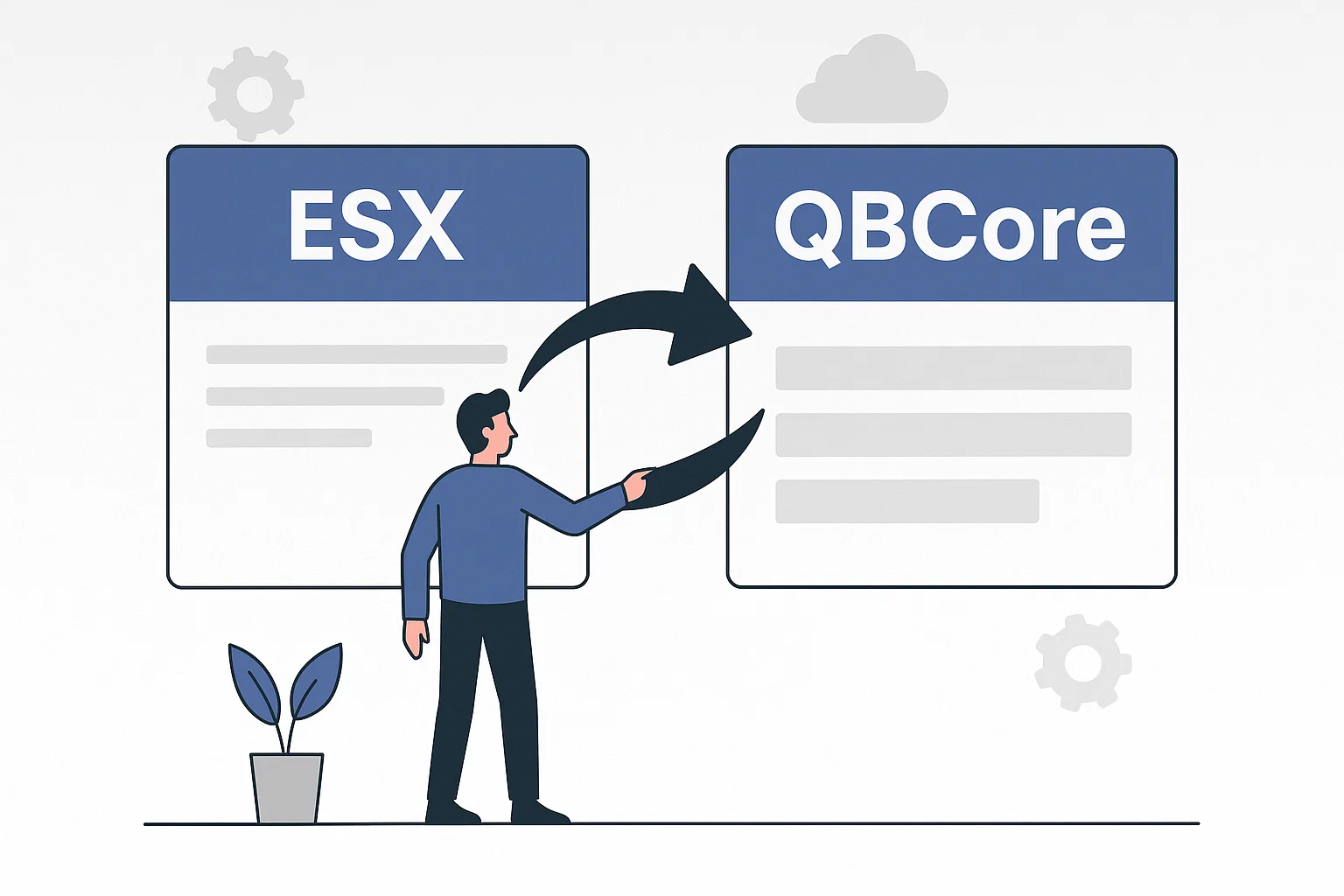
ESX vs QBCore Framework Comparison for FiveM

The FiveM inventory script choice in 2026 matters because the inventory is the single resource that touches nearly every other script on the server. Jobs call inventory exports to give and take items. Shops use it for every transaction. Drug systems, crafting, housing stashes, vehicle trunks, and key systems all interface with inventory through metadata and exports — there is no isolated way to use one. A poorly optimized inventory adds milliseconds to every player interaction, and at 100 players a 0.40 ms gap compounds into 40 ms of extra server tick time per cycle. Switching inventory scripts later is also expensive: every dependent resource needs its export calls rewritten, every custom item needs to be redefined, and every player stash and vehicle trunk has to be migrated. The right choice up front avoids weeks of rewrites later, which is why ox_inventory has become the de facto default.

Key takeaways:

  • A FiveM inventory script touches every job, shop, drug, housing, and vehicle script on the server.
  • A FiveM inventory script's resmon impact compounds with player count and tick frequency.
  • A FiveM inventory script switch later requires rewriting export calls in dozens of resources.
  • ox_inventory is the de facto FiveM inventory default in 2026 because it runs on QBCore, ESX, and QBOX.
  • The FiveM inventory choice up front is one of the highest-leverage decisions a server owner makes.

What are the major FiveM inventory scripts compared in 2026?

The major FiveM inventory scripts in 2026 are ox_inventory, qs-inventory, qb-inventory, and codem-inventory, and the comparison breaks down on price, framework support, and feature depth. ox_inventory is free, framework-agnostic across QBCore, ESX, and QBOX through its bridge, and benchmarks at 0.08 ms idle and 0.35 ms during active trading on a 64-player server. qs-inventory costs around 35 to 50 USD, runs on QBCore and ESX, ships with built-in crafting and the most polished UI of the four, and benchmarks at 0.15 ms idle. qb-inventory is the free default that ships with QBCore, runs only on QBCore, and benchmarks at 0.22 ms idle with limited metadata support. codem-inventory costs around 30 USD, runs on QBCore and ESX, and adds weapon-wheel and clothing-system integration. ox_inventory is the right starting point for almost every new server in 2026.

Key takeaways:

  • ox_inventory is free, runs on QBCore, ESX, and QBOX, and benchmarks at 0.08 ms idle.
  • qs-inventory is paid, runs on QBCore and ESX, and ships with built-in crafting and the best UI.
  • qb-inventory is the legacy QBCore default and is now outperformed by ox_inventory on every metric.
  • codem-inventory is a mid-priced QBCore and ESX option with weapon-wheel and clothing integration.
  • The ox_inventory bridge to QBOX makes it the safest 2026 choice for servers that may switch frameworks.

ox_inventory

Framework: Universal (ESX, QBCore, QBOX via ox_core)
Price: Free (open source)
Developer: Overextended

ox_inventory has become the de facto standard for modern FiveM servers. It's part of the OX ecosystem and integrates effortlessly with ox_lib, ox_target, and QBOX. The full source code and documentation live at the ox_inventory GitHub repository.

Strengths:

  • Excellent performance (one of the lightest inventory scripts available)
  • Framework-agnostic via bridge system
  • Slot + weight hybrid system
  • Built-in weapon attachments, durability, and metadata
  • Active development with frequent updates
  • Strong community support and documentation
  • Container system (trunks, stashes, gloveboxes)

Weaknesses:

  • Requires ox_lib as dependency
  • Migration from older inventories requires data conversion
  • UI is functional but not the most visually polished

Best for: New servers starting fresh, servers migrating to QBOX, anyone who values performance and long-term support.

qs-inventory

Framework: QBCore, ESX
Price: Premium (paid, ~$35-50)
Developer: Quasar Store

qs-inventory is a paid alternative focused on visual design and UI polish. It is part of the broader Quasar Store ecosystem alongside qs-hud, qs-housing, and other Quasar resources.

Heads up: Quasar Store has a mixed reputation for post-sale support and stability on populated servers. See our review of Quasar Mods before committing to the ecosystem.

Strengths:

  • Beautiful, modern UI design
  • Drag-and-drop with smooth animations
  • Hotbar with keybinds
  • Crafting system built-in
  • Extensive configuration options
  • Active commercial support

Weaknesses:

  • Paid (higher upfront cost)
  • Slightly heavier on resources than ox_inventory
  • Vendor lock-in with Quasar ecosystem

Best for: Servers that prioritize visual polish and are willing to pay for premium support.

qb-inventory (Default QBCore)

Framework: QBCore
Price: Free (included with QBCore)
Developer: QBCore Framework

The default inventory that ships with QBCore. Functional and widely supported, but showing its age.

Strengths:

  • Zero setup (comes with QBCore)
  • Maximum compatibility with QBCore resources
  • Familiar UI for QBCore players
  • Large community with available support

Weaknesses:

  • Outdated UI design
  • Performance lags behind modern alternatives
  • Limited metadata support
  • Less feature-rich than dedicated inventory scripts

Best for: QBCore servers that want simplicity and maximum compatibility without extra setup.

Core Inventory (codem-inventory)

Framework: QBCore, ESX
Price: Premium (paid, ~$30)
Developer: Codem

Strengths:

  • Clean, modern interface
  • Weapon wheel integration
  • Clothing/outfit system built-in
  • Good performance profile

Weaknesses:

  • Paid
  • Smaller community than ox_inventory or qs-inventory

ESX Default Inventory

Framework: ESX
Price: Free
Developer: ESX Framework

The legacy weight-based inventory system. If you're running ESX and haven't upgraded, this is what you have.

Verdict: Replace it. The ESX weight inventory has known issues and is significantly outperformed by ox_inventory (which supports ESX natively). See the ESX Legacy guide for the full modernization path.

Comparison Table

Featureox_inventoryqs-inventoryqb-inventorycodem-inventory
PriceFree~$40Free~$30
ESX SupportYesYesNoYes
QBCore SupportYesYesYesYes
QBOX SupportNativeBridgeNoNo
Slot + WeightYesYesSlots onlyYes
Weapon AttachmentsYesYesBasicYes
Item MetadataFullFullLimitedFull
Crafting Built-inNoYesNoNo
Trunk/StashYesYesYesYes
PerformanceExcellentGoodAverageGood
UI QualityGoodExcellentDatedGood

Installation Guide: ox_inventory

ox_inventory is the most common choice for new servers, so here's a step-by-step installation overview:

  1. Install ox_lib first: ox_inventory depends on ox_lib. Ensure it's in your resources folder and started before ox_inventory in server.cfg.
  2. Download ox_inventory: Get the latest release from GitHub. Drop the folder into your resources directory.
  3. Run the SQL migration: The ox_inventory.sql file creates the necessary database tables. Import it into your server database before starting the resource.
  4. Configure your framework bridge: Open ox_inventory/data/server.lua and set your framework (esx, qb, or qbox). This activates the correct API bridge.
  5. Add to server.cfg: Add ensure ox_inventory after ox_lib and before any script that uses inventory functions.
  6. Migrate item definitions: If you have custom items in qb-inventory or ESX inventory, transfer them to ox_inventory/data/items.lua.
  7. Update dependent scripts: Any script that calls qb-inventory functions directly needs updating. Most major scripts already support ox_inventory natively.

Item Metadata: What It Is and Why It Matters

Item metadata is one of the most powerful features of modern inventory systems. Unlike basic inventories that treat every instance of an item as identical, metadata lets each item carry unique data.

Common metadata use cases in ox_inventory:

  • Weapons: Serial number, durability percentage, installed attachments (suppressor, flashlight, scope), ammo count per weapon instance
  • Documents: Player-written content stored inside a "paper" item -- ID cards, licenses, warrants
  • Food and drugs: Expiry dates, quality levels, or who produced a drug batch
  • Keys: Which vehicle or property the key unlocks, stored as metadata on the key item itself
  • Phone: The player's number, contacts, and messages attached to a phone item

Example metadata structure for a weapon in ox_inventory:

{
  "durability": 87.5,
  "serial": "VM-4829-XK",
  "attachments": ["suppressor", "flashlight"],
  "ammo": 24
}

Scripts access this via exports.ox_inventory:GetItemMetadata(). This enables scenarios impossible with older inventory systems -- a stolen gun that can be traced by serial number, a drug batch tracked to its manufacturer, or a house key that stops working when the owner changes the locks.

Performance Benchmarks

In practical testing on a 64-player server:Inventory ScriptAvg ms (idle)
Avg ms (active trading)Memory Usageox_inventory
0.08ms0.35msLow
qs-inventory0.15ms0.55ms
Mediumqb-inventory0.22ms
0.80msMediumESX default
0.45ms1.40msHigh

These figures compound with player count. At 100 players, an inventory running 0.40ms slower than ox_inventory costs 40ms of extra server tick time -- a significant degradation. Use resmon to measure your own server's numbers.

Integration Tips

Connecting Inventory to Housing Stashes

Both bcs-housing and qs-housing support ox_inventory stashes natively. When a player opens their home storage, the housing script calls exports.ox_inventory:openInventory() with a stash identifier. This stash persists across sessions automatically. See our housing guide for configuration details.

Connecting Inventory to Garage Vehicle Trunks

Vehicle trunk inventories in ox_inventory are tied to the vehicle's plate. When a player spawns their car, the garage script passes the plate to ox_inventory which loads that vehicle's stored items. This means trunk contents persist across garage deposits and withdrawals -- a major improvement over older per-session trunk systems. Details in our garage scripts guide.

Connecting Inventory to QBOX Scripts

On QBOX servers, ox_inventory is the native inventory. No bridge needed. QBOX's own functions like exports.qbx_core:GetPlayer() return player data that already references ox_inventory slots and items. This tight integration is one of QBOX's key advantages over older frameworks.

Setting Up ox_inventory: Step-by-Step Checklist

For servers choosing ox_inventory (the most common choice), here is a condensed checklist to avoid the most frequent setup mistakes:

  • Install ox_lib first: ox_inventory will fail to start without it. Confirm ox_lib shows no errors before proceeding.
  • Import the SQL file: ox_inventory.sql must be imported into your database. Missing this step causes inventory open to silently fail.
  • Set the framework in config: Open data/server.lua and set Config.Framework to 'esx', 'qb', or 'qbox' as appropriate. Wrong framework means player data won't load.
  • Migrate existing item definitions: Copy item names from your old inventory to data/items.lua. Items not defined here will not appear in-game even if they exist in the database.
  • Update shop scripts: Any script that adds items to a shop using old inventory exports needs updating. ox_inventory uses exports.ox_inventory:AddItem() rather than QBCore or ESX item APIs.
  • Test stashes and trunks: Open a vehicle trunk and a property stash in-game before going live. These are the most common failure points after migration.
  • Run with verbose logging initially: Set setr ox:printlevel 4 in server.cfg during testing to see all inventory events in the console. Reduce this level before opening to players.

Our Recommendation

For new servers: Start with ox_inventory. It's free, performant, framework-agnostic, and the direction the ecosystem is moving. If you later switch to QBOX, ox_inventory comes natively.

For existing QBCore servers: If qb-inventory works for your needs, keep it. If you want better features and UI, migrate to ox_inventory (free) or qs-inventory (paid, prettier).

For maximum visual polish: qs-inventory delivers the best looking UI out of the box.

Migration Tips

Switching inventory systems requires careful data migration. Player inventories, stash contents, trunk data -- it all needs to be converted.

  • Always backup your database before migrating
  • Test migration on a staging server first
  • Update all resources that interface with inventory (shops, jobs, drug systems)
  • Announce the change to players with downtime schedule
  • Run both inventories side-by-side in testing with a small group of trusted players before full rollout

For framework migrations that include inventory changes, see Converting FiveM Scripts Between Frameworks.

FAQ

Can I use ox_inventory with QBCore?

Yes. ox_inventory supports QBCore natively through its bridge system. Most QBCore resources work without modification.

Does the inventory affect server performance?

Significantly. The inventory script runs on every player interaction. A poorly optimized inventory adds milliseconds to every action, which compounds with player count. Use resmon to measure impact.

Should I use a free or paid inventory?

ox_inventory (free) outperforms most paid alternatives in features and performance. Pay for an inventory only if its specific features (UI design, built-in crafting) are worth the cost to you.


Can I add custom items to ox_inventory?

Yes. Items are defined in ox_inventory/data/items.lua. Each item has a name, label, weight, stack behavior, and optional custom use callback. You can also register item use callbacks from any other resource using exports.ox_inventory:registerHook().

Need more script recommendations? Browse our complete FiveM Scripts Guide or check our marketplace for premium inventory solutions.

Frequently Asked Questions

Can I use ox inventory with QBCore?

Yes. ox inventory supports QBCore natively through its bridge system. Most QBCore resources work without modification.

Does the inventory affect server performance?

Significantly. The inventory script runs on every player interaction. A poorly optimized inventory adds milliseconds to every action, which compounds with player count. Use resmon to measure impact.

Should I use a free or paid inventory?

ox inventory (free) outperforms most paid alternatives in features and performance. Pay for an inventory only if its specific features (UI design, built-in crafting) are worth the cost to you.
Previous Article

FiveM vs GTA Online: Which One Should You Play in 2026?

Next Article

Best QBOX Scripts 2026: Essential Resources for Your Server

More on This Topic

Best FiveM Phone Scripts 2026: Complete Comparison GuideBest FiveM Police Scripts 2026: Complete LEO Resource GuideBest FiveM Drug and Crime Scripts 2026: Complete GuideBest FiveM Housing Scripts 2026: Complete Property System GuideBest FiveM Scripts 2026: Tested Picks with Real Resmon Benchmarks

Turn framework research into a launch-ready script stack

Use this guide to narrow the framework decision, then move into the core commercial hubs for verified scripts, curated bundles, and a faster server launch path.

Framework hub

Browse QBCore-ready scripts

Move into the QBCore landing page to compare verified scripts, framework fit, and install-ready products built for modern FiveM servers.

Open QBCore hub

Framework hub

Review the ESX script path

Use the ESX landing page to compare framework-specific resources, launch guidance, and premium products that fit ESX-first servers.

Open ESX hub

Premium catalog

Browse premium FiveM scripts

Move from research into the main shop to compare real products, framework labels, screenshots, and production-ready quality signals.

Open premium shop

Launch faster

Compare curated bundles

Bundles shorten the path from planning to launch by grouping the highest-leverage scripts into a cleaner commercial starting point.

View bundles

Disclosure: Some links below are affiliate links to FiveMX products. We may earn a commission at no extra cost to you.

Premium Scripts You Might Like

Advanced Evidence System

Advanced Evidence System

$20.00
London Studios Smart Motorways

London Studios Smart Motorways

$30.00
TopX Kill Feed

TopX Kill Feed

$17.00
MRPD 2026 Los Santos (TStudio)

MRPD 2026 Los Santos (TStudio)

$40.00

Free Scripts You Might Like

Project X Prompt Sandy Bank Robbery Heist - QB | QBOX | ESX | Custom

Project X Prompt Sandy Bank Robbery Heist - QB | QBOX | ESX | Custom

294 downloads
Realistic Grapple Gun - Nodus Scripts

Realistic Grapple Gun - Nodus Scripts

202 downloads
OP Gangs 3.0 — Most Advanced Gang Script [ESX/QB/QBOX]

OP Gangs 3.0 — Most Advanced Gang Script [ESX/QB/QBOX]

161 downloads
[FREE][QBOX][QBCORE] Pawnshop Script + FREE MLO

[FREE][QBOX][QBCORE] Pawnshop Script + FREE MLO

157 downloads

Related Articles

Eliminate Annoying Delays: Optimize FiveM Server Loading ...

Eliminate Annoying Delays: Optimize FiveM Server Loading ...

Learn how to optimize FiveM server loading times by managing resources, using efficient mods, and choosing the right server host to eliminate annoying delays.

September 3, 2024
Best FiveM Garage and Vehicle Scripts 2026: Complete Guide

Best FiveM Garage and Vehicle Scripts 2026: Complete Guide

Vehicles are central to the FiveM experience. Players spend hours earning money to buy cars, customizing them at mechanic shops, and driving through Los Santos.

February 24, 2026
Best FiveM Job Scripts 2026: Essential Roleplay Careers

Best FiveM Job Scripts 2026: Essential Roleplay Careers

The best FiveM job scripts in 2026 are wasabi-police and qb-policejob for law enforcement, qs-ambulancejob and qb-ambulancejob for EMS, qb-mechanicjob and wasabi_mechanic for…

February 24, 2026
Secure CheckoutInstant AccessMoney-Back GuaranteeLifetime Updates
FiveMX

Premium FiveM scripts and mods for serious server owners.

Shop

  • Shop
  • QBCore Scripts
  • ESX Scripts
  • FiveM Scripts
  • Free Mods
  • Best Scripts & Mods

Help

  • About
  • FAQ
  • Support
  • Contact
  • Account
  • Affiliate Program

Legal

  • Privacy Policy
  • Terms of Service
  • Refund Policy
  • Cookie Policy
  • GDPR Compliance
  • DMCA
  • Imprint
  • Editorial Policy
© 2026 FiveMX. All rights reserved.·support@fivemx.com

FiveMX is not affiliated with Rockstar Games, Take-Two Interactive, or CFX.re. All trademarks are property of their respective owners.

Flash Sale — Up to 19% off!Flash Sale — 19% off!Shop Now