How to Reduce NPC Density in FiveM: Complete Guide
0.2 density
Safe RP baseline
A practical starting point for busy RP servers that still want some ambient traffic.
0.0-0.1 density
High-population fallback
Useful once player activity is high enough that AI traffic mostly causes desync and clutter.
Per frame
Update cadence
These natives must run every frame, otherwise GTA V starts repopulating the world immediately.
Grand Theft Auto V was designed as a single-player game populated by thousands of AI-controlled pedestrians and vehicles.
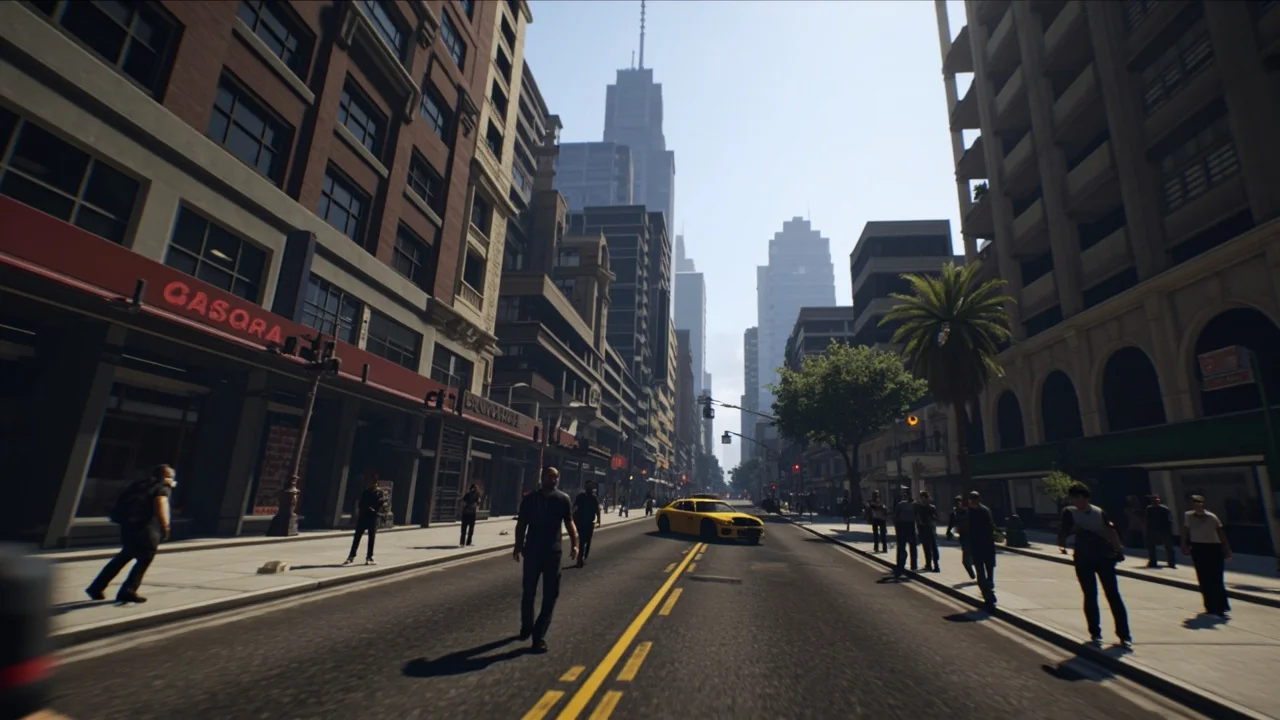
Grand Theft Auto V was designed as a single-player game populated by thousands of AI-controlled pedestrians and vehicles. While this creates a vibrant, living world in story mode, it can cause severe performance and synchronization issues in a multiplayer FiveM environment.
Whether you are running a 100+ player roleplay server or a high-speed racing server, learning how to reduce or completely eliminate NPC density is a important step in optimizing your FiveM server performance.
Why Should You Reduce NPC Density?

Before diving into the code, you should understand why almost every major server alters the default AI density.
Server and Client Performance
Every NPC (Non-Player Character) requires CPU power to calculate pathfinding, AI behavior, and physics. When you multiply this by 50+ players scattered across Los Santos, the server and the players' clients struggle to keep up. Reducing NPC density is one of the fastest ways to boost FPS in FiveM.
Desync and "Ghost Cars"
If you have ever driven down the highway at 150mph and crashed into an invisible car, you have experienced desync. High NPC vehicle density overwhelms the network state, meaning player A sees a car that player B does not. Less AI means less data to synchronize.
Roleplay Immersion
In serious RP environments powered by FiveM Frameworks, players are relied upon to populate the world. Having random AI walk into active hostage negotiations or AI cars ramming into pulled-over vehicles breaks immersion instantly.
The Solution: Lua Native Functions
To control NPC density, we use specific native functions provided by Cfx.re. Because these functions must run every single game frame to override the base game's engine, they are placed inside a client-side Citizen.CreateThread loop.
The Core Density Functions
There are five primary natives you need to know:
SetVehicleDensityMultiplierThisFrame(multiplier)- Controls moving traffic.SetPedDensityMultiplierThisFrame(multiplier)- Controls walking pedestrians.SetRandomVehicleDensityMultiplierThisFrame(multiplier)- Controls parked/random cars.SetParkedVehicleDensityMultiplierThisFrame(multiplier)- Controls static parked cars in lots.SetScenarioPedDensityMultiplierThisFrame(multiplier, multiplier)- Controls NPCs doing activities (smoking, drinking coffee, sitting).
The multiplier is a float value between 0.0 (completely disabled) and 1.0 (default GTA V density).
How to Create the Density Control Script
We will create a lightweight, standalone resource to handle this so it does not interfere with your other scripts.
Step 1: Create the Folder Structure
- Navigate to your server's
resourcesfolder. - Create a new folder named
traffic_control. - Inside
traffic_control, create two files:fxmanifest.luaandclient.lua.
Step 2: Configure the fxmanifest.lua
Open fxmanifest.lua and define the resource. This tells FiveM to load your client script.
fx_version 'cerulean'
game 'gta5'
author 'FiveMX'
description 'Controls NPC and Traffic Density'
version '1.0.0'
client_script 'client.lua'
Step 3: Write the Client Script (client.lua)
Open client.lua and insert the following code. This example reduces all traffic and pedestrians to 20% of their normal volume, which is the "sweet spot" for active RP servers.
-- Set the desired density multiplier (0.0 to 1.0)
local densityMultiplier = 0.2
Citizen.CreateThread(function()
while true do
Citizen.Wait(0) -- Must run every frame
-- Apply the multipliers
SetVehicleDensityMultiplierThisFrame(densityMultiplier)
SetPedDensityMultiplierThisFrame(densityMultiplier)
SetRandomVehicleDensityMultiplierThisFrame(densityMultiplier)
SetParkedVehicleDensityMultiplierThisFrame(densityMultiplier)
SetScenarioPedDensityMultiplierThisFrame(densityMultiplier, densityMultiplier)
-- Optional: Disable AI emergency services
-- This prevents AI cops/medics from responding to player crimes
local playerPed = GetPlayerPed(-1)
local pos = GetEntityCoords(playerPed)
ClearAreaOfCops(pos.x, pos.y, pos.z, 400.0)
end
end)
Complete Eradication (Zero NPCs)
If you are running a drift server or a pure PvP arena, you likely want zero AI. Simply change local densityMultiplier = 0.2 to 0.0.
You may also want to add garbage cleanup to remove broken AI vehicles:
-- Add inside the while loop if multiplier is 0.0
SetGarbageTrucks(false)
SetRandomBoats(false)
Advanced Tip: Dynamic Density
Running a zero-wait thread (Citizen.Wait(0)) is standard for these frame-based natives, but if you want to optimize even further, you can adjust the density based on the current player count.
Many advanced servers use server-side callbacks to check how many players are online:
- 0–30 Players:
0.8Density (Make the city feel alive when it's quiet). - 30–80 Players:
0.4Density (Balance performance). - 80+ Players:
0.0Density (Players populate the city entirely, max performance).
Recommended Density Presets by Server Type
The biggest mistake is treating every server the same. A whitelisted city with 90 active civilians should not use the same density profile as a casual public freeroam server.
| Server type | Vehicle density | Ped density | Scenario peds | Why |
|---|---|---|---|---|
| Serious RP / city economy | 0.1-0.2 | 0.1-0.2 | 0.0-0.1 | Leaves roads readable while preventing ghost cars and random AI interruptions. |
| Public RP / mixed server | 0.2-0.4 | 0.2-0.4 | 0.1-0.2 | Keeps the city from feeling empty when player count fluctuates. |
| Drift / racing | 0.0-0.1 | 0.0 | 0.0 | Maximum road clarity and fewer collisions at speed. |
| PvP / arena / event server | 0.0 | 0.0 | 0.0 | Removes all unnecessary AI noise and improves consistency. |
| Development / testing | 0.3-0.5 | 0.3-0.5 | 0.2 | Lets you test pathing and visuals without full story-mode density. |
If you are unsure, start at 0.2 across the board, run a test event with 15-20 players, and profile the server before going lower.
Example: Dynamic Density by Player Count
This pattern keeps quiet hours immersive without punishing peak-time performance:
local function getDensityForPlayerCount(playerCount)
if playerCount >= 80 then
return 0.0
end
if playerCount >= 40 then
return 0.2
end
return 0.5
end
Citizen.CreateThread(function()
while true do
Citizen.Wait(5000)
LocalPlayer.state.trafficDensity = getDensityForPlayerCount(#GetActivePlayers())
end
end)
Citizen.CreateThread(function()
while true do
Citizen.Wait(0)
local densityMultiplier = LocalPlayer.state.trafficDensity or 0.2
SetVehicleDensityMultiplierThisFrame(densityMultiplier)
SetPedDensityMultiplierThisFrame(densityMultiplier)
SetRandomVehicleDensityMultiplierThisFrame(densityMultiplier)
SetParkedVehicleDensityMultiplierThisFrame(densityMultiplier)
SetScenarioPedDensityMultiplierThisFrame(densityMultiplier, densityMultiplier)
end
end)
The exact threshold values are less important than the operating principle: more players in the city means ambient AI should get out of the way.
Common Problems and Fixes
If density changes look inconsistent, the issue is usually not FiveM itself but resource interaction:
- Traffic returns after a few seconds: Another resource is likely calling the same natives with a higher value. Search your resource folder for
SetVehicleDensityMultiplierThisFrame. - Only some NPCs disappear: Scenario peds or parked vehicles are still enabled, so the world feels half-cleaned. Lower all five density groups together first, then fine-tune.
- Police keep spawning anyway: Ambient density and emergency-service cleanup are separate concerns. Use
ClearAreaOfCopsor disable wanted-level systems if needed. - World feels too empty at low population: Raise only peds and parked cars slightly before reintroducing moving traffic.
Integration with Other Resources
Ensure that your new traffic_control script is added to your server.cfg:
ensure traffic_control
If you are using reliable frameworks like QBCore or ESX, ensure this script starts after the framework to prevent base resources from overriding your native calls.
Validation Checklist Before You Ship It
Before pushing density changes to production, verify these four points:
- Resmon stays stable with the script running in a busy area for several minutes.
- Two players in the same district see the same road state instead of different ghost vehicles.
- Mission-critical resources like police jobs, delivery scripts, or custom traffic scripts still behave as expected.
- Your city does not feel unnaturally dead during low-population hours.
That last point matters. Performance wins are real, but the right target is not "zero NPCs everywhere forever." The right target is "enough ambient life to support immersion, but not enough to waste sync budget."
Conclusion
Reducing NPC density is the simplest, most effective modification you can make to improve server stability and hit registration. Whether dialing it down for performance or turning it off completely for competitive gameplay, a few lines of Lua code will drastically improve the player experience.
Looking to optimize further? Check out our guides on migrating data properly from MySQL Async to OxMySQL or explore high-performance FiveM Scripts built with optimization in mind.
Frequently Asked Questions
How to Create the Density Control Script?
We will create a lightweight, standalone resource to handle this so it does not interfere with your other scripts. 1. Navigate to your server's resources folder. 2. Create a new folder named traffic_control.
What is Reduce NPC Density in FiveM?
Grand Theft Auto V was designed as a single-player game populated by thousands of AI-controlled pedestrians and vehicles. While this creates a vibrant, living world in story mode, it can cause severe performance and synchronization issues in a multiplayer FiveM environment.
What density value should I start with on a roleplay server?
For most roleplay servers, 0.2 is the safest first test because it removes most unnecessary traffic while keeping enough ambient life for quieter districts. From there, move lower only if you still see desync or unnecessary CPU load.
Can reducing NPC density break ESX or QBCore resources?
No, not by itself. Density control only changes ambient world population. Problems usually come from start order conflicts or another resource overwriting the same native calls each frame.