Home
Shop
Free Mods
Tools
Bundles
Full Servers
  1. Home
  2. Blog
  3. Troubleshooting

FiveM Troubleshooting: Complete Error & Fix Guide

Published on February 24, 2026·by Lars Miller(Founder & Lead Editor)·Credentials·8 min read
Troubleshootingfivem troubleshooting error fix

FiveM is a powerful platform, but with power comes complexity. Whether you're a player dealing with crashes and connection issues, or a server owner hunting down performance…

FiveM Troubleshooting: Complete Error & Fix Guide

FiveM is a powerful platform, but with power comes complexity. Whether you're a player dealing with crashes and connection issues, or a server owner hunting down performance problems, this guide is your central hub for diagnosing and fixing every common FiveM issue. For official guidance, consult the FiveM client manual and server manual.

We've organized this guide by symptom: find your problem, follow the diagnosis steps, and apply the fix. Every section links to our detailed deep-dive guides where available.

Client-Side Issues (Players)
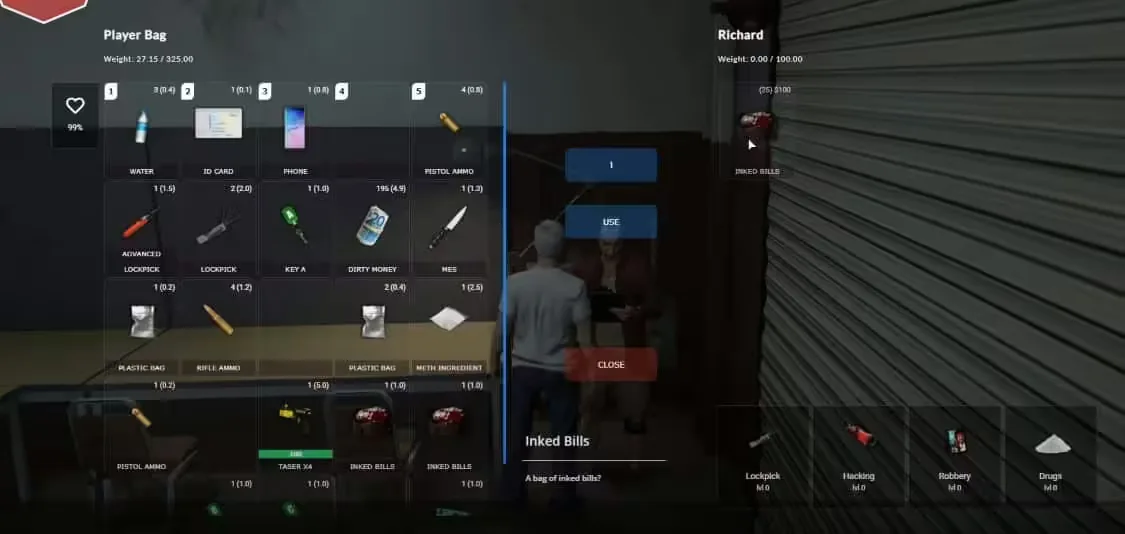
FiveM Error Troubleshooting and Common Fixes

FiveM Won't Launch or Find Game Files

The most common barrier to playing FiveM is the launcher failing to locate your GTA V installation. This typically happens when GTA V was installed through a non-standard path, when the Rockstar Games Launcher has been updated, or when Steam/Epic moved the game directory.

Quick fixes:

  • Verify your GTA V installation through Steam/Epic/Rockstar Launcher
  • Run FiveM as administrator
  • Check that GTA V launches correctly in single-player first
  • Reinstall FiveM to the default directory (avoid Program Files)

For the complete walkthrough with screenshots, see our FiveM Could Not Find Game Executable fix guide.

Crashes and Freezes

FiveM crashes fall into three categories: startup crashes (before you see anything), loading crashes (during server connection), and in-game crashes (while playing). Each has different causes and solutions.

Startup crashes are almost always caused by corrupted cache, outdated FiveM builds, or antivirus interference. Loading crashes usually point to incompatible server resources or insufficient RAM. In-game crashes are typically triggered by specific scripts, memory leaks, or GPU driver issues.

First steps for any crash:

  1. Clear your FiveM cache (this fixes 60% of crash issues)
  2. Update FiveM to the latest build
  3. Update your GPU drivers
  4. Disable any overlays (Discord, GeForce Experience, MSI Afterburner)

Our complete FiveM Crash Help guide covers every crash scenario with specific solutions.

Infinite Loading Screen

Getting stuck on the loading screen is one of the most frustrating FiveM issues. The causes range from slow internet connections and overloaded servers to corrupted client cache and DNS issues.

The fix sequence:

  1. Wait at least 5 minutes (some servers genuinely take this long)
  2. Clear FiveM cache and try again
  3. Switch DNS to 1.1.1.1 or 8.8.8.8
  4. Try a different server to isolate the problem
  5. Check if the server is actually online via the server list

Full diagnosis flowchart in our Infinite Loading Screen fix guide.

Connection Failed Errors

Connection failures can show various error codes, each pointing to a different root cause. The most common are timeout errors (server unreachable), authentication errors (Cfx.re account issues), and version mismatches.

Our Connection Failed diagnostic guide covers every error code with targeted solutions.

Performance Issues (Low FPS, Stuttering)

If FiveM runs but performs poorly, the issue is either your hardware configuration, your FiveM settings, or the server you're playing on.

Client-side optimization:

  • Optimize your FiveM settings for maximum FPS
  • Enable FPS counter and monitor your performance
  • Check if you need a GPU upgrade for FiveM
  • Reduce NPC density if the server allows it

Texture Loss and Visual Glitches

Texture loss (buildings turning into low-poly blobs, vehicles losing detail) is a memory management issue. FiveM streams assets dynamically, and when VRAM runs out, textures degrade.

Complete fix guide: How to Fix Texture Loss in FiveM.

Server-Side Issues (Server Owners)

FXServer Not Responding

When your server stops responding to connections but the process is still running, you're dealing with either a deadlocked script, database connection timeout, or network issue.

Diagnosis steps:

  1. Check txAdmin dashboard for resource errors
  2. Review server console for error messages
  3. Check if the database (MySQL/MariaDB) is responsive
  4. Monitor CPU and RAM usage on your host

Detailed guide: FXServer Not Responding fix.

Server Thread Hitch Warnings

Thread hitch warnings in the server console indicate that a script or system call is blocking the main thread for too long. This causes lag for all connected players.

Common causes:

  • Unoptimized database queries (synchronous calls blocking the thread)
  • Heavy loops in server-side scripts without proper yielding
  • Resource-intensive operations running on the main thread
  • Too many resources loaded simultaneously

Fix guide: Server Thread Hitch Warning fix. Also see our FiveM Server Optimization Playbook for preventing these issues.

Reading and Understanding Error Logs

Effective troubleshooting starts with knowing where to look. FiveM generates logs in multiple locations, and txAdmin provides a centralized view.

Where to find logs:

  • txAdmin web panel (Live Console tab)
  • Server console output (stdout)
  • Resource-specific log files
  • Client F8 console (for client-side script errors)

Learn to read them effectively: How to Check txAdmin Logs for Errors. For a deeper dive into debugging methodology, see How to Debug Your FiveM Server.

Script-Specific Errors

Individual scripts can cause a wide range of issues. Here are fixes for common script problems:

Script/ErrorFix Guide
SaltyChat channel switching issuesSaltyChat Fix
CrewPhone impossible hash errorCrewPhone Fix
ESX weight inventory bugsESX Inventory Fix
Invisible wall collision bugsInvisible Wall Fix
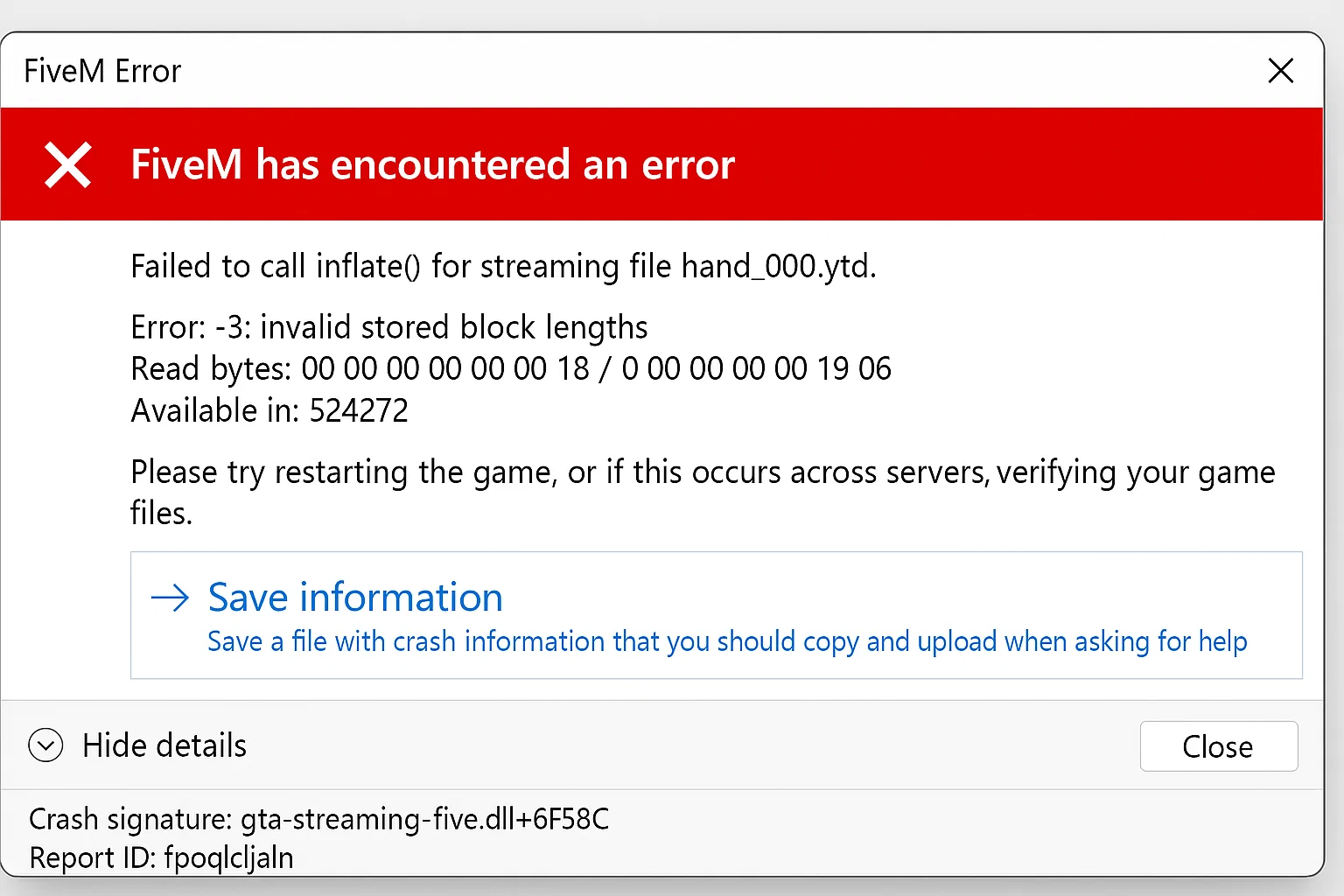
Failed to inflate errorInflate Error Fix
Loading screen bridge elementBridge Element Fix

Performance Optimization

Server performance issues are rarely caused by a single problem. They're the accumulated effect of dozens of small inefficiencies: unoptimized scripts, unnecessary database queries, redundant resource loops, and poor memory management.

Performance resources:

  • FiveM Server Optimization: The 2026 Playbook (comprehensive guide)
  • How to Optimize FiveM Server Performance
  • Boosting Performance: Optimize Scripts
  • How To Speed Up Your FiveM Server
  • How to Use Resmon to Optimize Resources
  • Optimize Server Loading Times

Database Issues

Most FiveM servers rely on MySQL or MariaDB for persistent data storage. Database issues manifest as slow queries, connection timeouts, data loss, or complete server crashes.

Common database problems:

  • Connection pool exhaustion: Too many simultaneous queries. Fix by switching to oxmysql which handles connection pooling properly. See the oxmysql documentation for migration steps.
  • Slow queries: Missing indexes, unoptimized SELECT statements, or table scans on large tables. Use EXPLAIN to diagnose.
  • Identifier mismatches: After migrating frameworks, player identifiers might not match. See our SQL Identifiers Migration guide.
  • Data corruption: Always maintain automated backups. See How to Backup Your FiveM Server.

Network and Security Issues

DDoS Attacks

DDoS attacks can take your server offline and frustrate your community. However, many perceived "DDoS attacks" are actually script errors or configuration issues causing disconnections.

Complete protection guide: How to Protect Your FiveM Server from DDoS. For advanced network protection, see How to Use Cloudflare for FiveM.

Ban Issues

Getting banned from FiveM or specific servers has different causes and resolution paths. Server bans are managed by server administrators, while global bans come from Cfx.re.

Understand why bans happen: Why Players Get Banned on FiveM. For the technical reality of ban evasion: Bypass FiveM Ban: Possible or Not?

Troubleshooting Decision Tree

SymptomMost Likely Cause
First ActionFiveM won't start
GTA V not foundGame executable guide
Crash on startupCorrupted cache
Clear cacheStuck on loading screen
Cache or DNSLoading screen fix
Connection failedServer or network
Connection diagnosticLow FPS
Settings or hardwareOptimize settings
Texture lossVRAM exhaustion
Texture fix guideServer not responding
Script deadlockFXServer fix
Server lag/hitchesScript performance
Optimization playbookPlayers can't connect
Server configurationCheck server.cfg

Prevention: Best Practices

The best troubleshooting is prevention. Follow these practices to minimize issues:

For Players

  • Keep FiveM updated to the latest version
  • Clear your cache monthly or whenever issues appear
  • Use the recommended FiveM settings for your hardware
  • Don't install client-side mods unless the server explicitly allows them

For Server Owners

  • Monitor performance with resmon regularly
  • Keep server artifacts updated
  • Set up txAdmin with Discord for remote monitoring
  • Maintain automated backups
  • Test new scripts on a staging server before deploying to production
  • Use txAdmin logs proactively, not just when things break

Related Guides

  • ox_lib Complete Guide
  • Best Inventory Scripts
  • ESX Legacy Guide
  • Best QBOX Scripts
  • QBCore to QBOX Migration
  • Framework Comparison

FAQ

Why does FiveM crash when I join a specific server?

Server-specific crashes are caused by that server's resources, not your FiveM installation. Try clearing your cache first, but if the crash persists only on that server, the issue is server-side. Report it to the server's staff team.

How do I fix FiveM after a GTA V update?

After GTA V updates, FiveM needs time to release a compatible build. Check the Cfx.re forums for announcements. Usually, updating FiveM to the latest build resolves compatibility issues within 24-48 hours.

My server has random lag spikes. How do I find the cause?

Use the resmon command (type resmon 1 in server console) to see which resources consume the most CPU time. The top offenders are usually your lag source. See our optimization playbook for systematic profiling.


Is it safe to delete the FiveM cache folder?

Yes, completely safe. FiveM rebuilds the cache automatically when you connect to a server. Clearing the cache is the single most effective fix for client-side issues. See our cache clearing guide for the correct procedure.

Why do I get kicked for "unreliable network"?

This error indicates packet loss between your computer and the server. Check your internet connection, try a wired connection instead of WiFi, and make sure no other applications are consuming bandwidth. If the issue persists, the server might be experiencing network problems on their end.

Need help with a specific issue not covered here? Browse our marketplace for server optimization tools or check the individual troubleshooting guides linked throughout this page.

Frequently Asked Questions

Why does FiveM crash when I join a specific server?

Server-specific crashes are caused by that server's resources, not your FiveM installation. Try clearing your cache first, but if the crash persists only on that server, the issue is server-side. Report it to the server's staff team.

How do I fix FiveM after a GTA V update?

After GTA V updates, FiveM needs time to release a compatible build. Check the Cfx.re forums for announcements. Usually, updating FiveM to the latest build resolves compatibility issues within 24-48 hours.

My server has random lag spikes. How do I find the cause?

Use the resmon command (type resmon 1 in server console) to see which resources consume the most CPU time. The top offenders are usually your lag source. See our optimization playbook for systematic profiling.

Previous Article

FiveM Content Creation: The Complete Guide for Developers & Creators

Next Article

FiveM vs GTA Online: Which One Should You Play in 2026?

More on This Topic

Troubleshooting: 'FXServer is Not Responding' Error (How to Fix)FiveM Admin Scripts Troubleshooting FAQ: 12 Common Issues FixedFiveM Drug Scripts Troubleshooting FAQ: 12 Common Issues FixedFiveM Economy Scripts Troubleshooting FAQ: 12 Common Issues FixedFiveM Housing Scripts Troubleshooting FAQ: 12 Common Issues Fixed

Turn framework research into a launch-ready script stack

Use this guide to narrow the framework decision, then move into the core commercial hubs for verified scripts, curated bundles, and a faster server launch path.

Framework hub

Browse QBCore-ready scripts

Move into the QBCore landing page to compare verified scripts, framework fit, and install-ready products built for modern FiveM servers.

Open QBCore hub

Framework hub

Review the ESX script path

Use the ESX landing page to compare framework-specific resources, launch guidance, and premium products that fit ESX-first servers.

Open ESX hub

Premium catalog

Browse premium FiveM scripts

Move from research into the main shop to compare real products, framework labels, screenshots, and production-ready quality signals.

Open premium shop

Launch faster

Compare curated bundles

Bundles shorten the path from planning to launch by grouping the highest-leverage scripts into a cleaner commercial starting point.

View bundles

Disclosure: Some links below are affiliate links to FiveMX products. We may earn a commission at no extra cost to you.

Premium Scripts You Might Like

Discord2Fivepy

Discord2Fivepy

$16.99
FiveM Weed System (V4)

FiveM Weed System (V4)

$28.99
Dusa Driving School

Dusa Driving School

$31.00
QBCore Framework Server (QB v4)

QBCore Framework Server (QB v4)

$144.99

Free Scripts You Might Like

Project X Prompt Sandy Bank Robbery Heist - QB | QBOX | ESX | Custom

Project X Prompt Sandy Bank Robbery Heist - QB | QBOX | ESX | Custom

294 downloads
Realistic Grapple Gun - Nodus Scripts

Realistic Grapple Gun - Nodus Scripts

202 downloads
OP Gangs 3.0 — Most Advanced Gang Script [ESX/QB/QBOX]

OP Gangs 3.0 — Most Advanced Gang Script [ESX/QB/QBOX]

161 downloads
[FREE][QBOX][QBCORE] Pawnshop Script + FREE MLO

[FREE][QBOX][QBCORE] Pawnshop Script + FREE MLO

157 downloads

Related Articles

Eliminate Annoying Delays: Optimize FiveM Server Loading ...

Eliminate Annoying Delays: Optimize FiveM Server Loading ...

Learn how to optimize FiveM server loading times by managing resources, using efficient mods, and choosing the right server host to eliminate annoying delays.

September 3, 2024
Best FiveM Server Hosting 2025: Performance Guide

Best FiveM Server Hosting 2025: Performance Guide

Ready to get your FiveM server running like a champ? Dive into our 2025 comparison to find the perfect host that balances unbeatable uptime, lightning‑fast performance, and pocket‑friendly pricing, al

March 24, 2025
FiveM Invisible Walls Bug: How to Fix It

FiveM Invisible Walls Bug: How to Fix It

Struggling with invisible walls and texture glitches in FiveM? Quick fixes—boost your extended texture budget, clear the cache, or reinstall—to restore smooth, lag‑free gameplay.

February 5, 2024
Secure CheckoutInstant AccessMoney-Back GuaranteeLifetime Updates
FiveMX

Premium FiveM scripts and mods for serious server owners.

Shop

  • Shop
  • QBCore Scripts
  • ESX Scripts
  • FiveM Scripts
  • Free Mods
  • Best Scripts & Mods

Help

  • About
  • FAQ
  • Support
  • Contact
  • Account
  • Affiliate Program

Legal

  • Privacy Policy
  • Terms of Service
  • Refund Policy
  • Cookie Policy
  • GDPR Compliance
  • DMCA
  • Imprint
  • Editorial Policy
© 2026 FiveMX. All rights reserved.·support@fivemx.com

FiveMX is not affiliated with Rockstar Games, Take-Two Interactive, or CFX.re. All trademarks are property of their respective owners.

Flash Sale — Up to 19% off!Flash Sale — 19% off!Shop Now