Home
Shop
Free Mods
Tools
Bundles
Full Servers
  1. Home
  2. Blog
  3. Development

QBOX Framework - Complete Guide

Published on September 5, 2025·by Lars Miller(Founder & Lead Editor)·Credentials·6 min read·Updated on December 24, 2025
Development

Overextended (Ox) is the modern baseline for FiveM servers. This guide shows you how to install, configure, and safely migrate to ox_inventory, ox_lib...

QBOX Framework - Complete Guide

Overextended (Ox) is the modern baseline for FiveM servers. This guide shows you how to install, configure, and safely migrate to ox_inventory, ox_lib, ox_target, and oxmysql. You’ll get copy‑pasteable code, opinionated defaults, and battle‑tested patterns for UI, interactions, and data. Includes playbooks for qb-inventory → ox_inventory and mysql-async → oxmysql. Back up your server and database before any change.


TL;DR: Which Ox component for what?

ComponentPurposeCore APIsTypical UseMigration PathCommon Gotchas
ox_inventoryInventory & items, stashes, shopsAddItem, RemoveItem, RegisterStash, RegisterShopPlayer items, job stashes, vendor shopsqb-inventory → ox_inventoryWrong item schema, duplicate invs running, missing ensure order
ox_libUtilities, UI, helpersaddCommand, registerContext/showContext, inputDialog, progressBar, zones/pointsMenus, prompts, rate‑limits, zone logicN/AMixing UI libs, not awaiting callbacks
ox_targetInteraction targetingaddBoxZone, addSphereZone, addEntity, addModelEye targets on props/peds/zonesqtarget → ox_target (optional)Overlapping zones, missing job conditions
oxmysqlMySQL driverquery, single, scalar, insert, prepare, transactionDB persistence, leaderboards, auditsmysql-async → oxmysqlUnindexed queries, unsafe string concat

Tip: Start with oxmysql and ox_lib, then migrate inventory and target. Validate each step on a staging server.

Related: /frameworks/ · /framework-conversion/

Get QBox Scripts here


Prerequisites & Baseline

  • Recent server artifact, txAdmin, and a framework (QBCore or ESX).
  • Node.js is not required for Ox, but your NUI stack (if any) might use it.
  • Resource start order: oxmysql → ox_lib → ox_inventory → the rest. Put ox_target early among UI/interact libs.
  • Checklist:
    • Firewall allows DB traffic; DB user has least privileges.
    • Set production vs dev convars; enable slow query warnings in staging.
    • Backups for DB and resource configs.

Related: /how-to-install-qbcore/ · /how-to-customize-qbcore-scripts/ · /mod-category/qbcore-scripts/


Install & Configure: ox_inventory

Install

Add the resource and ensure it after ox_lib.

-- resources//ox_inventory/fxmanifest.lua (snippet)
fx_version 'cerulean'
game 'gta5'

lua54 'yes'
shared_scripts {
  '@ox_lib/init.lua',
  'config.lua'
}
client_scripts { 'client/*.lua' }
server_scripts { '@oxmysql/lib/MySQL.lua', 'server/*.lua' }

server.cfg:

ensure oxmysql
ensure ox_lib
ensure ox_inventory

Core config

Define items (weight, stack, metadata). Typical path: ox_inventory/data/items.lua.

return {
  water = {
    label = 'Water Bottle',
    weight = 200,
    stack = true,
    close = true,
    description = 'Stay hydrated.'
  },
  sandwich = { label = 'Sandwich', weight = 300, stack = true }
}

Register a stash and a shop on server start:

-- server/stash_shop.lua
CreateThread(function()
  exports.ox_inventory:RegisterStash('pd_evidence', 'Police Evidence', 100, 100000, false, {police = 2})

  exports.ox_inventory:RegisterShop('corner_store', {
    name = '24/7 Market',
    inventory = {
      { name = 'water', price = 8 },
      { name = 'sandwich', price = 12 }
    }
  })
end)

UI basics

  • Drag & drop, split, stack; configurable hotkeys.
  • Use metadata for serials, qualities, expiry.

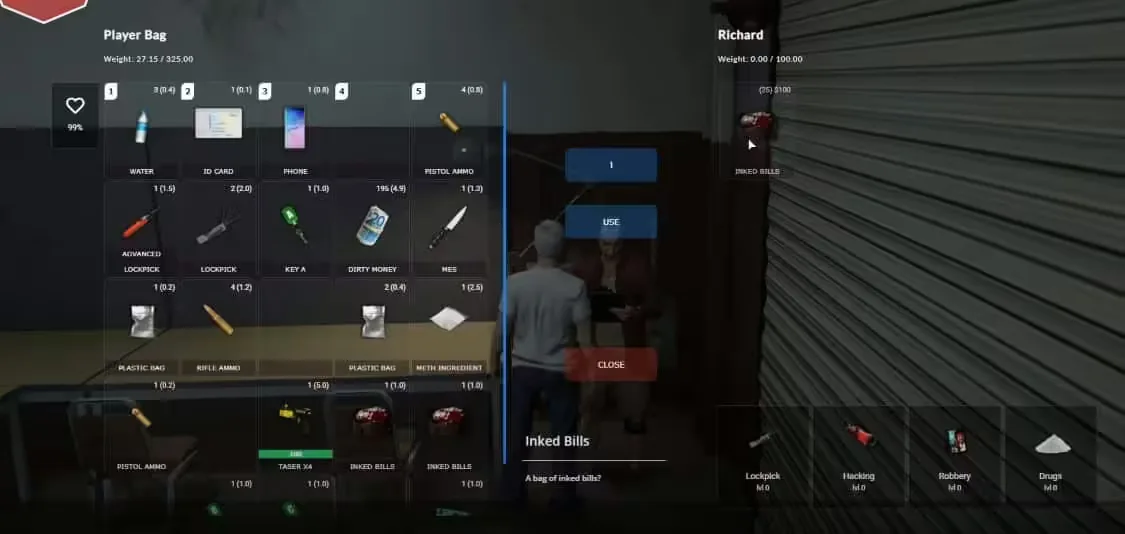
ox_inventory — shop & stash

Quick test

Give yourself an item and open inventory:

-- server/debug.lua
RegisterCommand('giveme', function(src)
  exports.ox_inventory:AddItem(src, 'water', 1)
end, true)

Common mistakes

Warning: Do not run two inventories at once. Fully disable qb-inventory before enabling ox_inventory.

Tip: Match item names exactly across jobs/crafting and inventory data.

Related: /shop/ · /mod-category/qbcore-scripts/


Install & Configure: ox_lib

Essentials

Core helpers you’ll use everywhere:

-- Commands
lib.addCommand('healme', {
  help = 'Heal yourself (admin only).',
  restricted = 'group.admin'
}, function(src)
  TriggerClientEvent('fivemx:heal', src)
end)

-- Context menus
lib.registerContext({
  id = 'shop_menu',
  title = '24/7 Market',
  options = {
    { title = 'Buy Water ($8)', event = 'fivemx:buy', args = { item = 'water', price = 8 } },
    { title = 'Buy Sandwich ($12)', event = 'fivemx:buy', args = { item = 'sandwich', price = 12 } }
  }
})
-- later
lib.showContext('shop_menu')

Mini cookbook

  • Input dialog & progress with awaitable flow:
-- client
local input = lib.inputDialog('Craft Coffee', {
  { type = 'number', label = 'Beans (g)', default = 18, min = 1, max = 60 }
})
if input then
  local ok = lib.progressBar({ duration = 3500, label = 'Brewing…', useWhileDead = false, canCancel = true })
  if ok then TriggerServerEvent('fivemx:craft:coffee', input[1]) end
end

  • Callbacks (server validates, client awaits):
-- server
lib.callback.register('fivemx:buyItem', function(src, item, price)
  -- validate job/coords/etc. then charge + grant
  -- return true/false and message
  return exports.ox_inventory:AddItem(src, item, 1)
end)

-- client
local success = lib.callback.await('fivemx:buyItem', false, 'water', 8)

Related: /frameworks/ · /framework-conversion/


Install & Configure: ox_target

Entities & bones

Attach actions to specific peds/vehicles/objects or their bones.

-- target an entity by model
exports.ox_target:addModel(`prop_vend_soda_02`, {
  {
    name = 'vending_buy',
    icon = 'fa-solid fa-bottle-water',
    label = 'Buy a Drink',
    onSelect = function(data) TriggerEvent('fivemx:openVending') end
  }
})

Zones

Create 3D boxes/spheres/polys with job conditions.

-- Box zone in front of cash register
exports.ox_target:addBoxZone({
  coords = vec3(25.7, -1347.3, 29.5),
  size = vec3(1.6, 1.2, 1.0),
  rotation = 0.0,
  debug = false,
  options = {
    {
      label = 'Open Shop',
      icon = 'fa-solid fa-store',
      groups = { police = 0, ambulance = 0 }, -- anyone; example of group filter
      onSelect = function()
        lib.showContext('shop_menu')
      end
    }
  }
})

Examples

  • Stash target for police evidence.
  • Job‑gated crafting inside a workshop.

ox_target — addBoxZone example

Related: /mod-category/qbcore-scripts/ · /shop/


Install & Configure: oxmysql

Why oxmysql

  • Prepared statements, pooling, async/await API.
  • Better performance and safety than string‑concat SQL.

API cheatsheet

-- read many
local rows = MySQL.query.await('SELECT id, name FROM players WHERE job = ?', { 'police' })

-- read single row
local player = MySQL.single.await('SELECT * FROM players WHERE identifier = ?', { identifier })

-- scalar value
local count = MySQL.scalar.await('SELECT COUNT(*) FROM stash_items WHERE stash = ?', { 'pd_evidence' })

-- insert
local id = MySQL.insert.await('INSERT INTO logs (event, source) VALUES (?, ?)', { 'buy_water', src })

-- prepared & cached
local info = MySQL.prepare.await('SELECT label, weight FROM items WHERE name = ?', { 'water' })

-- transaction
MySQL.transaction.await(function()
  MySQL.query.await('UPDATE accounts SET money = money - ? WHERE identifier = ?', { 12, identifier })
  MySQL.query.await('INSERT INTO purchases (identifier, item) VALUES (?, ?)', { identifier, 'sandwich' })
end)

Indexes & schema hygiene

ALTER TABLE players ADD INDEX idx_players_identifier (identifier);
ALTER TABLE purchases ADD INDEX idx_purchases_identifier_created (identifier, created_at);

Error handling

Tip: Enable slow query warnings in staging and add proper indexes before launch.

Related: /shop/ · /shop/ · /converting-fivem-scripts/


Migration Playbooks (copy-paste ready)

qb-inventory → ox_inventory

Concepts mapping

Conceptqb-inventoryox_inventory
Itemsqb-core/shared/items.luaox_inventory/data/items.lua
StashesJob/player stash logic in scriptsRegisterStash(id, label, slots, weight, owner, groups, coords)
Shopsqb-shops or customRegisterShop(id, { inventory = {..} })

Steps

  1. Disable qb-inventory and any inventory‑dependent UIs.
  2. Install ox_lib, ox_inventory, oxmysql in that order.
  3. Port items → data/items.lua (preserve names/weights/metadata).
  4. Replace item add/remove calls with exports.ox_inventory:AddItem/RemoveItem.
  5. Register stashes/shops server‑side; migrate stash save data if applicable.
  6. Test on staging; verify drag/stack/split and job stashes.

Checklist (Before/After)

AreaBeforeAfterRisk
Resourcesqb-inventory enabledqb-inventory removed, ox_inventory ensuredLow
Itemsitems in qb shareditems in data/items.luaMedium (naming)
Stashesimplicitexplicit RegisterStashLow
Shopsqb‑shopsRegisterShopLow

Example: add/remove replace

-- before (qb-inventory pseudocode)
-- QBCore.Functions.AddItem(src, 'water', 1)

-- after (ox_inventory)
exports.ox_inventory:AddItem(src, 'water', 1)
exports.ox_inventory:RemoveItem(src, 'sandwich', 1)

Related: /shop/


mysql-async → oxmysql

Search/replace patterns

mysql-async calloxmysql equivalent
MySQL.Async.fetchAll(sql, params, cb)MySQL.query(sql, params) / .await
MySQL.Async.fetchScalar(sql, params, cb)MySQL.scalar(sql, params) / .await
MySQL.Async.execute(sql, params, cb)MySQL.query(sql, params) or MySQL.update/insert / .await
string concat "..var.."? placeholders with param array
manual BEGIN/COMMITMySQL.transaction.await(function() ... end)

Example refactor

-- before
MySQL.Async.fetchAll('SELECT * FROM users WHERE identifier = @id', { ['@id'] = identifier }, function(rows)
  -- use rows
end)

-- after
local rows = MySQL.query.await('SELECT * FROM users WHERE identifier = ?', { identifier })

Prepared statements

local user = MySQL.prepare.await('SELECT id, job FROM users WHERE identifier = ?', { identifier })

Warning: Never trust client input. Always validate on the server and use placeholders.

Related: /shop/ · /shop/ · /converting-fivem-scripts/


Patterns that sell: building jobs & UI with the Ox stack

A minimal delivery job that ties ox_target (interact), ox_lib (UI), ox_inventory (rewards), and oxmysql (audit).

-- client/jobs_delivery.lua
local drop = vec3(120.4, -1039.2, 29.2)
exports.ox_target:addBoxZone({
  coords = drop, size = vec3(1.4, 1.0, 1.0), rotation = 340.0,
  options = {
    {
      name = 'deliver_crate', label = 'Deliver Crate', icon = 'fa-solid fa-box',
      onSelect = function()
        local ok = lib.progressBar({ duration = 4000, label = 'Dropping off…' })
        if ok then TriggerServerEvent('fivemx:job:deliverCrate') end
      end
    }
  }
})

-- server/jobs_delivery.lua
RegisterNetEvent('fivemx:job:deliverCrate', function()
  local src = source
  -- rate limit per minute (very simple)
  local ok = exports.ox_inventory:AddItem(src, 'water', 1)
  if ok then
    MySQL.insert.await('INSERT INTO job_logs (identifier, event) VALUES (?, ?)', { GetPlayerIdentifier(src, 0), 'deliver_crate' })
    TriggerClientEvent('ox_lib:notify', src, { title = 'Delivery', description = 'You received Water x1', type = 'success' })
  end
end)

Related: /mod-category/qbcore-scripts/ · /shop/


Performance & Security

  • Debounce target interactions; avoid overlapping zones.
  • Cache frequent reads; index columns used in WHERE/JOIN.
  • Keep server ticks low; move heavy loops off the main thread.
  • Security: validate server‑side, rate‑limit economic actions, log sensitive events.

Tip: Turn on slow‑query warnings in staging; ship indexes with migrations.

Related: /converting-fivem-scripts/ · /shop/


Debugging & Test Harness

  • Add debug commands guarded by permissions.
  • Log DB failures and short‑circuit on errors.
  • Test hot‑reload by restarting single resources (not the whole stack).
lib.addCommand('oxping', { help = 'Health check', restricted = 'group.admin' }, function(src)
  local ok = MySQL.scalar.await('SELECT 1') == 1
  TriggerClientEvent('ox_lib:notify', src, { title = 'Ox Health', description = ok and 'DB OK' or 'DB FAIL', type = ok and 'success' or 'error' })
end)

Related: /frameworks/ · /framework-conversion/


Internal Resources & Next Steps

  • Frameworks: /frameworks/ · /framework-conversion/
  • QBCore: /how-to-install-qbcore/ · /how-to-customize-qbcore-scripts/ · /mod-category/qbcore-scripts/
  • Migrations: /shop/ · /shop/ · /converting-fivem-scripts/
  • Inventory hub: /shop/

Browse the store for tested scripts that follow these patterns.


FAQ

Is ox_inventory faster than qb-inventory?
Generally yes. It emphasizes efficient UI and server‑side operations with sane defaults for stacks, weights, and metadata.

Can I mix qb-inventory and ox_inventory?
Not recommended. Stop qb-inventory entirely before enabling ox_inventory to avoid duplicate handlers and item desync.

Do I need to rewrite SQL for oxmysql?
Mostly search/replace. Replace string concat with placeholders, adopt *.await APIs, and add missing indexes.

How do I secure ox_target interactions?
Use groups/job checks client‑side but always re‑validate on the server (distance, job, item ownership) before rewards.

What about ESX compatibility?
The Ox stack is framework‑agnostic. Map ESX events to server handlers and keep inventory names consistent.

How do I benchmark DB calls?
Use EXPLAIN, enable slow‑query warnings, and compare timings before/after adding indexes.

Where do I define items for ox_inventory?
In ox_inventory/data/items.lua. Keep labels short and weights realistic.

Can I keep qtarget while migrating to ox_target?
Temporarily, but avoid overlapping zones. Migrate feature‑by‑feature and remove qtarget when parity is reached.

How do I migrate stash data?
Create equivalent RegisterStash entries and run SQL to rename old stash IDs to the new keys if needed. Test on staging.

How do I set weights and limits?
Weights live in items.lua. Stash/shop capacities are part of RegisterStash/RegisterShop args.

How do I rate‑limit purchases or jobs?
Use lib.addCommand/callbacks with simple in‑memory cooldowns and server‑side validation.

Does oxmysql support transactions?
Yes—wrap atomic sequences in MySQL.transaction.await(function() ... end).

How do I handle NUI with Ox?
Ox plays fine with any NUI; just keep heavy UI logic client‑side and validations server‑side.

What’s the safest migration order?
oxmysql → ox_lib → ox_inventory → ox_target. Validate after each step.


Changelog & Credits

VersionDateNotes
v1.02025-09-05Initial publication with install, config, and migration playbooks.

Last updated: 2025-09-05

Credits & sources: Overextended documentation (ox_inventory, ox_lib, ox_target), oxmysql reference, Cfx.re docs, and community best practices.


Conclusion & Next Steps

Both frameworks can run a top‑tier city. The difference is how much legacy you want to carry and how standardized you want your future to be.

Next steps:

  • Explore QBOX Scripts → /mod-category/qbox-scripts/
  • Explore QBCore Scripts → /mod-category/qbcore-scripts/
  • Read more on Framework Conversion → /framework-conversion

External references (learn more)

  • QBOX GitHub (qbx_core) → https://github.com/Qbox-project/qbx\_core
  • QBCore GitHub (qb-core) → https://github.com/qbcore-framework/qb-core
  • FiveM Docs — Resource Manifest (fxmanifest.lua) → https://docs.fivem.net/docs/scripting-reference/resource-manifest/resource-manifest/
Previous Article

QBOX vs QBCore: Which FiveM Framework Should You Choose?

Next Article

FiveM Error Codes & Fixes - Mega-Guide

More on This Topic

QBOX vs QBCore: Which FiveM Framework Should You Choose?Best QBOX Scripts 2026: Essential Resources for Your ServerThe Complete Guide to FiveM Scripts: Types, Frameworks & Best PicksBest QBCore Scripts 2026: Essential Server StackAdapter Patterns: ESX, QBCore & QBOX (Exports, Events & APIs)

Turn framework research into a launch-ready script stack

Use this guide to narrow the framework decision, then move into the core commercial hubs for verified scripts, curated bundles, and a faster server launch path.

Framework hub

Browse QBCore-ready scripts

Move into the QBCore landing page to compare verified scripts, framework fit, and install-ready products built for modern FiveM servers.

Open QBCore hub

Framework hub

Review the ESX script path

Use the ESX landing page to compare framework-specific resources, launch guidance, and premium products that fit ESX-first servers.

Open ESX hub

Premium catalog

Browse premium FiveM scripts

Move from research into the main shop to compare real products, framework labels, screenshots, and production-ready quality signals.

Open premium shop

Launch faster

Compare curated bundles

Bundles shorten the path from planning to launch by grouping the highest-leverage scripts into a cleaner commercial starting point.

View bundles

Disclosure: Some links below are affiliate links to FiveMX products. We may earn a commission at no extra cost to you.

Related Articles

FiveM Frameworks Explained: Complete Guide to ESX, QBCore & QBOX

FiveM Frameworks Explained: Complete Guide to ESX, QBCore & QBOX

FiveM frameworks form the backbone of roleplay servers. They're not just code libraries—they're complete systems that manage player identity, jobs, inventory, permissions,…

February 22, 2026
QBox Framework Guide: Migrate from QBCore and Boost Performance (2026)

QBox Framework Guide: Migrate from QBCore and Boost Performance (2026)

QBox has firmly established itself as the natural successor to QBCore in the FiveM roleplay ecosystem.

March 31, 2026
ESX vs QBCore vs QBOX: Technical Framework Comparison 2026

ESX vs QBCore vs QBOX: Technical Framework Comparison 2026

Choosing a framework is the single most consequential decision when building a FiveM server. It determines which scripts you can use, how your developers write code, the…

February 24, 2026
Secure CheckoutInstant AccessMoney-Back GuaranteeLifetime Updates
FiveMX

Premium FiveM scripts and mods for serious server owners.

Shop

  • Shop
  • QBCore Scripts
  • ESX Scripts
  • FiveM Scripts
  • Free Mods
  • Best Scripts & Mods

Help

  • About
  • FAQ
  • Support
  • Contact
  • Account
  • Affiliate Program

Legal

  • Privacy Policy
  • Terms of Service
  • Refund Policy
  • Cookie Policy
  • GDPR Compliance
  • DMCA
  • Imprint
  • Editorial Policy
© 2026 FiveMX. All rights reserved.·support@fivemx.com

FiveMX is not affiliated with Rockstar Games, Take-Two Interactive, or CFX.re. All trademarks are property of their respective owners.

Flash Sale — Up to 19% off!Flash Sale — 19% off!Shop Now