vMenu Download – FiveM Admin Menu Tool | FiveMX Recovery Guide
vMenu Download – FiveM Admin Menu Tool | FiveMX is a recovered FiveMX WordPress article. It had measurable Google Search traffic after the migration, so this

vMenu Download – FiveM Admin Menu Tool | FiveMX: Recovered WordPress Guide
vMenu Download – FiveM Admin Menu Tool | FiveMX is a recovered FiveMX WordPress article. It had measurable Google Search traffic after the migration, so this page preserves the useful context while avoiding stale embedded WordPress listing blocks.
Recovery Facts
| Field | Value |
|---|---|
| Legacy WordPress URL | https://fivemx.ddev.site:33001/vmenu/ |
| Current FiveMX target | /blog/vmenu |
| Old WordPress publish date | 2025-10-17T09:46:53 |
| Old WordPress modified date | 2025-12-23T13:32:55 |
| Migration status | Recovered as a clean source-backed page |
Search Demand
| Metric | 90-day value |
|---|---|
| Google Search clicks | 6 |
| Google Search impressions | 40 |
| Average position | 17.3 |
Top queries from the migration audit:
- vmenu fivem download (2)
- fivem vmenu (1)
- v menu fivem (1)
- vmenu (1)
- vmenu fivem (1)
Original WordPress Content
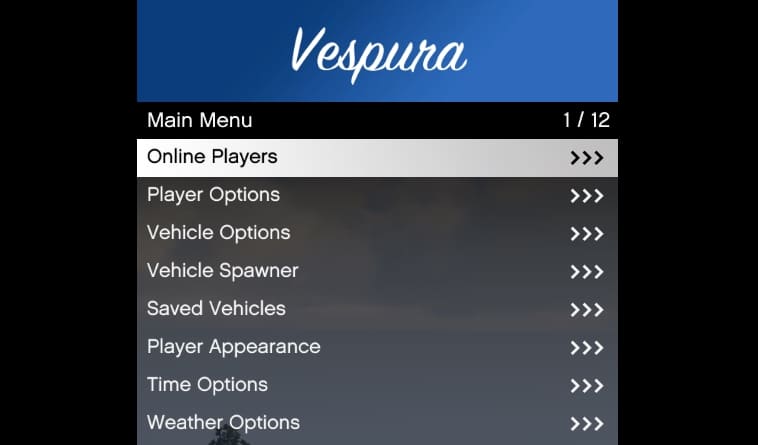
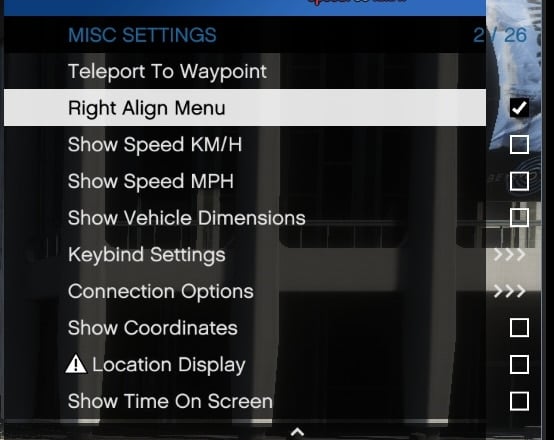
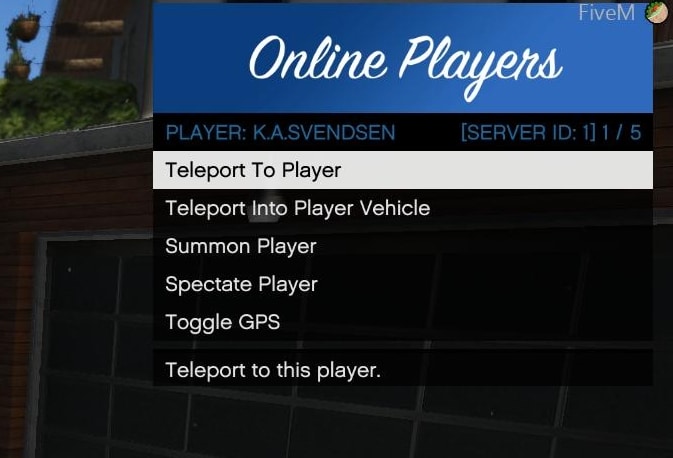
vMenu is a dynamic, server-sided menu/trainer for FiveM. It includes permissions and configuration support, making it a great tool for server owners. With vMenu, you can adjust the menu to meet your specific needs, ensuring that players have access only to the features you want to allow. Manage player options, customize vehicles, or tweak miscellaneous settings – vMenu offers a range of functionalities that make it a must-have for any FiveM server. * * * ## About vMenu This admin-tool was created to offer server administrators a versatile and powerful tool to manage player privileges and server settings. Key features include: - Player Options: Includes god mode, healing, health setting, wanted level adjustments, weapon and ped spawning/customization, and more. - Character Customization: Advanced multiplayer character customization, with the ability to save and spawn as a custom character upon server join. - Vehicle Options: Extensive vehicle customization options including saving vehicles. - Developer Tools: Offers additional tools for server developers. - Permissions and Configuration: Full support for custom permissions and configuration settings. ## Download * * * * * * ## Installation Instructions ### Manual Installation 1. Download the latest version of vMenu 2. Extract the downloaded ZIP file. 3. Place the folder in your server’s resources directory. 4. Add start vMenu to your server configuration file (server.cfg). 5. Configure permissions and settings as needed by editing the permissions.cfg file in the resource folder. ### ZAP Hosting One-Click Installation (easy) 1. Get a FiveM server from ZAP Hosting. 2. Use the one-click installer from the control panel. For detailed installation steps, check out the vMenu installation documentation. ## Installation Video ## Compatibility Compatible with all current FiveM server builds. However, for the best performance and to avoid compatibility issues, it’s recommended to use it with the latest stable release of FiveM. Latest FiveM Artifacts * * * ## FAQ ### What is this menu? vMenu is a server-sided admin menu (trainer) for FiveM. It allows server owners to manage player permissions, customize vehicles, and adjust various settings to enhance the gameplay experience on their servers. ### What can I do with it? Player Options: Manage god mode, healing, health, wanted level, weapon and ped spawning/customization, and more. Character Customization: Create and save custom characters to use when joining the server. Vehicle Options: Customize and save vehicles. Developer Tools: Access additional tools for server developers. Permissions and Configuration: Set custom permissions and configuration settings. ### How to install vMenu? 1. Download the latest version here 2. Extract the downloaded ZIP file. 3. Place the folder in your server’s resources directory. 4. Add start to your server.cfg file. Using Permissions: Edit the permissions.cfg file in the vMenu folder to set your permissions and settings. If you want to use Permissions, there is a video tutorial ### Is there an installation video? Yes, you can watch the installation video here. ### Is vMenu working with ESX / QBCore? Yes. You don’t need a specific framework – it’s a standalone resource. * * * ## Credits and Acknowledgments - Developer: Vespura - Contributors: Thanks to all
The original WordPress page continued with embedded listings or legacy blocks. Those blocks were intentionally not copied because they can contain stale generated links.
Safe Next Steps
- Use the current FiveMX target first instead of old WordPress shortlinks or embedded archive links.
- Check the resource on a staging server before using it in production.
- Inspect manifests, client files, server files, dependencies, and console errors.
- Keep a rollback path ready if the resource conflicts with your framework or other scripts.
Frequently Asked Questions
Why was this page restored?
It had measurable search demand in the migration audit, so restoring a clean canonical page is better than sending users to a generic 404 or stale WordPress block output.