
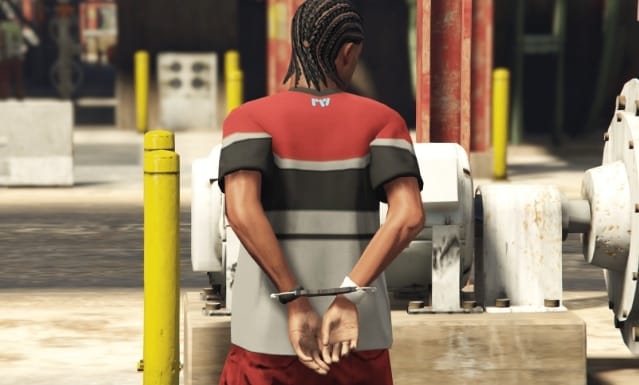
Understanding the Handcuffing Flow
When a player is handcuffed, the server typically toggles a few client‑side settings: The handcuff animation plays (e.g., `’mp_arresting’, ‘idle’`). Handcuff controls are enabled (`SetEnableHandcuffs`). The entity is usually frozen to lock the player in place. To allow movement, you need to unfreeze the entity before keeping all other restrictive controls active. The challenge is to locate the exact lines in each framework and adjust them without breaking your existing logic. —QBCore Framework (and QBOX) – Step‑by‑Step
1. Find the Handcuff Code
Search the police job or utility scripts for the cue that triggers handcuffing. It normally looks like: “`lua TaskPlayAnim(playerPed, ‘mp_arresting’, ‘idle’, 8.0, -8, -1, 49, 0, 0, 0, 0) SetEnableHandcuffs(playerPed, true) FreezeEntityPosition(playerPed, true) “`2. Enable Movement
Replace the freeze call: “`lua FreezeEntityPosition(playerPed, false) — Allows free walking “` Your updated snippet becomes: “`lua TaskPlayAnim(playerPed, ‘mp_arresting’, ‘idle’, 8.0, -8, -1, 49, 0, 0, 0, 0) SetEnableHandcuffs(playerPed, true) FreezeEntityPosition(playerPed, false) “`3. Keep Controls Restricted
Create a continuous thread that disables the potentially problematic actions: “`lua Citizen.CreateThread(function() while true do Citizen.Wait(10) if IsHandcuffed then DisableControlAction(0, 24, true) — Attack DisableControlAction(0, 25, true) — Aim DisableControlAction(0, 142, true) — MeleeAttackAlternate DisableControlAction(0, 75, true) — Leave Vehicle DisableControlAction(0, 92, true) — Shoot in vehicle end end end) “` Replace `IsHandcuffed` with the variable that indicates the do‑handcuff state for your specific script. —ESX Framework – How to Do It
1. Locate the Main Handcuff Section
Find `esx_policejob/client/main.lua` and locate the following code: “`lua TaskPlayAnim(playerPed, ‘mp_arresting’, ‘idle’, 8.0, -8, -1, 49, 0, 0, 0, 0) SetEnableHandcuffs(playerPed, true) SetPedCanPlayGestureAnims(playerPed, false) FreezeEntityPosition(playerPed, true) “`2. Remove the Freeze
Change `FreezeEntityPosition(playerPed, true)` to `false` so that walking is possible.3. Disable Key Controls
Implement a similar thread to keep weapons and vehicle controls at bay: “`lua Citizen.CreateThread(function() while true do Citizen.Wait(10) if IsHandcuffed then DisableControlAction(0, 142, true) — MeleeAttackAlternate DisableControlAction(0, 30, true) — MoveLeftRight DisableControlAction(0, 31, true) — MoveUpDown DisableControlAction(0, 24, true) — Shoot DisableControlAction(0, 92, true) — Shoot in car DisableControlAction(0, 75, true) — Leave Vehicle end end end) “` Be sure to link `IsHandcuffed` to your ESX handcuff flag. —vRP – Customizing Movement
1. Find the Handcuff Declaration
The core logic often resides in `vrp/modules/police.lua` or a custom resource. Look for: “`lua vRPclient.playAnim(player, {true, {{mp_arresting, idle}}, true}) vRPclient.setHandcuffed(player, true) vRPclient.setFreeze(player, true) “`2. Unfreeze for Movement
Swap the freeze line: “`lua vRPclient.setFreeze(player, false) “`3. Lock Specific Actions
Insert or modify a client script to continuously disable undesired controls: “`lua Citizen.CreateThread(function() while true do Citizen.Wait(10) if IsHandcuffed then DisableControlAction(0, 24, true) — Attack DisableControlAction(0, 25, true) — Aim DisableControlAction(0, 142, true) — MeleeAttackAlternate DisableControlAction(0, 75, true) — Leave Vehicle DisableControlAction(0, 92, true) — Shoot in vehicle DisableControlAction(0, 30, true) — Move Left/Right DisableControlAction(0, 31, true) — Move Up/Down end end end) “`4. Sync the Handcuff Flag
Define a global variable and listen for a server‑side event: “`lua local IsHandcuffed = false RegisterNetEvent(‘vrp:handcuff’) AddEventHandler(‘vrp:handcuff’, function(status) IsHandcuffed = status end) “` Trigger this event whenever a player is handcuffed or released. —Final Considerations
Test thoroughly on a copy of your server before pushing changes live. Adjust the `DisableControlAction` list to match your role‑play rules—some servers may want to allow certain movements or swaps. Always keep your variables clear and consistent; placeholders like `IsHandcuffed` must be tied to actual script flags. — Conclusion – Your Ultimate Handcuff Mobility Blueprint By following this Guide: Allowing Movement While Handcuffed (FiveM), you can introduce realistic handcuff mechanics that let players walk around while still feeling the restrictions of being restrained. This approach retains detailed gameplay for QBCore, ESX, and vRP servers, making role‑play encounters smoother and more engaging for everyone.Related FiveMX paths
Use these internal pages as the next review step before choosing a resource for a live server:


