Aller au contenu principal
FiveMX
Boutique
Scripts
MLOs
Serveurs complets
Mods gratuits
Outils
Guides
Tous les produits
FiveMX

Commencez à construire votre serveur aujourd'hui.

Ressources FiveM sélectionnées, livraison instantanée, mods gratuits de départ et guides pratiques dans une marketplace apaisée.

Parcourir la boutiquesupport@fivemx.com

Boutique

  • Boutique
  • Tous les produits
  • Mods gratuits
  • Meilleurs scripts & mods
  • Scripts FiveM

Frameworks

  • Scripts QBCore
  • Scripts ESX
  • QBox
  • Standalone

Communauté

  • Blog
  • Assistance
  • Créateurs
  • Affiliation

Mentions légales

  • Politique de confidentialité
  • Conditions d'utilisation
  • Politique de remboursement
  • Livraison numérique
  • Politique des cookies
  • Conformité RGPD
  • DMCA
  • Mentions légales
  • Charte éditoriale
© 2026 FiveMX. Tous droits réservés.·FiveMX n'est pas affilié à Rockstar Games, Take-Two Interactive ou CFX.re. Toutes les marques sont la propriété de leurs détenteurs respectifs.
GitHubDiscordDocs

3 images produit disponibles.

Compatibilité:

Venice HUD

Venice HUD - modern customizable HUD interface for ESX servers. Compatible with ESX framework. Fully customizable and optimized.

Accès instantané
Politique de remboursement sous 14 jours

Compatibilité, installation et preuves en un coup d'œil

Utilisez les informations publiées sur cette page pour confirmer si Venice HUD correspond à votre serveur avant l'achat.

Compatibilité

Frameworks
ESX
Catégorie
HUDs

Installation & prérequis

Processus d'installation
Télécharger → dossier resources → ensure dans server.cfg
Prérequis
Publié sur cette page
Taille du fichier
932.59 KB

Preuves & questions acheteurs

Avis
Aucun avis pour le moment
Questions répondues
Posez une question avant d'acheter

Seuls les faits publiés sur cette page doivent être considérés comme confirmés. Si vous avez besoin de plus de détails, consultez la description, les prérequis, le journal des modifications, les avis et les questions produit avant l'achat.

Paiement sécurisé
14,63 €
Accès immédiat aux fichiers après le paiement
Assistance et politique de remboursement visibles avant le paiement
Fonctionne avec esx
  • Accès instantané
  • Chiffré SSL
  • Carte, Klarna, wallets
Frameworks

esx

Prérequis

Publié sur cette page

Aperçu

Disponible

Carte, Klarna et wallets pris en charge via Stripe. D'autres moyens de paiement locaux peuvent apparaître selon votre région.

Contacter le support avant achatLire la politique de remboursement

Attente de support

Le support couvre l'accès au téléchargement, les fichiers livrés manquants et les questions basées sur les notes d'installation publiées.

L'installation personnalisée, la conversion de framework, la mise en place sur serveur en production et les développements sur mesure ne sont pas inclus sauf mention contraire sur la page produit.

Contactez-nous avant l'achat si votre serveur utilise des ressources de framework, d'inventaire ou de base de données fortement modifiées.

Vous construisez un serveur plus complet ?Comparez les packs sélectionnés avant le paiement si vous avez besoin de plusieurs scripts compatibles.Voir les packs FiveM

Acheter si cela fait gagner du temps de configuration

Utilisez cette checklist pour vérifier rapidement si la ressource correspond à votre serveur, votre framework et vos attentes de support.

Gain pour l'administrateur serveur

Venice HUD vise à réduire HUDs au lieu de vous obliger à reconstruire le même système.

Compatibilité

Fonctionne avec esx. Vérifiez le bloc des prérequis avant de l'ajouter à un serveur en production.

Confiance avant achat

Téléchargement instantané, paiement Stripe, accès au support et contexte de remboursement sont affichés avant le paiement.

Éléments de décision

Prérequis, détails d'installation, Vidéo d'aperçu, Questions produit

Description

Venice HUD - Modern Minimalist Interface for FiveM

Venice HUD brings sleek, Italian-inspired design aesthetics to your FiveM server with a clean, unobtrusive interface that puts critical information at your fingertips without cluttering your screen. Drawing inspiration from luxury automotive instrumentation, this HUD system combines elegant typography with smooth animations to create a premium visual experience. Perfect for servers that want to elevate their presentation while maintaining excellent performance, Venice HUD has become a favorite among community owners who value both form and function.

What's Included

This comprehensive HUD package includes everything needed for a complete player interface overhaul. The speedometer features analog-style needle movement with digital readouts, the status indicators use subtle gradient fills and icon sets, and the minimap integration provides a cohesive visual language across all UI elements. Every component is crafted with attention to detail, from the micro-animations when values change to the color-coded warning states that grab attention without being distracting.

Core Features

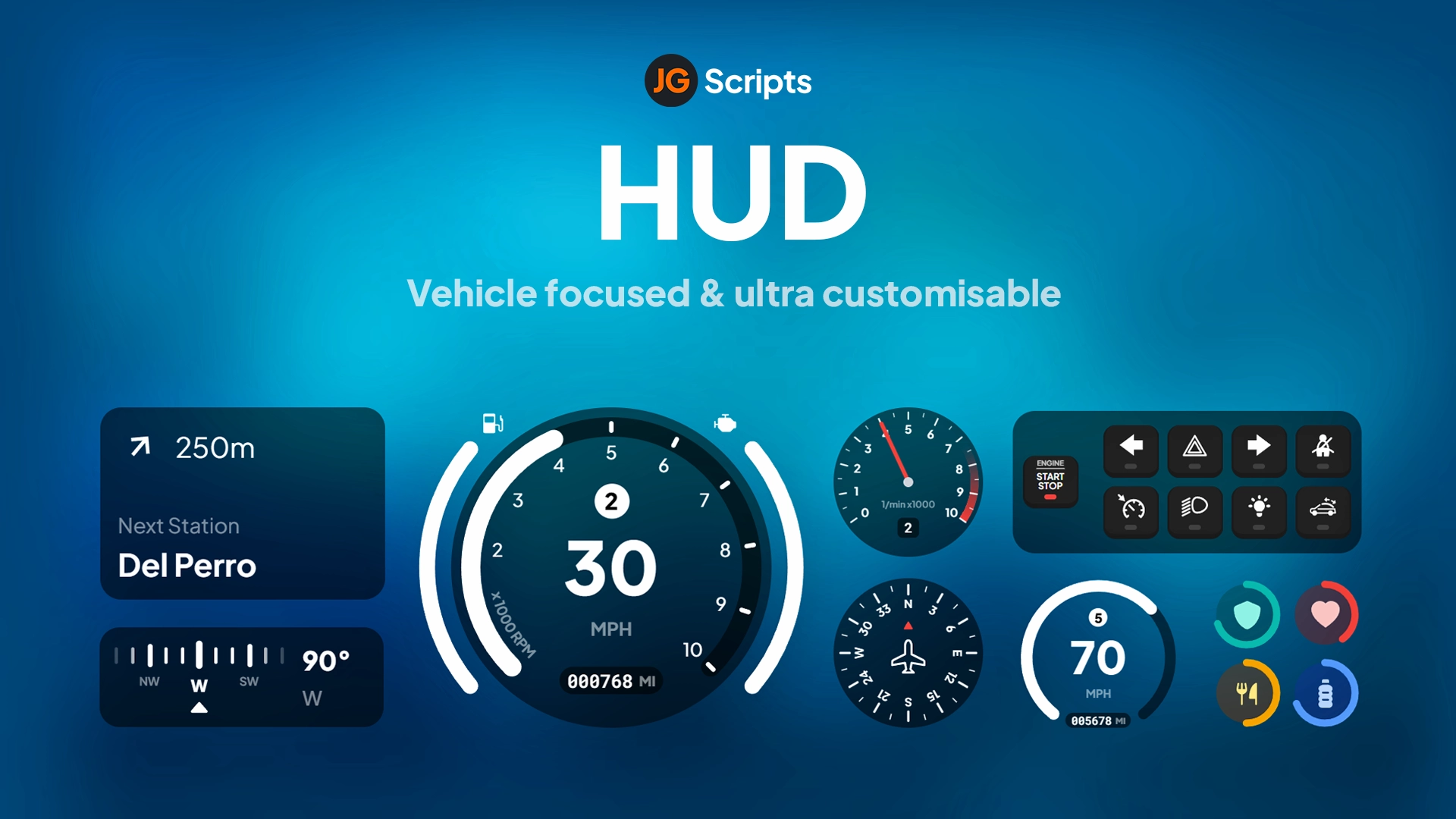
  • Speedometer & Vehicle Display - Analog-digital hybrid speedometer with MPH/KPH toggle, fuel gauge, engine temperature, gear indicator, and damage warnings. The needle smoothly sweeps across the arc while digital readout provides exact speed for precision driving.
  • Health & Armor System - Circular progress rings display health and armor status with gradient color transitions. When health drops below 25%, the ring pulses red to indicate critical condition, giving players immediate visual feedback during combat.
  • Status Indicators - Hunger, thirst, stress, and stamina bars arranged vertically along the screen edge. Each status uses distinct iconography and color coding, making it easy to monitor needs at a glance without reading labels.
  • Minimap Integration - Custom minimap border and compass design that complements the HUD's aesthetic. Shows player heading, street names, and can integrate with GPS systems for navigation waypoints.
  • Customizable Color Schemes - Choose from 8 pre-built color themes (Classic, Ocean, Sunset, Forest, Violet, Rose Gold, Stealth, Electric) or create custom color palettes to match your server branding.
  • Animation Options - Toggle slide-in animations, fade effects, and transition speeds. Set whether elements auto-hide when not in vehicles or keep them always visible for constant stat monitoring.
  • Voice Indicator - Shows when players are speaking in proximity, radio, or phone calls with animated sound waves and color-coded channels (local=white, radio=blue, phone=green).

Perfect For

  • Roleplay servers wanting a professional, modern aesthetic
  • Racing communities needing precise vehicle information display
  • Casual servers looking to upgrade from default ESX/QB HUDs
  • Servers with custom branding requiring color-matched interfaces
  • Communities transitioning from outdated HUD systems

Technical Details

  • Performance: 0.02-0.03ms resmon (extremely lightweight, tested on 200+ player servers)
  • Resolution Support: Optimized for 1920x1080, scales automatically for 2K/4K and 16:9/21:9 aspect ratios
  • Framework Required: Compatible with ESX Legacy, QBCore, QBOX, and Standalone setups
  • File Size: 3.2 MB (includes all icon sets and font files)
  • Dependencies: Works with esx_status, qb-hud, or standalone status systems

Installation

  1. Extract venice-hud folder to your server resources directory
  2. Open config.lua and select your framework (ESX/QBCore/QBOX/Standalone)
  3. Choose your preferred color theme and animation settings
  4. Add 'ensure venice-hud' to server.cfg (place after framework)
  5. If replacing existing HUD, comment out old HUD in server.cfg first
  6. Restart server and test visibility, then adjust position/scale in config if needed

Framework Compatibility

  • ✅ ESX Legacy - Full integration with esx_status, esx_basicneeds, and society systems. Shows job, bank balance, and cash on configurable toggle.
  • ✅ QBCore - Native qb-hud replacement with stress system support, vehicle keys indicator, and harness detection for racing servers.
  • ✅ QBOX - Compatible with QBOX framework status management and inventory weight display.
  • ✅ Standalone - Works independently with custom status scripts. Exports provided for developers to feed data from any source.

Customization Options

Venice HUD includes extensive configuration options accessible through the config.lua file. Adjust element positions using X/Y coordinates and scale percentages. Toggle individual components on/off (don't need voice indicator? disable it). Set auto-hide timers for vehicle elements when on foot. The color system uses hex codes, making it easy to match your server's Discord, loading screen, and website branding. For developers, the clean code structure and detailed exports make it simple to add custom elements or integrate with proprietary systems.

What Makes It Stand Out

Venice HUD distinguishes itself through exceptional attention to visual polish. Where many HUDs use static icons and instant value changes, Venice employs smooth interpolation and spring animations that feel responsive and alive. The speedometer needle doesn't jump - it sweeps naturally like a real gauge. Health bars don't snap - they flow with easing curves. This level of refinement creates a more immersive experience that players notice immediately. The HUD has been optimized through hundreds of hours of testing to find the perfect balance between information density and screen real estate, ensuring you see what you need without blocking gameplay.

Video preview

https://www.youtube.com/watch?v=dLTm5hN0di0

Related FiveM HUD

  • iNotificationV3
  • SNZ HUD (ESX/QB)
  • ESX Moveable Premium HUD
  • Trygon HUD

Notes d'installation

Requires a FiveM server, esx, access to server resources, and permission to restart the resource after configuration.
DescriptionPrérequisVidéo d'aperçu
Accueil
Boutique
HUDs
HUDs
ESX
Processus de vérification

Caractéristiques Principales

  • Speedometer & Vehicle Display

    Analog-digital hybrid speedometer with MPH/KPH toggle, fuel gauge, engine temperature, gear indicator, and damage warnings. The needle smoothly sweeps across the arc while digital readout provides exact speed for precision driving.

  • Health & Armor System

    Circular progress rings display health and armor status with gradient color transitions. When health drops below 25%, the ring pulses red to indicate critical condition, giving players immediate visual feedback during combat.

  • Status Indicators

    Hunger, thirst, stress, and stamina bars arranged vertically along the screen edge. Each status uses distinct iconography and color coding, making it easy to monitor needs at a glance without reading labels.

  • Minimap Integration

    Custom minimap border and compass design that complements the HUD's aesthetic. Shows player heading, street names, and can integrate with GPS systems for navigation waypoints.

  • Customizable Color Schemes

    Choose from 8 pre-built color themes (Classic, Ocean, Sunset, Forest, Violet, Rose Gold, Stealth, Electric) or create custom color palettes to match your server branding.

Questions Fréquemment Posées

Questions & réponses de la communauté

0 questions

Aucune question

Soyez le premier à poser une question !

0/500 caractères (minimum 10)

Votre question sera examinée avant d'être publiée.

Produits associés

3,87 €
16,35 €
3,87 €
19,80 €

Related Tutorials & Guides

Learn more about setting up, configuring, and using this type of resource.

ESX Admin Commands — Complete 2026 Reference

ESX Admin Commands — Complete 2026 Reference

Complete reference of ESX admin commands for FiveM RP servers — player management, vehicle spawning, money & jobs, world manipulation, plus a self-hosting setup guide for setting your first admin.

FiveM HUD Scripts Troubleshooting FAQ: 12 Common Issues Fixed

FiveM HUD Scripts Troubleshooting FAQ: 12 Common Issues Fixed

When a HUD script breaks on your FiveM server, every player sees it within seconds. This guide walks through the 12 most common HUD failures — invisible HUDs, broken speedometers, framework mismatches, FPS drops — with diagnostic steps and copy-paste fixes for ESX, QBCore, and QBox.

ESX vs QBCore vs QBOX: Technical Framework Comparison 2026

ESX vs QBCore vs QBOX: Technical Framework Comparison 2026

Choosing a framework is the single most consequential decision when building a FiveM server. It determines which scripts you can use, how your developers write code, the…

Continuez à construire votre serveur FiveM

Utilisez ce produit dans une configuration plus large. Explorez les catégories associées, les frameworks alternatifs, les packs premium et les téléchargements gratuits complémentaires.

Explorer Phone ScriptsExplorer Inventory ScriptsParcourir tous les scriptsScripts HUDsScripts esxEssayer QBCore à la placeEssayer QBox à la placeMods FiveM gratuitsComparer les packs
HUD Coords

HUD Coords

JG HUD

JG HUD

Simple ESX HUD

Simple ESX HUD

Vehicle Shop (Dealership) HUD 2.0

Vehicle Shop (Dealership) HUD 2.0