
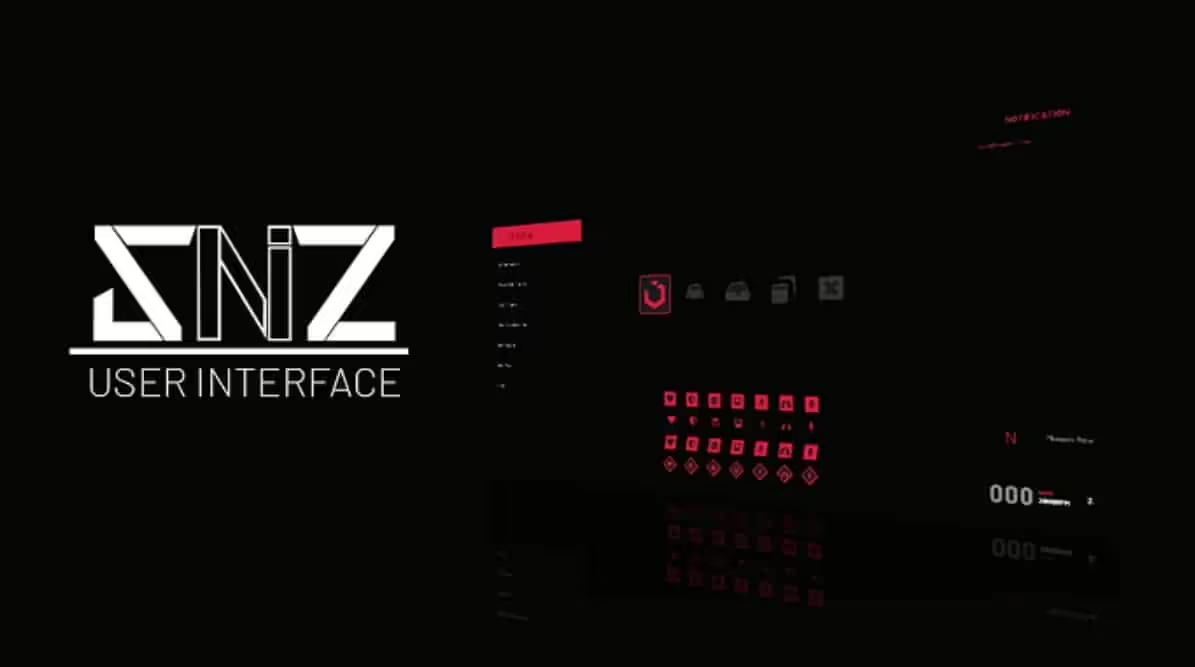

SNZ HUD – Modern Interface for ESX and QBCore
Modernize your server’s user interface with this sleek, customizable HUD system compatible with both ESX and QBCore frameworks. SNZ HUD replaces the default FiveM interface with a clean, contemporary design featuring health, armor, hunger, thirst, stamina indicators, vehicle information, and status displays. Perfect for servers wanting professional UI that enhances immersion without cluttering the screen.
What’s Included
This comprehensive HUD package delivers a complete interface overhaul with health and armor bars, hunger and thirst meters, stamina indicator, vehicle speedometer and fuel gauge, minimap enhancements, notification system, status effect displays, and extensive customization options. The design emphasizes clarity and aesthetics while maintaining crucial information accessibility during intense gameplay situations.
Key Features
- Dual Framework Support – Works with both ESX and QBCore seamlessly
- Health & Armor Bars – Clean visual indicators for player vitals
- Hunger & Thirst Meters – Survival status displays
- Stamina Indicator – Shows sprint and activity energy
- Vehicle Speedometer – Modern digital speed display
- Fuel Gauge – Integrates with fuel systems
- Minimap Enhancements – Improved map visibility and styling
- Status Effects – Visual indicators for buffs, debuffs, conditions
- Notification System – Styled alerts and messages
- Customizable Colors – Adjust theme to match server branding
- Cinematic Mode – Auto-hide for screenshots and videos
- Optimized Performance – Minimal FPS impact
Perfect For
- Servers wanting modern, professional UI aesthetics
- Communities upgrading from default FiveM HUD
- Roleplay servers emphasizing immersion and polish
- Servers with survival mechanics (hunger, thirst)
- Communities wanting customizable branding through UI
- Servers needing clean interfaces for streaming and content creation
Technical Details
- Framework: ESX and QBCore compatible
- Performance: Optimized with minimal resource usage
- Customization: Extensive color and layout options
- Dependencies: Framework-specific (esx_status/qb-hud replacement)
- Updates: UI refresh rates optimized for smooth display
Installation
- Download and extract SNZ HUD to your resources folder
- Disable or remove existing HUD scripts (default framework HUD)
- Configure framework type (ESX or QBCore) in config
- Customize colors, positioning, and displayed elements
- Integrate with your server’s fuel, hunger, and thirst systems
- Add resource to server.cfg
- Restart server and verify all HUD elements display correctly
- Adjust sizing and positioning to player preferences
Framework Compatibility
- ✅ ESX – Full integration with ESX status and vehicle systems
- ✅ QBCore – Native QBCore compatibility with all features
- ✅ QBOX – Compatible (QBOX is QBCore fork)
- ❌ Standalone – Requires ESX or QBCore framework
Customization Options
SNZ HUD offers extensive visual customization matching your server’s branding and aesthetic preferences. Modify primary and accent colors to align with server themes. Adjust transparency levels for subtlety or visibility. Reposition HUD elements to suit different screen sizes and player preferences. Configure which status indicators display based on your server’s mechanics – hide hunger/thirst if not using survival systems, or emphasize vehicle information for racing servers. The cinematic mode automatically hides interface elements during specific scenarios, perfect for screenshots, videos, and immersive moments.
What Makes It Stand Out
Default FiveM HUDs look dated and amateurish compared to modern game interfaces. SNZ HUD delivers professional aesthetics that immediately elevate your server’s perceived quality. The clean design provides essential information without overwhelming players with visual clutter. The dual framework support makes it accessible to the vast majority of FiveM servers without requiring separate versions. For servers serious about presentation and player experience, a quality HUD is fundamental – it’s the interface players see constantly, and SNZ HUD ensures that interface reflects professionalism and attention to detail.





Rylan (verified owner) –
Great attention to detail. You can tell that a lot of work went into the design and functionality.
Karianne (verified owner) –
Think this could be a potential item in the future
Aurelie (verified owner) –
Works as advertised and looks even better in game.
Hazel (verified owner) –
Excellent work. The resource runs smoothly and integrates well with our existing setup.
Patricia (verified owner) –
Five stars from me.
Everette (verified owner) –
I think this is amazing. Lots of features and customizable from every point of view. The few times I asked for help in support they were competent, fast and above all very patient. Really recommend
Demarco (verified owner) –
It’s far better than those similar products, while the price is still acceptable.
Antwon (verified owner) –
One of the best scripts I have used.