FiveMX

Start building your server today.

Curated FiveM resources, instant delivery, free starter mods, and practical guides in one calm marketplace.

Browse the shopsupport@fivemx.com

Shop

  • Shop
  • FiveM Mods
  • All Products
  • Free Mods
  • Best Scripts & Mods
  • FiveM Scripts

Frameworks

  • QBCore Scripts
  • ESX Scripts
  • QBox
  • Standalone

Community

  • Blog
  • Support
  • Creators
  • Affiliate

Legal

  • Privacy Policy
  • Terms of Service
  • Refund Policy
  • Digital Delivery
  • Cookie Policy
  • GDPR Compliance
  • DMCA
  • Imprint
  • Editorial Policy

Server Templates

  • QBCore Server Template
  • ESX Server Template
  • NoPixel Server Template
  • Server Packs
  • Free Server Templates
  • Tebex Alternative
© 2026 FiveMX. All rights reserved.·FiveMX is not affiliated with Rockstar Games, Take-Two Interactive, or CFX.re. All trademarks are property of their respective owners.
DiscordDocs
  • Instant digital delivery
  • Lifetime updates on selected products
  • Trusted by server owners
FiveMX
Shop
Full ServersBundlesNew releases

vMenu Download - FiveM Admin Menu Tool

vMenu Download - FiveM Admin Menu Tool
Free
QBCore
ESX
Standalone

vMenu Download - FiveM Admin Menu Tool

by FiveMX WordPress archive

Trust & Source

Community listed
Download redirects
Source
Source page (link-hub.net)
Destination
link-hub.net
Safety
Pending safety review
Last tested
Jun 15, 2026
Compatibility
QBCore, ESX, Standalone
Dependencies
None listed
Restored from WordPress/imported free-mod archive content during the 2026-06-12 WP migration parity recovery. Source/download link inherited from WP content or historical FiveMX link exports.

Download

Free download (ad supported)

Free downloads are supported by a brief ad page (Linkvertise) to keep this service running.

Production server?

Browse paid scripts with instant delivery, support signals, and no ad step.

Premium scriptsValue bundles

About This Mod

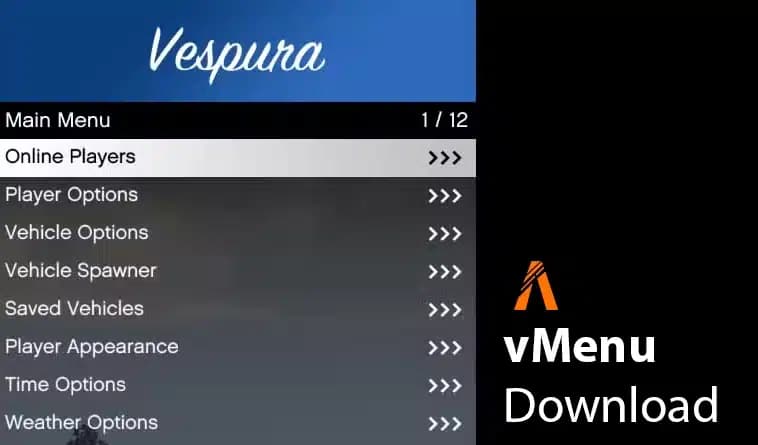
vMenu is a dynamic, server-sided menu/trainer for FiveM. It includes permissions and configuration support, making it a great tool for server owners. With vMenu, you can adjust the menu to meet your specific needs, ensuring that players have access only to the features you want to allow.

Manage player options, customize vehicles, or tweak miscellaneous settings - vMenu offers a range of functionalities that make it a must-have for any FiveM server.


About vMenu

This admin-tool was created to offer server administrators a versatile and powerful tool to manage player privileges and server settings. Key features include:
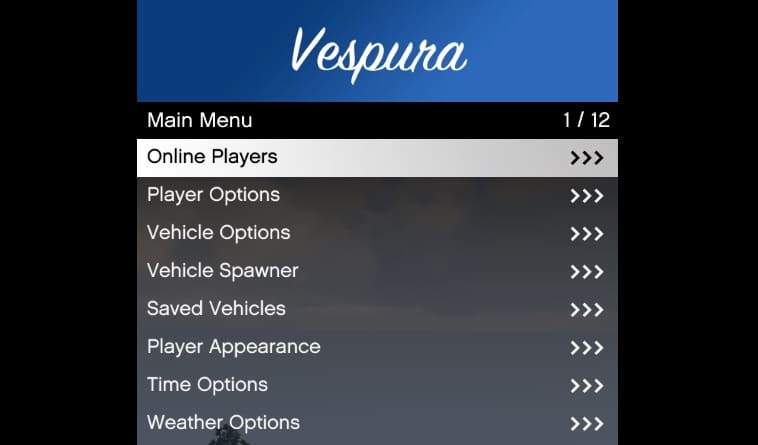
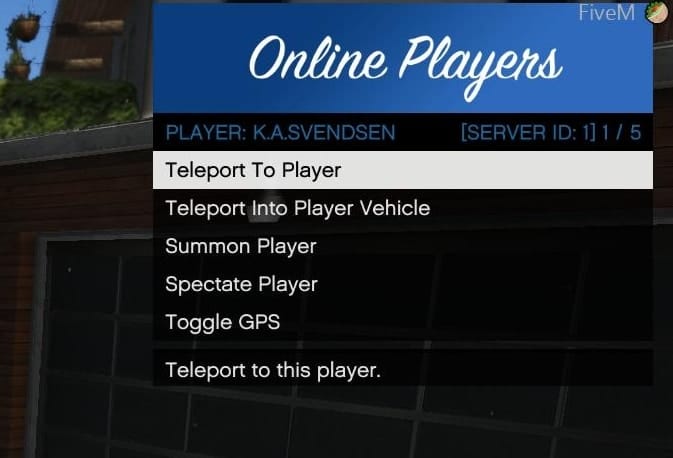
  • Player Options: Includes god mode, healing, health setting, wanted level adjustments, weapon and ped spawning/customization, and more.
  • Character Customization: Advanced multiplayer character customization, with the ability to save and spawn as a custom character upon server join.
  • Vehicle Options: Extensive vehicle customization options including saving vehicles.
  • Developer Tools: Offers additional tools for server developers.
  • Permissions and Configuration: Full support for custom permissions and configuration settings.

Download

Download (Latest 2025)

Product screenshot
Product screenshot
Product screenshot

Installation Instructions

Manual Installation

  1. Download the latest version of vMenu
  2. Extract the downloaded ZIP file.
  3. Place the folder in your server's resources directory.
  4. Add start vMenu to your server configuration file (server.cfg).
  5. Configure permissions and settings as needed by editing the permissions.cfg file in the resource folder.

ZAP Hosting One-Click Installation (easy)

  1. Get a FiveM server from ZAP Hosting.
  2. Use the one-click installer from the control panel.

For detailed installation steps, check out the vMenu installation documentation.

Installation Video

Compatibility

Compatible with all current FiveM server builds. However, for the best performance and to avoid compatibility issues, it's recommended to use it with the latest stable release of FiveM.

Latest FiveM Artifacts

FAQ

What is this menu?

vMenu is a server-sided admin menu (trainer) for FiveM. It allows server owners to manage player permissions, customize vehicles, and adjust various settings to enhance the gameplay experience on their servers.

What can I do with it?

Player Options: Manage god mode, healing, health, wanted level, weapon and ped spawning/customization, and more.
Character Customization: Create and save custom characters to use when joining the server.
Vehicle Options: Customize and save vehicles.
Developer Tools: Access additional tools for server developers.
Permissions and Configuration: Set custom permissions and configuration settings.

How to install vMenu?

1. Download the latest version here
2. Extract the downloaded ZIP file.
3. Place the folder in your server's resources directory.
4. Add start to your server.cfg file.

Using Permissions: Edit the permissions.cfg file in the vMenu folder to set your permissions and settings.
If you want to use Permissions, there is a video tutorial

Is there an installation video?

Yes, you can watch the installation video here.

Is vMenu working with ESX / QBCore?

Yes. You don't need a specific framework - it's a standalone resource.

Credits and Acknowledgments

  • Developer: Vespura
  • Contributors: Thanks to all contributors in the GitHub repository.

Support and Updates

  • GitHub Issues
  • FiveM Docs FAQ

For documentation and updates, refer to the GitHub repository and the documentation (official link)


Looking for more exciting mods? Check out our free FiveM mods and explore the best MLO and scripts.

Gallery

Video Preview

Premium Alternative

Looking for a production-ready version?

Get premium scripts with dedicated support, lifetime updates, and one-click installation.

Browse Premium ScriptsView Bundles

Compatibility

Frameworks
QBCore, ESX, Standalone
Game Mode
FiveM

Download Info

Total Downloads
3
Last Updated
Jun 15, 2026

Safety & Source

Original Author
FiveMX WordPress archive
Content Status
Tested by FiveMX
Last tested by FiveMX
June 2026

Community

Total Downloads
3
Listed By

Frequently asked about this mod

Quick answers based on the information published for vMenu Download - FiveM Admin Menu Tool.

What frameworks is vMenu Download - FiveM Admin Menu Tool compatible with?
vMenu Download - FiveM Admin Menu Tool is compatible with QBCore, ESX, Standalone. It has been verified for FiveM servers.
How do I install vMenu Download - FiveM Admin Menu Tool on my FiveM server?
Download the resource, extract it to your FiveM server's resources folder, add the resource name to your server.cfg, and restart your server. Installation instructions are included in the download.
Is vMenu Download - FiveM Admin Menu Tool free to download?
Yes, vMenu Download - FiveM Admin Menu Tool is completely free to download from FiveMX. No account required for free mod downloads.
Is vMenu Download - FiveM Admin Menu Tool safe to use?
Yes, all free mods on FiveMX are verified and checked before being listed. vMenu Download - FiveM Admin Menu Tool has been downloaded 3+ times by the FiveM community.

Have another question? Check the mod description above for more details.

Related Tutorials & Guides

Learn more about setting up, configuring, and using this type of resource.

Continue Exploring

Discover more resources for your FiveM or GTA 5 server.

Need a production-ready version?

Free mods are a good starting point. When your server needs stronger support, cleaner installs, and premium systems, move into the commercial hubs below.

Framework hub

Move from free QBCore resources into verified paid systems with support, updates, and cleaner install paths.

Open QBCore hub

Premium catalog

See paid scripts, framework labels, bundles, and install-ready products once the free version no longer covers your server needs.

Open premium shop

Money page

Add police, mechanic, gang, and economy systems around this mod with stronger commercial scripts.

See job scripts
FiveMX WordPress archive

Launch faster

Start from curated bundles

Bundles shorten setup time by grouping the highest-leverage systems into one commercial starting point.

View bundles
Back to Free Mods
Home
Free Mods
QBCore Admin Commands — Complete FiveM Reference

QBCore Admin Commands — Complete FiveM Reference

Complete QBCore admin command reference for FiveM servers: permissions, admin menu commands, player moderation, vehicle tools, money/job commands, reports, warnings, and troubleshooting.

ESX Admin Commands — Complete 2026 Reference

ESX Admin Commands — Complete 2026 Reference

Complete reference of ESX admin commands for FiveM RP servers — player management, vehicle spawning, money & jobs, world manipulation, plus a self-hosting setup guide for setting your first admin.

FiveM Admin Scripts Troubleshooting FAQ: 12 Common Issues Fixed

FiveM Admin Scripts Troubleshooting FAQ: 12 Common Issues Fixed

Admin scripts give server owners control over their FiveM server — when they break, moderation stops and griefing goes unchecked. This guide covers the 12 most common admin script failures with diagnostic steps, working code, and ACE permission patterns.

Free FiveM Mods
Premium FiveM Scripts
Full FiveM Hub
FiveM Bundles
QBCore Scripts
ESX Scripts
Browse QBCore premium scripts
Compare premium FiveM systems
Build your jobs stack

FiveMX install guide

Written by the FiveMX editorial team based on the current CitizenFX artifact and each supported framework — not copy-pasted from the upstream post.

QBCore

Install vMenu Download - FiveM Admin Menu Tool on QBCore

  1. 1Use the download button above to grab the archive from FiveMX.
  2. 2Extract the archive to resources/[qb]/vmenu on your server. Keep the resource folder name as-is — most manifests reference it verbatim.
  3. 3If the archive contains an SQL file (look for *.sql), import it into your FiveM database — FiveMX test servers use oxmysql against MariaDB 10.6.
  4. 4Add ensure vmenu to your server.cfg after the qb-core ensure line.
  5. 5If the mod ships a config.lua, open it before your first boot and match the job names, inventory items, and locale to your own qb-core setup — otherwise targets silently fall through.
  6. 6Restart the server and run ensure vmenu in the live console to confirm it loads without red errors. If you hit a dependency error, the mod probably needs or — install those first, then retry.
ESX Legacy

Install vMenu Download - FiveM Admin Menu Tool on ESX Legacy

  1. 1Use the download button above to grab the archive from FiveMX.
  2. 2Extract the archive to resources/[esx]/vmenu on your server. Keep the resource folder name as-is — most manifests reference it verbatim.
  3. 3If the archive contains an SQL file (look for *.sql), import it into your FiveM database — FiveMX test servers use oxmysql against MariaDB 10.6.
  4. 4Add ensure vmenu to your server.cfg after es_extended.
  5. 5If the mod is for ESX Legacy, check whether it still calls legacy TriggerEvent("esx:getSharedObject") — some older releases need a one-line patch to use ESX = exports["es_extended"]:getSharedObject().
  6. 6Restart the server and run ensure vmenu in the live console to confirm it loads without red errors. If you hit a dependency error, the mod probably needs or — install those first, then retry.
Standalone

Install vMenu Download - FiveM Admin Menu Tool on Standalone

  1. 1Use the download button above to grab the archive from FiveMX.
  2. 2Extract the archive to resources/[standalone]/vmenu on your server. Keep the resource folder name as-is — most manifests reference it verbatim.
  3. 3Add ensure vmenu to your server.cfg.
  4. 4Restart the server and run ensure vmenu in the live console to confirm it loads without red errors. If you hit a dependency error, the mod probably needs ox_lib or ox_inventory — install those first, then retry.

Similar Free Mods

Other popular free mods you might find useful for your server.

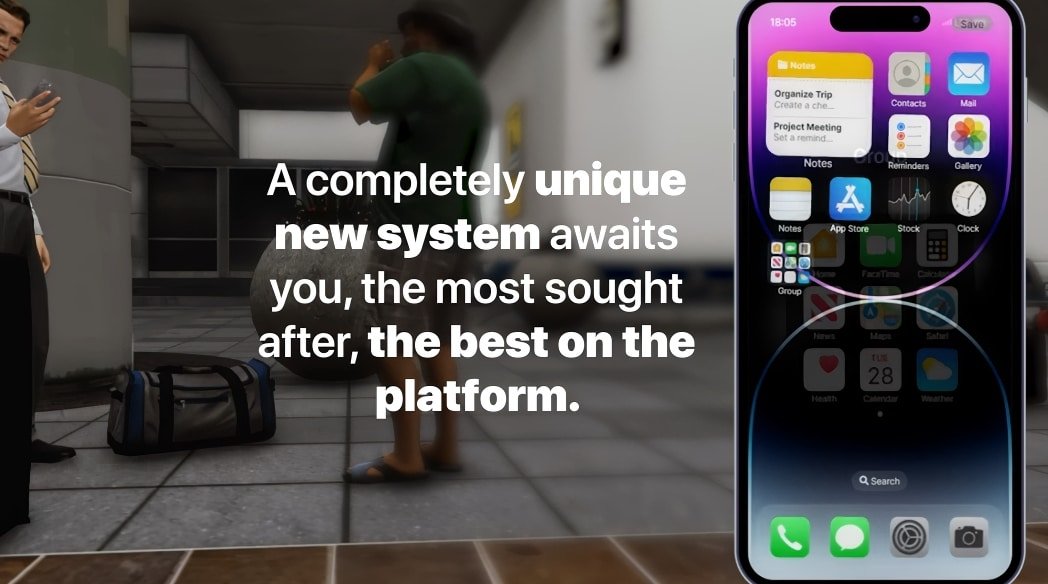
Quasar Smartphone (Free)

Quasar Smartphone (Free)

2,241 downloads

LA Revo 2.0 (FiveM)

LA Revo 2.0 (FiveM)

2,131 downloads

Lively World Expansion v2.3

Lively World Expansion v2.3

1,405 downloads

How To Install NVE (Naturalvision Evolved)

How To Install NVE (Naturalvision Evolved)

1,101 downloads

FiveM Postal Map (HD Satellite Postals)

FiveM Postal Map (HD Satellite Postals)

1,077 downloads

Free FiveM AntiCheat: SecureServe AC

Free FiveM AntiCheat: SecureServe AC

814 downloads

ox_lib
ox_inventory
ox_lib
ox_inventory

Paid upgrades that fit this free mod

Keep the download flow free, but compare production-ready scripts and server packs before this resource becomes part of a live roleplay stack.

Instant deliveryVerified compatibilitySupport-ready setupBrowse all premium mods
View product: Premium Vehicle HUD
Premium Vehicle HUD FiveM product preview
HUDs429 sales

Premium Vehicle HUD

Premium Vehicle HUD adds speed, engine, fuel, and location context to FiveM vehicle roleplay with the paid legacy slug restored.

429 current salesesx + qbcore

$6.99

View product
View product: FiveM European Streets
FiveM European Streets FiveM product preview
FiveM MLOs340 sales

FiveM European Streets

This mod will make the streets european (German Roads)! Hand-crafted mod, for your server. With the Roads mod, you'll experience an authentic European feel with every step you take. Hand-crafted with precision and attention to detail, this mod is designed to give your server a unique touch

336 legacy sales340 current salesesx + qbcore

$4.49

View product
View product: FiveM AntiCheat 2025 (updated)
FiveM AntiCheat 2025 (updated) FiveM product preview
Admin Tools314 sales5.0

FiveM AntiCheat 2025 (updated)

FiveM Anticheat script/mod | OPTIMIZED and perfect for ESX detects modders and ban them instantly. Many server owners struggle because of cheaters, modders and hackers. There are a couple of hacks and mod menus for FiveM and money hacks for ESX framework. ? Hackers are quite annoying but the

314 legacy sales314 current salesesx + qbcore

$21.99

View product
View product: FiveM Jobs Creator | ESX v4.0
FiveM Jobs Creator | ESX v4.0 FiveM product preview
Job Scripts320 sales

FiveM Jobs Creator | ESX v4.0

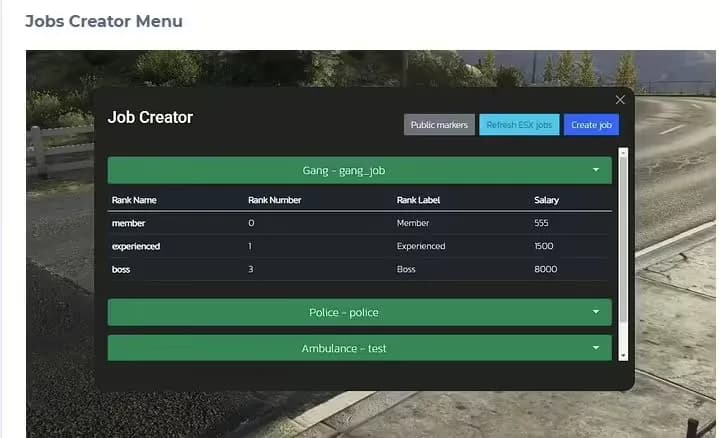
The #1 FiveM Jobs Creator Script - that allows server administrators to easily create generic jobs with many customizable interaction points.

320 legacy sales320 current salesesx + qbcore

$22.99

View product