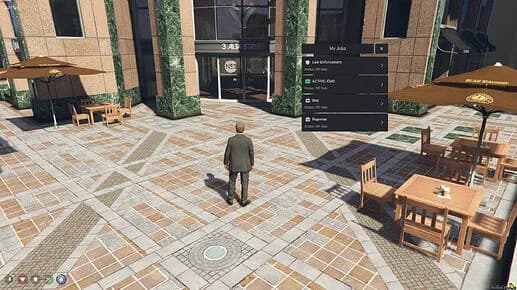
Compatibility
- Frameworks
- QBCore, ESX
- Game Mode
- FiveM
by FiveMX WordPress archive
Free download (ad supported)
Free downloads are supported by a brief ad page (Linkvertise) to keep this service running.
Production server?
Browse paid scripts with instant delivery, support signals, and no ad step.
Stop editing config files and restarting your server every time you need a new job. **vtx-jobcreator** is a free, open-source FiveM resource that lets you create and manage custom jobs entirely **in-game** through a modern NUI panel.
Built by [FiveMX](/), released under the MIT license.
> [GitHub Repository — Download vtx-jobcreator](https://github.com/alinabavocado-cmyk/fivem-jobs-creator)
---
## Why vtx-jobcreator?
Most job creation workflows involve editing Lua configs, writing SQL inserts, and restarting the server repeatedly. vtx-jobcreator eliminates all of that:
- **In-game NUI panel** — Open a clean UI without leaving the game. No alt-tabbing, no config files.
- **Auto framework detection** — Detects whether you run ESX or QBCore automatically. Manual override available.
- **Instant sync** — New jobs are available to all players immediately, no restart needed.
- **Persistent MySQL storage** — Jobs survive server restarts using dedicated `vtx_jobs` and `vtx_job_grades` tables.
- **ACE permissions** — Only authorized admins can access the creator panel.
- **Zero performance impact** — Adaptive render loop, lightweight client code.
---
## Supported Frameworks
| Framework | Support Level |
|-----------|--------------|
| **ESX** | Full — jobs also written to native `jobs`/`job_grades` tables for compatibility |
| **QBCore** | Full — jobs added to `QBCore.Shared.Jobs` and synced to all clients |
The resource auto-detects your framework on startup. You can also force a specific framework in `config.lua` by setting `Config.Framework` to `"esx"` or `"qbcore"`.
---
## Features at a Glance
- **Unlimited grades** — Add as many ranks as you need with custom names, labels, and salaries
- **Duty points** — Set a location with a 3D marker and map blip for clock-in/out
- **Blip customization** — Configure sprite, color, and scale per job
- **Whitelist toggle** — Mark jobs as whitelisted or open
- **Job management tab** — View and delete existing jobs from the same panel
- **Duty interaction** — Players press E at duty points to toggle on/off duty
---
## Installation
### Dependencies
- [oxmysql](https://github.com/overextended/oxmysql)
- [es_extended](https://github.com/esx-framework/esx_core) (ESX) **or** [qb-core](https://github.com/qbcore-framework/qb-core) (QBCore)
### Setup Steps
1. Download or clone the repository into your `resources` folder
2. Import the database schema:
```sql
mysql -u root -p your_database < sql/install.sql
```
3. Add to your `server.cfg`:
```cfg
ensure vtx-jobcreator
```
4. Grant admin permissions:
```cfg
add_ace identifier.license:YOUR_LICENSE vtx.jobcreator.admin allow
```
Or add it to your existing admin group:
```cfg
add_ace group.admin vtx.jobcreator.admin allow
```
5. Restart your server.
---
## How to Use It
Type `/createjob` in-game to open the job creator panel. From there:
1. **Job Name** — Enter a unique identifier (lowercase, letters, numbers, underscores)
2. **Job Label** — The display name players will see
3. **Whitelisted** — Toggle whether the job requires whitelist access
4. **Duty Location** — Click "My Pos" to capture your current coordinates
5. **Blip Settings** — Customize the map blip sprite, color, and scale
6. **Grades** — Add job ranks with names, labels, and salary amounts
7. **Create Job** — Hit the button and the job is live instantly
Use the **Manage Jobs** tab to view all created jobs or delete ones you no longer need.
---
## Configuration Reference
All settings are in `config.lua`:
| Setting | Default | Description |
|---------|---------|-------------|
| `Config.AcePermission` | `vtx.jobcreator.admin` | ACE permission required to open the panel |
| `Config.Command` | `createjob` | Chat command to open the NUI panel |
| `Config.Framework` | `auto` | Framework mode: `auto`, `esx`, or `qbcore` |
| `Config.Marker.type` | `27` | 3D marker type at duty points |
| `Config.Marker.drawDistance` | `15.0` | Distance to render duty markers |
| `Config.Marker.interactDistance` | `2.0` | Distance to interact with duty points |
| `Config.InteractKey` | `38` (E) | Key to toggle duty status |
| `Config.Blip.sprite` | `480` | Default map blip sprite |
| `Config.Blip.color` | `2` | Default map blip color |
---
## How It Works Under the Hood
- Jobs are stored in dedicated `vtx_jobs` and `vtx_job_grades` MySQL tables
- On resource start, all jobs are loaded and registered with your framework
- **ESX**: Jobs are also written to native `jobs` and `job_grades` tables for full framework compatibility
- **QBCore**: Jobs are added to `QBCore.Shared.Jobs` and synced to all connected clients
- The `vtx_` table prefix prevents any conflicts with existing framework tables
---
## vtx-jobcreator vs. the FiveMX Jobs Creator Tool
This open-source resource and the [FiveMX Jobs Creator](/jobs-creator) serve different purposes:
| | vtx-jobcreator (This Resource) | FiveMX Jobs Creator |
|---|---|---|
| **Type** | In-game FiveM resource | Web-based tool on fivemx.com |
| **Usage** | Create jobs while playing | Create jobs in the browser, export configs |
| **Storage** | MySQL (persistent on your server) | Export as downloadable config files |
| **Frameworks** | ESX, QBCore | ESX, QBCore, QBOX |
| **Price** | Free (MIT license) | Free |
| **Best for** | Server admins who want to manage jobs in-game | Developers who prefer building configs before deployment |
Both are made by FiveMX. Use whichever fits your workflow — or both.
---
## Download
vtx-jobcreator is free and open-source under the MIT license.
- [Download from GitHub](https://github.com/alinabavocado-cmyk/fivem-jobs-creator)
- [Join the FiveMX Discord](https://discord.gg/fivemx) for support
For more FiveM resources, scripts, and tools, visit [fivemx.com](/).
---
### Related Articles
- [Converting FiveM Scripts: ESX, QBCore & QBOX Framework Guide](/blog/converting-fivem-scripts)
- [FiveM Frameworks Explained: Complete Guide to ESX, QBCore & QBOX](/blog/fivem-frameworks-complete-guide)
- [FiveM Frameworks: ESX, QBCore, QBOX](/blog/fivem-frameworks)
Explore our [premium FiveM mods](/shop) and [free mods collection](/free-mods/fivem) for ready-to-use resources.
Premium Alternative
Get premium scripts with dedicated support, lifetime updates, and one-click installation.
Quick answers based on the information published for Free Open-Source FiveM Jobs Creator — Create Jobs In-Game (ESX & QBCore).
Learn more about setting up, configuring, and using this type of resource.
Discover more resources for your FiveM or GTA 5 server.
Free mods are a good starting point. When your server needs stronger support, cleaner installs, and premium systems, move into the commercial hubs below.
Framework hub
Move from free QBCore resources into verified paid systems with support, updates, and cleaner install paths.
Open QBCore hubPremium catalog
See paid scripts, framework labels, bundles, and install-ready products once the free version no longer covers your server needs.
Open premium shopMoney page
Add police, mechanic, gang, and economy systems around this mod with stronger commercial scripts.
See job scriptsHave another question? Check the mod description above for more details.
Launch faster
Bundles shorten setup time by grouping the highest-leverage systems into one commercial starting point.
Written by the FiveMX editorial team based on the current CitizenFX artifact and each supported framework — not copy-pasted from the upstream post.
resources/[qb]/fivem-jobs-creator-open-source on your server. Keep the resource folder name as-is — most manifests reference it verbatim.*.sql), import it into your FiveM database — FiveMX test servers use oxmysql against MariaDB 10.6.ensure fivem-jobs-creator-open-source to your server.cfg after the qb-core ensure line.config.lua, open it before your first boot and match the job names, inventory items, and locale to your own qb-core setup — otherwise targets silently fall through.ensure fivem-jobs-creator-open-source in the live console to confirm it loads without red errors. If you hit a dependency error, the mod probably needs or — install those first, then retry.resources/[esx]/fivem-jobs-creator-open-source on your server. Keep the resource folder name as-is — most manifests reference it verbatim.*.sql), import it into your FiveM database — FiveMX test servers use oxmysql against MariaDB 10.6.ensure fivem-jobs-creator-open-source to your server.cfg after es_extended.TriggerEvent("esx:getSharedObject") — some older releases need a one-line patch to use ESX = exports["es_extended"]:getSharedObject().ensure fivem-jobs-creator-open-source in the live console to confirm it loads without red errors. If you hit a dependency error, the mod probably needs or — install those first, then retry.Other popular free mods you might find useful for your server.
ox_libox_inventoryox_libox_inventoryKeep the download flow free, but compare production-ready scripts and server packs before this resource becomes part of a live roleplay stack.

Premium FiveM vehicle HUD with speed, gear, mileage tracking, and steering wheel controls for ESX and QBCore servers.
$6.99
View product
This mod will make the streets european (German Roads)! Hand-crafted mod, for your server. With the Roads mod, you'll experience an authentic European feel with every step you take. Hand-crafted with precision and attention to detail, this mod is designed to give your server a unique touch
$4.49
View product
FiveM Anticheat script/mod | OPTIMIZED and perfect for ESX detects modders and ban them instantly. Many server owners struggle because of cheaters, modders and hackers. There are a couple of hacks and mod menus for FiveM and money hacks for ESX framework. ? Hackers are quite annoying but the
$21.99
View product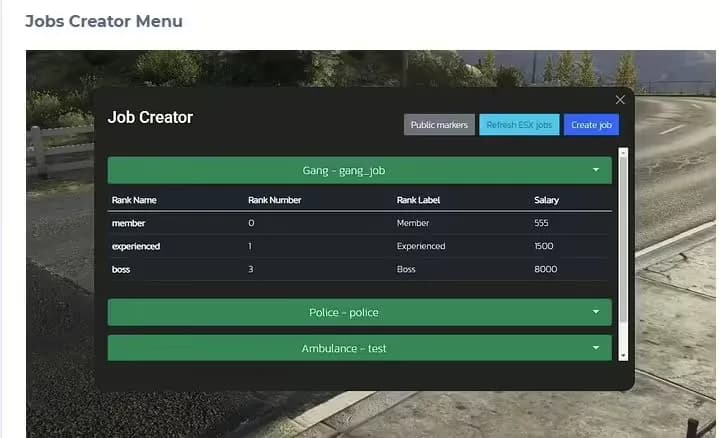
The #1 FiveM Jobs Creator Script - that allows server administrators to easily create generic jobs with many customizable interaction points.
$22.99
View product


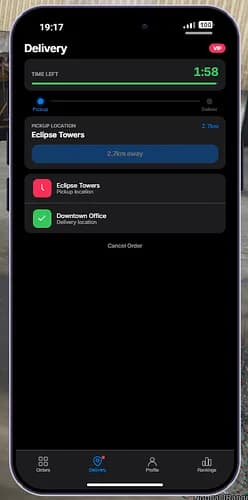

![[ESX/QB] Complete Delivery App & Courier System](/_next/image?url=https%3A%2F%2Fcdn.fivemx.com%2Ffree-mods%2Fesx-qb-complete-delivery-app-courier-system%2Fimages%2F2026%2F05%2F60f6f5b1-d6c1-4401-90dc-08f2131d07b8-esx-qb-complete-delivery-app-courier-system-featured.webp&w=2048&q=75)
![Garbage Job | Multiplayer [ESX/QBCore/QBX/Standalone]](/_next/image?url=https%3A%2F%2Fcdn.fivemx.com%2Ffree-mods%2Fgarbage-job-multiplayer-esx-qbcore-qbx-standalone%2Fimages%2F2026%2F05%2F3cf8a023-5b7c-4dd5-b0a5-77079767eb1e-garbage-job-multiplayer-esx-qbcore-qbx-standalone-featured.webp&w=2048&q=75)