Compatibility
- Frameworks
- esx, qbcore
- Version
- 1.0
- Game Mode
- FiveM
![[FREE][ESX/QBCore] Pause Menu | Glassmorphism UI & Immersive Animations](/_next/image?url=https%3A%2F%2Fcdn.fivemx.com%2Ffree-mods%2Ffree-esx-qbcore-pause-menu-glassmorphism-ui-immersive-animations%2Fimages%2F2026%2F05%2Fb6f2e252-6ff9-4964-a8d8-2e60755c3132-free-esx-qbcore-pause-menu-glassmorphism-ui-immersive-animations-featured.webp&w=2048&q=75)
Free download (ad supported)
Free downloads are supported by a brief ad page (Linkvertise) to keep this service running.
Production server?
Browse paid scripts with instant delivery, support signals, and no ad step.
This pause menu replaces or supplements the default in-game menu with a styled interface. UI resources are not just cosmetic; they affect how players find identity details, server links, rules, key pages, and navigation while they are already inside the game. The goal of this enrichment is to make the listing useful before a download click: what the resource is for, where it fits in a FiveM server, what to verify, and when a paid alternative may be the better operational choice.
The listing names ESX and QBCore. Confirm which player-data bridge is enabled, then verify identifiers, job labels, cash or bank fields, and any server links shown inside the UI. If your server uses QBox, custom player objects, or heavy HUD resources, test for overlapping keybinds and NUI focus conflicts. Current framework tags for this listing are ESX and QBCore. Required or likely dependencies to review are ESX or QBCore player data bridge. If your server has custom inventory, garage, dispatch, door-lock, target, or job systems, test those exports directly instead of assuming a drop-in install.
Use a staging server first, start with a clean resource name such as glass_pause_menu, and keep the original download package available for rollback. After the first restart, check the server console for missing files, duplicate resource starts, SQL errors, NUI errors, and client warnings.
For live use, test the happy path and at least two failure paths. That means trying the feature with the wrong job, without required items, after reconnecting, and after a resource restart. These checks catch most support issues before players find them during peak time.
A free pause menu is enough for a visual refresh. Premium UI systems are worth considering when you need full HUD integration, theme controls, localization, analytics links, or a supported design system across menus. If this free resource proves the idea but you need a supported, polished, or larger-scale version, compare it with premium FiveM scripts before adding more one-off scripts.
This FiveMX entry remains a community-listed free mod unless the trust panel on this page shows stronger proof. This enrichment did not add a clean virus scan, did not add a new live-server test date, and did not change the safety status. Review the original source, scan files where appropriate, and test on a private server before giving normal players access.
For more discovery, browse free FiveM scripts and mods, compare commercial options in the FiveMX shop, and use the server.cfg generator when you need a cleaner resource start order.
Premium Alternative
Get premium scripts with dedicated support, lifetime updates, and one-click installation.
Quick answers based on the information published for [FREE][ESX/QBCore] Pause Menu | Glassmorphism UI & Immersive Animations.
Learn more about setting up, configuring, and using this type of resource.
Discover more resources for your FiveM or GTA 5 server.
Free mods are a good starting point. When your server needs stronger support, cleaner installs, and premium systems, move into the commercial hubs below.
Framework hub
Move from free QBCore resources into verified paid systems with support, updates, and cleaner install paths.
Open QBCore hubPremium catalog
See paid scripts, framework labels, bundles, and install-ready products once the free version no longer covers your server needs.
Open premium shopMoney page
Add police, mechanic, gang, and economy systems around this mod with stronger commercial scripts.
See job scriptsHave another question? Check the mod description above for more details.
Launch faster
Bundles shorten setup time by grouping the highest-leverage systems into one commercial starting point.
Written by the FiveMX editorial team based on the current CitizenFX artifact and each supported framework — not copy-pasted from the upstream post.
resources/[esx]/esx-qbcore-pause-menu-glassmorphism-ui-immersive-animations on your server. Keep the resource folder name as-is — most manifests reference it verbatim.*.sql), import it into your FiveM database — FiveMX test servers use oxmysql against MariaDB 10.6.ensure esx-qbcore-pause-menu-glassmorphism-ui-immersive-animations to your server.cfg after es_extended.TriggerEvent("esx:getSharedObject") — some older releases need a one-line patch to use ESX = exports["es_extended"]:getSharedObject().resources/[qb]/esx-qbcore-pause-menu-glassmorphism-ui-immersive-animations on your server. Keep the resource folder name as-is — most manifests reference it verbatim.*.sql), import it into your FiveM database — FiveMX test servers use oxmysql against MariaDB 10.6.ensure esx-qbcore-pause-menu-glassmorphism-ui-immersive-animations to your server.cfg after the qb-core ensure line.config.lua, open it before your first boot and match the job names, inventory items, and locale to your own qb-core setup — otherwise targets silently fall through.Other popular free mods you might find useful for your server.
151 downloads
71 downloads
62 downloads
![[RELEASE] Iconix Character System | Multicharacter + Spawn | QBCore & ESX](https://cdn.fivemx.com/free-mods/release-iconix-character-system-multicharacter-spawn-qbcore-esx/images/2026/05/194a7081-0f06-49cd-a459-419010dba4a6-release-iconix-character-system-multicharacter-spawn-qbcore-esx-featured.webp)
61 downloads
![[FREE] GP Vending Machine System [ESX/QBCore/QBox]](https://cdn.fivemx.com/free-mods/free-gp-vending-machine-system-esx-qbcore-qbox/images/2026/05/0ebaa444-abb4-4b17-a916-0bfccc960d97-free-gp-vending-machine-system-esx-qbcore-qbox-featured.webp)
55 downloads
![[ESX] [QBCore] Advanced Black Market System](https://cdn.fivemx.com/free-mods/esx-qbcore-advanced-black-market-system/images/2026/05/8656a839-243a-4b97-aa57-a7e36c4e9ee8-esx-qbcore-advanced-black-market-system-featured.webp)
49 downloads
ensure esx-qbcore-pause-menu-glassmorphism-ui-immersive-animationsox_libox_inventoryensure esx-qbcore-pause-menu-glassmorphism-ui-immersive-animationsox_libox_inventoryKeep the download flow free, but compare production-ready scripts and server packs before this resource becomes part of a live roleplay stack.

Premium FiveM vehicle HUD with speed, gear, mileage tracking, and steering wheel controls for ESX and QBCore servers.
$6.99
View product
This mod will make the streets european (German Roads)! Hand-crafted mod, for your server. With the Roads mod, you'll experience an authentic European feel with every step you take. Hand-crafted with precision and attention to detail, this mod is designed to give your server a unique touch
$4.49
View product
FiveM Anticheat script/mod | OPTIMIZED and perfect for ESX detects modders and ban them instantly. Many server owners struggle because of cheaters, modders and hackers. There are a couple of hacks and mod menus for FiveM and money hacks for ESX framework. ? Hackers are quite annoying but the
$21.99
View product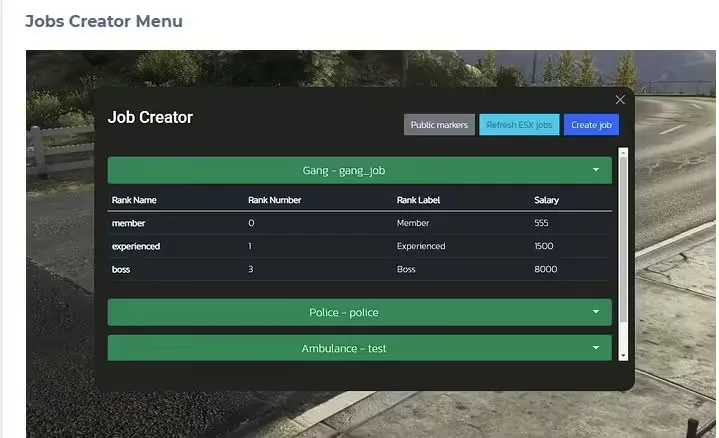
The #1 FiveM Jobs Creator Script - that allows server administrators to easily create generic jobs with many customizable interaction points.
$22.99
View product