
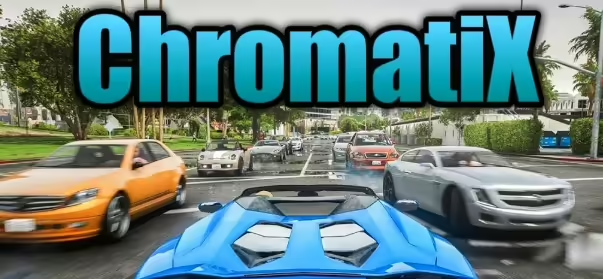
ChromatiX is a graphics mod for GTA V and FiveM that uses ReShade presets. Confirm support for your GTA V edition in the project changelog, back up changed files and test performance before keeping it installed.
Use it as a starting point, not as a production recommendation. Free resources still need source review, dependency checks, staging tests and a rollback plan before they belong on a live roleplay server.
What is ChromatiX?
ChromatiX is a graphics mod for GTA V and FiveM. Based on the original FiveMX page, it works with ReShade presets to change how the game looks, and it was presented with a trailer video plus separate installation sections for single-player and FiveM. The project publishes its release notes on the official ChromatiX changelog page.
Search interest in ChromatiX also covers the GTA 5 Legacy and Enhanced editions. If you play a specific edition of GTA V, confirm on the changelog page that the current build supports it before installing anything.
What the old page mentioned
- The old page described Chromatix as a GTA V and FiveM graphics mod.
- It mentioned ReShade presets and a trailer video.
- It included single-player and FiveM installation sections.
Download and source checks
- Download ChromatiX only from its official source, not from re-upload mirrors.
- Read the changelog for the version you plan to install and note which GTA V edition it targets.
- Scan the downloaded package before opening it, as with any free mod.
- Check the included install notes for the difference between the single-player and FiveM setup.
Install and setup basics
The exact steps depend on the current ChromatiX package, so follow the install notes that ship with the download. A safe order for testing looks like this:
- Back up your current graphics settings and any ReShade presets you already use.
- Install the mod on a separate client profile or test installation, not directly on your daily setup.
- Start the game and check that the visuals load without errors or missing textures.
- Join a test server and confirm the mod behaves as expected during normal play.
- Write down what you changed so you can roll back cleanly if something breaks later.
Performance notes
ReShade-based graphics mods add post-processing work on top of the normal game render, and that work costs GPU time. Measure your FPS before and after enabling the preset so you know what the visual change actually costs on your hardware.
If the game stutters or your frame rate drops hard, reduce the demanding effects first or switch back to your previous settings. A graphics mod like this is a client-side change: it does not require anything from the server, but it also cannot fix performance problems that come from scripts or crowded areas.
Checks before live use
- Test visual settings on a separate client profile before recommending it to players.
- Keep original graphics files or presets available for rollback.
- Review the resource manifest, config files and dependency notes before starting it.
- Test the main workflow on a staging server with realistic player permissions.
- Check client and server console output after a clean restart.
- Keep a backup of affected resource folders, configs and database state before replacing live files.
What this page does not prove
This page does not prove that the resource is maintained, safe, legal for every server, or suitable for every framework. Make the final decision from the current source package and your own server environment.
Minimum staging record
Before you keep this resource, write down the tested server build, framework version, dependencies, changed config files and the result of the main test action. Also note who approved the change and where the rollback copy is stored. This small record is enough to help another admin remove, update or replace the resource later without guessing from memory.
If the resource stays installed after testing, revisit the note after the next framework or artifact update and remove anything that no longer matches your live setup.
External source links
Related FiveMX resources
For broader comparison, review FiveM graphics mods, GTA V graphics mods guide, free FiveM mods before deciding whether this resource fits your server.