
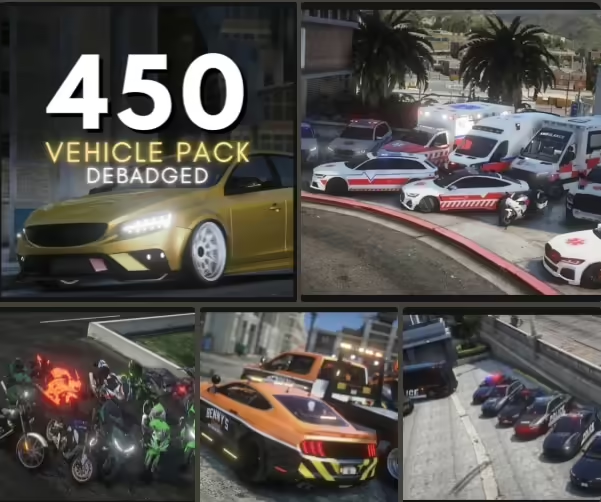
Fast answer: this page describes a third-party debadged vehicle pack, but FiveMX has not verified an official creator page, license, exact vehicle list, archive checksum or current maintenance status for the linked download. Use the page as a review checklist, not as proof that the mirror is authorized, safe or compatible with your server.
Debadged cars for FiveM are vehicle resources where visible real-world badges or identifying marks have been removed or reduced. Server owners use them when they want cleaner fictional fleets, neutral dealership stock or roleplay vehicles that do not depend on a real brand identity.
What debadged cars are used for
Debadged vehicles can fit public roleplay servers, economy servers and communities that prefer fictionalized cars. They can also make vehicle shops look more consistent when the server mixes many car packs from different sources.
This does not automatically make a vehicle pack optimized, legal for every use, or compatible with every server. Treat the pack as a candidate resource and review the files before live use.
What to check before adding the pack
- Vehicle spawn names and whether they conflict with existing cars.
- File size, texture size and whether LOD files are included.
- Handling files and whether the cars feel balanced for your economy.
- Lights, extras, liveries, damage behavior and plate placement.
- Any server policy concerns around real brands, fictional brands or vehicle sourcing.
Staging test checklist
- Back up your current vehicle resources and
server.cfg. - Add the pack to a staging server first.
- Spawn every vehicle and check textures, handling and collisions.
- Test with your garage, dealership and key systems if those scripts manage vehicles.
- Watch client FPS and server console output before making it public.
Related vehicle resources
Browse more FiveM cars, free vehicle posts under free FiveM cars, or the wider free FiveM mods hub. If you are building a full server instead of adding one pack, compare a FiveM server starter stack.
Vehicle packs are easiest to review when you test them like a player would use them: spawn the car, park it, repair it, store it, sell it if your server supports dealerships, and reconnect. If any step fails, fix that before adding more cars.
Download
Open the external download page. Scan the files and test the pack before adding it to a live server.
Source-status check before download
Before using the external mirror, identify the creator or maintained repository, read the license, compare the archive with the source and confirm that the resource contains a valid FiveM manifest and documented dependencies. If those checks are not possible, do not move the pack from an isolated test server to production.
A debadged model is not automatically optimized or cleared for redistribution. Check every vehicle for texture memory, LODs, collisions, spawn-name conflicts and provenance. Keep the original archive and your current vehicle configuration available for rollback.
For the general resource-security baseline, see the official Cfx.re resource FAQ.
where’s the download??
fixed
Yo the military base download dont work
Hi man, https://fivemx.com/army-military-base-mlo/ ? this ?
it should
it says invaild download bro can u contact my discord ghost142real
https://fivemx.com/military-forward-operations-base/ this one dont work