
Important source correction: the creator-owned Gabz page currently presents Mission Row Police Department as a paid standalone product. FiveMX therefore does not describe the Linkvertise mirror below as an official free Gabz download. Its provenance, licence, version, and authorization have not been verified.
Verified creator information
The official Gabz product page lists reception, press, archive, locker, briefing, forensic, dispatch, evidence, identification, processing, cell, and garage areas across three floors. It also links its own trailer and walkthrough. Those room names support the description of the official product; they do not prove that a third-party archive contains the same files.
Gabz provides a public showcase path and tells visitors to connect to showcase.gabzv.com. That is the cleanest way to inspect the current creator-controlled experience before buying or comparing files. Pricing and fulfilment belong to the official store and may change; FiveMX does not copy a price into this guide.
Why the mirror needs a separate trust decision
| Question | Official source | Legacy mirror |
|---|---|---|
| Creator identity | Gabz-owned storefront | Not established by the public Linkvertise page |
| Current entitlement | Handled by the official checkout | Not demonstrated |
| Update/support path | Official Gabz channels | No verified update relationship |
| Package checksum | Can be recorded after legitimate fulfilment | No public checksum available to FiveMX |
If you already hold a legitimate Gabz entitlement, download through that account and follow the supplied documentation. Do not replace those files with an unrelated mirror merely because the folder or page title says MRPD.
Package checks before a server change
- Record the legitimate download filename, size, version label, and SHA-256. Keep that record beside the purchase or entitlement evidence.
- Read the included README and licence. Confirm whether edits, redistribution, server transfers, and escrowed files are allowed.
- Inspect the map manifest and stream directories. Use the exact resource name supplied by the creator instead of the old guessed
mrpd_mloinstruction. - List every existing resource that changes Mission Row, nearby exteriors, doors, IPLs, collisions, or police garages. Disable overlapping maps during the first control test.
- Back up door-lock coordinates, evidence interactions, target zones, garages, elevators, and dispatch markers that are tied to the current police station.
Staging walkthrough for police roleplay
Start with the map alone on a staging server and inspect the server and F8 consoles. Then enable integrations one group at a time. A successful resource start only proves that FXServer parsed it; it does not prove that doors, jobs, scripts, or players can use the building correctly.
- Walk every public entrance, stairwell, cell door, garage ramp, and rooftop or exterior transition. Look for invisible collision, gaps, blocked paths, or falls through the map.
- Test doors from an unauthorized player, a police recruit, and a command role. Verify locked state after a resource restart and a full server restart.
- Check evidence, armory, mugshot, fingerprint, dispatch, and garage scripts against their configured coordinates. Never assume coordinates from another MRPD layout will match.
- Spawn representative police vehicles and test garage clearance, gates, and pathing with several players nearby.
- Inspect night lighting, mirrors, glass, textures, and streamed props from low and high graphics settings.
- Reconnect after clearing the client cache used for staging. This catches missing stream assets hidden by a prior map version.
Performance and conflict evidence to retain
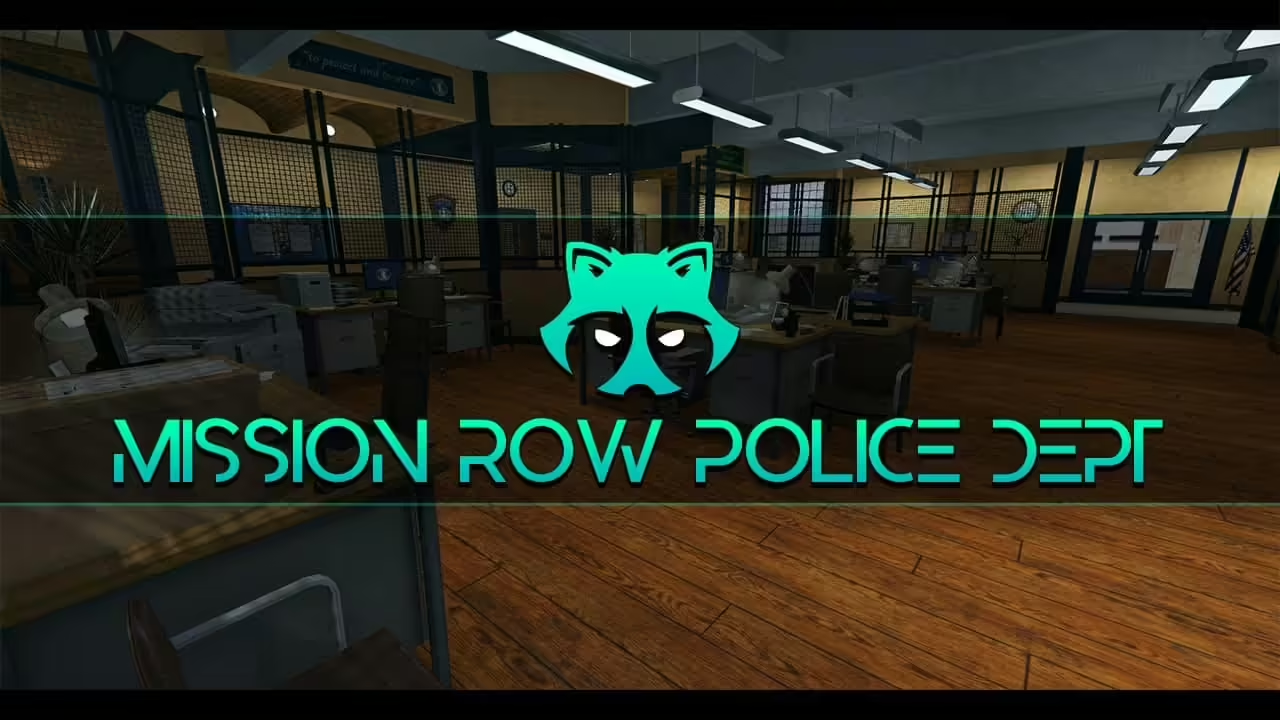
Capture screenshots at the same exterior entrance, main lobby, cells, and garage before and after the change. Record resource start errors, client resource time, visible texture loss, and any collision issue. The two images already on this page are presentation references, not a performance benchmark.

Rollback plan
Keep the previous station resource and configuration under a dated backup outside the active resource tree. To roll back, stop the new map, restore the old resource order, restore coordinate-based police integrations, restart the server, and repeat the entrance, cell, garage, and door checks. Do not run two full MRPD interiors together while deciding which one to keep.
Document the entitlement and production handoff
Before deployment, store the official order or subscription reference privately with the archive hash and the staff account responsible for updates. Record which files are escrowed, which configuration files may be edited, and where creator support is requested. Do not place receipts, account tokens, or download credentials inside the public resource folder.
The handoff should name every police integration changed for the map, the tested coordinates, the door-lock export or resource in use, the screenshots captured, and the rollback owner. When Gabz publishes an update, compare the changelog and package hash first. Replacing map files without rechecking coordinates and doors can break a station that appeared healthy during a simple walkthrough.
Legacy monetized mirror
Open the preserved MRPD Linkvertise page. It returned a public landing page during this review, but FiveMX could not verify the underlying archive, licence, or relationship to Gabz. The official creator source should take precedence.
Do not merge support channels
Gabz support can reasonably require an official entitlement and current package. Do not ask the creator to diagnose files obtained from an unrelated mirror or conceal their origin. If a mirrored archive behaves differently from the official showcase, that difference is evidence against the mirror, not evidence that the official product is broken. Keep creator support, FiveMX editorial notes, and your server-specific integrations clearly separated.