
Source status: FiveMX could not identify a current creator-owned release page, licence, checksum, or public FiveM package for the LA Roads archive linked here. The legacy mirror remains available, but it is not treated as an official or verified release. The old version labels on this page are preserved only as historical mirror labels.
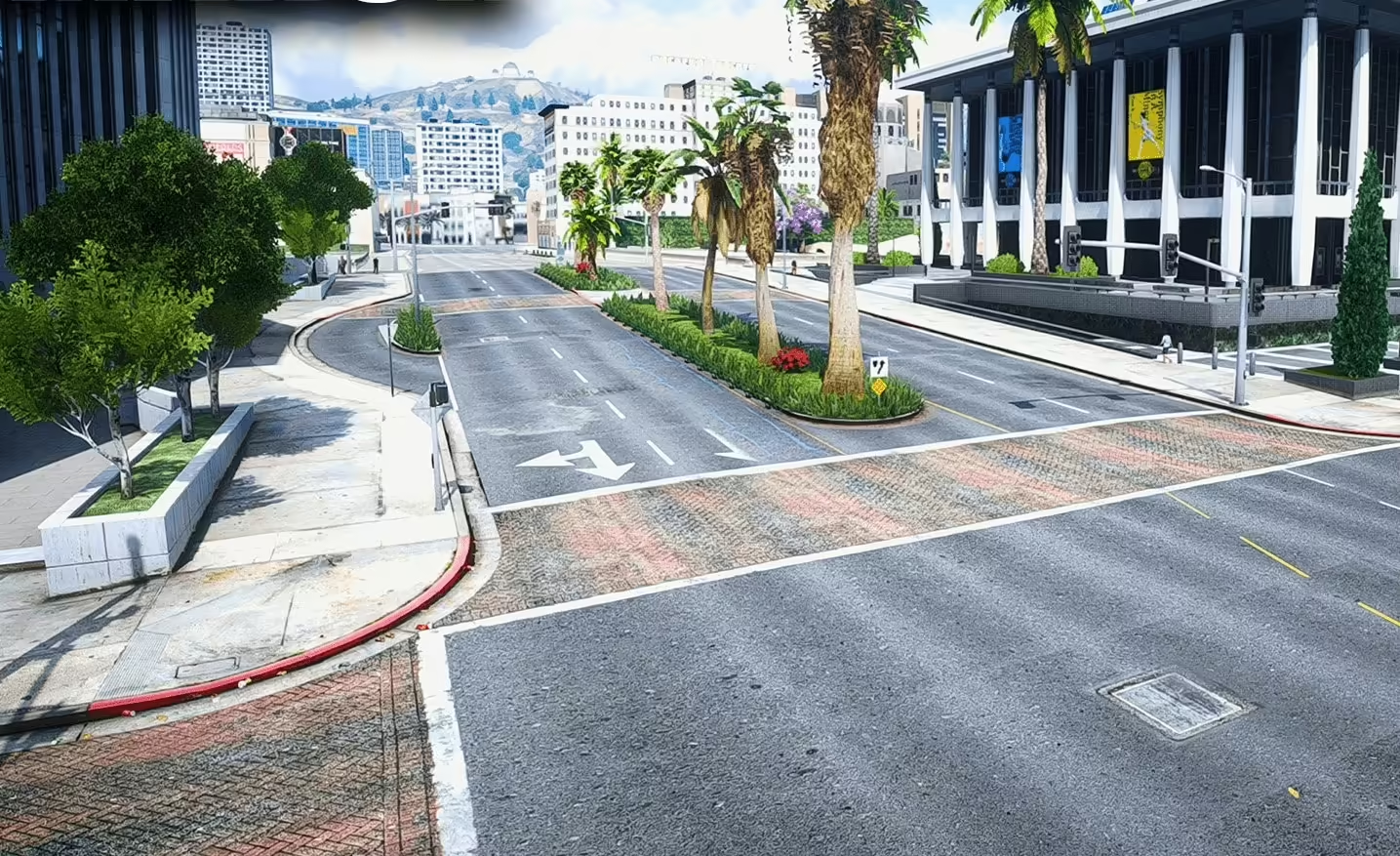
What was verified on 22 July 2026
The public Linkvertise landing page returned HTTP 200. It did not expose a creator identity, redistribution licence, direct package checksum, or public file manifest that FiveMX could compare with a primary release. The page previously mixed an OIV/OpenIV client-mod workflow with an assumed FiveM server install. Those are different deployment models, so the old universal instructions have been removed.
Cfx.re documents a FiveM resource as a folder inside the server’s resources directory with an fxmanifest.lua or legacy __resource.lua. A map resource normally declares its streamed assets and map status. An OIV installer that edits a local GTA V installation is not, by itself, an FXServer resource.
Decide what kind of archive you actually have
| Archive evidence | Likely format | Safe next step |
|---|---|---|
OIV file, OpenIV paths, or instructions that modify dlcpacks |
GTA V client modification | Do not upload it to an FXServer. Use only with a documented, permitted client-mod workflow. |
fxmanifest.lua, stream/, and explicit FiveM instructions |
Possible FiveM resource | Review the manifest, licence, files, and resource name before staging. |
| Loose YTD/YDR/YMAP files with no manifest | Unpackaged assets | Do not invent a manifest around an unknown redistribution. Find the creator’s documentation first. |
| Encrypted executable, installer, or unrelated scripts | Untrusted package | Stop. Do not run or deploy it. |
Archive review before installation
- Record the downloaded filename, byte size, and SHA-256 before extracting it. That gives your team an immutable reference even when the mirror changes later.
- Scan the archive and inspect every top-level file. Road textures should not require an unexpected executable, PowerShell script, credential file, or web panel.
- Locate the creator name and licence in a README or release page. A free download does not automatically permit mirroring, redistribution, or commercial server use.
- If it claims to be a FiveM resource, open
fxmanifest.lua. Confirm the declared game, map metadata, file list, dependencies, and exact resource folder name. - Compare streamed filenames with existing road, vegetation, minimap, and map-replacement resources. Duplicate assets and overlapping map data are a practical conflict risk.
Staging test for a real FiveM package
Use a separate server-data directory and a clean cache. Add only the reviewed resource, then start it by its exact manifest-backed folder name. Do not assume the historic name cali_roads or any other name unless the inspected package proves it.
Run one fixed route in daylight and at night with the same client settings. Include motorway sections, dense city junctions, tunnel entrances, rural roads, and areas where another map resource changes vegetation. Capture the same screenshots before and after so texture seams, missing surfaces, lighting changes, and unreadable markings can be compared instead of judged from memory.
- Watch the client F8 console and server console from initial start through a reconnect.
- Check texture loading after teleporting and after driving the route normally.
- Look for collision mismatches, floating props, vegetation through roads, invisible surfaces, and broken minimap alignment.
- Record client resource time and frame pacing under the same route. A visual change is not worth persistent hitches or texture loss.
- Repeat with the other production map resources enabled, because a clean isolated start does not prove compatibility.
Rollback that does not depend on guesswork
Keep the original server.cfg, resource folder, and any client files changed by a separate OIV workflow. If the package is a server resource, remove its ensure line, restore the prior configuration, clear only the relevant test cache, and repeat the control route. If an OIV package changed the local GTA V installation, use its documented uninstall or restore clean game files; deleting a similarly named server folder will not reverse client-file changes.
Write a decision record before approving the roads
Keep one short record with the archive hash, identified creator, licence result, package type, exact resource name, enabled map resources, test route, graphics preset, and decision owner. Attach four comparison screenshots and the relevant console output. State whether the package was accepted, rejected, or held for missing evidence. If accepted, list the exact files and configuration lines moved to production.
This record prevents a visual preference from becoming an unsupported technical claim. It also lets another administrator reproduce the result after an artifact update, map change, or client build change. When the archive hash or resource composition changes, repeat the test instead of inheriting the old approval.
Legacy monetized mirror
Open the preserved LA Roads Linkvertise page. FiveMX has not verified its archive against a primary release. Do not deploy it when the creator, licence, package format, or file history cannot be established.
Questions the page cannot answer for you
FiveMX cannot determine from the landing page whether the road textures target GTA V Legacy or Enhanced, whether a FiveM package streams every required asset, whether vegetation is optional, or whether future client builds remain compatible. Ask the identified creator for those answers and retain the response with the archive hash. If no authoritative answer exists, keep the resource in staging or reject it.