
Short answer: Lively World Expansion (LWE) is a modular vegetation and prop overhaul for GTA V. The current official project supports Legacy and Enhanced single-player installations plus FiveM client- and server-side setups. This page also preserves a monetized legacy v2.3 mirror, but that mirror does not expose a public checksum, package manifest, or licence statement. Treat it as an unverified archive, not as the current official release.
Source and installation check completed by FiveMX on July 22, 2026.
What FiveMX verified
We compared this page with the current Lively World Expansion website and installation guide instead of repeating the claims from the old v2.3 description. The checks below describe what was directly observable; they are not a claim that the legacy archive was executed on a production FiveM server.
| Check | Observed result | Practical meaning |
|---|---|---|
| Official project page | Reachable over HTTPS and currently links distribution through Patreon. | Use the official page when you need a current, supported package. |
| Official installation guide | Documents Legacy and Enhanced single-player setups, FiveM client files, and separate FiveM server resources. | Choose instructions for the exact GTA/FiveM edition and package you received. |
| FiveM server layout | The official guide lists separate city, desert, forest, mountain, and props resources in high, medium, or low density. | Do not enable several density variants for the same region. |
| Legacy Linkvertise URL | The monetized landing page returned HTTP 200 during our check. | The landing page is reachable, but reachability does not verify the archive behind it. |
| Archive integrity | No public v2.3 checksum or file manifest was available from the landing page. | We could not independently prove the mirror’s exact files, licence, or current compatibility. |
What the current official project says LWE changes
The official project describes LWE as a visual world expansion built from hand-placed props, vegetation, and replacement tree or plant models. Its current modular design separates regions and density levels so an owner can choose a smaller footprint instead of loading every available asset. That is more specific than the old promise of simply making the map “more realistic.”
The project currently lists support for GTA V Legacy, GTA V Enhanced, FiveM client-side use, and FiveM server-side use. Those packages are not interchangeable. A single-player .oiv installer, client-side .rpf files, and server resources have different installation locations and rollback procedures.
Compatibility with a platform does not guarantee compatibility with every map, MLO, graphics overhaul, or resource pack. Two resources can place vegetation or props at the same coordinates, replace the same assets, or push a client beyond its available memory. Test the actual combination used by your server.
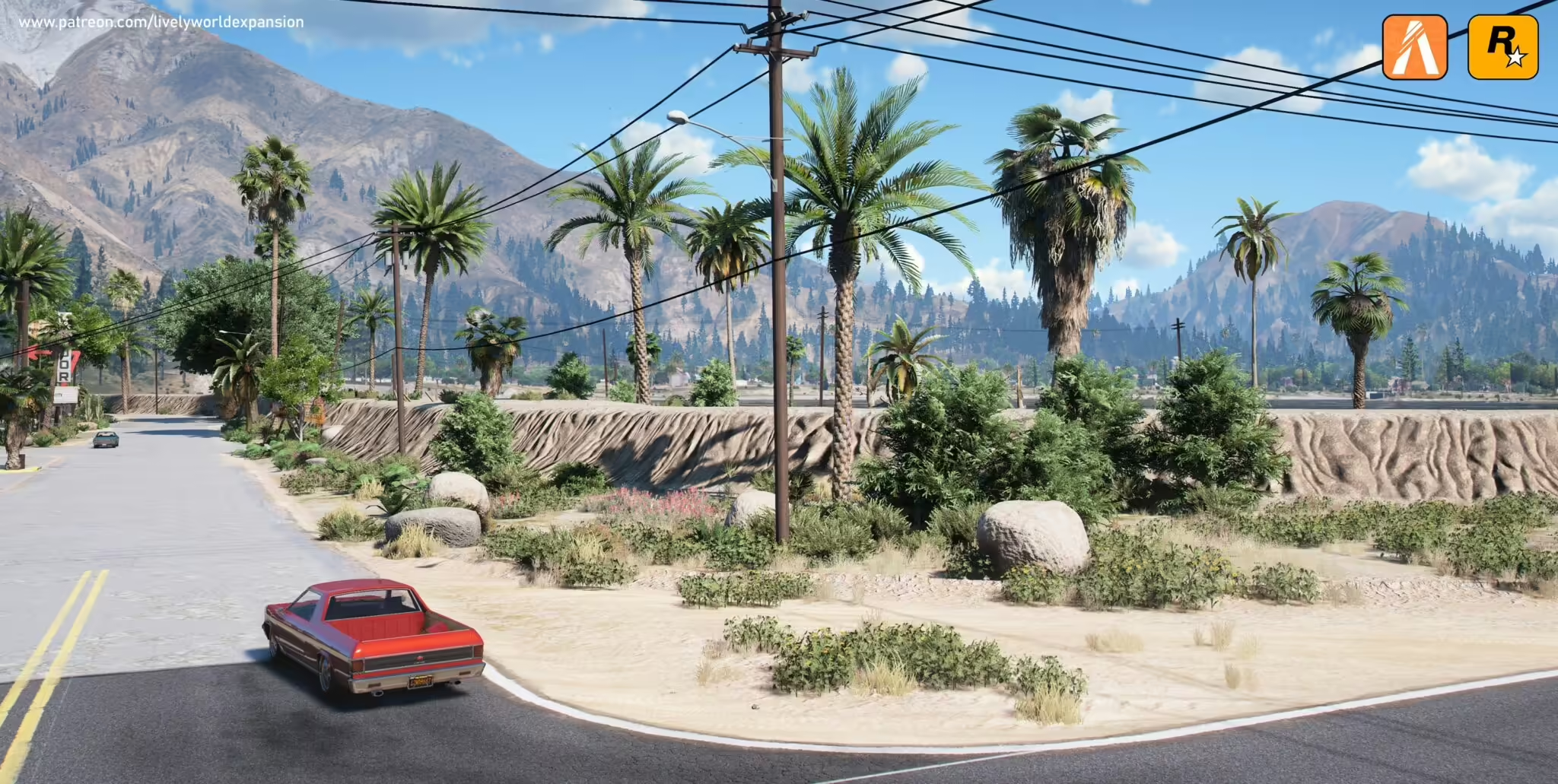
Preview before installing
A showcase can demonstrate the intended appearance, but it cannot prove your frame rate, map compatibility, or the contents of a download. Use it to select locations for an A/B screenshot pass, then reproduce those locations on staging.
FiveM server installation: verified structure
- Back up first. Save
server.cfg, the existing resources being replaced, and a list of currently enabled map or vegetation packs. - Confirm the package type. A server package should contain individual LWE resource folders. Do not upload a single-player
.oivor client-only.rpfpackage to the server. - Choose one density per region. Select high, medium, or low variants for city, desert, forest, and mountains. Start with low or medium density if the server already uses several MLOs or map replacements.
- Copy only the chosen resources. Put the selected folders in the server’s
resourcesdirectory without renaming their resource folders. - Add exact ensure lines. The official high-density example uses
ensure LWECITYHIGH,ensure LWEDESERTHIGH,ensure LWEFORESTHIGH,ensure LWEMOUNTAINSHIGH, and optionallyensure LWEPROPS. Medium and low packages use the matching suffix. - Start on staging. Watch the server console for missing manifests, failed resource starts, or streaming errors before allowing normal players to connect.
Measurable staging checks
Record a baseline before enabling LWE, then repeat the same route, weather, time of day, graphics preset, and player count. A useful review includes numbers and screenshots rather than “it feels smoother.”
- Resource start: every selected LWE folder reaches a started state without console errors.
- Client stability: complete at least three joins and one full test route without a crash or asset-timeout message.
- Frame time: compare average FPS and visible stutter at the same five locations before and after enabling the pack.
- Streaming: drive quickly between city, desert, forest, and mountain areas and record missing, late, or visibly popping assets.
- Map conflicts: inspect entrances and sightlines around every installed MLO for trees or props blocking doors, roads, helipads, or mission areas.
- Network impact: compare join/download time and client cache growth with the same clean test profile.
The official guide specifically identifies the optional LWE_Props package as a possible performance cost and recommends reducing Extended Distance Scaling when distant vegetation is expensive. Treat the project’s percentage claims as vendor guidance; measure the impact on your own hardware.
Single-player and FiveM client installs are different
For GTA V Legacy single player, the official guide uses ScriptHookV, ScriptHookV.NET, OpenIV, and an LWE .oiv package installed into the Mods folder. For a Legacy FiveM client install, it directs users to the FiveM application data directory, a mods folder, and the supplied LWE .rpf files. Back up the affected folders and do not mix those instructions with the server resource procedure.
Enhanced Edition has separate paths for vanilla Enhanced and combinations such as NaturalVision Enhanced. Read the current official instructions for the exact combination rather than copying old Legacy commands. If the package documentation and official guide disagree, stop and ask the project maintainer before overwriting files.
Rollback procedure
- Remove or comment out only the LWE
ensurelines added during the test. - Restart the staging server and confirm the resources no longer appear in the resource list.
- Restore any map or configuration files replaced during installation.
- Clear only the test client’s relevant cache if stale streamed assets remain; do not tell all players to wipe caches before confirming the server rollback.
- Repeat the baseline route and screenshots to verify that the conflict or performance regression is gone.
Official source and legacy mirror
Recommended current source: use the official Lively World Expansion website and its current installation guide. The official site currently presents distribution and support tiers through Patreon.
Legacy monetized mirror: Ad-supported download. FiveMX has not verified that archive as the current official version or confirmed a redistribution licence. Scan the files, compare the package structure with the official documentation, and do not deploy it if its origin or licence cannot be established.