
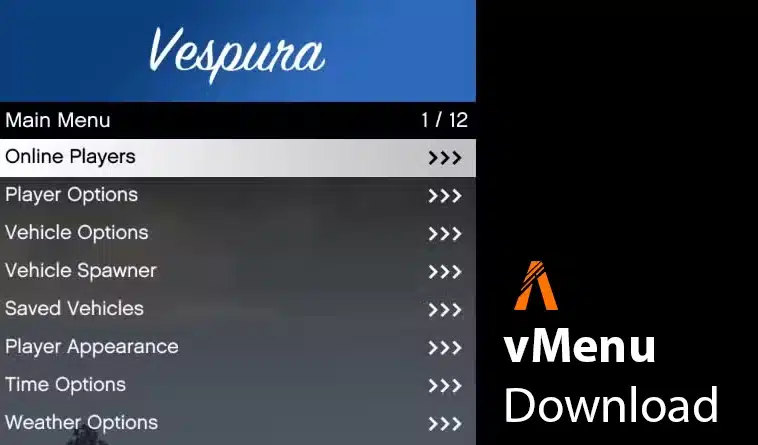
Short answer: vMenu is a standalone, server-sided FiveM trainer and administration menu. Install the official release in a resource folder named exactly vMenu, execute its permissions file before ensure vMenu, and review every permission granted to builtin.everyone. Framework choice is not the main compatibility question; ACE permissions and the current FXServer artifact are.
Release archive and documentation verified by FiveMX on July 22, 2026.
FiveMX verification record
We downloaded the current release asset directly from the developer’s GitHub repository and performed an archive-level inspection. This is a reproducible static check, not a claim that the resource was exercised on your production server.
| Item | Verified value |
|---|---|
| Official release | vMenu v3.8.22, published July 8, 2026 |
| Release asset | vMenu-3.8.22.zip, 612,294 bytes |
| SHA-256 | bf42390ac45fd565a559f46102e64d0ac3b47c8084c48e65bfa05ae08c3c3f64 |
| ZIP integrity | All compressed entries passed unzip -t |
| Archive entries | 14 entries, including fxmanifest.lua, both vMenu DLLs, config/permissions.cfg, JSON configuration files, README, and licence |
| Manifest | Declares fx_version 'cerulean', game gta5, version 3.8.22, and Tom Grobbe as author |
The checksum above identifies the exact file we inspected. A different hash does not automatically mean malware—it may be a newer release—but it means the result no longer describes your archive. Return to the official releases page and verify the new version before installation.
Use the official release when possible
The authoritative download is the official vMenu releases page on GitHub. It exposes the version, release history, source repository, licence, and issue tracker. That evidence is more useful than a mirror labelled only “latest.”
The existing monetized path remains available as requested: Ad-supported download. If you use it, compare its version and files with the official release. Do not assume the mirror is newer because its button text says “latest.”
What vMenu controls
vMenu provides player, vehicle, world, recording, developer, and staff-management functions behind FiveM’s ACE and principal permission system. Depending on configuration, it can expose teleportation, noclip, vehicle spawning, weather controls, spectating, kicking, and banning. That makes the permission file an operational security boundary, not a cosmetic preference.
vMenu does not parse and apply permissions.cfg by itself. FXServer must execute the file. The official documentation requires the exec line to appear before the resource is ensured. Editing a permissions file that is never executed is a common reason changes appear to have no effect.
Screenshots from the installed menu
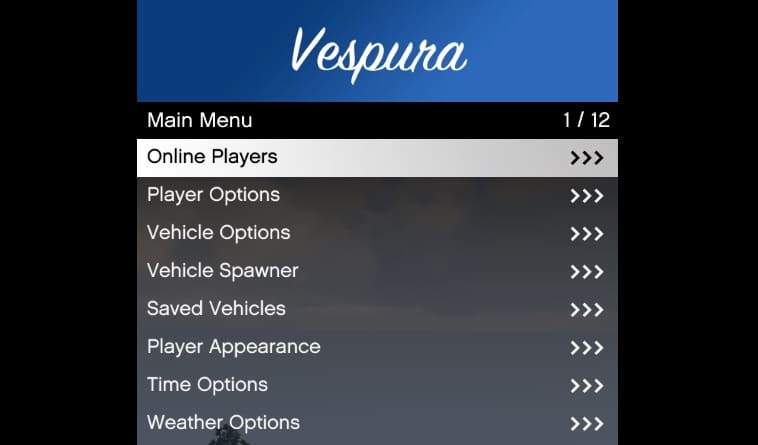

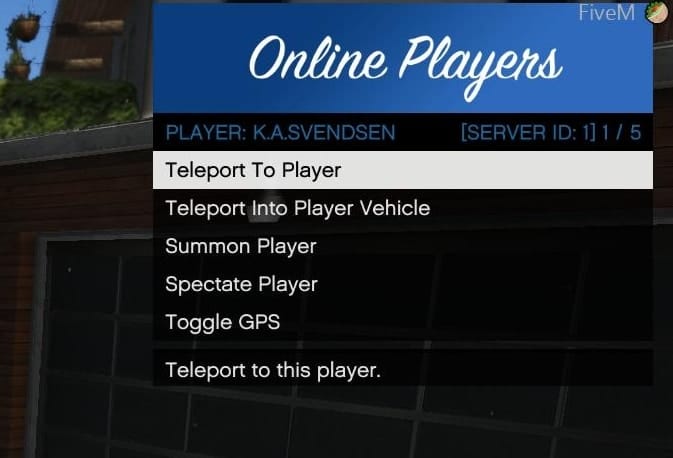
Menu appearance alone does not prove permissions are safe. Validate the same actions with an owner account, a restricted staff account, and a normal player account.
Clean installation procedure
- Download a named release. Record its version and checksum before extracting it.
- Extract into the correct directory. Copy the archive contents to
resources/vMenu/. The final path must beresources/vMenu/fxmanifest.lua, notresources/vMenu/vMenu/fxmanifest.lua. - Keep the exact folder name. The official guide states that the resource folder is case-sensitive and must be named
vMenu. - Edit the supplied permissions. Review
resources/vMenu/config/permissions.cfgbefore the first start. Remove example identifiers and decide which functions belong to players, moderators, and administrators. - Execute permissions first. Add
exec @vMenu/config/permissions.cfgtoserver.cfg. - Start the resource second. Place
ensure vMenubelow thatexecline. - Restart the staging server. The official documentation notes that permission-file changes require a server restart; restarting only the resource is not the reliable test.
Permission findings from v3.8.22
The default file is not a least-privilege policy for every server. In the archive we inspected, vMenu.Everything for builtin.everyone is commented out, which is good, but several individual capabilities are allowed to everyone by default. Examples include access to noclip, the online-player menu, teleporting, waypoint viewing, spectating, and broad player-option menus.
Those defaults may be acceptable for a freeroam server and unacceptable for roleplay, racing, training, or competitive environments. Review the file line by line. In particular:
- Do not grant
vMenu.Everythingto normal users. - Do not use a broad
.Allpermission when you intend to withhold one sensitive child action. - Keep kick, temporary ban, permanent ban, unban, summon, and kill actions restricted to documented staff groups.
- Use stable FiveM identifiers appropriate to your access policy; remove the example identifiers shipped in a template.
- Check inheritance one group at a time. ACE principal inheritance is expressed as a chain, not several child groups on one command.
Three-account staging test
Run the following matrix after every permission change. Record each result so a future staff change can be compared against a known baseline.
| Account | Expected access | Checks |
|---|---|---|
| Owner/admin | Only the explicitly approved management functions | Open staff menu; exercise kick/ban only on a test player; confirm the action is logged. |
| Moderator | Moderation without owner-only configuration | Verify summon, spectate, and kick policy; confirm permanent-ban and server-wide controls are unavailable unless intended. |
| Normal player | Only public freeroam functions approved by the server rules | Attempt noclip, teleport, vehicle spawn, weapons, weather, staff menu, kick, and ban; unexpected access is a failed release gate. |
Also inspect the server console for failed exec paths, resource-load errors, and permission warnings. A menu that opens for the owner proves only that the resource started; it does not prove that normal-player restrictions work.
Updating an existing installation
Back up the entire resource and server.cfg. The official installation guide says to replace release files while preserving your existing permissions.cfg and the files in the vMenu/config/ directory. Compare new defaults separately rather than overwriting your policy or blindly carrying an obsolete option forward.
After the update, verify that fxmanifest.lua reports the expected version, restart the server, and repeat the three-account test. If a new release changes permissions or configuration files, document the migration before production.
Compatibility and framework use
vMenu is standalone; it does not require ESX, QBCore, or QBOX to start. Running it alongside a framework can still create policy conflicts. Framework admin menus, vehicle garages, clothing systems, weather sync, anticheat rules, or inventory restrictions may overlap with vMenu actions. Disable or restrict duplicate capabilities instead of assuming “standalone” means conflict-free.
Use a current supported FXServer artifact and test the exact artifact build used by production. If Linux clients or the server crash during vMenu loading, compare the version against the current official release notes and documentation before changing unrelated resources.
Rollback plan
- Remove or comment out
ensure vMenuand itsexec @vMenu/config/permissions.cfgline. - Restart the staging server and confirm vMenu is absent.
- Restore the backed-up resource and configuration only if the previous version was known-good.
- Repeat normal-player permission checks after restoration; do not assume rollback restored the old ACE state.


