
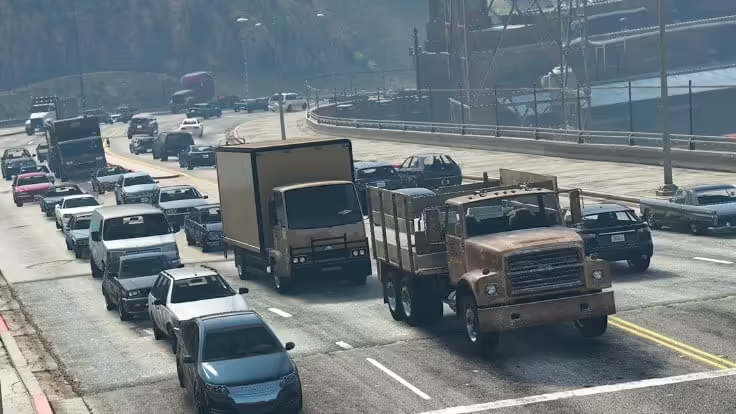
Fast answer: reduce ambient NPCs and traffic with a small client resource that calls the density multiplier natives every frame. Include both fxmanifest.lua and the client Lua file, start with a moderate value on staging, and measure the same route before and after. Do not promise an FPS gain: the result depends on the wider client resource and asset workload.
Sometimes, you may want to reduce the number of non-playable characters (NPCs) or their density in the game world to improve server performance or create specific gameplay scenarios. In this tutorial, we will show you how to reduce NPCs in FiveM.
Note: Reducing NPC density may require some knowledge of server-side scripting in FiveM. Make sure you have administrative access to your FiveM server and a basic understanding of Lua scripting.
Prerequisites:
- A FiveM server. (How to setup)
- Administrative access to the server.
- A text editor (e.g., Notepad++) for editing Lua scripts.
- Basic knowledge of Lua scripting.
Steps:
1. Access your FiveM server:
- Make sure you have SSH or RDP access to your FiveM server, or access to its control panel.
2. Locate your resources folder:
- Navigate to your FiveM server’s main directory.
- Find the “resources” folder; this is where your server’s scripts and resources are located.
3. Create a new Lua script:
- Inside the “resources” folder, create a new directory if needed, e.g., “npc_reducer.”
- Inside
npc_reducer, createfxmanifest.luaand a client script such asreduce_npc_density.lua. The manifest must declare the Lua file as aclient_scriptor FiveM will not detect and load it as described below.
4. Edit the Lua script:
- Open the “reduce_npc_density.lua” file with your preferred text editor.
- Add the following Lua code to the file:
 Citizen.CreateThread(function()
 while true do
 Citizen.Wait(0)
 -- Adjust the number below to set the desired NPC density.
 local newDensity = 0.1 -- Modify this value as needed.
 SetVehicleDensityMultiplierThisFrame(newDensity)
 SetPedDensityMultiplierThisFrame(newDensity)
 SetRandomVehicleDensityMultiplierThisFrame(newDensity)
 SetParkedVehicleDensityMultiplierThisFrame(newDensity)
 SetScenarioPedDensityMultiplierThisFrame(newDensity, newDensity)
 end
 end)
- In the code above, you can modify the
newDensityvariable to control the density of various types of NPCs and vehicles in the game world. A value of1.0represents the default density, while smaller values reduce it.
5. Save and close the Lua script:
- Save the changes you made to the Lua script and close the text editor.
6. Configure your server.cfg:
- Navigate to your FiveM server’s main directory.
- Open the “server.cfg” file with a text editor.
- Add the following line to the file:
ensure npc_reducer
- This line ensures that your “reduce_npc_density.lua” script is loaded when the server starts.
7. Restart your FiveM server:
- Save the “server.cfg” file and restart your FiveM server to apply the changes.
8. Adjust NPC density in real-time:
- Once your server is back up, you can adjust the NPC density in real-time by modifying the
newDensityvariable in the Lua script. Lower values will reduce NPC density, while higher values will increase it.
You have successfully learned how to reduce NPCs (density) in FiveM by creating a Lua script and configuring your server to load it. This can help you optimize server performance or create specific gameplay scenarios with fewer NPCs in your GTA V FiveM server.
Please like, share and comment this, if it helped you. :)
Practical checklist
Use this guide as a staging checklist before changing a live FiveM server. Confirm the current server artifact version, framework version, resource dependencies, database changes, and any client-side files before you apply the change.
- Back up the affected configuration files and database tables.
- Apply the change on a test server first.
- Watch the server console and client F8 console for errors.
- Check whether the change affects jobs, inventory, vehicles, maps, voice, permissions, or player data.
- Document the exact file, command, or setting you changed so it can be reverted quickly.
Testing before production
After the first test, join with a normal player account and repeat the flow from the player perspective. If the topic involves performance, measure before and after with the same player count, route, and resource set. If it involves admin tools or permissions, verify both allowed and denied users.
Common mistakes
Most FiveM issues come from missing dependencies, stale cache, wrong folder names, framework mismatch, or configuration copied from another server. Avoid changing multiple systems at once; make one change, test it, and then continue.
Related resources
For production-ready assets, compare paid resources in the FiveMX shop. For free resources, browse free FiveM scripts and test each resource before using it publicly.
Production rollout notes
Before using this guidance on a live FiveM server, define the exact outcome you expect from the change. For How To Reduce NPC Density on FiveM, that means checking which resource, setting, command, or workflow is affected and confirming that the change fits your current framework, artifact version, and server rules. Keep the rollout small enough that you can reverse it quickly if players report errors.
Use a staging server with the same framework, database schema, resource order, and key dependencies as production. If the topic changes gameplay, permissions, visuals, voice, vehicles, maps, inventory, or economy behavior, test with at least one admin account and one normal player account. Watch server console output, client F8 logs, and resource timing while repeating the exact player flow that will happen on the live server.
Rollback checklist
- Save the previous configuration file, resource folder, and database state before changing anything.
- Record the resource version, commit, download page, or setting value you tested.
- Restart only the affected resource first when possible, then restart the full server if dependencies require it.
- If errors appear, revert the single changed resource or setting before testing another fix.
Maintenance guidance
Review this setup again after FiveM artifact updates, framework updates, or major resource changes. A configuration that works today can break after dependency updates, renamed exports, changed events, or database migrations. Keep notes with your server documentation so future admins understand what was changed, why it was changed, and how to verify it again.
Ongoing review
Recheck How To Reduce NPC Density on FiveM after major FiveM artifact updates, framework changes, or resource migrations. Confirm that the advice still matches current server behavior, that any linked source remains available, and that installation steps still match the files a server owner will actually download or configure.
For public servers, keep a short changelog beside your server documentation. Note what was tested, what changed, which accounts were used for verification, and how to roll back. This makes future maintenance faster and prevents old setup notes from becoming unclear or unsafe for players.
Add the required resource manifest
Cfx.re’s Lua resource guide states that a resource folder needs a manifest to be detected and that client_script tells the client runtime which file to load. Add this beside reduce_npc_density.lua:
fx_version 'cerulean'
game 'gta5'

client_script 'reduce_npc_density.lua'
The example uses SetPedDensityMultiplierThisFrame, SetScenarioPedDensityMultiplierThisFrame, SetVehicleDensityMultiplierThisFrame, SetRandomVehicleDensityMultiplierThisFrame and SetParkedVehicleDensityMultiplierThisFrame. Keep the loop client-side and yield every frame as shown. Test populated interiors, emergency traffic, missions and job scripts before rollout because reduced ambient populations can change gameplay as well as load.
Do not combine this approach with undocumented popcycle.dat edits during the same test. Change one control at a time, record the value, compare client performance and restore the previous resource if behavior regresses.
Primary references: Cfx.re Lua resource guide and the official CitizenFX native documentation repository.


