Config = {
    ServerCallbacks = {}, -- Don't edit or change
    AutoDatabaseCreator = false, -- If you are starting the script for the first time, make this true and restart the script, after restarting, make this false otherwise you will get an error.
    CommandPermission = 'god', -- Permission level for add stock (god for QB, admin for ESX)
    TestDriveTime = 30000, -- Seconds 600000
    TeleportBackWhenTestFinishes = true, -- If false destroys the test vehicle's engine and sets it unusable again
    SalesShare = 10, -- The player making the sale receives a share of the entered amount from the sale.
    VehicleShops = {
        {
            Management = {
                Enable = false,
                Job = "cardealer"
            },
            EnableStocks = false,
            AllowedCategories = {"sedans", "sportsclassics", "offroad", "cycles", "motorcycles", "vans", "super", "sports", "coupes", "compacts", "suvs", "muscle"},
            Coords = {
                ShowroomVehicles = vector4(-47.68, -1094.61, 26.42, 133.71),
                BoughtVehicles = vector4(-32.21, -1091.13, 26.18, 336.48),
                TestVehicles = vector4(-32.21, -1091.13, 26.18, 336.48),
                SellingPoint = vector3(-30.82, -1106.09, 26.42)
            },
            Ped = {
                Enable = true,
                Coords = vector4(-57.13, -1099.05, 26.42, 22.75),
                Model = "a_m_y_hasjew_01",
                animDict = "amb@world_human_hang_out_street@female_arms_crossed@idle_a",
                animName = "idle_a"
            },
            ShowroomVehicles = {
                {coords = vector4(-50.67, -1116.44, 25.97, 2.26)},
                {coords = vector4(-53.56, -1116.84, 25.79, 3.36)},
                {coords = vector4(-56.3, -1116.97, 25.66, 1.13)},
                {coords = vector4(-59.18, -1116.89, 26.17, 1.44)},
                {coords = vector4(-61.83, -1117.06, 25.84, 2.23)}
            },
            Blip = { -- https://docs.fivem.net/docs/game-references/blips/
                Enable = true,
                coords = vector3(-57.13, -1099.05, 26.42),
                sprite = 820,
                color = 0,
                scale = 0.5,
                text = "Dealership"
            },
            Interaction = {
                Target = {
                    Enable = true,
                    Distance = 2.0,
                    Label = "Open Showroom",
                    Icon = "fa-solid fa-car",
                    Label2 = "Open Management",
                    Icon2 = "fa-solid fa-car"
                },
                Text = {
                    Enable = false,
                    Distance = 3.0,
                    Label = "[E] Open Showroom | [G] Open Management"
                },
                DrawText = {
                    Enable = false,
                    Distance = 3.0,
                    Show = function()
                        exports["qb-core"]:DrawText("Contact", "left")
                    end,
                    Hide = function()
                        exports["qb-core"]:HideText()
                    end
                }
            }
        }
    }
}

-- Fuel Function
function Config.SetFuel(vehicle, fuel)
    exports["LegacyFuel"]:SetFuel(vehicle, fuel)
end

-- Key Function
function Config.GiveKey(plate)
    TriggerEvent('vehiclekeys:client:SetOwner', plate)
end

-- HUD Function
function Config.HUD(state)
    TriggerEvent('esx:toggleHUD', state)
end

-- Management Function
function Config.AddManagementMoney(job, amount)
    exports['qb-management']:AddMoney(job, amount)
end
Nuclei
Cores = {
    {
        Name = "ESX",
        ResourceName = "es_extended",
        GetFramework = function() return exports["es_extended"]:getSharedObject() end
    },
    {
        Name = "QBCore",
        ResourceName = "qb-core",
        GetFramework = function() return exports["qb-core"]:GetCoreObject() end
    },
    {
        Name = "QBXCore",
        ResourceName = "qbx_core",
        GetFramework = function() return exports["qbx_core"]:GetCoreObject() end
    }
}
Setup guide
These notes cover the open-source vehicle-shop package and its one-time database/bootstrap controls.
Requirements and preparation
Select the ESX, QBCore or QBX bridge shipped with the resource.
Back up owned-vehicle and dealership tables before any automatic table creation.
Installazione
Estrarre pa-vehicleshop and select the framework in shared/config.lua.
Enable the automatic database creator only for the first controlled start, then disable it before restarting again.
Configure command permissions, shops, stock and vehicle lists before public access.
Configuration checkpoints
Test stock changes, purchases, test drives, commissions and persistence.
Verify that only the intended admin group can add stock.
Safety: Back up the affected resource and database tables, use credentials owned by your server, and complete a staging test before replacing a live resource. The full configuration remains in the download package.
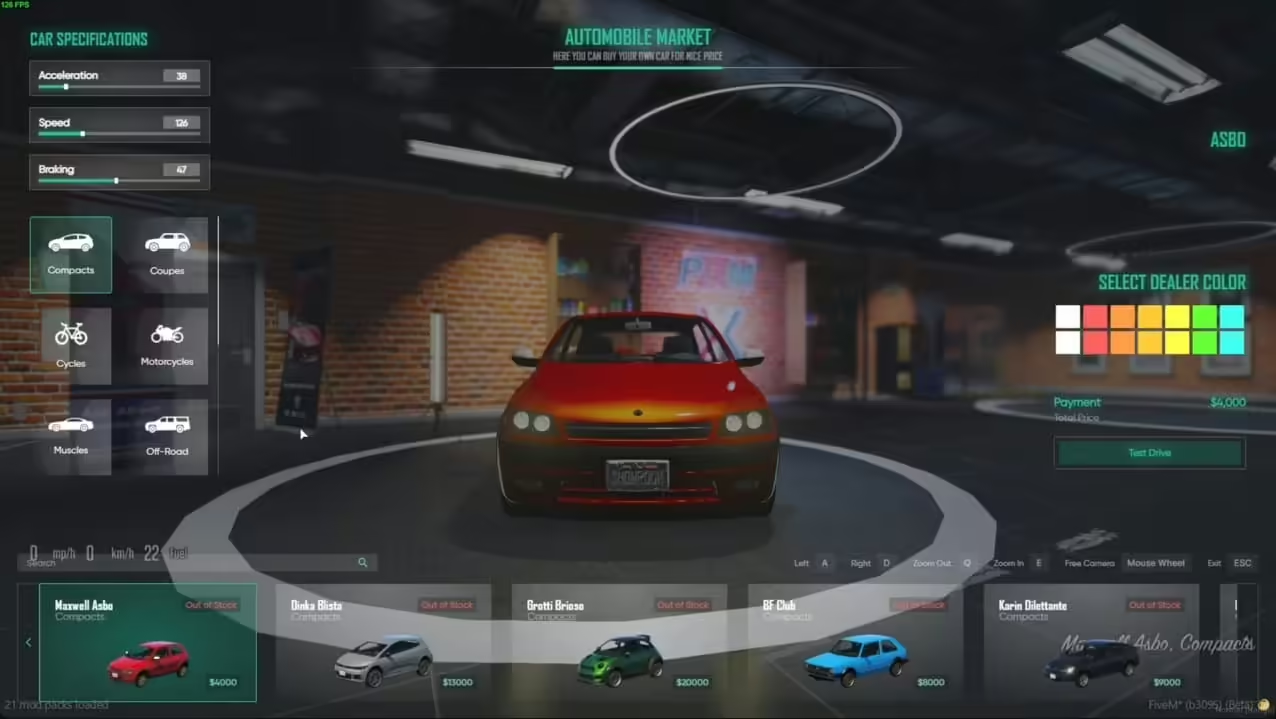
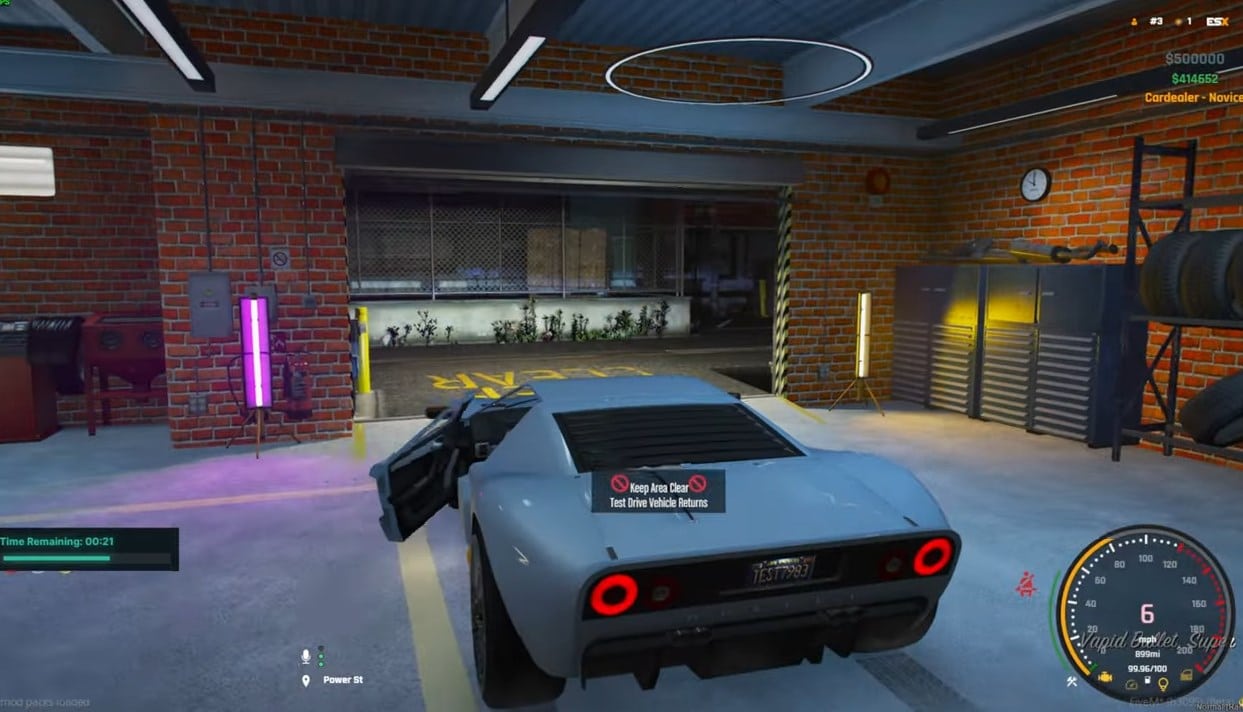
6 recensioni per NoPixel 4.0 VEHICLE SHOP
Valutato 5 su 5
Bryce (proprietario verificato)–
Good performance, clean interface, and helpful support. Nothing to complain about.
Valutato 5 su 5
Mossie (proprietario verificato)–
Excellent work. The resource runs smoothly and integrates well with our existing setup.
Valutato 5 su 5
RiftRiley (proprietario verificato)–
Installed it today and everything worked immediately. Very satisfied with the purchase.
Valutato 5 su 5
Cordelia (proprietario verificato)–
The support alone makes this worth purchasing. Fast answers and practical solutions.
Valutato 5 su 5
SavageLeo386 (proprietario verificato)–
I’m caught :) Find my love and will never buy in any other shop.
Valutato 5 su 5
Elaina (proprietario verificato)–
Works perfectly. Highly recommended.
Solamente clienti che hanno effettuato l'accesso ed hanno acquistato questo prodotto possono lasciare una recensione.











![Rapina al Negozio [ESX & QB] Brutal Anteprima risorsa FiveM Scripts](https://cdn.fivemx.com/wp-content/uploads/2023/12/brave_d8qJtQIr2Q-jpg-500x375.avif)
Bryce (proprietario verificato) –
Good performance, clean interface, and helpful support. Nothing to complain about.
Mossie (proprietario verificato) –
Excellent work. The resource runs smoothly and integrates well with our existing setup.
RiftRiley (proprietario verificato) –
Installed it today and everything worked immediately. Very satisfied with the purchase.
Cordelia (proprietario verificato) –
The support alone makes this worth purchasing. Fast answers and practical solutions.
SavageLeo386 (proprietario verificato) –
I’m caught :) Find my love and will never buy in any other shop.
Elaina (proprietario verificato) –
Works perfectly. Highly recommended.