


Livery UI for Police – Dynamic Police Vehicle Customization System
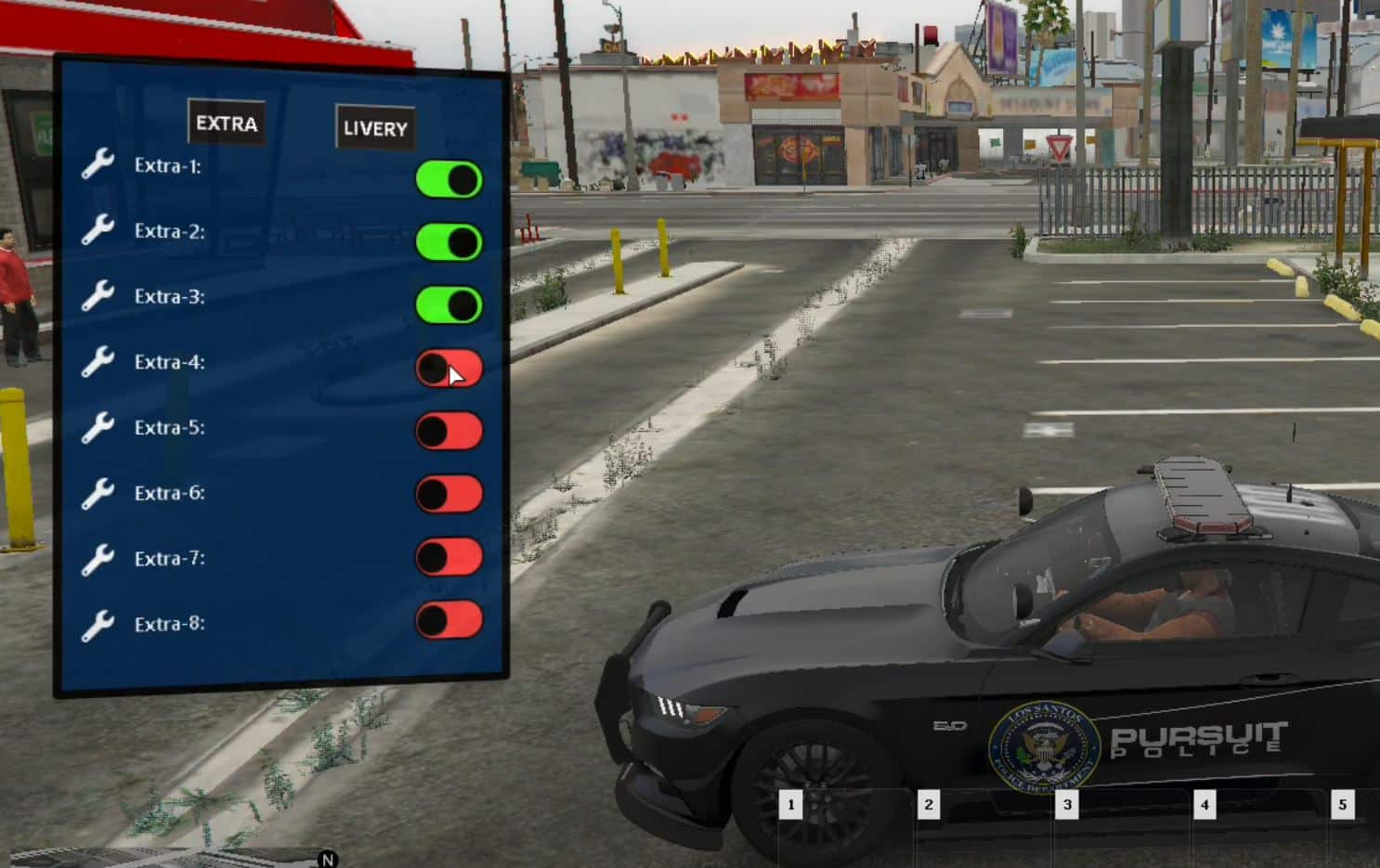
Give your police officers control over their vehicle liveries with this intuitive livery selection interface. This script allows officers to change their patrol car’s department livery, unit numbers, and vehicle markings on the fly through an easy-to-use menu system. Perfect for servers with multiple police departments, divisions, or officers wanting personalized unit identifiers.
What’s Included
This comprehensive livery management system features a user-friendly UI for selecting police vehicle liveries, unit number assignment, division markings, and departmental identifications. Officers can customize their patrol vehicles without visiting a garage, allowing quick switches between departments, units, or specialized divisions. The system saves livery preferences and supports multiple police vehicle types with different livery options for each.
Key Features
- Dynamic Livery Selection – Change police vehicle liveries without respawning cars
- Unit Numbers – Assign custom unit identifiers (e.g., “Unit 12”, “K-9 Unit”)
- Department Options – Support for multiple police departments and agencies
- Division Markings – Traffic, K-9, SWAT, Detective livery variants
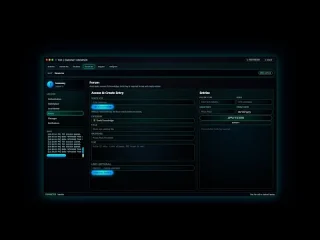
- Intuitive UI – Clean menu interface for easy livery management
- Permission System – Control who can access certain liveries
- Save Preferences – Remember officer livery choices
- Vehicle Compatibility – Works with multiple police vehicle models
- Real-Time Updates – Instant livery changes without vehicle respawns
- Custom Liveries – Support for server-specific department designs
Perfect For
- Servers with multiple police departments (LSPD, BCSO, SASP)
- Departments with specialized divisions (Traffic, K-9, SWAT, Detectives)
- Roleplay communities wanting realistic unit identification
- Servers with numbered patrol units and call signs
- Police departments sharing vehicle pools between officers
- Communities wanting officer customization without full vehicle ownership
Technical Details
- Framework: Compatible with ESX and QBCore
- Dependencies: Framework-specific police job scripts
- UI Framework: HTML/CSS/JavaScript menu system
- Performance: Minimal impact, instant livery switching
- Compatibility: Works with most police vehicle packs
- Customization: Configurable livery options and permissions
Installation
- Download and extract the Livery UI script to your resources folder
- Configure available liveries in the config file for each vehicle type
- Set up department and division livery options
- Configure unit number ranges and formats
- Set permissions for which ranks can access special liveries
- Add the resource to your server.cfg
- Restart your server and test livery selection with police vehicles
- Customize UI colors and styling to match your server theme
Framework Compatibility
- ✅ ESX – Compatible with esx_policejob and police vehicle systems
- ✅ QBCore – Works with qb-policejob
- ✅ QBOX – Compatible with QBOX framework
- ❌ Standalone – Requires police job framework integration
Livery System Features
The script organizes liveries by department, division, and specialization, creating logical categories for officers to navigate. LSPD officers can select between patrol, traffic, and K-9 liveries, while BCSO officers access sheriff-specific designs. Detectives can choose unmarked or subtle liveries, and SWAT members access tactical vehicle markings. Unit numbers allow officers to identify their specific patrol car (e.g., “Adam-12” or “Unit 23”), improving dispatch and roleplay clarity. The permission system ensures only authorized officers access specialized liveries like SWAT or command vehicles, maintaining departmental hierarchy and realism.
What Makes It Stand Out
Most servers require officers to spawn entirely different vehicles to get different liveries, or rely on admins to manually set vehicle appearances. This Livery UI system empowers officers with self-service customization while maintaining departmental standards through permissions. The instant switching capability means officers can transition between roles or departments without downtime or admin intervention. For servers with complex police structures involving multiple departments, divisions, and unit identification systems, this script provides the flexibility needed without sacrificing control. It turns standard police vehicles into versatile platforms that adapt to each officer’s role and assignment, improving both immersion and operational efficiency.



Janae (verified owner) –
This has quickly become one of my favorite resources on our server.
Adrain (verified owner) –
It’s far better than those similar products, while the price is still acceptable.
NoraNexus616 (verified owner) –
great
Frieda (verified owner) –
Amazing thanks
Leilani (verified owner) –
A promising product, worth trying
Rebecca (verified owner) –
Good response from the support.
Orpha (verified owner) –
Great attention to detail. You can tell that a lot of work went into the design and functionality.
Yoshiko (verified owner) –
The integration with [ESX/QBCore/Qbox] was smooth and required minimal changes.
Madilyn (verified owner) –
An awesome product with great flexibility. The customer support is superb. I recommend this without any doubt.