$ USD
FiveM Shop System – Free FiveM Mods
Een gratis script testen?
Gratis scripts zijn prima voor snelle controles. Voor productieservers vergelijk je volledige serverpakketten of onderhouden betaalde scripts per framework en gebruiksscenario.
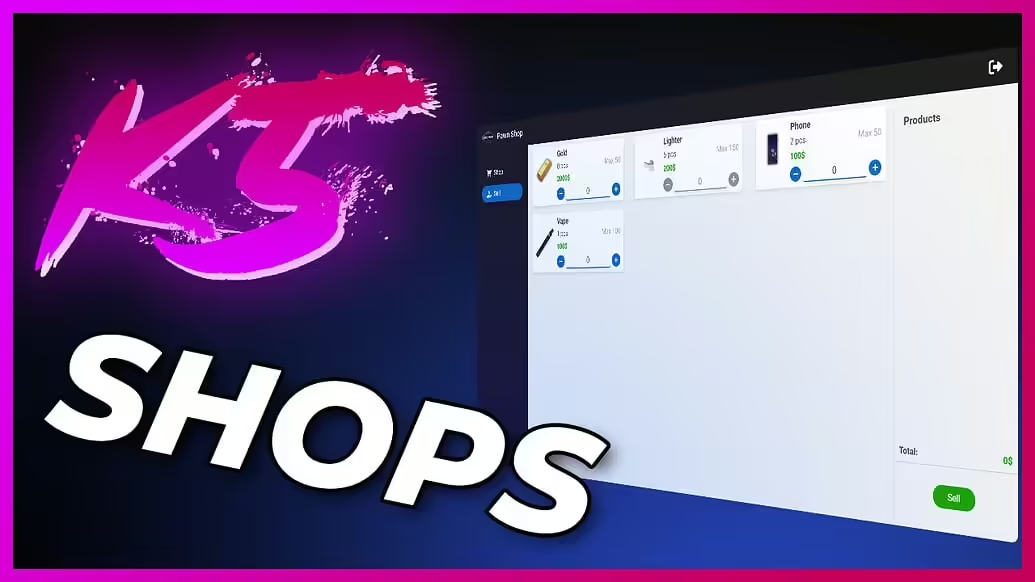
Introducing the FiveM Shop System, a powerful script designed to enhance your RP server by adding multiple types of shops that accept various forms of currency. This mod allows you to configure shops to function as pawn shops, stores, or exclusive buyer markets. Tailor the shop’s max capacity to hold valuable player goods, such as mined iron, and enjoy a more dynamic and engaging in-game economy.
Video Voorbeeld
Downloaden
About
De Shop System is built on the ESX framework, providing a highly customizable and efficient experience for server administrators and players alike. Key features of this mod include:
- Highly Customizable Shop Configuration: Tailor each shop’s settings to meet your server’s unique needs.
- Realtime Data Editing: Make adjustments on the fly without needing to restart your server.
- No SQL Required: Simplicity and ease are at the forefront, eliminating the need for complex database setups.
- Performant: The mod runs smoothly, with minimal impact on server performance.
The mod supports multiple configurations, such as:
- Pawn Shops – where players can sell their unwanted items.
- Stores – where players can buy various goods.
- Buyer Markets – specialized shops where players can sell items but not purchase any.
Installatie-instructies
- Download de Mod
First, download the mod - Pak de bestanden uit
Extract the contents of the downloaded file into your server’s resource folder. - Toevoegen aan serverconfiguratie
Open jeserver.cfgbestand van je server en voeg de volgende regel toe:ensure VersatileShopSystem - Install Dependencies
Make sure you have the following dependencies installed on your server:es_extendedesx_addonaccountesx_society
- Configure the Mod
Navigate to the mod’s configuration file and customize the shop settings as per your requirements. - Start Your Server
Restart your server to load the new mod and enjoy the enhanced shopping experience!