







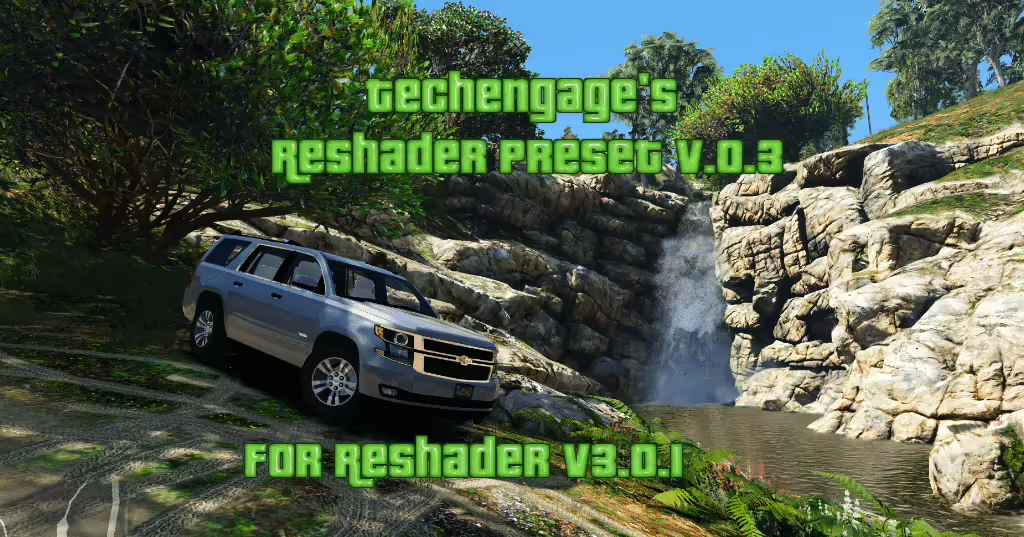
Op zoek naar een frisse look? Techengage's Reshade Presets v.0.9 is hier om een verbluffende nieuwe diepte aan je ervaring toe te voegen, vooral voor degenen die het landhuis in FiveM verkennen. Lees verder om te ontdekken hoe je deze mod eenvoudig installeert en je gamebeelden verbetert!
Wat zit er in de preset?
Techengage's Reshade Presets v.0.9 bevat een selectie van zorgvuldig gekozen shaders die zijn ontworpen om de beelden van Grand Theft Auto V te verrijken. Het gebruik van deze shaders kan je helpen levendige kleuren en een gepolijste uitstraling te bereiken, waardoor je terugkeer naar Los Santos aangenamer wordt:
- Helderheid
- Kleurrijkheid
- Curves
- FXAA
- Niveaus
- LumaSharpen
- Tonemap
- Levendigheid
Eenvoudige installatiehandleiding
Volg deze eenvoudige stappen om Techengage's Reshade Presets te installeren:
-
Reshade downloaden: Haal Reshade v.3 van de officiële site hier.
-
Installatie voltooien: Volg het installatieproces en laat de applicatie automatisch de benodigde preset shaders downloaden.
-
Shaderbestanden vervangen: Zodra de download is voltooid, navigeer naar je GTAV\reshade-shaders map en vervang de bestaande bestanden door die van de gedownloade presets. Maak je geen zorgen — sommige shaderbestanden zijn opzettelijk verwijderd voor de duidelijkheid.
-
Voeg het grand.ini-bestand toe: Plaats het grand.ini-bestand in je hoofdmap GTA5. Dit maakt de installatie eenvoudig!
- Toegang tot het Reshade-menu: Zodra je in het spel bent, druk op Shift + F2 om de Reshade-gebruikersinterface te openen en je instellingen aan te passen.
Verbeteringen in versie 0.9
Deze nieuwste versie introduceert een geïntegreerde grand.ini preset, wat je installatieproces stroomlijnt. Als je van versie 0.8 komt, zul je aanzienlijke aanpassingen opmerken:
- HDR en Adaptivesharpm verwijderd, wat zorgt voor een realistischer uiterlijk.
- Uitgebreide updates voor elke shader laten de gamebeelden echt schitteren, vooral in combinatie met Visual V.
Eer wie eer toekomt
Een speciale dank aan Crosire voor het ontwikkelen van Reshade en Bur587 voor het leveren van de geweldige screenshots! Als je deze preset nuttig vindt en besluit deze te delen, geef dan de juiste vermelding.
Nu Downloaden
Mis de kans niet om je gamebeelden te transformeren! Download de preset hier:
Download Techengage's Reshade Preset
Geniet van je visueel verbeterde avonturen in GTA V!
Klik hier voor een overzicht van FiveM Graphics Mods