







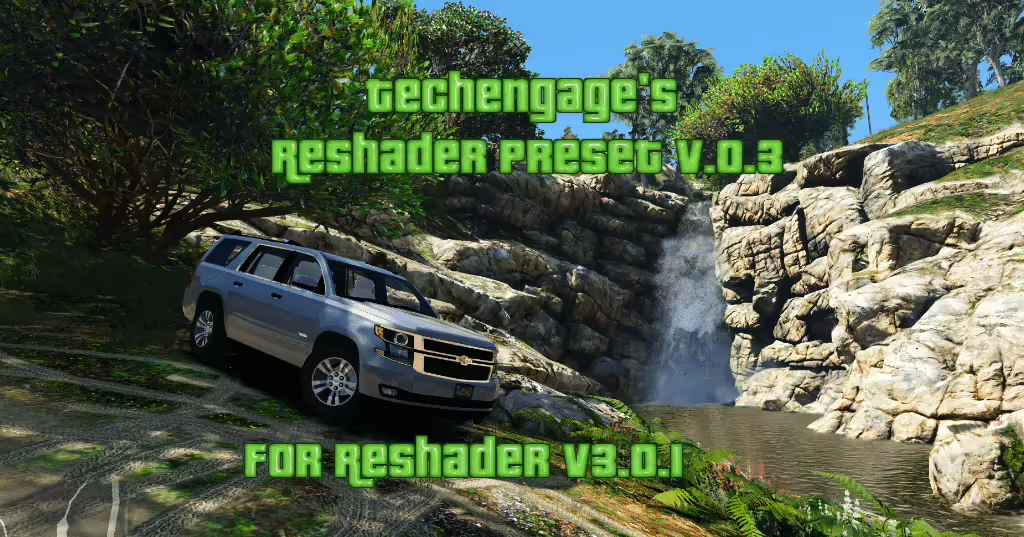
Szukasz świeżego wyglądu? Presety Reshade v.0.9 od Techengage są tutaj, aby dodać oszałamiającą głębię Twojemu doświadczeniu, szczególnie dla tych, którzy eksplorują rezydencję w FiveM. Czytaj dalej, aby dowiedzieć się, jak łatwo zainstalować ten mod i poprawić wizualną stronę swojej rozgrywki!
Co zawiera preset?
Techengage’s Reshade Presets v.0.9 zawiera wybór starannie dobranych shaderów zaprojektowanych, aby wzbogacić wizualizację Grand Theft Auto V. Użycie tych shaderów może pomóc Ci osiągnąć żywe kolory i dopracowany wygląd, czyniąc twój powrót do Los Santos przyjemniejszym:
- Przejrzystość
- Kolorowość
- Krzywe
- FXAA
- Poziomy
- LumaSharpen
- Tonemap
- Wibracja
Prosty przewodnik instalacji
Postępuj zgodnie z tymi prostymi krokami, aby zainstalować Techengage’s Reshade Presets:
-
Pobierz Reshade: Pobierz Reshade v.3 z oficjalnej strony tutaj.
-
Kompletna konfiguracja: Postępuj zgodnie z procesem instalacji, pozwalając aplikacji automatycznie pobrać niezbędne shadery presetów.
-
Zastąp pliki shaderów: Po zakończeniu pobierania przejdź do swojego katalogu GTAV/reshade-shaders i zastąp istniejące pliki tymi z pobranych presetów. Nie martw się — niektóre pliki shaderów zostały celowo usunięte dla przejrzystości.
-
Dodaj plik grand.ini: Umieść plik grand.ini w swoim głównym katalogu GTA5. To czyni instalację prostą!
- Dostęp do menu Reshade: Po wejściu do gry naciśnij Shift + F2, aby otworzyć interfejs użytkownika Reshade i dostosować swoje ustawienia.
Ulepszenia w wersji 0.9
Ta najnowsza wersja wprowadza zintegrowany preset grand.ini, usprawniając proces konfiguracji. Jeśli przechodzisz z wersji 0.8, zauważysz znaczące zmiany:
- Usunięto HDR i Adaptivesharpm, zapewniając bardziej realistyczny wygląd.
- Kompleksowe aktualizacje każdego shadera sprawiają, że grafika gry naprawdę błyszczy, szczególnie w połączeniu z Visual V.
Podziękowania tam, gdzie należne
Specjalne podziękowania dla Crosire za rozwój Reshade oraz Bur587 za dostarczenie niesamowitych zrzutów ekranu! Jeśli uważasz ten preset za przydatny i zdecydujesz się go udostępnić, proszę o odpowiednie uznanie autorstwa.
Pobierz teraz
Nie przegap okazji, aby odmienić swoją grafikę w grze! Pobierz preset tutaj:
Pobierz preset Reshade od Techengage
Ciesz się swoimi wizualnie ulepszonymi przygodami w GTA V!
Kliknij tutaj, aby zobaczyć przegląd modów graficznych FiveM