$ USD
Free Black Market Script – Free FiveM Mods
Een gratis script testen?
Gratis scripts zijn prima voor snelle controles. Voor productieservers vergelijk je volledige serverpakketten of onderhouden betaalde scripts per framework en gebruiksscenario.
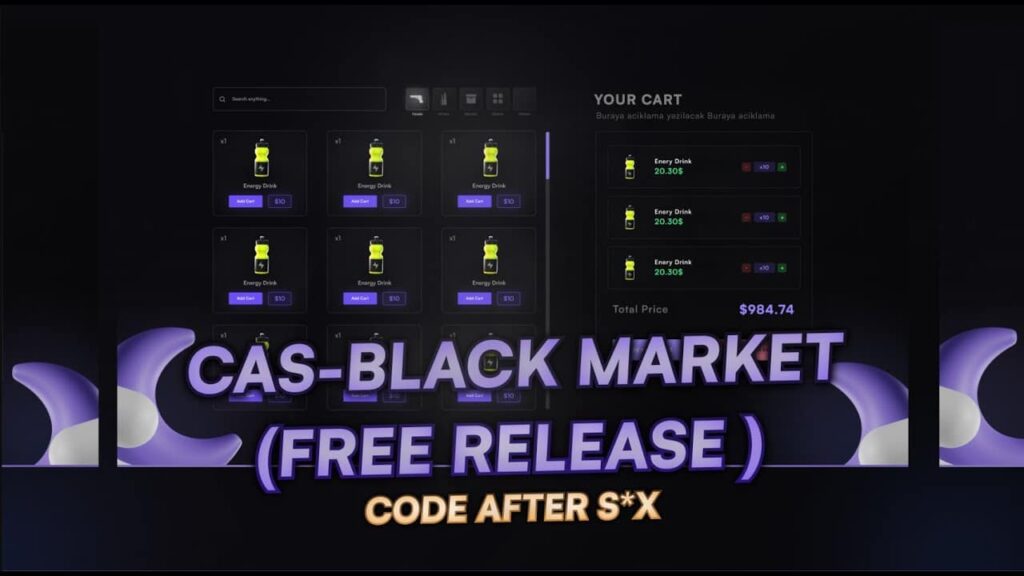
Tired of clunky market scripts? cas-market offers a streamlined and highly customizable solution for your server! This script, compatible with both ESX and QBCore frameworks, provides a user-friendly interface for players to browse, purchase, and manage items. From a smooth UI design to advanced functionality, this script has everything you need to bring a professional market to your server. Dive into its many features, easy installation process and simple customization options.
Functies
- ESX/QBCore Compatibility: Seamlessly integrates with both popular frameworks.
- Detailed Configuration: Customize items, prices, and locations through the config file.
- Intuitive UI: Enjoy a smooth and clean user interface.
- Shopping Cart Functionality: Add, increase, decrease, and delete items in the basket.
- Multiple Payment Options: Supports payments with bank and cash.
- Dynamic Item Images: Uses an inventory patch to display item images.
- Session Storage: Leverages sessionstore functions for efficiency.
- Highly Optimized: Designed for high performance with low resource usage.
- Configurable Inventory & Notification Exports: Easily modify the script to match your server’s inventory and notification system
Installation Guide:
- Download: Grab the script from GitHub Link
- Move to Resources: Place the folder into your resources directory.
- Rename: Make sure the folder name is set to cas-market
- Start Script: Begin the script using start cas-market
- Join Server: Dive in and enjoy!
Customization Highlights:
- Image Patch:
- Modify item images using the inventoryPatch variable in app.js. (Shown in screenshot)
- Configure the path to your inventory’s image directory for correct item display.
- Inventory Integration:
- Edit the server/server_hook.lua file to add items according to your server’s inventory system.
- Customize the AddItem function. (Shown in screenshot)
- Notification System:
- Change the client/client_hook.lua to match your server’s notification function. (Shown in screenshot)
Get more stuff