





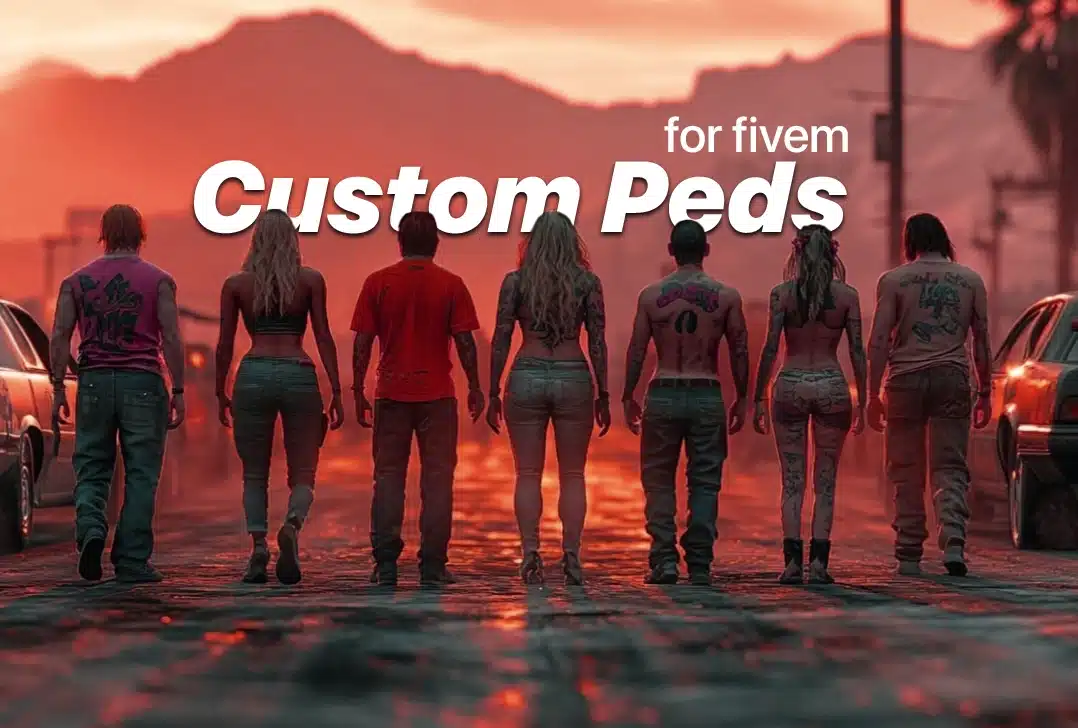
Peds for FiveM (Overview) – FiveM Related
Download free peds for FiveM
Hey there!
If you’re looking to add some life and personality to your FiveM server, you’ve come to the right place. In this guide, I’ll show you how to easily download and install free peds for FiveM, giving your server a fresh and immersive vibe.
Inhoud
What Are Peds?
Peds (short for pedestrians) are NPC characters in GTA V and FiveM.
They aren’t just background figures—they bring realism and character to your server.
From realistic citizens to quirky characters, there’s a wide range available to fit any server theme.
Why Use Custom Peds?
Using custom peds can completely transform your server experience:
- Enhanced Immersion:
Realistic peds create a more engaging and lifelike environment. - Unique Style:
Tailor your server’s look by choosing peds that match your theme and story. - Easy to Install:
Most peds are free and simple to integrate, even if you’re new to modding.
Browse FiveM Peds (Packages)
Free Ped-Packs
-

Benny’s Werkkledingset – Gratis FiveM Kleding
Looking to add some street-racing style to your FiveM server? Check out the Benny’s Workwear Set — a full outfit inspired by Los Santos’ iconic Benny’s Original Motor Works. Designed for both male and female pedestrians, this set is perfect for players who want to showcase the bold, graffiti-rich culture of Benny’s in their gameplay.…
-

Animal Swim Module – Free FiveM Mods
Give your server’s animals realistic swimming with this Animal Swim Module. This free FiveM script lets animal peds enter water without glitching out or instantly drowning, perfect for servers wanting more lifelike interactions. What This FiveM Animal Swimming Script Does Tired of seeing your police K9s or server wildlife instantly ragdoll or sink when they…
-

Sleepless Interact v2 – Free FiveM Job Scripts
Looking for a solid way to add custom interactions to your FiveM server? Check out Sleepless Interact V2! This script makes it easy to create those pop-up interactions when players look at objects, players, peds, or vehicles in your GTA RP world. Video Preview About The big news with V2? It now fully supports ox_target right out of…
-

Fat Peds – Free Download | FiveMX
Looking to make fun RolePlay moments in your FiveM server? Fat Peds are here to add a unique twist to your gameplay! These standalone peds bring laughter and creativity, making every interaction memorable. Key Features: Fun RolePlay Elements: Bring a playful atmosphere to your server. Full Support: We’re here to assist you in maximizing your…
-

Gratis Drag and Drop Kledingpakket voor Vrouwelijke Peds
This post introduces a fantastic free drag-and-drop clothing pack specifically designed for female peds in FiveM servers. With this pack, you can easily enhance the appearance of your characters with stylish outfits featuring high-quality textures. What’s Included in the Pack? The clothing pack comes with a variety of options, ensuring you have plenty of styles…
-

CSN Advanced Mechanic & Wash – Gratis FiveM Mods | FiveMX
CSN Advanced Mechanic & Wash is a standalone script designed to enhance vehicle repair and car wash experiences in the FiveM gaming environment. This script sets a new standard for immersive vehicle-related roleplay, allowing you to interact with NPCs for repairs and washes in a realistic manner. Here’s everything you need to know about getting…
How to Download & Install Peds
1. Prepare Setup
Before you begin, make sure you have:
- The latest FiveM client installed.
- Admin access to your server.
- A text editor (like Notepad++ or VS Code) for editing configuration files.
2. Download Peds
- Find a Trusted Source:
Visit sites like fivemx.com for a wide selection of free peds. - Download the Files:
Most peds come as .zip or .rar archives. Save them in a folder you can easily access.
3. Install Peds
- Extract the Files:
Unzip the downloaded files to reveal the folders and files. - Copy Files:
Place the extracted folders into your server’s resources directory. - Update server.cfg:
Open jeserver.cfgfile and add a line such as:plaintextKopierenstart [PedFolderName] - Restart Your Server:
Reload your server to apply the changes and see your new peds in action.
Quick Tips + Troubleshooting
- Check File Structure:
Ensure all files are correctly placed and follow the provided instructions. - Avoid Conflicts:
If you have multiple mods, test new peds in a safe environment first. - Community Help:
Join FiveM forums or Discord groups for additional support and ideas.
Final Words
Custom peds are a fantastic way to enhance your FiveM server, offering both aesthetic appeal and improved gameplay.
By following the simple steps above, you can quickly download and install free peds, making your server more dynamic and engaging.
Ready to bring your server to life?
Download free peds for FiveM now and experience the transformation!
Veelgestelde vragen
Q: What are peds?
A: They are NPC characters in GTA V and FiveM that add depth and realism to your server.
Q: Are the free peds safe?
A: Yes, as long as you download them from reputable sources like fivemx.com.
Q: Can I customize the peds?
A: Absolutely! Many peds allow modifications to textures, animations, and sounds.
How to use this page
Peds for FiveM (Overview) – FiveM Related is useful as a starting point for FiveM server planning, not as a replacement for testing resources yourself. Use it to build a shortlist, then verify compatibility, source quality, and performance on a staging server.
Evaluation checklist
- Check whether the resource or topic still matches current FiveM server practices.
- Prefer resources with clear screenshots, setup notes, active support, and realistic framework labels.
- Avoid installing unknown archives directly on a production server.
- Compare similar resources before committing to one setup.
Volgende stap
Browse FiveMX products for paid assets or free FiveM scripts for free-resource discovery.
Selection criteria
Use Peds for FiveM (Overview) – FiveM Related as a discovery page, then validate each option against your server goals. A resource or category can look useful in screenshots but still be a poor fit if it conflicts with your framework, duplicates existing systems, adds heavy client-side load, or lacks clear setup notes. Prioritize resources that explain dependencies, configuration, permissions, and update history.
Testing process
Build a shortlist first, then test one resource at a time on staging. Check installation steps, console output, player permissions, database changes, and performance impact before moving anything to production. If a resource affects common player loops such as jobs, vehicles, crime, maps, clothing, or UI, repeat the test with multiple roles so you catch permission and compatibility problems early.
Publishing standard
Do not publish a new resource to players just because it installs successfully. Confirm that it is stable after restart, does not create duplicate commands or menus, and has a clear rollback path. Keep the original source page and your configuration notes with your server documentation so future updates can be reviewed instead of guessed.
Ongoing review
Recheck Peds for FiveM (Overview) – FiveM Related after major FiveM artifact updates, framework changes, or resource migrations. Confirm that the advice still matches current server behavior, that any linked source remains available, and that installation steps still match the files a server owner will actually download or configure.
For public servers, keep a short changelog beside your server documentation. Note what was tested, what changed, which accounts were used for verification, and how to roll back. This makes future maintenance faster and prevents old setup notes from becoming unclear or unsafe for players.


